

Policies in RabbitMQ: only one applies
Two policies match a queue and the queue behaves as if one of them did not exist — because it does not, for that queue. RabbitMQ applies exactly one user policy to an object, and the settings of the others are not merged into it. This is the rule, the second layer that sits on top of it, and how to read which policy is actually in force.
For any queue or exchange, RabbitMQ applies exactly one user policy: the highest-priority one among those that match it. The others contribute nothing — not the keys the winner leaves out, not a default the winner does not set. An operator policy is a separate layer applied on top of that winner. Almost every surprise with policies is one of those three sentences, read the other way round.
What you see, and what it usually is
| What you see | What it usually is |
|---|---|
| A setting from a policy you wrote is not on the queue | Another policy matches the queue at a higher priority, and wins. Yours contributes nothing to it |
| A policy governs queues it was never meant for | Its pattern is not anchored, so it matches every name that merely contains it |
| A queue changed behaviour after a policy was deleted | The resolution ran again without it, and the next match — or none — now governs the queue |
| A policy whose pattern matches a stream does not govern it | The policy sets no key a stream accepts |
| A queue's limit is lower than its policy says | An operator policy sets the same limit, and the stricter value holds |
| Which of two policies applies changes for no reason you can find | They share a priority, and the broker's choice between them is not defined |
1 — The highest-priority match wins, alone
A policy has a pattern, a scope — what it applies to: queues, one queue type, exchanges, or all — a priority and a definition. Among the policies of the object's virtual host whose pattern and scope match it, the highest priority wins. Two matches at the same priority leave the outcome undefined, and the form says so where you type the number: Highest wins. Two matches at the same priority leave it undefined.
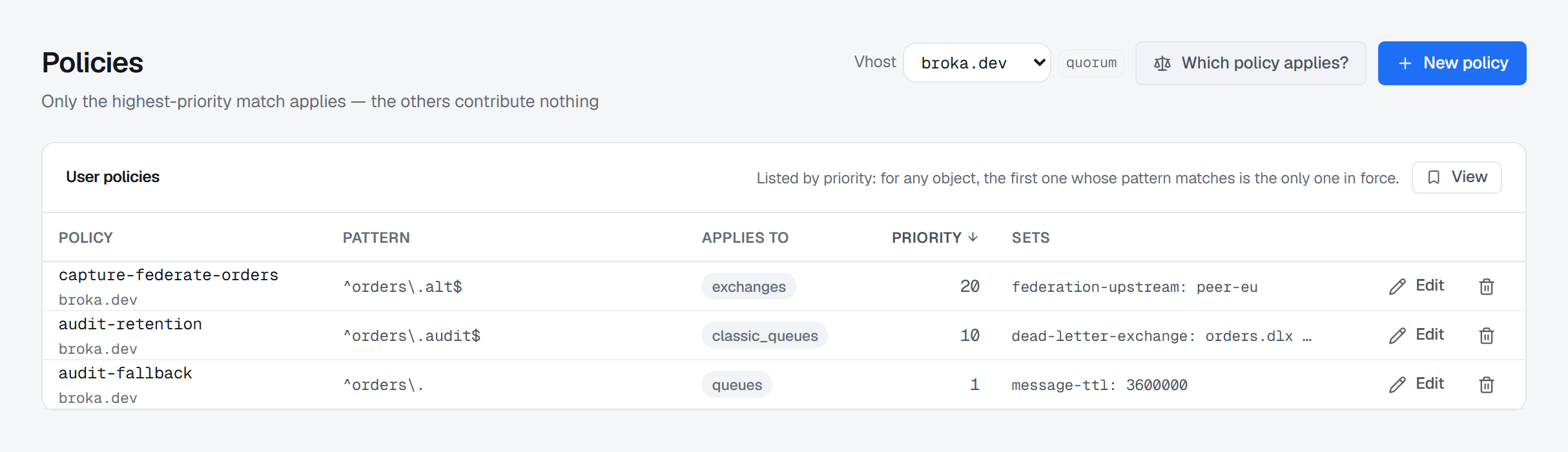
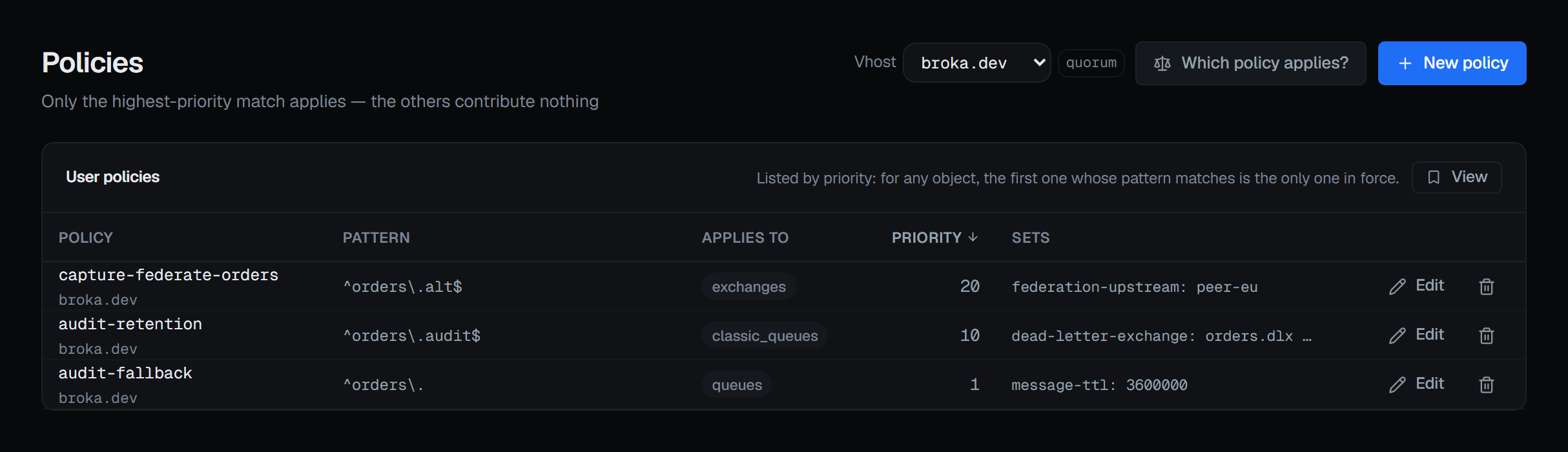
Take the two queue policies on that screen. audit-retention applies to classic queues named exactly
orders.audit, at priority 10. audit-fallback applies to every queue whose name starts with
orders., at priority 1, and sets a one-hour message TTL.
- The classic queue
orders.auditmatches both. audit-retention wins, and audit-fallback contributes nothing to it. Whatever TTLorders.audithas comes from audit-retention; had audit-retention set only the dead-letter exchange, the queue would have no policy TTL at all — the fallback's hour does not fill the gap. - The quorum queue
orders.processingmatches only audit-fallback's pattern, so audit-fallback governs it. - The stream
orders.eventsmatches audit-fallback's pattern and scope, and is governed by nothing. There is one more condition in the rule: a policy must set at least one key the object's type accepts, and a stream does not takemessage-ttl. The same policy settingmax-agewould govern the stream.
That last condition is why a list of policies, however well sorted, cannot tell you on its own which one governs a given object.
2 — Operator policies are a second layer
An operator policy does not compete with user policies. It is applied on top of the user policy that won, and where both set the same numeric limit — a message TTL, a queue expiry, a maximum length — the broker keeps the more restrictive value. That is its purpose: a ceiling an administrator sets that a user policy cannot raise.
BROKA keeps the two layers apart. The Policies screen lists operator policies in their own card, never sorted into the user policies' table, and the card appears only when the virtual host has at least one.
3 — A pattern is a search
The broker searches a name with a policy's pattern rather than matching the name whole. A pattern that
does not start with ^ therefore governs every name that contains it: orders matches orders.audit
and retry.orders.dlq alike. BROKA marks such a pattern unanchored in the list, and the form's hint
changes to say so while you type it.
4 — Read the winner from the broker
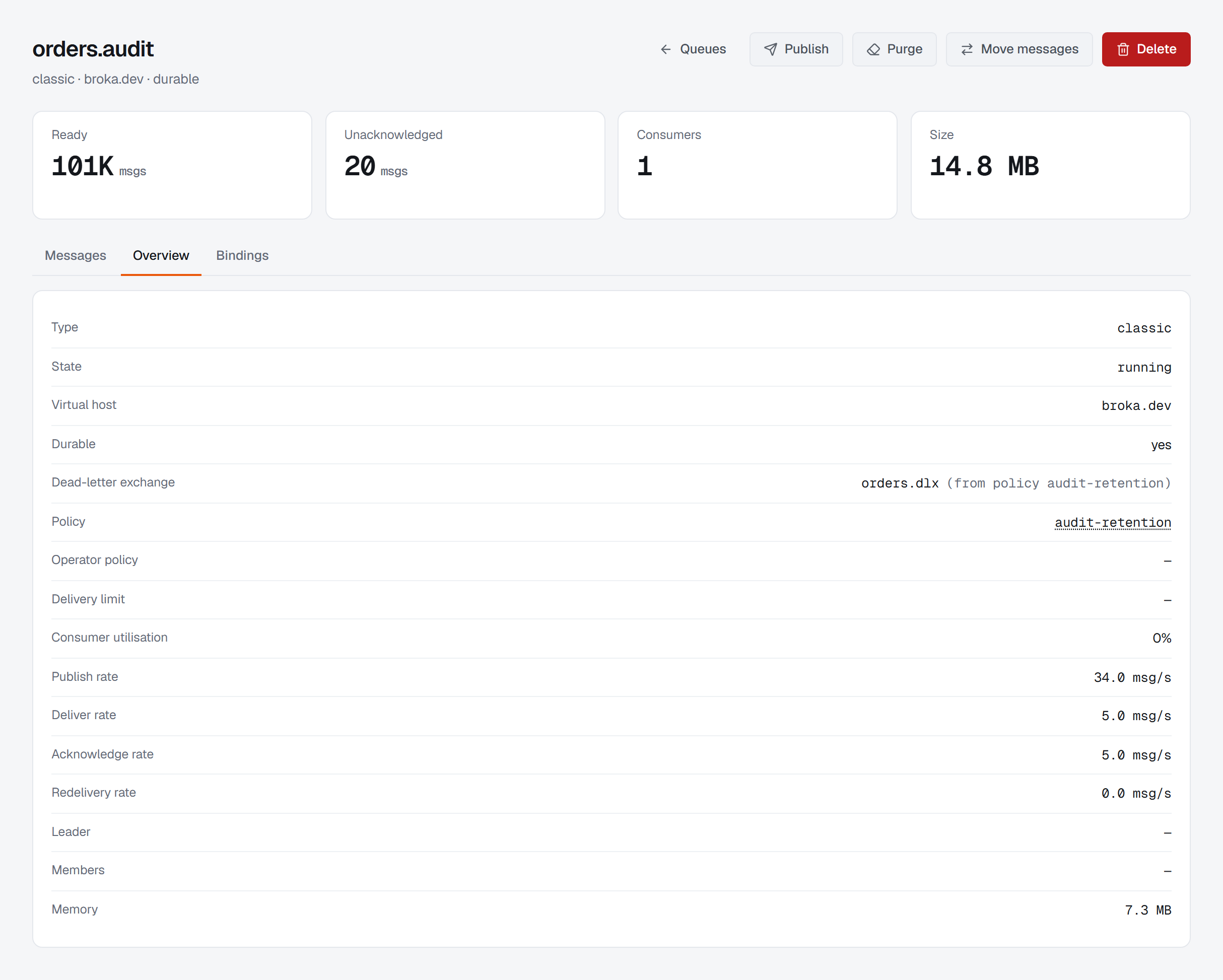
For each queue, the broker reports the name of the user policy in force and of the operator policy, and nothing about the policies that lost. A queue's Overview shows both, and the policy's name there opens Which policy applies? for that queue. The same question can be asked from the Policies page for any object you name, with its kind — a classic, quorum or stream queue, or an exchange — because the scope separates them.
The panel answers in up to four parts:
- In force — the one user policy governing the object, as the broker reports it.
- Also matched, and does not apply — every other policy whose pattern and scope match, each with its reason: Lower priority than the one in force, so it contributes nothing to this object, or the same priority, where which one the broker picks is not defined. This list is the point of the panel — it is where the policy you meant to be using turns up.
- Operator policy, shown apart: it applies as well, and for limits both set the more restrictive value holds.
- Nothing governs this object, as a state of its own rather than an empty table, when no user policy and no operator policy matches.
The winner is the broker's answer, not a recomputation of the rule, because the key-type condition above is part of the rule and a recomputation that missed it would name a policy that is not in force. When the broker has no answer to give — an object that does not exist yet, or one this connection's identity cannot read — the panel says so first: the broker did not report which policy is in force on this object, so what follows is every policy whose pattern matches it — not a statement about which one applies. It then lists the matches by priority, and marks the one it puts first ambiguous when another match shares its priority. When the question could not be asked at all, it says that and claims nothing about the object.
A name longer than 255 bytes is refused before any pattern runs against it. That is the longest queue or exchange name RabbitMQ accepts, so a longer one names nothing that can exist.
5 — Changing a policy changes everything it matches
Edit writes the whole policy: its pattern, scope, priority and definition are replaced by what the form holds, and every object the pattern matches — including ones created later — gets the result. The name is fixed for the life of the policy, and a user policy cannot become an operator policy or the other way round; moving one means deleting it and creating it on the other side. New policy refuses a name already used by a policy of the same kind in that virtual host, rather than replacing it. A definition carrying the old mirroring keys is refused: classic queue mirroring was removed in RabbitMQ 4.0, and such a policy would configure nothing while looking as if replication had been arranged.
Deleting is where the rule bites hardest, and the confirmation says it in one sentence:
Every object it governed falls back to the next matching policy, or to its own arguments if none matches — which can silently remove a TTL or a dead-letter target.
A delete does not restore a default. It runs the resolution again without that policy, and whatever wins next is what those queues get. Before confirming, ask the panel about the queues that matter.
Who may change it, and what is recorded
Creating, editing and deleting a policy need the permission to change the cluster, and are refused in a read-only environment or on a read-only connection. Deleting asks for a reason in every environment; creating and editing ask for one in a guarded environment, where every write does. Reading which policy applies changes nothing.
Every change is audited with what it changed: the pattern, scope, priority and definition, each with its value before and after. An edit shows exactly what it replaced, and a delete shows what every object it governed has just lost. The RabbitMQ page describes the rest of the broker's screens.
What this article does not cover
- The keys themselves. What each key in a definition does, and which object types take it, is RabbitMQ's own documentation; the Policies screen summarises a definition, and does not explain it.
- Patterns BROKA cannot read. The losers are BROKA's own reading of each pattern; one it cannot compile, or cannot decide within its bound, is left out of that list rather than guessed. The winner is always the broker's.
- Queue arguments. A queue's own arguments are fixed when it is declared. Where its dead-letter target comes from — an operator policy, its arguments or a policy — is on the queue's page.
Try it yourself
The rabbitmq-policies lab starts RabbitMQ with overlapping policies of different priorities, an unanchored pattern, a tie, a stream that no policy governs and an operator policy on top, so you can ask which one applies to each queue and see what deleting one changes.
Applies to BROKA 1.0 · RabbitMQ · Commercial.