

Editing a queue
Updated 29 September 2026 · applies to 1.0.0 · Commercial
Edit, in the header of a queue's detail page, changes the settings of a queue that already exists: its filter,
consumer cap, message groups and dispatch. The change is made on the running Apache Artemis
(formerly ActiveMQ Artemis) broker, through the broker's own updateQueue operation. Pausing, disabling and
purging the queue are separate controls beside it, described on Queue detail.
Only what you change is sent
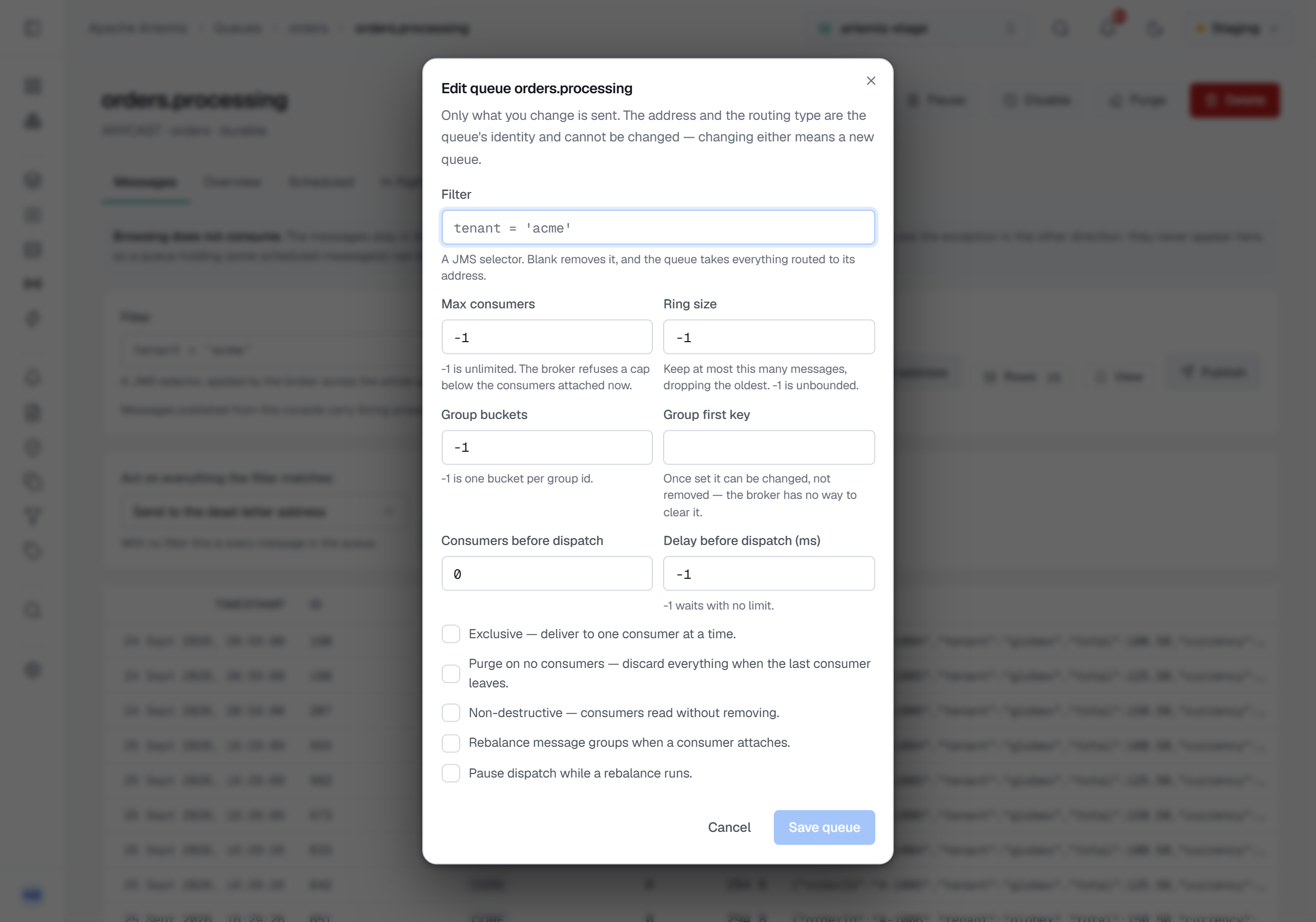
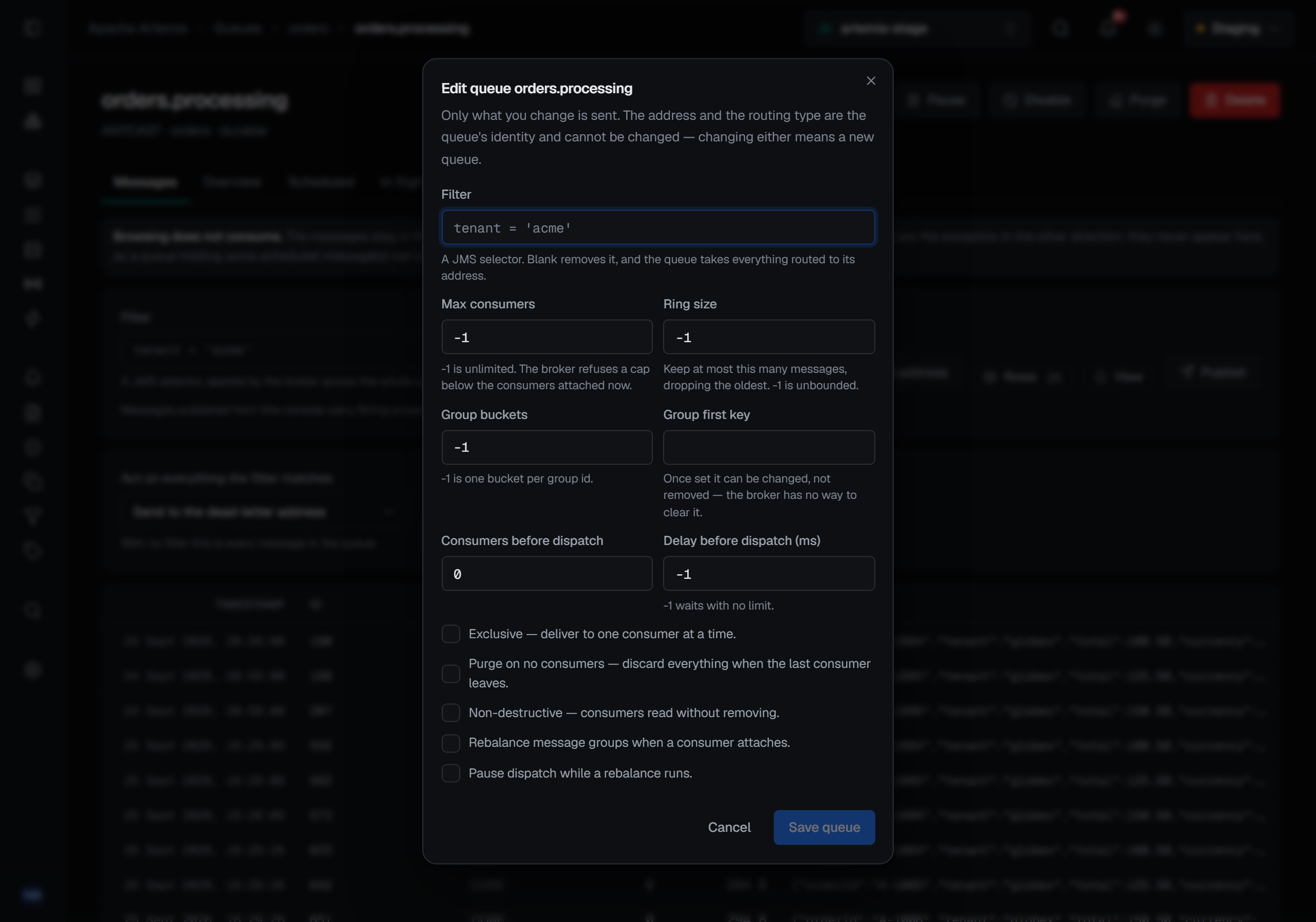
The dialog opens filled with what the queue has now, and it is filled again every time it opens, so an edit abandoned last time is not carried into this one. Only what you change is sent — a setting left as it was is not touched. Save queue stays greyed out until at least one value differs from the queue's.
That is deliberate. The broker applies a setting only when the update carries it, so a form that sent every field back would record every field as changed — and would ask a reason for a filter nobody edited.
The filter is the exception, and it is kept rather than lost. Artemis removes a queue's filter from any update that does not carry one, so a change meant only for the consumer cap would quietly start routing every message to a queue that used to take a selection. BROKA therefore reads the current filter and sends it back with every change you make. A filter you do not touch stays exactly as it was.
The fields
| Field | What it decides |
|---|---|
| Filter | A JMS selector. Blank removes it, and the queue takes everything routed to its address |
| Max consumers | -1 is unlimited. The broker refuses a cap below the consumers attached now |
| Ring size | Keep at most this many messages, dropping the oldest. -1 is unbounded |
| Group buckets | -1 is one bucket per group id |
| Group first key | Once set it can be changed, not removed — the broker has no way to clear it |
| Consumers before dispatch | How many consumers must attach before anything is dispatched |
| Delay before dispatch (ms) | How long to wait for them. -1 waits with no limit |
Every number is a whole number: -1 or more, except Consumers before dispatch, which starts at 0. A box
holding anything else says so under it — A whole number, -1 or more. — and Save queue stays greyed out.
Then five switches: Exclusive (deliver to one consumer at a time), Purge on no consumers (discard everything when the last consumer leaves), Non-destructive (consumers read without removing), rebalancing message groups when a consumer attaches, and pausing dispatch while a rebalance runs. Which consumer each message group is pinned to now is on the queue's Groups tab — see Scheduled, in-flight and grouped messages.
Three changes ask for a reason
Three changes can drop messages, and those three ask for a reason in the dialog itself:
- a new filter, or removing one, because what it no longer matches stops arriving;
- turning Purge on no consumers on, because everything held is discarded when the last consumer leaves;
- any change to the ring size, because the oldest messages beyond it are dropped.
As soon as the change you have made is one of these, a Reason field appears at the foot of the dialog, and Save queue stays greyed out until it has something in it. The rule is enforced on the server too, from what the request asks to change: sent any other way without a reason, one of these changes is refused before it runs.
Every other change saves without one — except in a guarded environment, where every write needs a reason and
the console asks for it before the change is sent.
What the dialog does not change
What the dialog does not offer is deliberate. The address and the routing type are the queue's identity, and changing either means a new queue — the dialog's own description says so. Enabling and disabling is its own control on the page, because it is an act rather than a setting.
A queue declared in the broker's configuration file is said to be one. The dialog opens with a warning that a configuration reload puts back what the file says, so a change made here lasts only until then.
Some refusals come from the broker itself: a consumer cap below the consumers attached now is one. If the queue has gone by the time you save, the change is refused with The queue '…' is no longer on this broker.
Who can edit, and what is recorded
Edit appears only for someone allowed to change this broker, and not in a read-only environment or on a read-only connection; there the page says why instead.
Every edit is recorded in the audit trail. BROKA reads the queue's settings just before the change and again just after it, and the entry lists every setting whose value actually moved, with its value before and after as the broker reported them — so the record shows what the broker now holds, not what was typed. The filter is recorded as changed but never by value, because a selector is a search term. A change that can drop messages is recorded as one, with the reason given for it.