

Message operations
Updated 3 November 2026 · applies to 1.4.0 · Commercial
Four operations, and the differences between them are the whole page: publishing tells you what the broker did with the message and not what a consumer did, reading a queue takes messages away, reading a stream does not, and moving a queue's messages hands them to the broker to deliver elsewhere.
Publishing reports what the broker did — never delivered
A publish goes over AMQP with publisher confirms and the mandatory flag, so the broker answers it, and the answer is one of three:
| Answer | What the broker said |
|---|---|
| Confirmed | It took the message: at least one queue has it |
| Returned | Nothing routed it — no binding matched, and no alternate exchange took it. The broker's reply code and text are shown with it |
| Refused (nacked) | A queue it reached would not take it — one at its length limit that rejects publishes does this |
The first is a success and the other two are errors, because in both the message is not in any queue.
A confirm is still not a delivery, and BROKA will not present it as one: it is the broker taking responsibility for the message, not a consumer receiving it. An exchange's Publish dialog names the three answers before you send.
Because the publish is made over AMQP, it needs the connection's AMQP endpoint to be reachable — the connection test warns when it is not. A missing exchange, an internal one or a virtual host the account may not enter is refused in the broker's own words.
Where you publish from decides what you are testing. Publishing to an exchange exercises your routing. Publishing from a queue's own page goes through the default exchange straight to that queue, which skips the exchange and the bindings your applications publish through — so it exercises the consumer instead. The console states which one you are doing on the dialog that does it.
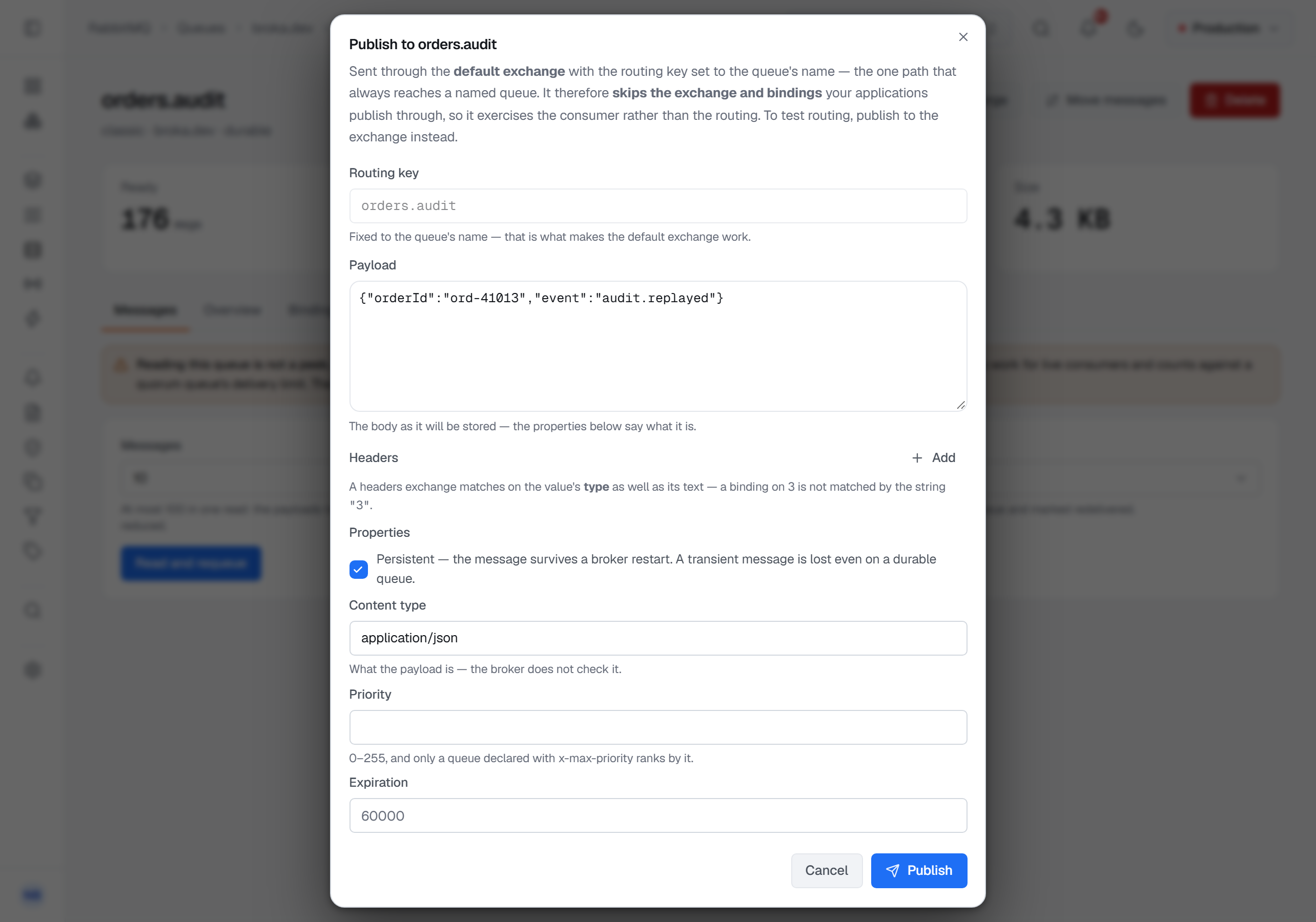
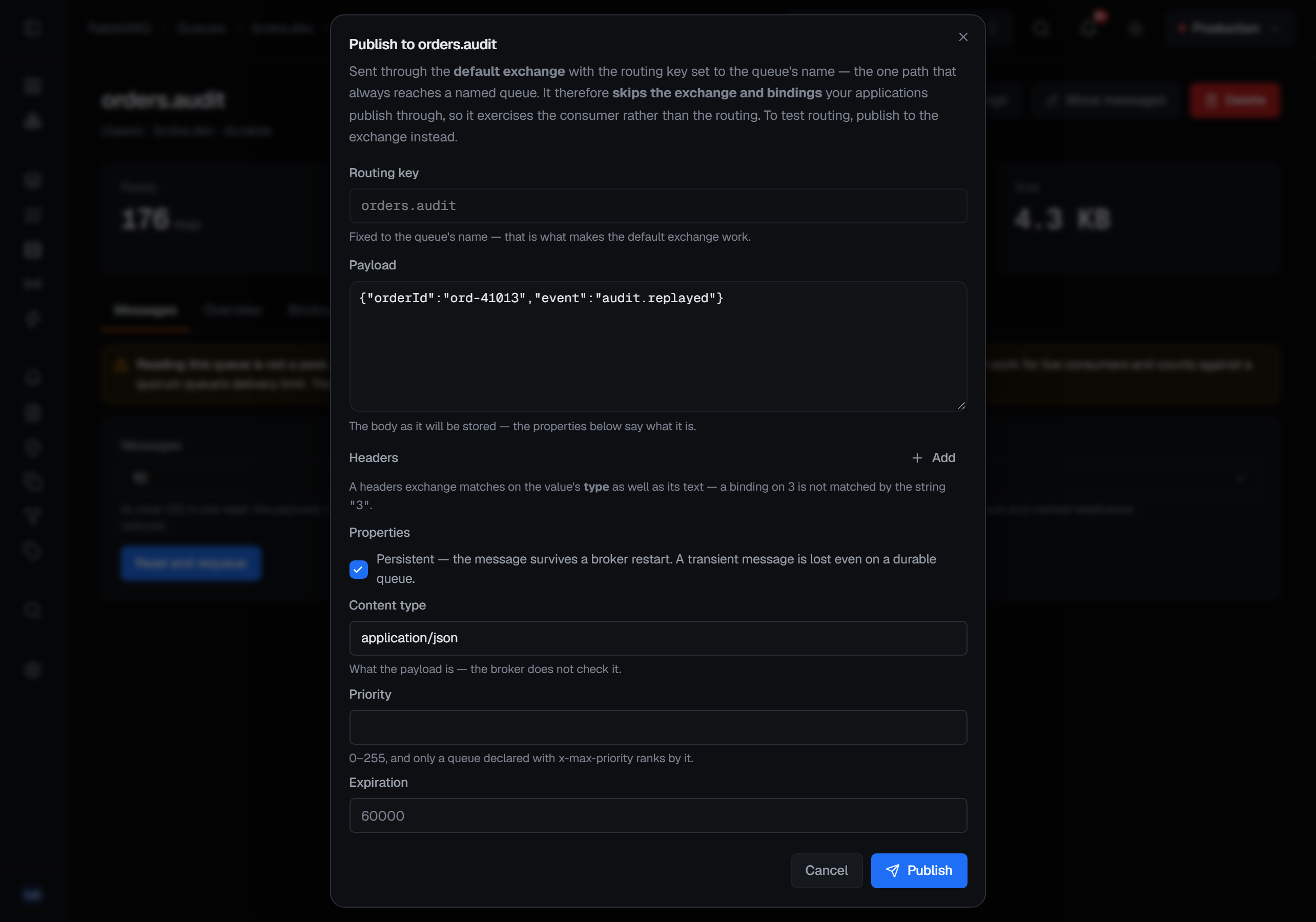
The routing-key field explains itself per exchange type behind its ?: a fanout exchange ignores it entirely, and a headers exchange matches on headers instead. On the default exchange the line under the field says the routing key is a queue name.
Headers are rows of a name, a value and its type — what the type changes is behind the ? beside Headers. The AMQP properties — Persistent, content type, priority, expiration, correlation id, reply-to, message id and type — are under Advanced properties, shut by default; while it is shut it counts how many are set away from an ordinary publish, so nothing changed is out of sight.
Reading a queue is not a peek
This is the line under the controls, before anything is read rather than inside a dialog, and it changes with the mode chosen:
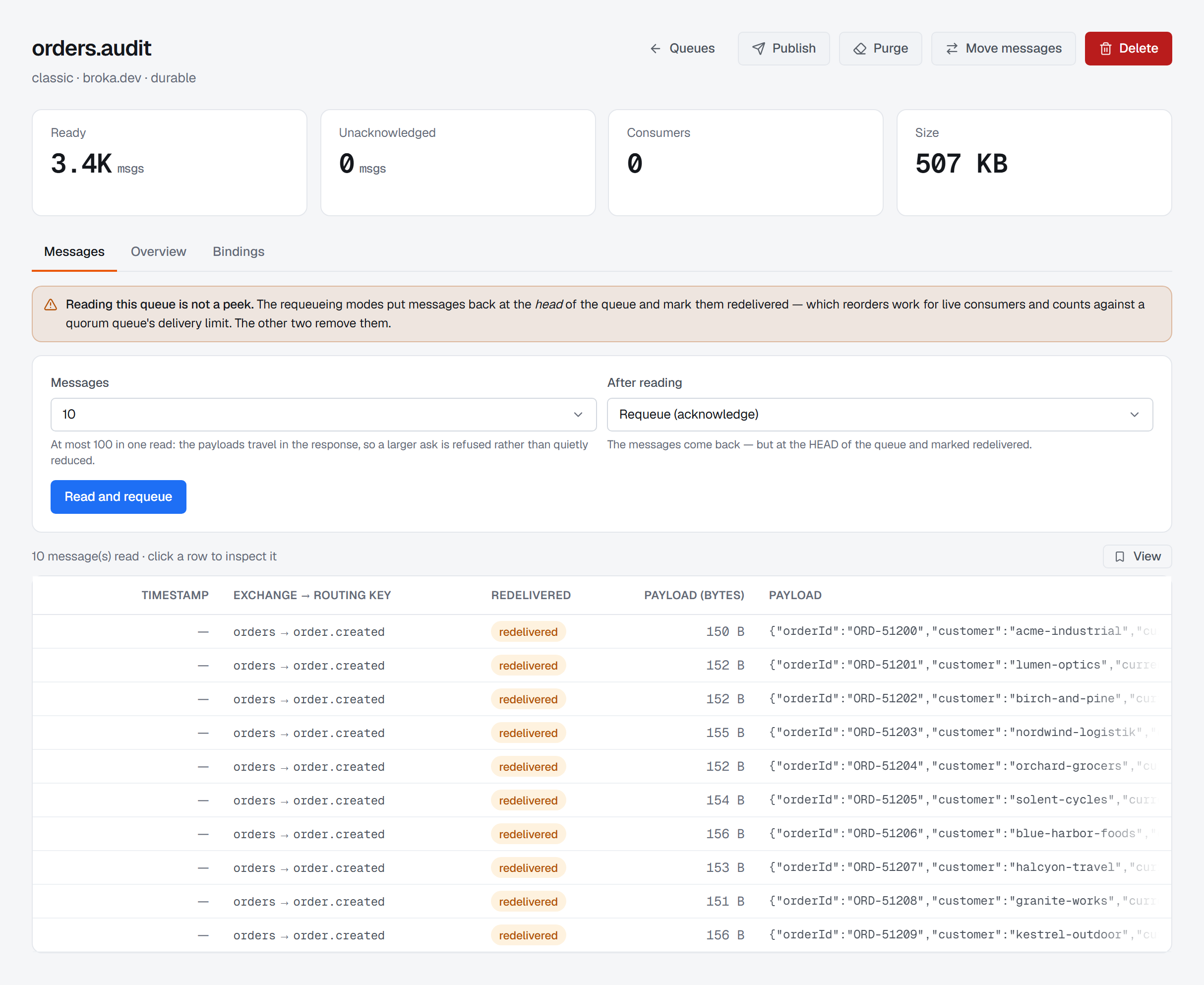
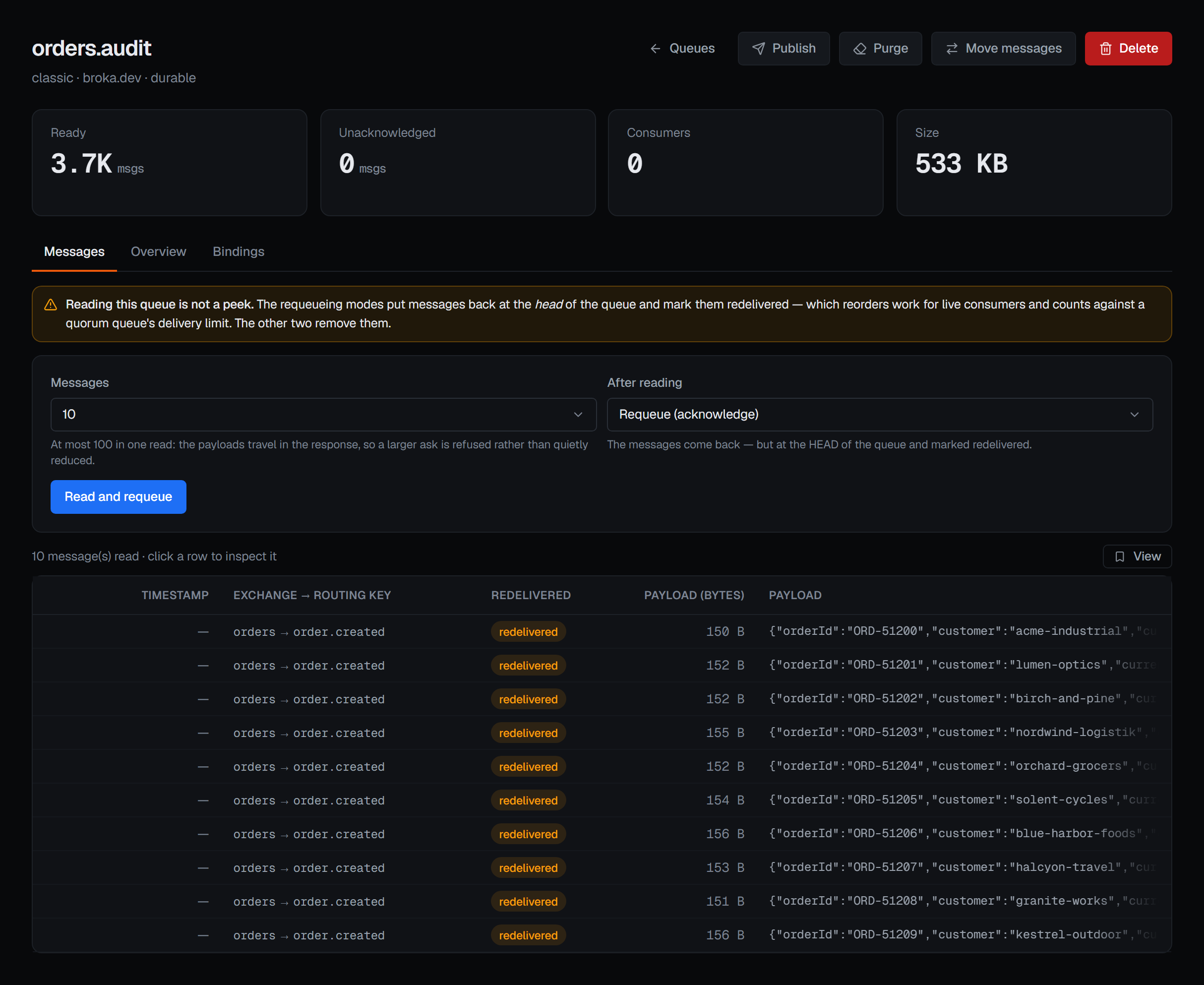
Reading is not a peek: the messages come back at the head of the queue, marked redelivered.
The requeueing modes put messages back at the head of the queue and mark them redelivered — which reorders work for live consumers and counts against a quorum queue's delivery limit.
There are four modes, and all four touch the queue:
| Mode | What happens |
|---|---|
| Requeue (acknowledge) — the default | The messages come back, at the head of the queue, marked redelivered |
| Requeue (reject) | The same, through a negative acknowledgement |
| Remove (acknowledge) | The messages are gone for good |
| Dead-letter (reject) | Dead-lettered where a dead-letter exchange exists, dropped where it does not |
Choosing a destroying mode changes the screen: the line turns red and says the messages are removed with no undo, and the button itself relabels — Read and remove rather than Read and requeue, in a warning colour. The button says what it will do.
The redelivered flag follows the message. A requeueing read sets it for whoever eventually consumes it — so on the read that caused it the column is still empty, and on a second read of the same messages the flags appear. That is not a display lag; it is what the flag means.
Each row carries the exchange and routing key it arrived through, whether it was redelivered, its size and its payload — and its timestamp, when a message read carries one; with none stamped the column is left out and the payload has the width. Opening a row shows its full properties and headers.
Reading a queue, and reading a stream, take Read message contents (messages.read) as well as
viewing the connection; without it the panel says your role is not permitted to read messages. The
queue's depth, rates, bindings and consumers stay visible. Seeing the fields a data masking rule covers as they
are takes Read masked contents unmasked (messages.read.unmasked) too — on the queue's environment or
connection, or by a queue grant whose pattern matches it — and so does moving the messages of a queue a rule covers.
Reading a stream takes nothing away
A stream is an append-only log, and the line under its controls says the opposite of the queue's:
Reading a stream takes nothing away: the read moves only its own position, and every other reader sees the same messages.
Nothing is removed, requeued or marked redelivered.
That is a protocol difference rather than a policy: the management API's message-get is refused on a stream outright, so reading one means attaching as a consumer at an offset — and BROKA never acknowledges anything it reads.
Six ways to choose where to start, each with what it actually does:
- First — the oldest message still retained. Retention has already deleted anything older.
- Last — the final chunk, not the final message, so it usually returns several.
- Next — only what arrives from now on. On a stream nobody is publishing to it returns nothing, and that is not an error.
- Offset — an exact position. Past the end of the log it simply returns nothing.
- Timestamp — the first message at or after a moment, matched against the broker's own append time, so it works even on messages that carry no timestamp of their own.
- Relative time — a window back from now.
Every row carries the offset, which is the one thing the broker itself attaches. The timestamp column appears only when a message read carries one.
A stream read is bounded by bytes as well as by messages: each body is cut to 256 KiB as it arrives, and the read stops once it has gathered 4 MiB, saying so and telling you where to start the next one. A stream of large messages therefore comes back in several reads rather than in one that runs out of room.
Having the broker filter a stream read
A stream read can carry a filter that RabbitMQ applies itself, so only the messages that match are sent. The filter sits under the start position, in three parts, and every entry in it must match:
- Property filter — the message's properties by their AMQP 1.0 names:
message-id,correlation-id,user-id,to,subject,reply-to,content-type,content-encoding,group-idandreply-to-group-id, each at most once. Add puts a row; pick the property and type its value. - Application property filter — the message's application properties by name, each value typed as a string, a number or a boolean. A header a publisher set over AMQP 0-9-1 is an application property here, and its type matters: a filter on the number 2 matches what a publisher stored as 2, not the string "2".
- SQL filter — one expression in RabbitMQ's SQL dialect, such as
region = 'eu' AND p.subject LIKE 'Order%': a plain name is an application property,p.comes before a property, and a name that is not a plain word goes in[brackets].
A text value matches exactly; written as &p:Order it matches by prefix, and as &s:.created by suffix —
RabbitMQ reads those markers itself. A header whose name begins with x-, or one holding a table or an array, is not
an application property, so no filter matches it.
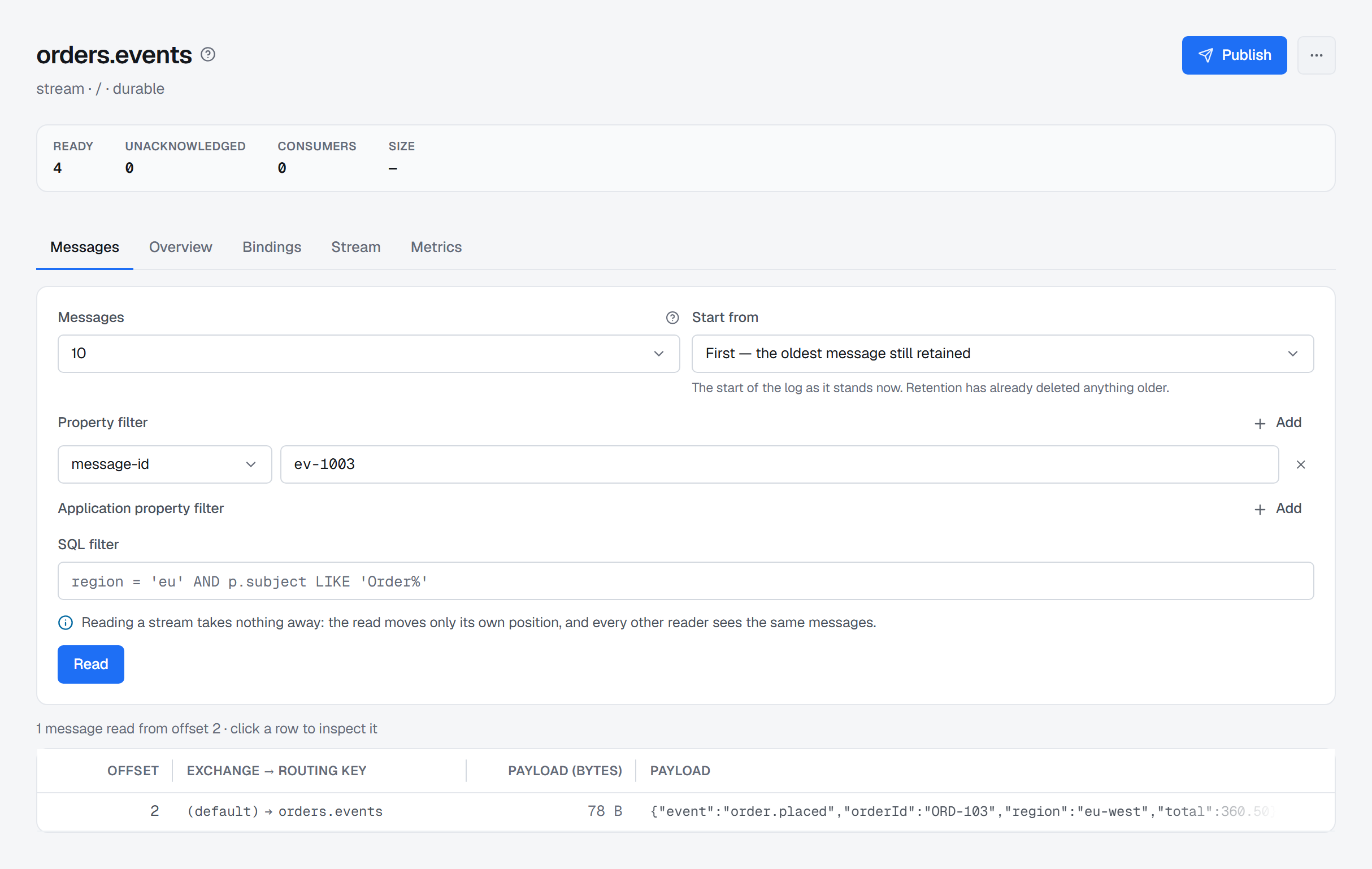
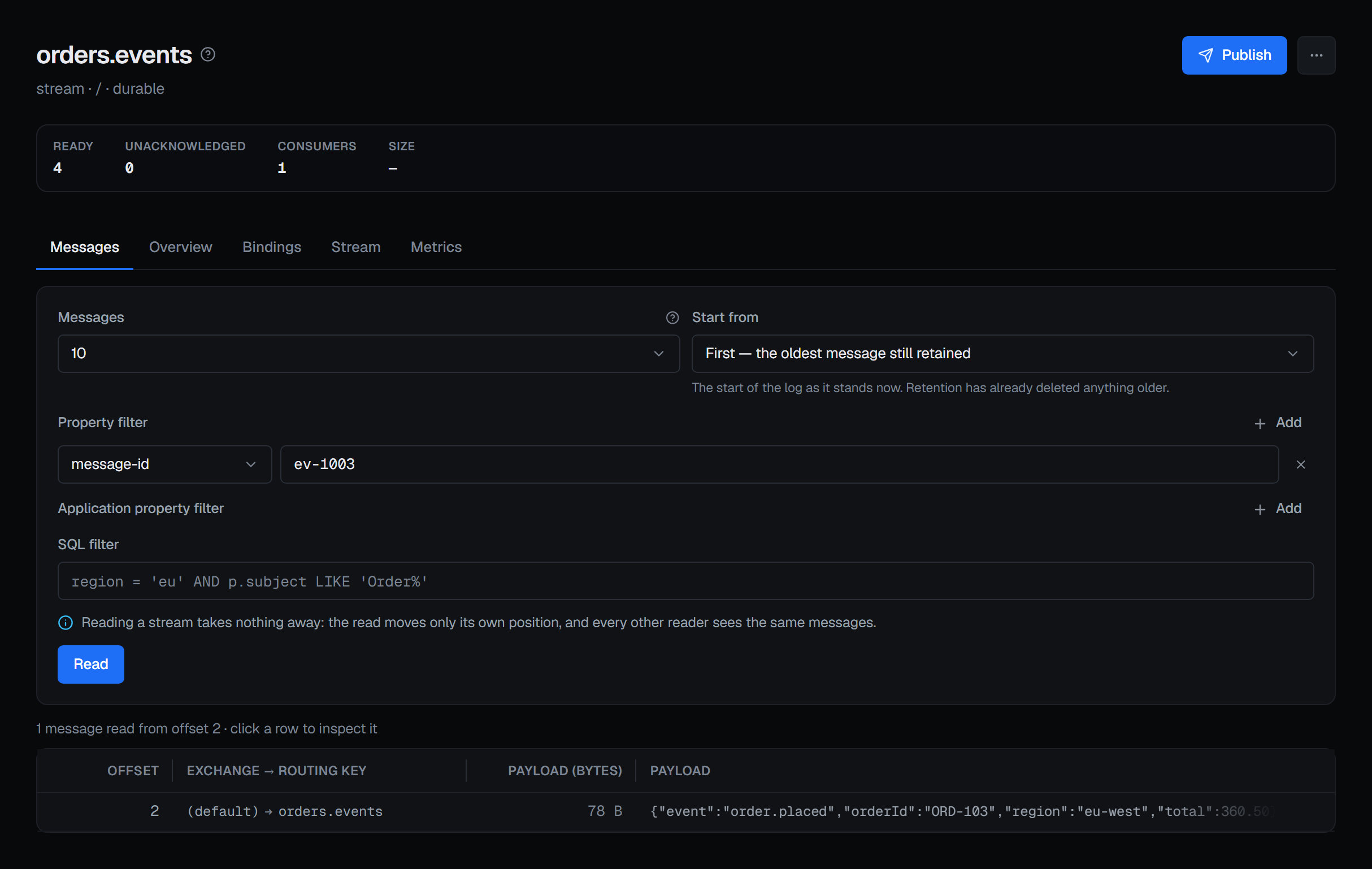
Property and application property filters need RabbitMQ 4.1, and SQL needs 4.2. On an older broker, the part it cannot apply is shown greyed out, with the reason behind its ?: the release that brings it and the version the broker announced. An expression RabbitMQ cannot parse is refused with a sentence that says so and what its syntax expects, and nothing is read.
A filtered read goes over AMQP 1.0 to the connection's own AMQP host and port, with its credentials and TLS
settings; a read without a filter is the same read as before. It keeps the read's bounds — the count, and the bytes
above. Its messages are shown as any stream read's, with a few properties under their AMQP 1.0 names: a publisher's
app_id as group_id, its expiration as ttl and its delivery mode as durable.
When a filtered read finds nothing, it says No matching messages. The broker skips the messages that do not match without a word, so a long run of them reads the same as the end of the log: an empty filtered read is not necessarily the end of the stream.
About stream timestamps
A stream message's timestamp is AMQP's optional publisher property — something the application sets, not something the broker stamps on arrival. A 4.3 broker sends no append time of its own over AMQP 0-9-1, so a message whose publisher set none has no timestamp to show, and the console says that rather than inventing one.
Order comes from the offset, which is always there.
Moving a queue's messages
Move messages, in a queue's header, hands the messages to the broker to deliver somewhere else, rather than reading them out through the console. It starts a one-shot shovel that moves the ready messages the queue holds when it starts to another queue or exchange — which must already exist, in any virtual host on the same broker, and is picked from that virtual host's list — and removes itself once it has moved them. Each message is acknowledged on this queue only once the destination has confirmed it.
To an exchange with the routing key left blank, each message is republished under its own routing key, which is how a dead-letter queue is replayed — see Dead-letter flows. While the move runs, its shovel is listed under Shovels and federation, and deleting it there stops the move.
It asks for a reason, is recorded, and is not offered on a stream, which has no end to drain to. Where the shovel plugin is not enabled, the button is shown greyed out, with the reason.
Masked fields
A data masking rule can hide fields of the messages a queue or a stream holds
from people who may read the messages but not those fields. A rule names queues, or an exchange, which covers every
queue bound from it as the bindings stand when you read. A queue read and a stream read both come back masked from
the broker service: inside a JSON body a masked string reads ••••, a number 0 and a boolean false; a masked
header or message property — correlation_id, say — reads ••••; a body that is not JSON, or is binary, under a
rule that looks inside it is masked whole. A masked badge beside the payload, in the row and in the message's
detail, names on hover each masked field, its method and the rule — or, for a body masked whole, the reason.
Masking changes what you see, not what the read does: a requeueing read requeues the message as it is, and a removing read removes it.
A stream filter could say what a masked field holds by which messages it matches, so it is checked before the read
starts. A SQL filter is not accepted where masking rules apply to the stream for you — "A SQL filter is not
accepted where masking rules apply to this stream; filter on named properties instead." A property or
application property filter on a field a rule masks is refused, naming the field and the rule; one on a field you
can see reads as usual. A rule written for a property's AMQP 0-9-1 name — app_id, say — covers it under its AMQP 1.0
name too.
Move messages is refused on a queue a rule masks for you — the messages would be readable wherever they landed — and the refusal names the rule. Publishing a new message is not affected.
Someone allowed to read the queue unmasked sees its messages as they are, with a shown unmasked badge, and each such read is recorded in the audit trail.