Addresses
Updated 30 September 2026 · applies to 1.0.0 · Commercial
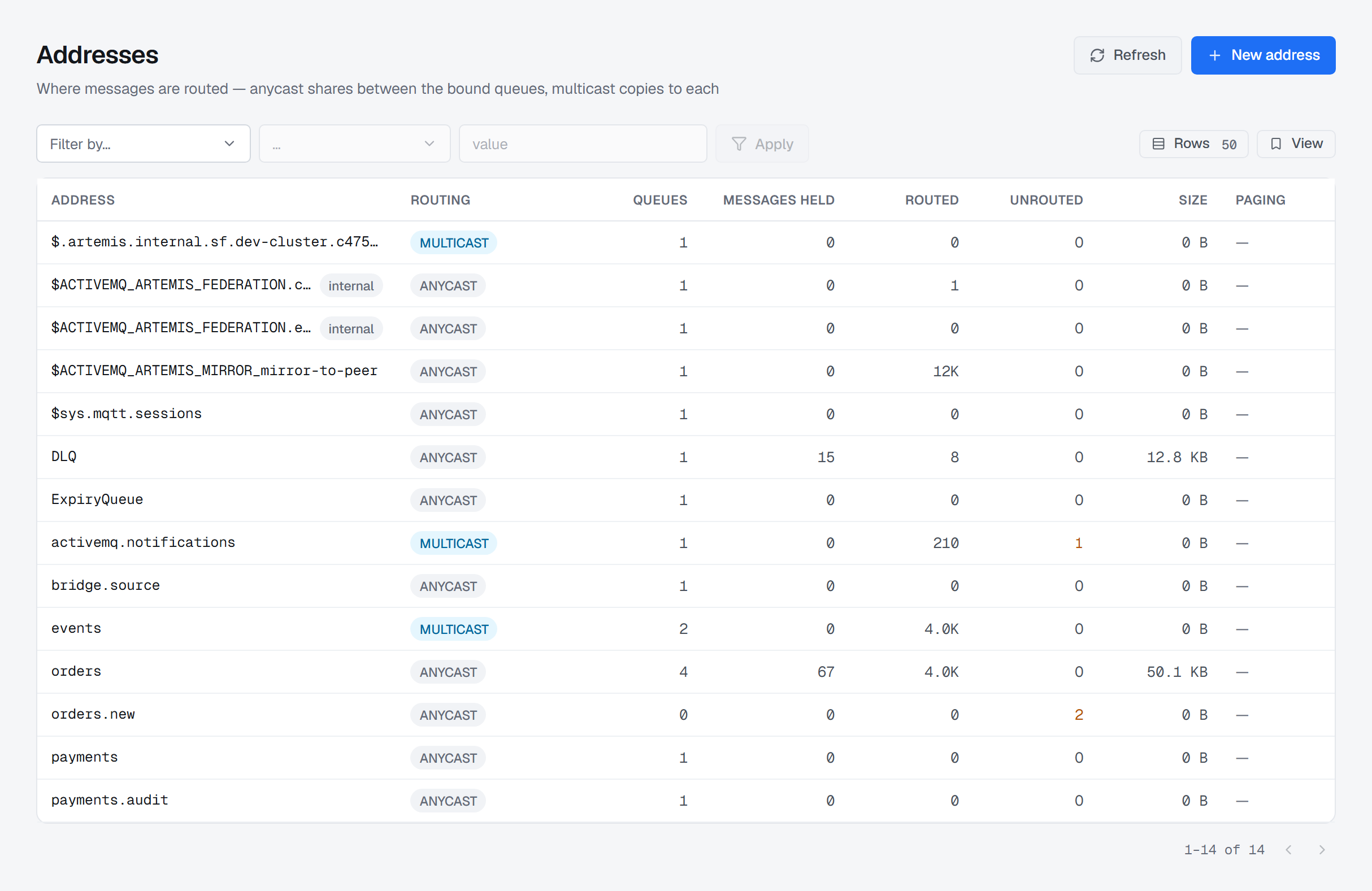
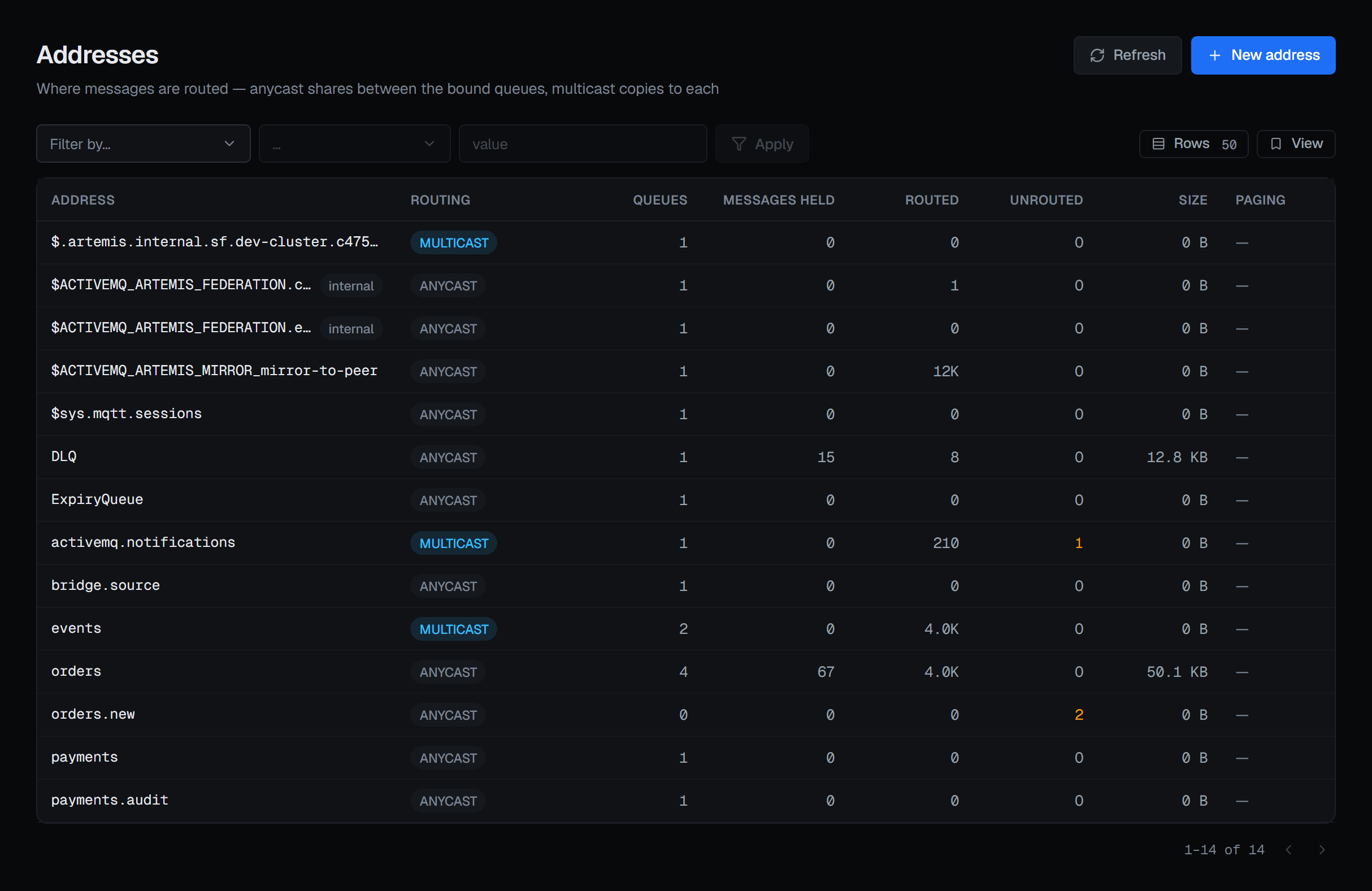
An address is where a message is sent. Queues are bound underneath it, and the routing type decides what happens to each message that arrives.
This is the screen that makes the rest of the section readable, because the numbers on a queue only make sense once you know how its address routes.
The two routing types answer different questions
| Routing type | What happens to a message routed to the address |
|---|---|
| ANYCAST | The bound queues share it — one queue receives it, round-robin between them |
| MULTICAST | Every bound queue receives its own copy |
So an address with 6 messages routed and 6 held across 3 queues is anycast behaving normally, and an address with 2 routed and 4 held across 2 queues is multicast behaving normally. Both look wrong if you read the queues without the address.
The two are told apart by tone as well as by text, and an address can carry both — a queue then picks which behaviour it is bound with.
Unrouted is the number people lose an afternoon to
Unrouted counts messages the broker accepted and then routed nowhere, because they matched no binding. The producer got no error. The message is not in a queue. Nothing failed.
This is the only place in the console where that number appears, and any value above zero is coloured, because "we sent it and it never arrived" is otherwise one of the hardest questions to answer on a message broker.
Paging means the address has spilled to disk
A paging badge on a row means that address exceeded its memory allowance and started writing to disk. Its queue depths are no longer bounded by memory, which changes what "the queue is deep" costs you and what recovery looks like.
Filtering happens on the broker, and both halves of it are curated
The filter is applied by Artemis itself, not in your browser, so it works on a broker with far more addresses than a page can hold. Two things about the control are deliberate, and both exist because this broker answers a bad filter with a success and a wrong list.
The operators change with the field you pick. Artemis compares by field type: is greater than on
a text field matches nothing, contains on a numeric field matches nothing, and does not contain on
a numeric field matches everything. Each is answered with an ordinary 200. So each field offers only
the operators its type can serve — text gets equality and containment, numbers get equality and
ordering, never containment — and changing the field resets an operator the new one cannot serve,
because that exact combination is the one that returns a plausible, wrong list.
The field list is shorter than the one the broker advertises, and that is the more important half. Artemis's list views declare more filterable fields than their filter predicates actually implement, and an unimplemented field does not raise an error — it disables the filter. Worse, the views do not even fail the same way: on queues, sessions, consumers and producers an unhandled field falls through to match everything, while on addresses it falls to match nothing.
The session, consumer and producer views alone leave sixteen declared fields unimplemented, and the queue view about a dozen more. Only the connection view's predicate is exhaustive. So the console ships a hand-written list per view of the fields the broker really filters, and refuses anything else before the request leaves — rather than importing the broker's own field list, which would import exactly the entries that silently do nothing.
When the broker does not say how many rows a list holds, the pager does not make up a count: it shows the rows read so far with a +, as in 1–50 of 50+, and Next stays available while the page is full. The other paged Apache Artemis lists do the same.
Creating an address
New address takes a name and a routing type — ANYCAST, MULTICAST or both. The dialog states what the routing type decides, because it is not a preference to revisit later: a queue inherits its behaviour from how it is bound, so choosing wrong here produces a queue that receives the wrong things.
The button appears only for someone allowed to change this broker, and not in a read-only environment or on a read-only connection. Creating an address is a write, and it is recorded in the audit trail with the actor, the environment and the broker.
Changing an address
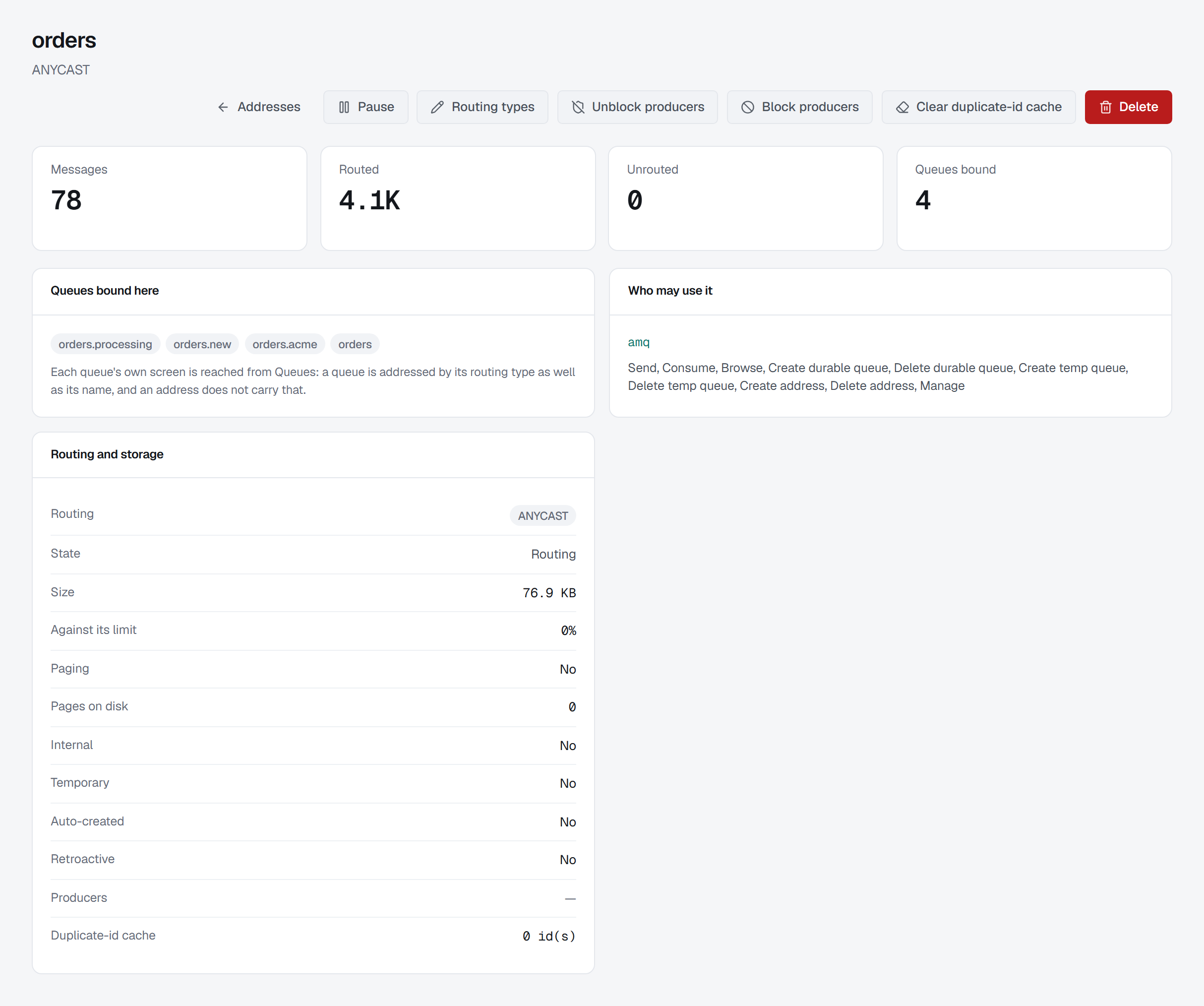
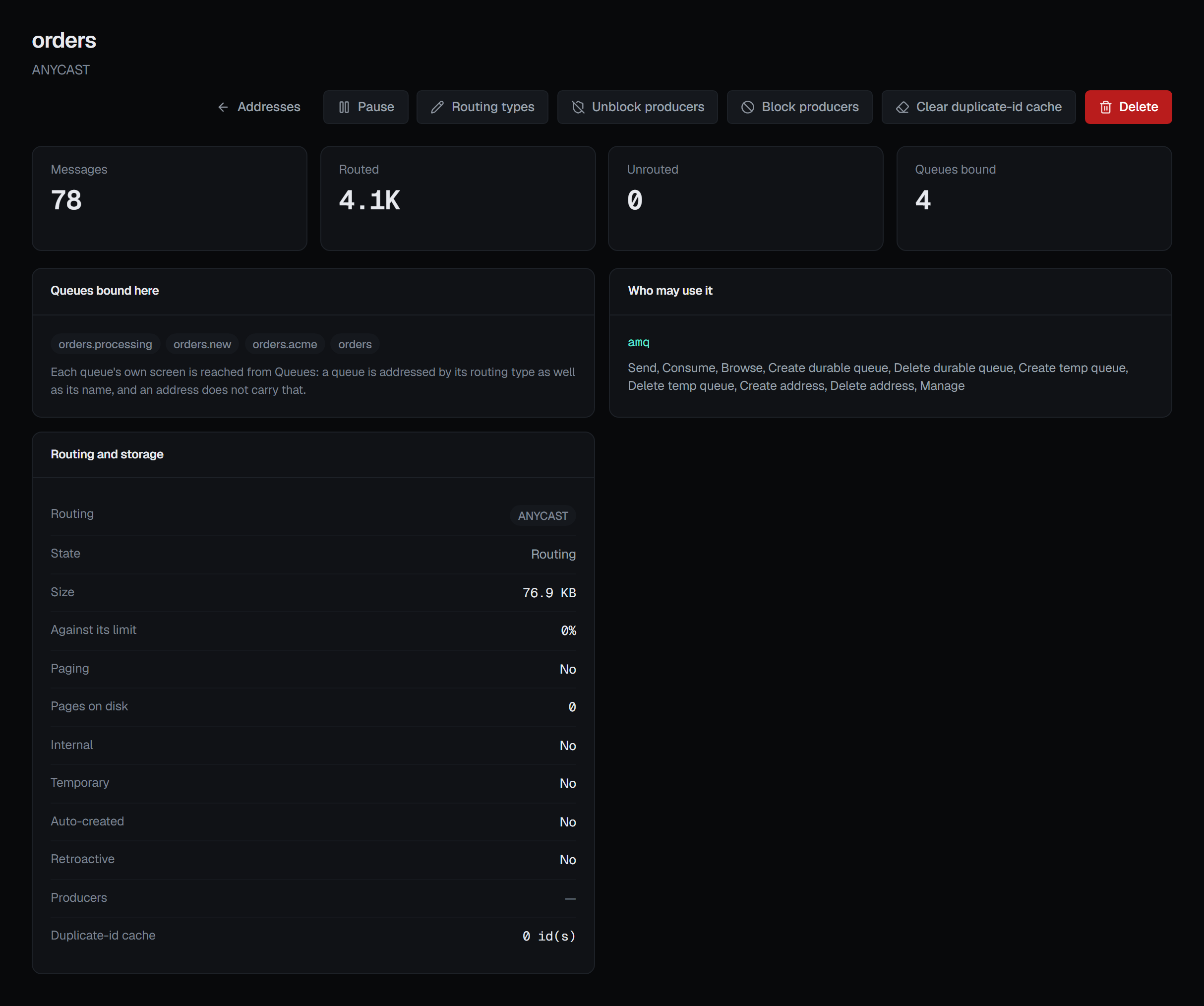
Clicking a row opens the address's own page, and three of the changes in its header are about what the address does with what arrives.
Routing types replaces the address's set of routing types — ANYCAST, MULTICAST or both — with the one you choose. Adding a routing type loses nothing. Dropping one does: a producer still sending with it is refused from then on, or its messages go unrouted, so the dialog says that and asks for a reason. The broker itself refuses to drop a routing type that a queue bound under the address still uses.
Block producers makes producers sending to this address wait, or be refused, until it is unblocked. What the address already holds is untouched, and its consumers keep draining it. Blocking is confirmed; Unblock producers is not, because it only lets them resume. The Routing and storage card's Producers row reads Blocked through management or Not blocked. A broker before Artemis 2.50 does not report which: there the row shows a dash, whose tooltip says the broker does not report it, and both buttons stay offered — blocking works there all the same.
Clear duplicate-id cache drops the ids the broker remembers for duplicate detection, from memory and from the journal. Until the cache fills again, a message resent with one of those ids is accepted again — the duplicate the cache existed to stop — so the confirmation says so, names how many ids are cached now where the broker reports it, and asks for a reason. The same card shows the cache's size as Duplicate-id cache.
The header's other two buttons act on the address as a whole. Pause stops routing to it: messages sent to it are not delivered to the queues bound under it, while what those queues already hold stays and their consumers keep draining it. It is not confirmed, because Resume on the same button undoes it. Delete is confirmed and asks for a reason. The broker refuses to delete an address while queues are bound under it, so the confirmation names those queues and offers Force — delete the queues bound here as well, and everything they hold.
These appear only for someone allowed to change this broker, and not in a read-only environment or on a read-only connection. Each is recorded in the audit trail.
The page also lists the queues bound under the address, by name, and a Who may use it card: the roles that reach this address and what each may do, including roles inherited from a wildcard match above it. It is read-only; permissions are changed on Users and permissions.