

Teams
Updated 6 October 2026 · applies to 1.0.0 · Community and Commercial
A team is a named group of people — payments, platform, the on-call rotation. Teams are how BROKA knows which humans belong together, in a product where almost everything else is named after a machine.
What a team is for
Access. A team carries roles, service access and resource access of its own, and everyone in it inherits them at the scope they were given. This is the answer to "the whole payments rota needs this": one change instead of one per person, and one change to undo when the rota changes.
Ownership. Resource metadata records an owning team, so a topic, a queue or a key namespace can say which group of people answers for it. That is the question a broker cannot answer and the one most often asked at three in the morning.
Sharing. Templates and saved views are saved at one of three levels: private to you, shared with a team, or available to everyone in the installation (Org). The team is the middle level — the useful one, because most of what people build is worth sharing with the six colleagues who work on the same clusters and noise to everyone else.
Naming. Wherever the console asks who owns something, it offers your teams.
Creating and managing one
A team has a name, an optional description and a set of members. Each row's menu offers Members, Roles, Service access, Resource access, Edit and Delete. Adding and removing members is immediate and takes effect on the person's very next request — a membership change invalidates their current tokens, so nothing waits for a session to expire.
Managing teams is its own permission, separate from managing users: the person who curates groups is not automatically the person who creates accounts. Giving a team roles, service access or resource access is granting permissions, though, so those three take the user-management permission. The team list is readable by anyone signed in, because it feeds the owner pickers throughout the console — but only a team manager can change one.
A team manager cannot add themselves to a team, or leave one that denies them something. As everywhere else in BROKA's administration, the person making a change is not allowed to be the person it benefits — an administrator excepted. Adding somebody else is checked against everything the team confers, so a team cannot be used to hand out a permission its manager does not hold. And only an administrator can put an administrator in a team that carries a deny, or take one out of any team.
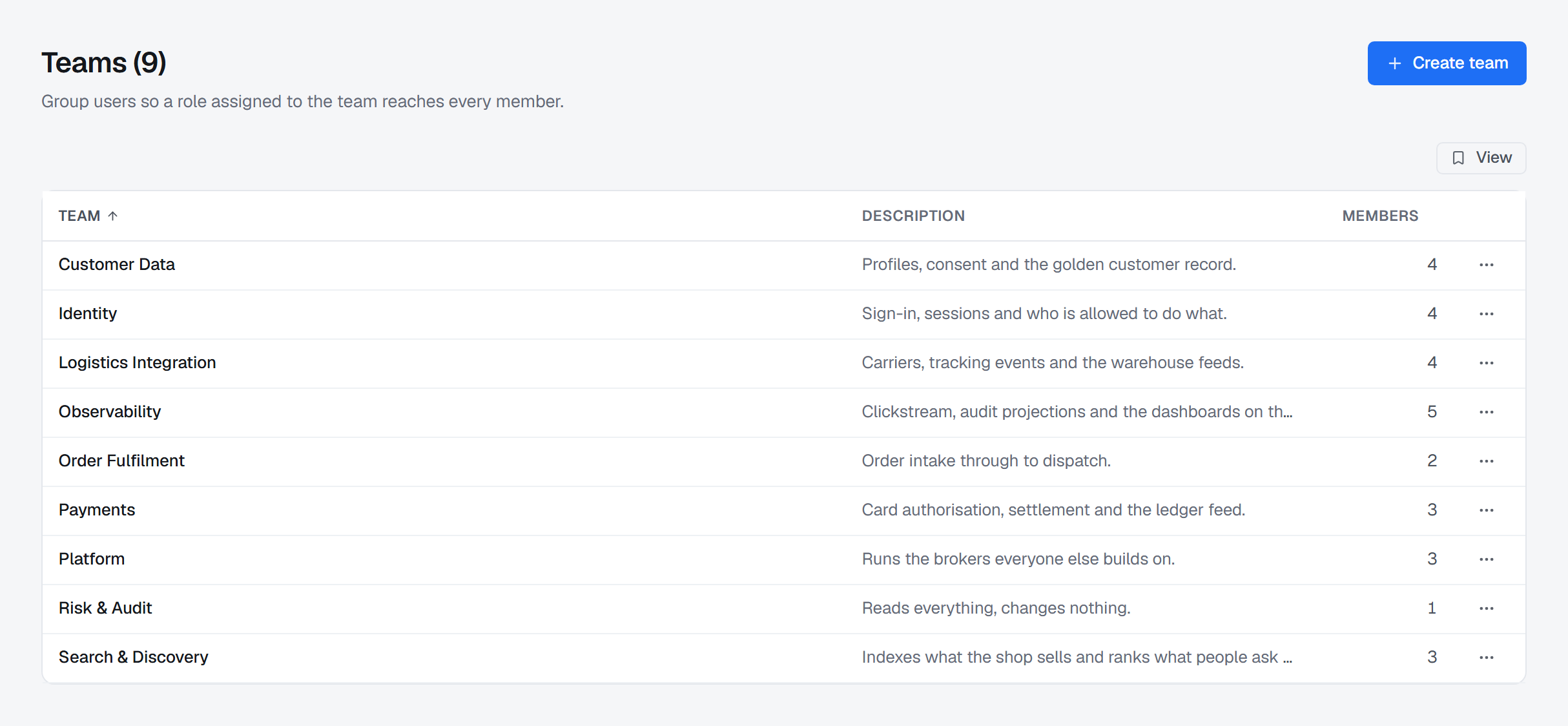
Removing a team
Deleting a team removes it and its memberships, and takes effect immediately for everyone who was in it. The record is retained rather than erased so that audit entries naming the team stay readable.
Teams and access
Access reaches a person from two directions: their own roles and grants, described under Roles and permissions, and the teams they belong to. Both are real, and a team's access is inherited by every member of it.
Two rules keep that from becoming hard to reason about. A deny always wins, wherever it came from. And the question "what can this person actually do?" has one answer in one place: Operations ▸ Access Review (Commercial) resolves both directions for one account and says what conferred each permission — a role, a direct grant, or a team, as in team Platform Ops ▸ role Operator — so a role or a grant never arrives from somewhere you have to go looking for. Grants on resource patterns are the exception: the report does not include them, so a team's Resource access is read on the team itself. A person's own access panel under Settings ▸ Users shows only what is set on that account, not what their teams add.