

Memory and slabs
Updated 3 October 2026 · applies to 1.0.0 · Commercial
Memcached evicts long before it looks full. That sentence is the reason this screen exists, and everything on it is arranged to make it visible.
Memory is committed to a slab class a page at a time. An item is rounded up to the next chunk size in its class. And a page committed to one class is unavailable to every other class — it cannot be borrowed back as demand shifts. So a node reporting half its memory used can be evicting constantly, and no top-level counter can show you that. The per-class table can.
Everything here is per node, chosen at the top of the screen. Nothing spans nodes, because on this platform nothing does.
Claimed from the OS is not the memory limit
Two numbers are easily confused, and confusing them is the usual reason a node's behaviour looks inexplicable. This screen shows the second; the first is on the node's row under Nodes:
- The limit is the ceiling the node was given at start-up, or set since from Nodes.
- Claimed is how much it has actually asked the operating system for so far.
A node well under its limit with every page already committed to the wrong classes evicts constantly. Only these two figures together make that legible.
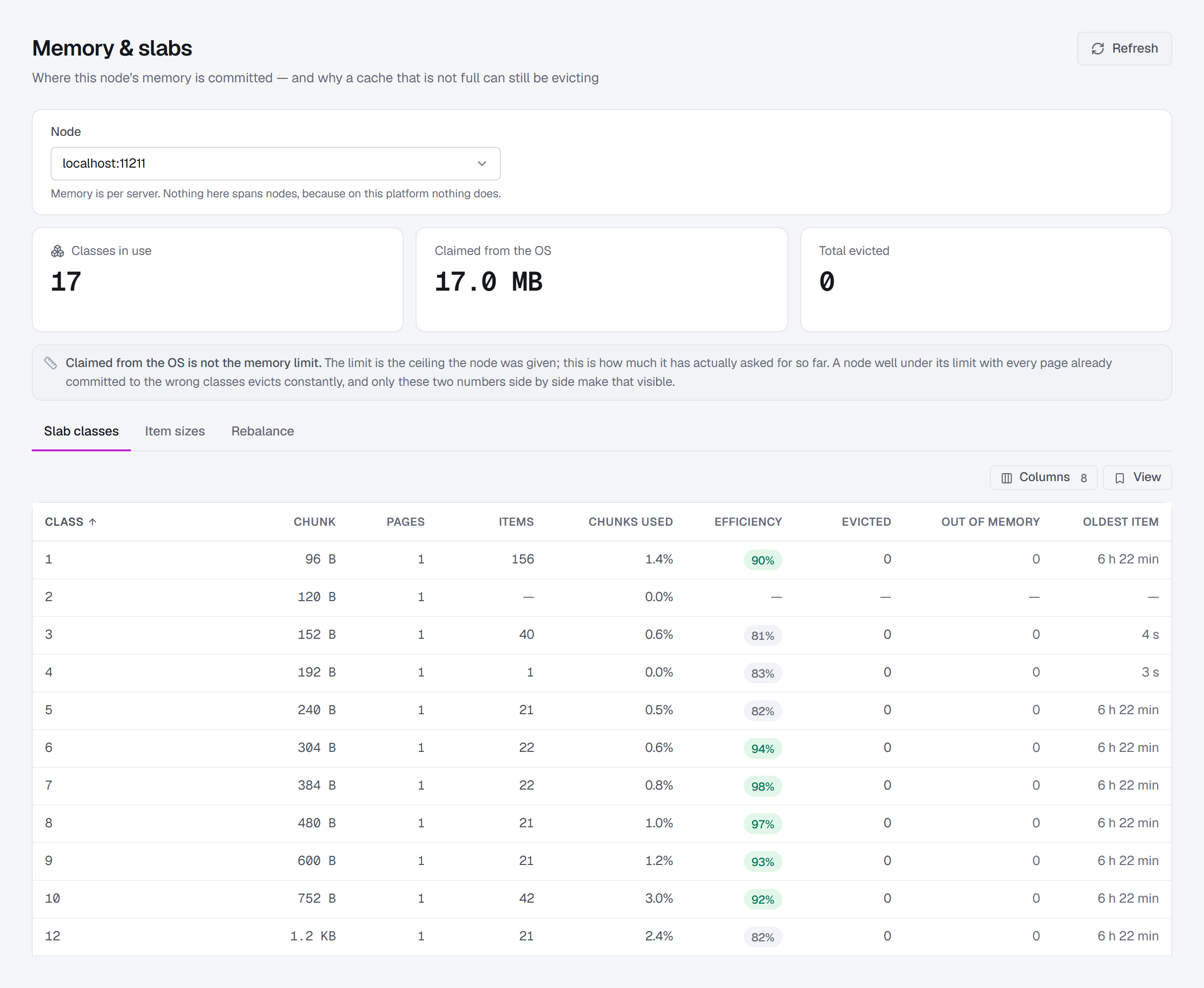
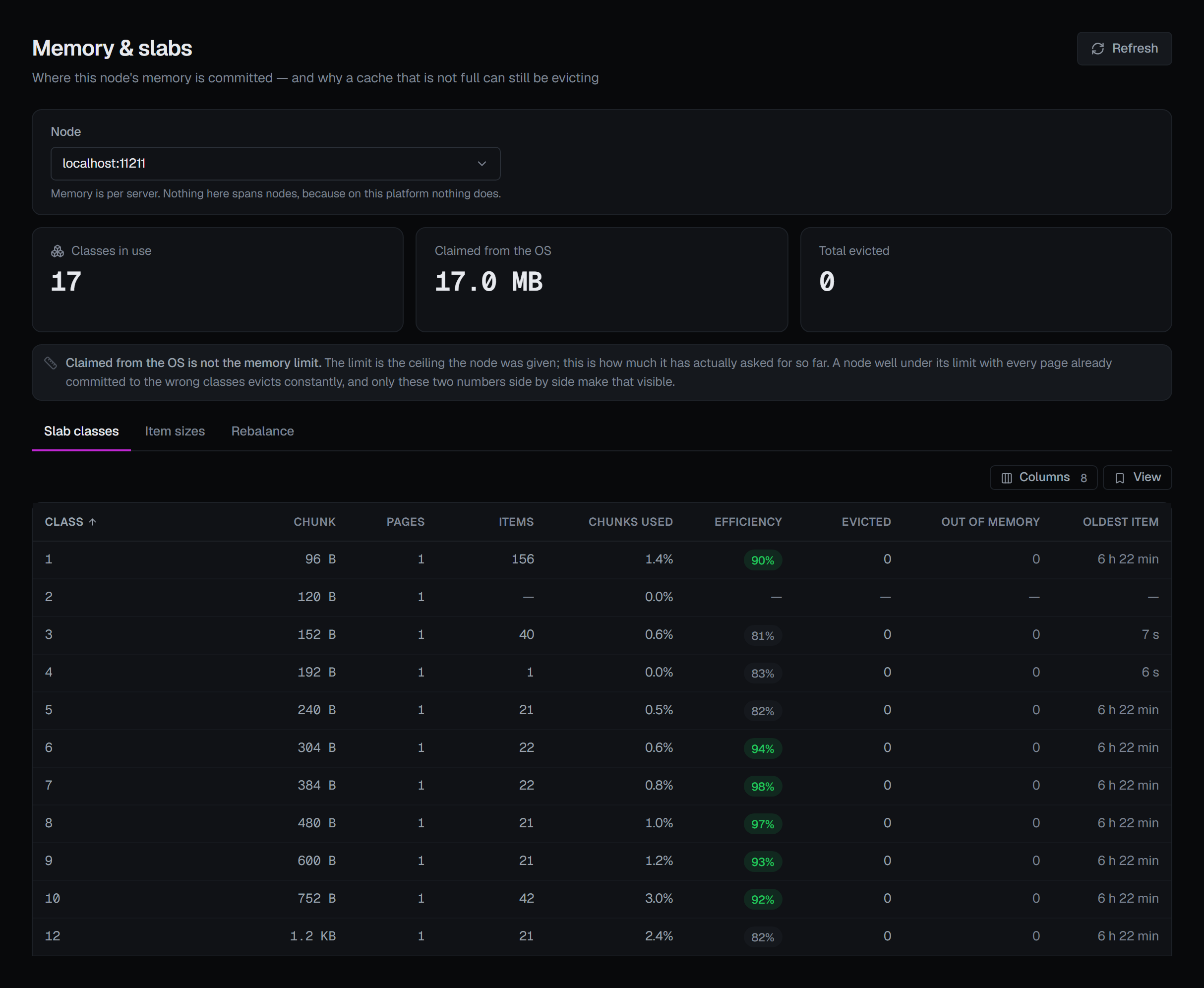
The slab-class table
One row per class the node has allocated. Classes are created as items need them, so an empty cache has no rows rather than a row of zeros.
| Column | What it tells you |
|---|---|
| Chunk | Every item in this class occupies this much, whatever it asked for. That rounding is where the waste in Efficiency comes from. |
| Pages | How many pages are committed to this class. Committed is committed — see Rebalance below. |
| Items | How many items sit here, broken down by LRU segment (hot · warm · cold) where the node reports it. |
| Chunks used | How much of the space allocated to this class is occupied at all. |
| Efficiency | How much of that occupied space is the items themselves rather than the rounding around them. |
| Evicted | Items this class discarded to make room. |
| Out of memory | Stores this class refused outright — it could not even evict to make room. Worse than an eviction: the write did not happen at all. |
| Oldest item | The age of the oldest item still in the class. |
Efficiency is the column to read first. Items may have asked for 385 bytes and be sitting in 480-byte chunks, the next size up with the default classes; the difference is unusable by any class, and memory used does not count it — that figure is what the items asked for, not the chunks they occupy. So a class that rounds badly fills its pages, and evicts, while the node's memory used is still short of its limit. The rounding shows here, per class, and as part of the gap between Claimed from the OS and the Overview's memory used. A node far under its limit and evicting is the other case — pages committed to classes that no longer fill them — and Pages and Chunks used are where that shows.
Item sizes
A histogram of what your applications are actually storing, which is how you decide whether the class layout matches the workload.
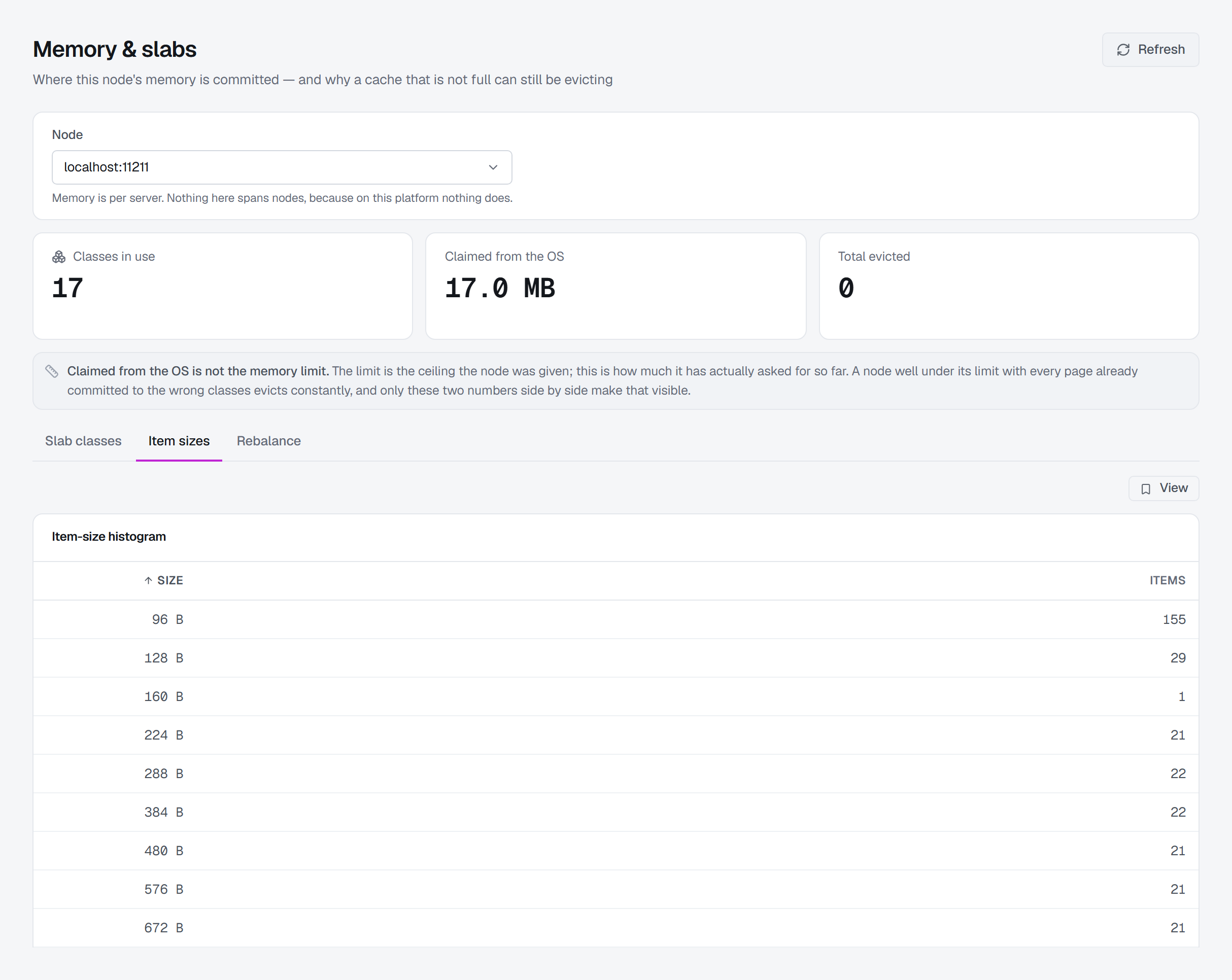
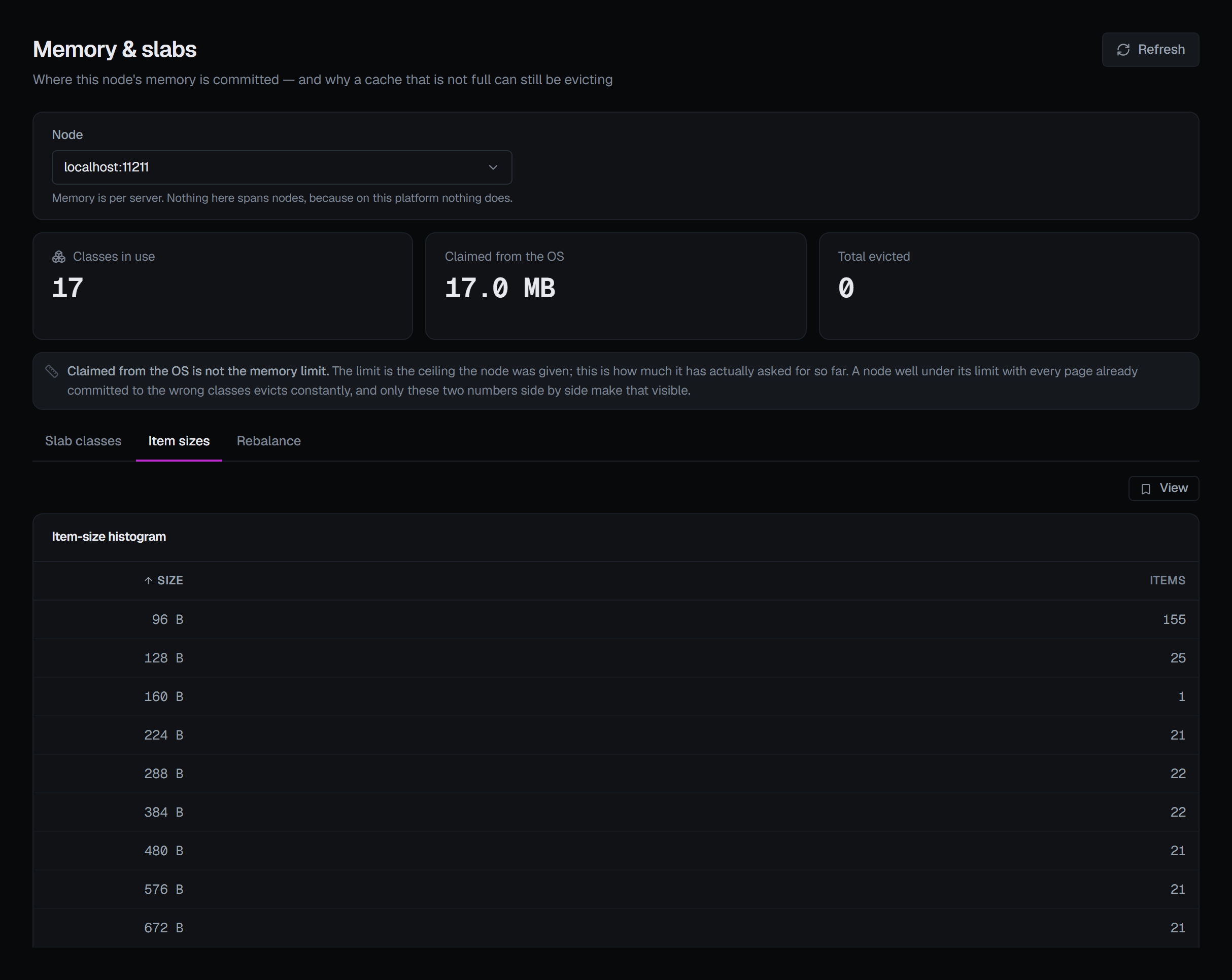
It requires the node to have been started with -o track_sizes; without it the tab says which node
and which flag, and the reason a restart is the only remedy is on Nodes. Where tracking is
on and the cache is empty, a gap between buckets is a size range nothing occupies — not missing
data.
Rebalance — two operations, and both evict
Neither is a setting. Both move pages between classes, and freeing a page means discarding whatever is still on it. That is why they are buttons rather than fields.
Move a page takes one page from a source class and gives it to a destination. The source page is
emptied before it is handed over, so every item still on it is discarded. -1 as the source lets
the node choose which class to take from. The node answers with one of seven outcomes — six of them
refusals with different causes — and whichever it gives is reported as it came, in the node's own
word. A refusal is as useful as a success here: NOSPARE and BUSY mean different things and lead to
different next steps.
The page rebalancer (automove) is the node's own version of the same act, running continuously:
| Mode | What the node does |
|---|---|
| Off | Never moves a page on its own. Memory stays where it was first committed. |
| Standard | Moves a page when a class has been evicting for a while — slow, and safe on a steady workload. |
| Aggressive | Moves a page as soon as a class evicts. Reclaims memory quickly and evicts more while doing it. |
The node does not report its current mode, so this control sets one rather than showing one. The screen says so rather than displaying a default that might not be what the node is running.
Reclaiming expired items
An item that has expired, or that a flush invalidated, can no longer be read by any client — but it still holds its memory until something walks past it. Reclaim expired items, on the Rebalance tab, asks the node's LRU crawler to walk every slab class now and free them.
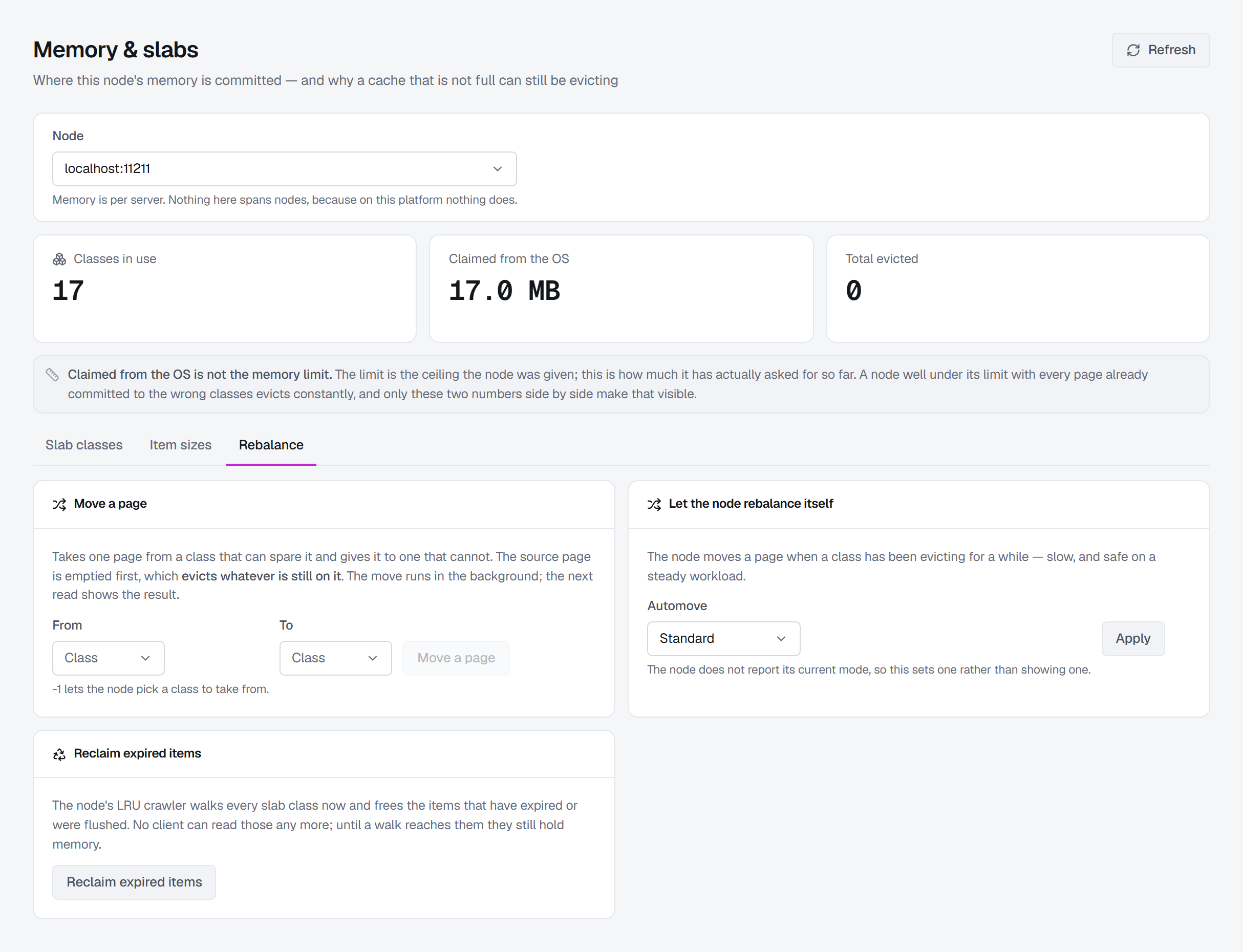
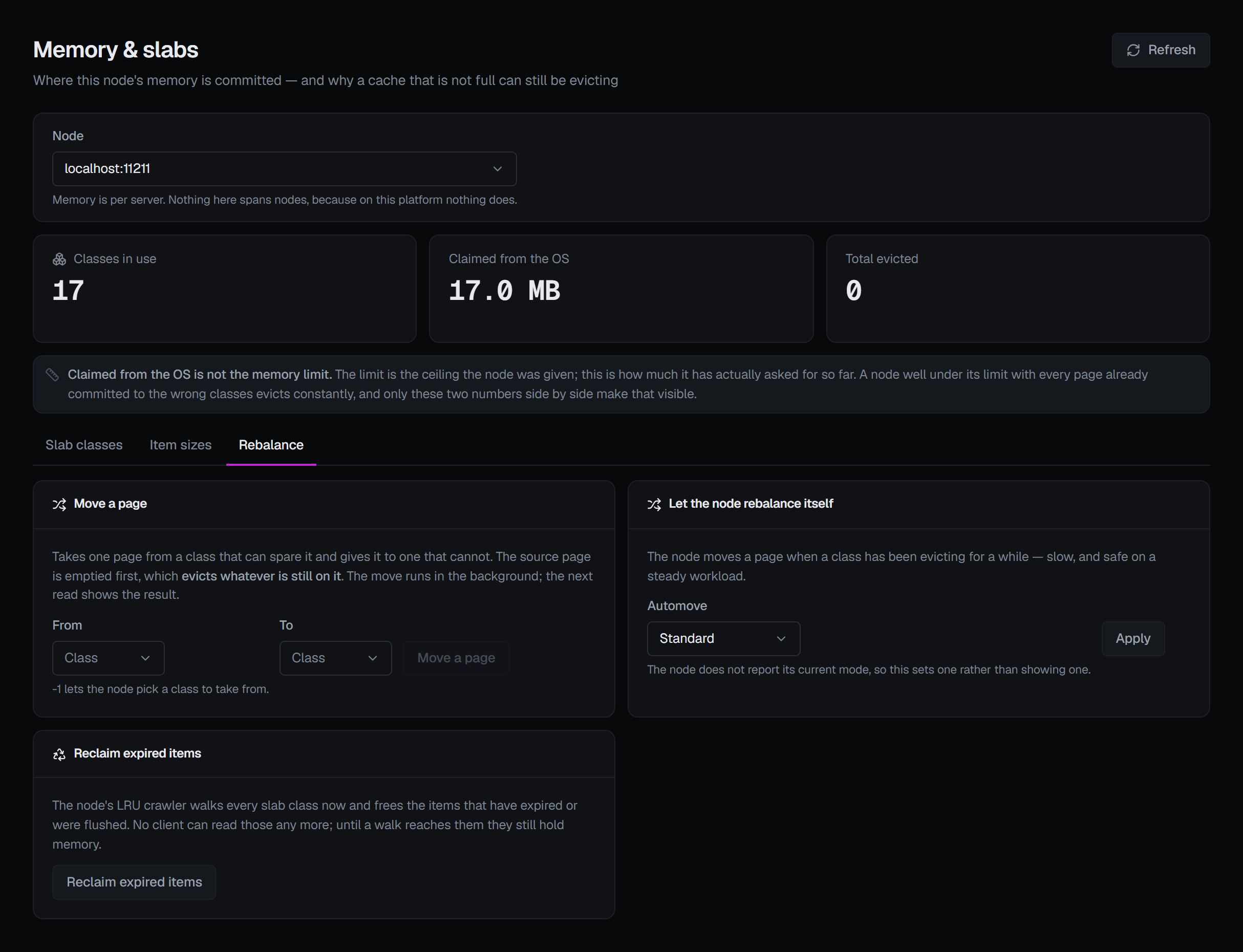
Nothing a client could still read is lost. The cost is the walk itself, and the confirmation says so: the crawler takes each list's lock item by item, competing with traffic for it, and while it runs a key listing on that node answers busy. The result is the node's own word and, when the walk finished within a few seconds, how many items it freed; a walk still going is reported as running.
It frees only what nobody can read, so it asks no reason — except in a guarded environment, where every
write does. A node whose crawler is switched off —
started with -o no_lru_crawler, or lru_crawler disable since — shows the button greyed out, with that
reason.
What is recorded
All three are audited. The page move is recorded whether or not the node accepted it, with the node's own answer word in the entry — "somebody tried to rebalance this node and it said NOSPARE" is exactly what a later reader needs, and a trail that kept only the successes could not say it. A reclaim is recorded the same way, with the node's answer and, when it finished, how many items were freed.
All three need write permission on the connection and are refused in a read-only environment or on a read-only connection. Move a page asks for a reason in every environment, in its confirmation; applying an automove mode asks for one only in a guarded environment, where every write does.