

Queue backlogs: drain, divert, or let it run
Depth is a symptom with three honest responses. Before choosing one, read the two numbers that make up a backlog — waiting and in flight — because they call for opposite actions, and the same split exists on RabbitMQ, Kafka and Redis Streams under different names.
A queue is deep. Someone wants it emptied. Before anyone reaches for purge, three questions decide what a deep queue actually is: is the work waiting or in flight, is anything upstream of the consumers blocking them, and is the number moving. The answers are on the screen on each of the three platforms here, and they disagree only about vocabulary.
1 — Two numbers, never one
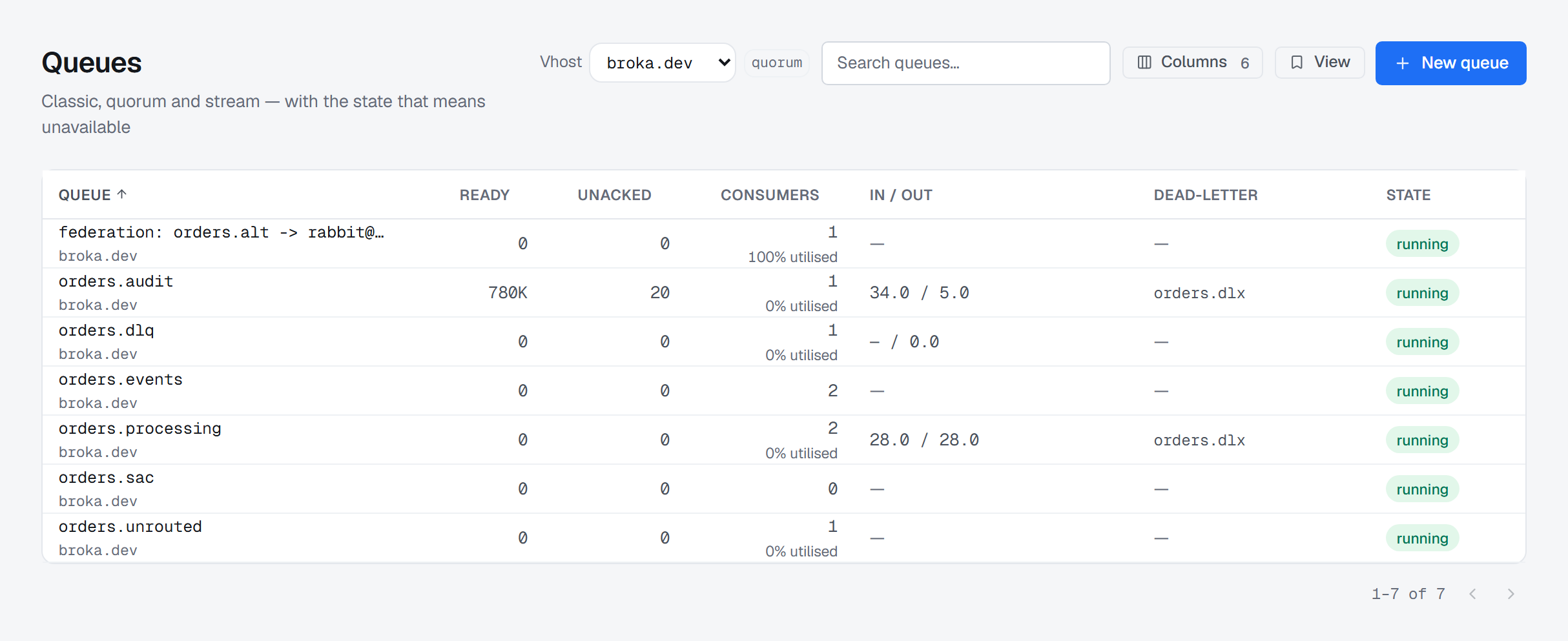
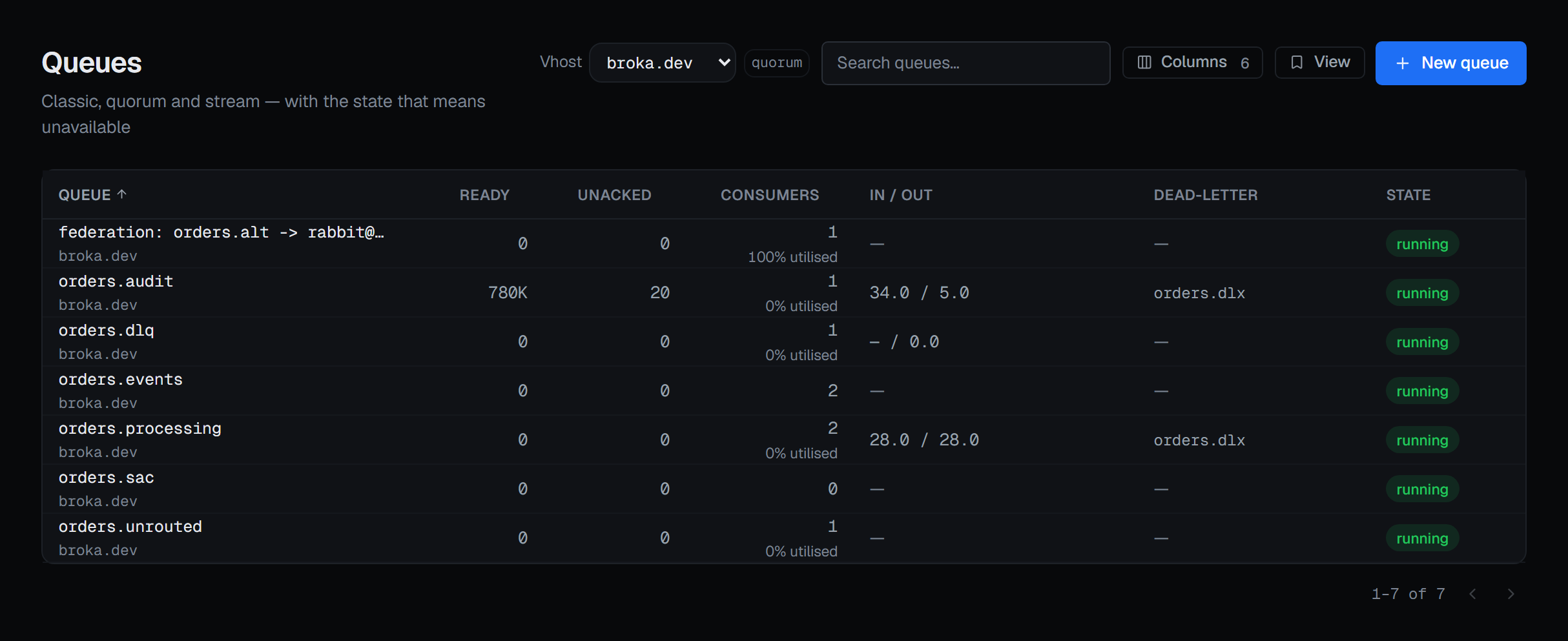
On RabbitMQ, ready is waiting to be delivered and unacknowledged has been delivered and not yet finished with. A single "messages" total hides the difference, and the difference is usually the answer: a queue with a large unacknowledged count and nothing ready is not backed up — it has a consumer that has stopped finishing work.
The other two platforms carry the same split under other names.
| Waiting | In flight | Where | |
|---|---|---|---|
| RabbitMQ | Ready | Unacknowledged | Queues |
| Kafka | Offset lag — records behind the group's committed positions | No separate figure: a record is either behind the committed position or it is not | Consumer groups |
| Redis Streams | Lag — entries the group has not yet been delivered, or unknown |
Pending entries — delivered and not acknowledged | Consumer groups · Pending entries |
Two of those cells are traps. Kafka's lag counts only partitions the group has committed to, so a lag
of zero on a group that has never committed is a zero about nothing — the state column beside it tells
a new group from a caught-up one. Redis reports unknown when entries the group had not read were
trimmed away, and BROKA shows unknown rather than 0, because zero would mean caught up and that would
be false in the one case where it matters.
2 — Rule out the cluster before the consumer
On RabbitMQ, read the cluster overview first. A resource alarm on any single node — memory over its watermark, or free disk under its limit — makes the broker stop accepting publishes across the whole cluster. Connections go to blocking and then blocked, and from an application's side publishing simply stops. BROKA puts the alarm above everything else and says the part that matters: it cannot be cleared from here — free the resource or change the watermark on the broker. There is no button, because neither alarm can be cleared over the management API.
A channel in flow is a different thing — client-side back-pressure, self-correcting — and the console keeps the two apart. So is a quorum queue that has lost its majority: it is unavailable, accepting nothing and delivering nothing, and a queue running with replicas offline is one failure away from it. Both are marked in their own colour, because "minority" is a word an operator reads past.
3 — Then the consumers
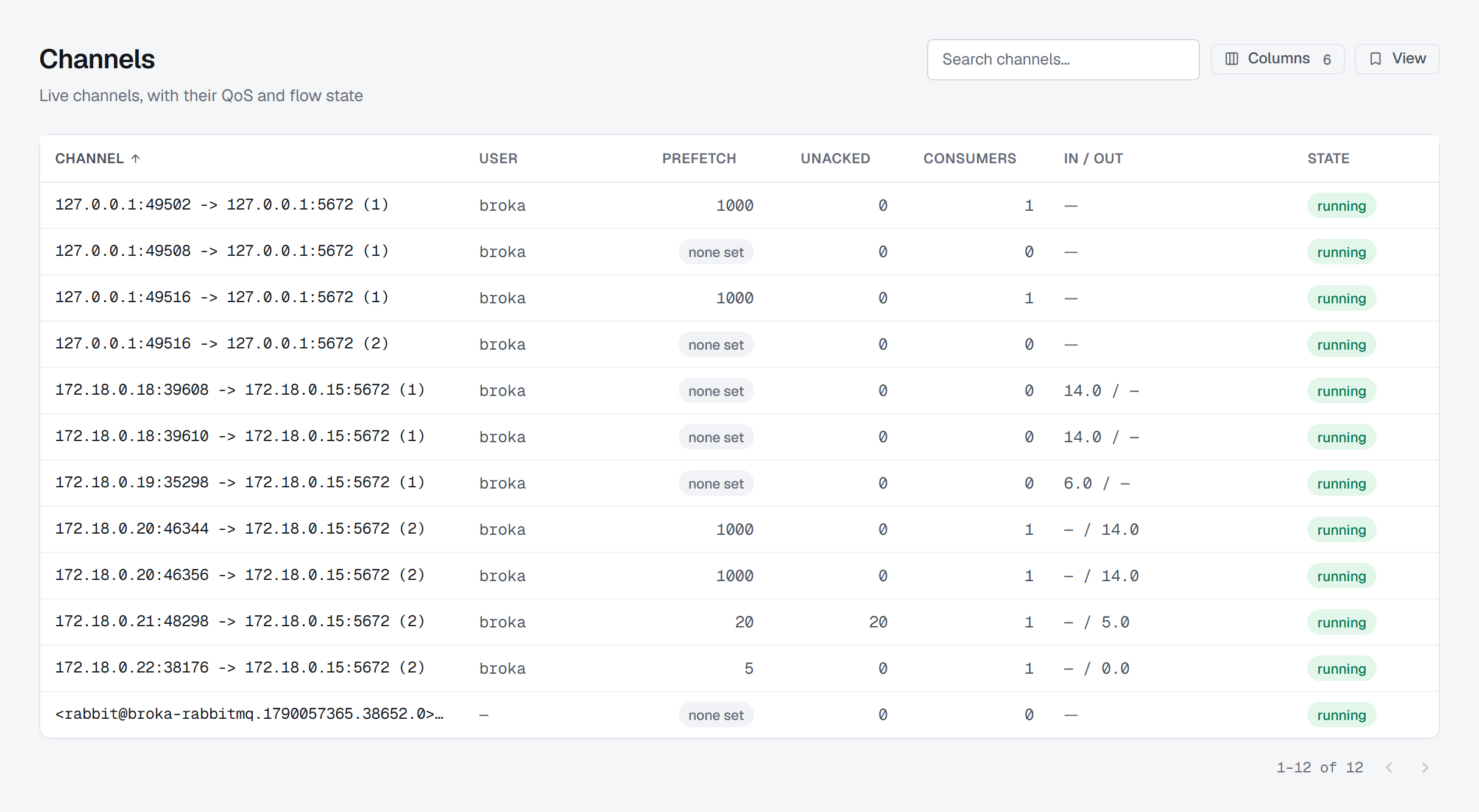
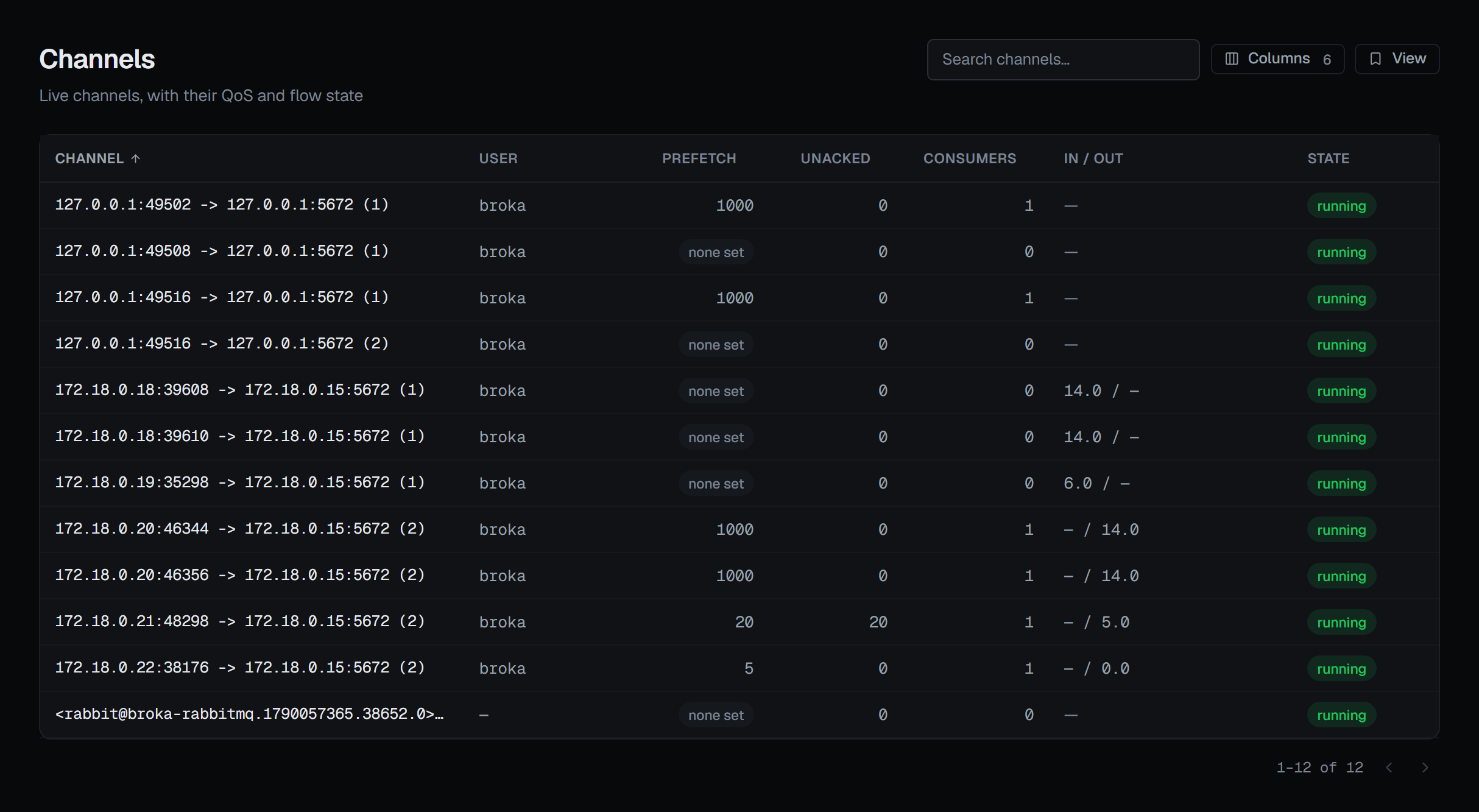
RabbitMQ. On the Queues list, Consumers carries N% utilised — how much of the time the broker could hand the queue's messages straight to a consumer. Below 100% with messages ready, the consumers are the bottleneck, usually because their prefetch is full: a consumer holding as many unacknowledged messages as its prefetch is sent nothing more until it acknowledges one, so a queue can stay deep with consumers attached because every one of them is full. Channels show prefetch beside unacknowledged but flag neither — one is per consumer and the other is the whole channel's — and each consumer's own prefetch is on Consumers.
Consumers show the two settings that lose messages: automatic acknowledgement, where a crash mid-work loses the message, and no prefetch limit, where one consumer can be handed the whole queue and starve the rest. A consumer marked as waiting on a single-active-consumer queue is idle by design; restarting it is the one action guaranteed to make things worse.
A stuck consumer cannot be cancelled from the console — the management API has no remote consumer cancel — but its connection can be closed, with Close on the Connections screen: the application is disconnected with all its channels, and what it had not acknowledged returns to the queue. The reason the confirmation asks for goes to the client verbatim and onto the audit entry.
Kafka. Open the group. Members, Topology (the partitions each member owns, coloured by lag) and Lag by ▸ Member host are where one stuck instance shows up while its siblings are fine; lag on partitions no live member holds is summed as Unassigned. On the list, the Signal column marks a group Inactive — committed offsets and no live members, a backlog nobody is reading — or Stalled: members connected and the committed offset not moving while records wait.
Redis Streams. The pending list shows who holds each entry, how long, and how many times it has been delivered. An entry delivered five or more times is a message something keeps failing to process — claiming it again is a retry, not a fix. On the consumer, idle (since it last asked for anything, a read or a claim) beside inactive (since it last actually received an entry) separates a healthy poller on a quiet stream — idle near zero, inactive high — from a worker that has stopped asking, whose pending entries say what it was holding.
4 — Let it run
A backlog with a positive consume rate and a falling depth is draining, and the right action is none — provided the two numbers say so. No history is kept: no depth graph, no lag trend. Every figure is a reading of now — Kafka's group list says how old its reading is — so note the readings and the time, then read again. Two readings and a clock are the trend.
Two signals read the direction for you. A queue's In / out is coloured when messages arrive and none leave. Kafka's Stalled is raised only after at least three readings over at least a minute have seen the same committed position, and clears on the first reading after the group moves.
5 — Divert
Diverting means moving the work rather than destroying it.
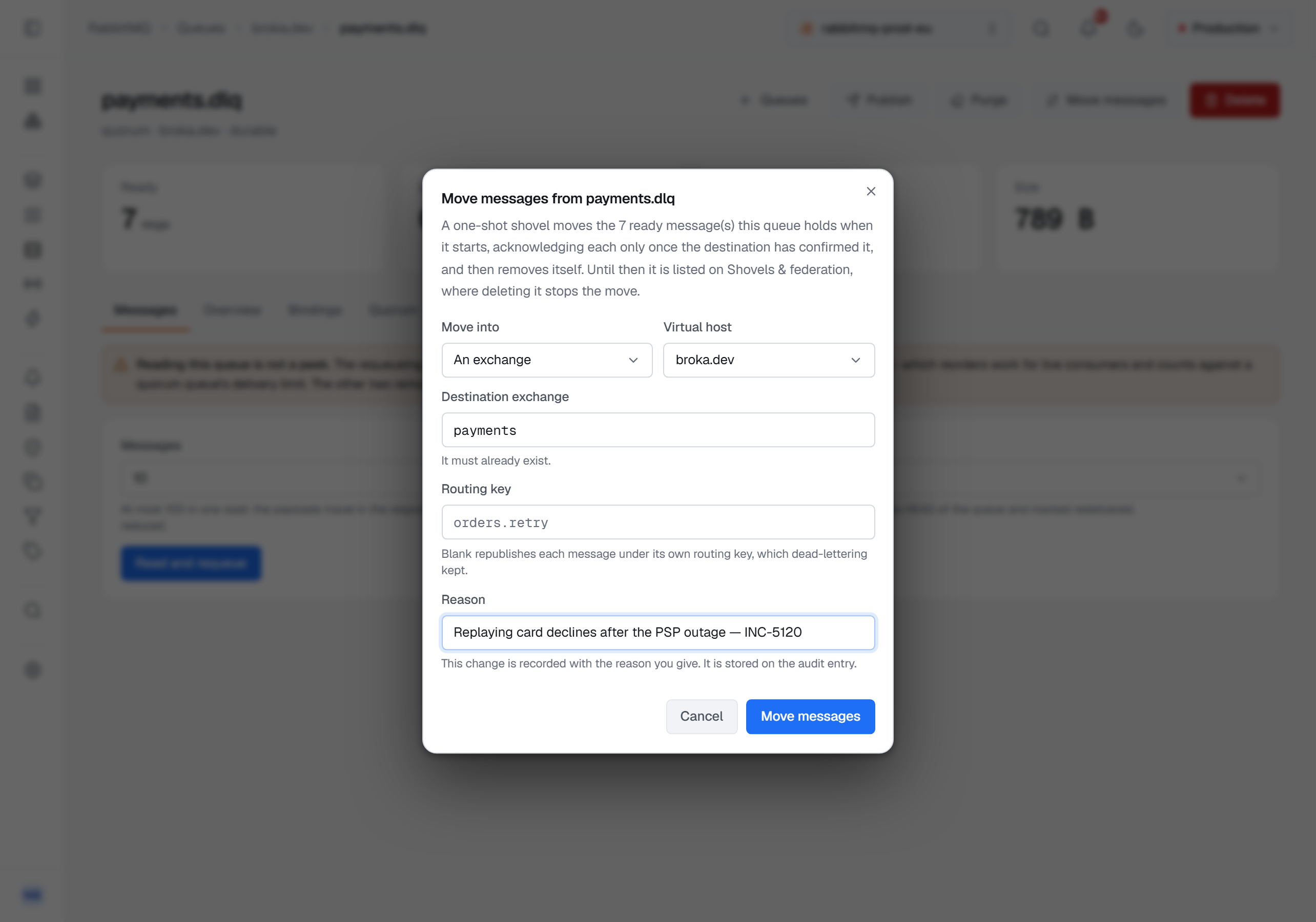
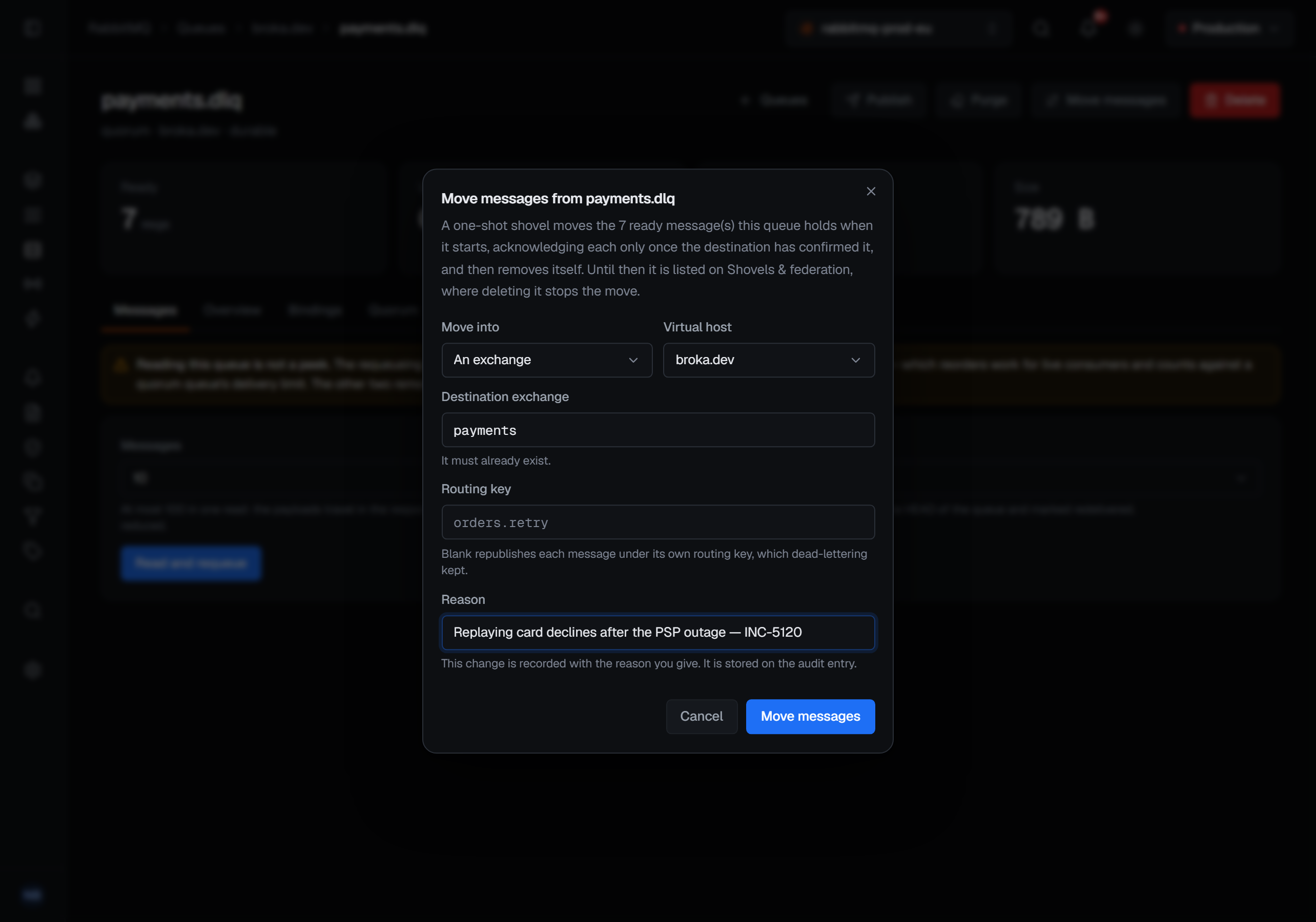
On RabbitMQ, Move messages hands a queue's backlog to a one-shot shovel that delivers the ready messages the queue holds when it starts to another queue or exchange, then removes itself; each message is acknowledged on the source only once the destination has confirmed it. Moved into an exchange with the routing key left blank, each message is republished under its own routing key, which is how a dead-letter queue is replayed. While it runs, its shovel is listed under Shovels & Federation, where deleting it stops the move; for work that should keep flowing elsewhere, New shovel there defines a standing one, and Edit changes it without retyping the URIs stored on the broker.
Reading with dead-letter (reject) is the other way: reading a queue is not a peek, and that fourth acknowledgement mode dead-letters the messages where a dead-letter exchange exists and drops them where it does not. It is the one read mode that moves messages somewhere else, and the queue's Overview names where, and what declared it, in the order the broker resolves it: an operator policy, then the queue's own arguments, then a policy.
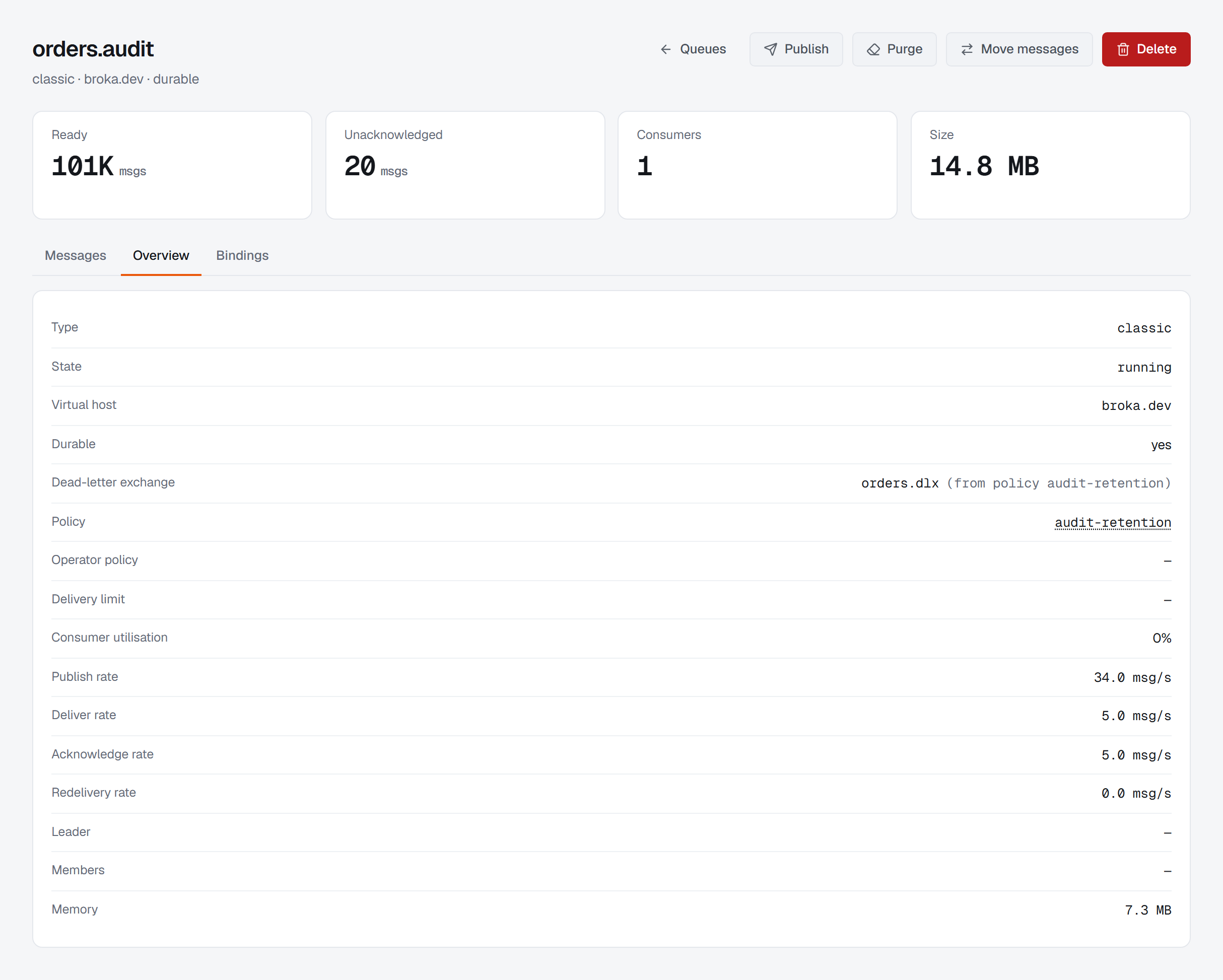
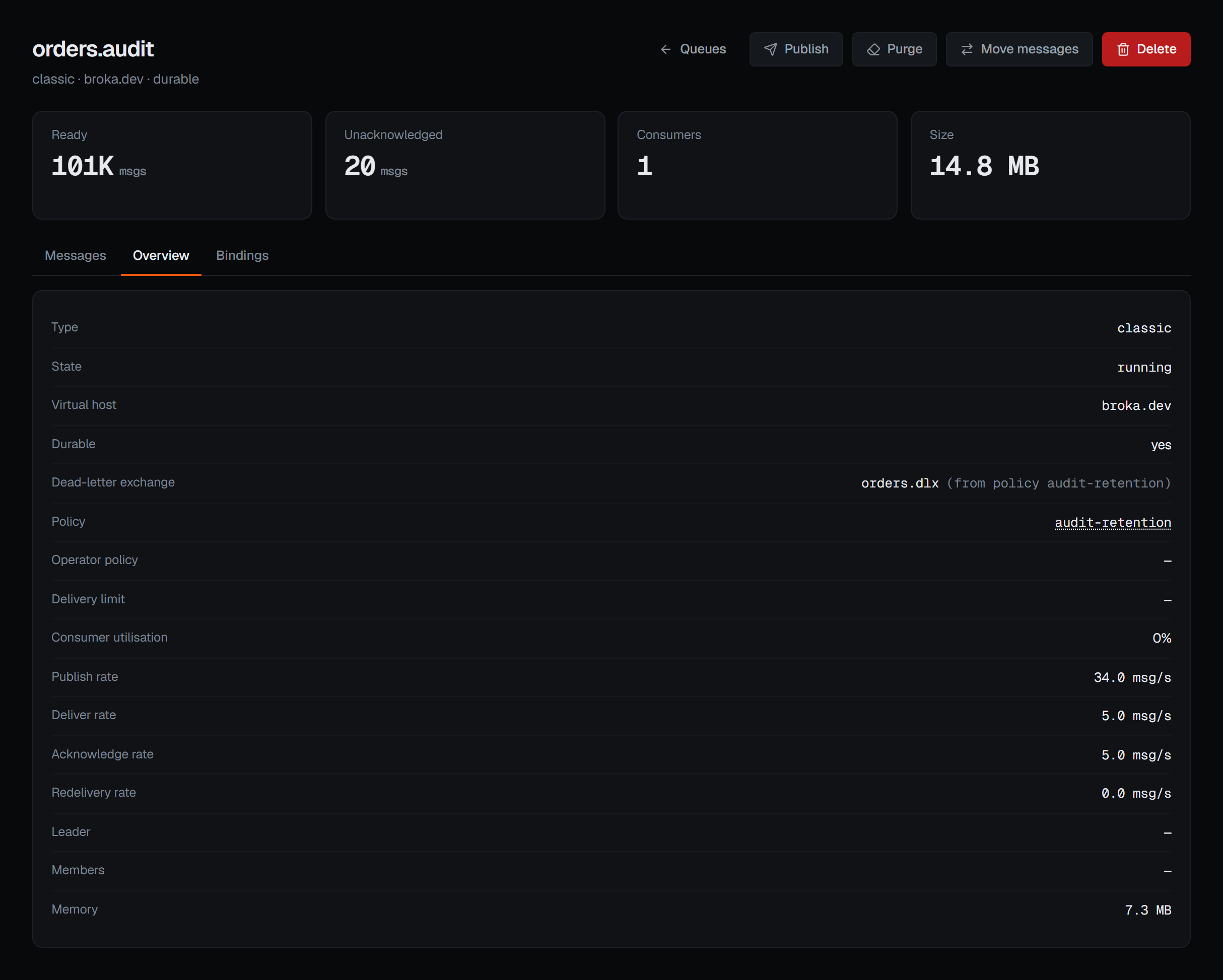
That attribution decides where a change goes. A queue's arguments are fixed at declare time; a policy changes with Edit on the Policies screen, which writes the whole policy and reaches every object its pattern matches, not only this queue.
On Kafka, moving the group's offsets is the divert: to the earliest record still retained, to the latest, to an offset, to a timestamp, or shifted from where the group is now. Every reset is previewed against the cluster before anything is written, and it is offered only when the group is stopped, because Kafka refuses it while consumers are live. Duplicating the group first gives you a restore point.
On Redis Streams, claiming moves ownership of named entries to a live consumer, behind a required minimum-idle interlock so two operators cannot take each other's work; Sweep to a consumer does the same for the whole pending list, every entry idle past the threshold, in one bounded pass. Acknowledging removes an entry from this group's pending list and from nowhere else — the entry stays in the stream. Set position is the stream's counterpart of an offset reset: moving a group back delivers again every entry after the new id, moving it forward skips the entries in between for good, and the group's pending list is left as it is.
6 — Drain it yourself
Purging is the last resort, and it is irreversible. On RabbitMQ, purging discards every ready message immediately, and purged messages are not dead-lettered — they do not reach the dead-letter exchange; they are gone. The confirmation says so and names how many are ready to be discarded. A stream is not purged at all; it is truncated by retention, and the action is not offered. On Kafka, emptying moves the start of the log forward — one partition from its own row, or the whole topic from its header — and keeps the topic. On Redis, what a stream trim does to consumer groups depends on the server: before Redis 8.2 it consults none, so an entry a group had been delivered and not acknowledged is removed anyway and the pending list keeps an id that now points at nothing; from 8.2 the trim asks what the groups should keep.
What is recorded, and what the environment allows
Every write above — close, move, shovel and policy changes, reset, set position, claim, sweep, acknowledge, purge, empty and trim — is refused in a read-only environment, for administrators too, and on a connection frozen with its own read-only switch. The refusal is recorded as a blocked action. The destructive ones — closing a connection, moving messages, resetting offsets, setting a stream group's position, purging, emptying and trimming — need a Reason in every environment. A guarded environment asks for one on every write, so claims, sweeps, acknowledgements and shovel and policy edits as well; the reason lands on the audit entry.
The entries record consequences, not parameters. A purge names how many messages went and that they were not dead-lettered. A queue read names the acknowledgement mode and whether messages were removed or requeued at the head. A reset names the strategy; a preview is not recorded, because it changed nothing. The Kafka, Redis and RabbitMQ pages describe these screens.
What this article does not cover
- Adding consumers. The usual cure for a draining backlog is more of them, and that happens in your deployment, not in the console.
- Delivery limits. A quorum queue's page shows the delivery limit the broker reports for it, and nothing more.
- Clearing alarms. A resource alarm clears on the broker, when the pressure does.
Try it yourself
The queue-backlogs lab starts RabbitMQ with a queue growing faster than its consumer drains it, dead-letter targets set both by policy and by queue argument, and a spare queue to move messages into.
Applies to BROKA 1.0 · Kafka (Community and Commercial) · Redis and RabbitMQ (Commercial).