

Schema Registry without guesswork
A schema registry exists so that the shape of a record is agreed before it is written, not discovered when a consumer fails to read it. Most of the guessing around one comes from four things read wrong: which subject, which version, which rule a change must pass, and what a delete removes.
A record on a schema-bound topic carries a schema id and nothing else about its shape. Everything a consumer needs — the subject the schema lives under, the version, the rule that decided whether that version was allowed — is in the registry, and can be read there instead of inferred from a stack trace. This is the order to read it in.
Where a failure usually comes from
| What you see | What it usually is | Where to read it |
|---|---|---|
| A consumer cannot read records written after a release | A version its reader cannot handle was allowed in — the subject's level permitted it, or was None | The subject's compatibility level, then the diff between the two versions |
| A registration is refused | The new version breaks the subject's level | Check compatibility, which lists each incompatibility |
| A consumer looks for a schema nobody registered | The producer named the subject with a different strategy | The subject list, and the computed name in New Subject |
| Old records stopped decoding after a clean-up | A schema was deleted permanently, and its id with it | The soft-deleted subjects and versions, and the audit trail |
| The message browser shows a record as text | It was not written through the registry, or its id is unknown here | The record's Details tab |
1 — Subject, version, id
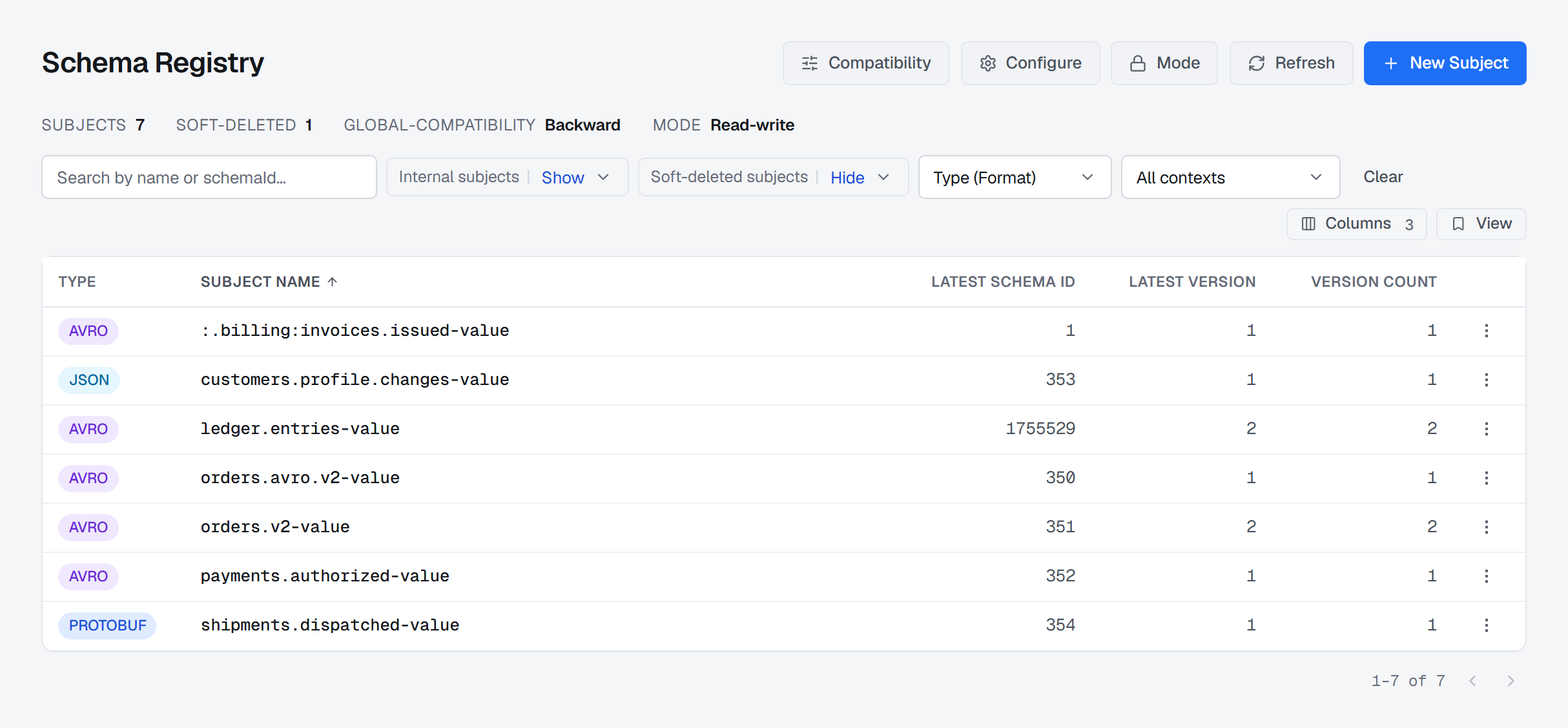
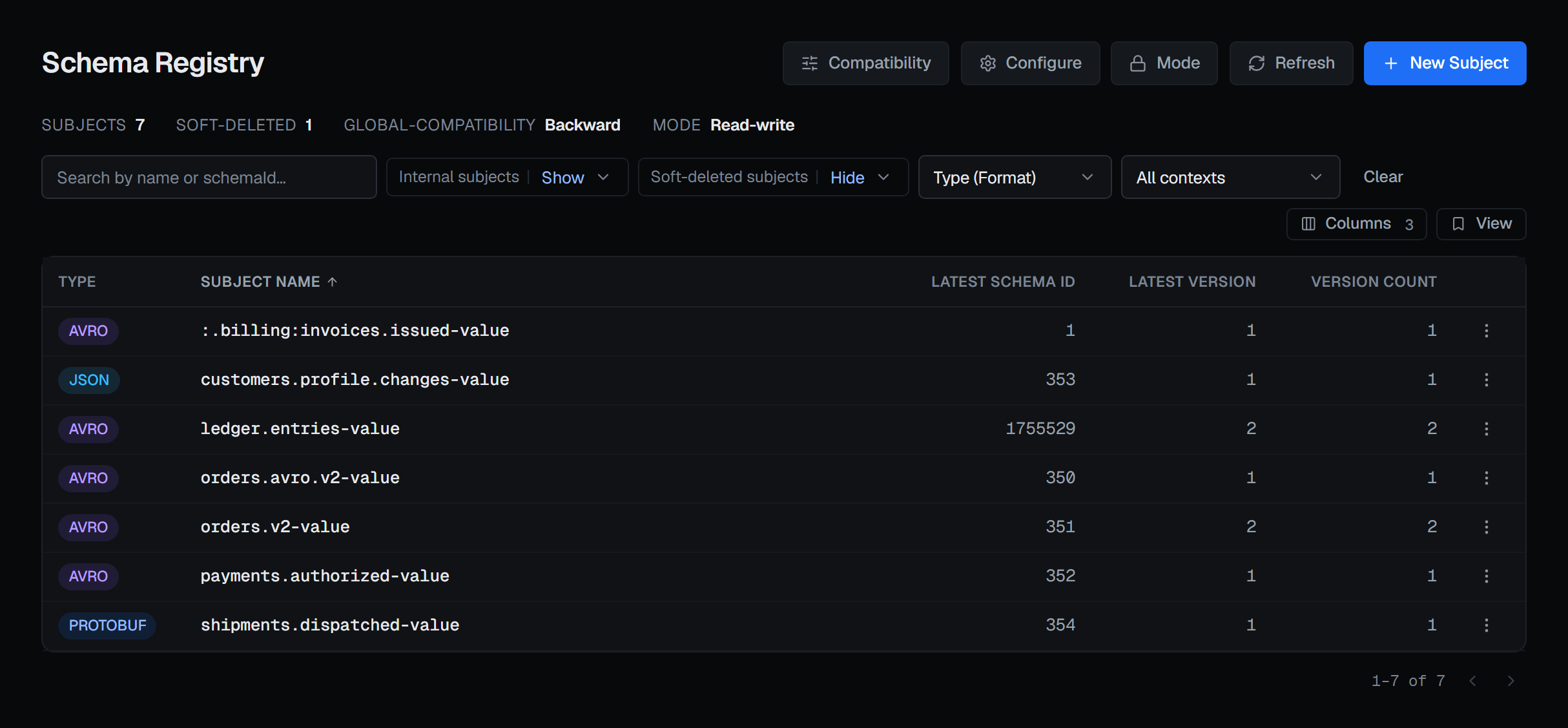
A subject is the name a schema evolves under, and usually belongs to one topic: orders-value for
the record's value, orders-key for its key. Each change to it is a new version — 1, 2, 3 — counted
per subject. A schema id is something else: one number per distinct schema across the whole
registry, and the thing a record actually carries.
Which subject a producer writes to is decided by its naming strategy, and that is where the first kind of guessing starts. New Subject offers the four — Topic Name, Record Name, Topic + Record Name and Custom — and shows the Computed name before anything is created, so the name a consumer will look for is visible while it can still be changed.
2 — Four rules, seven settings
A subject's compatibility level is the rule the registry applies before it accepts a new version. There are four rules, and three of them come in two strengths:
- Backward — the new schema can read data written with the previous one, so a field can be removed or added with a default. Upgrade consumers first. It bites when a producer is upgraded first and writes something old readers were never promised.
- Forward — the previous schema can read data written with the new one, so a field can be added. Upgrade producers first. It bites when the change was meant for readers: removing what old readers still expect.
- Full — both at once. The narrowest set of changes passes, and in exchange either side can be upgraded first.
- None — no check at all. The menu marks it with a warning sign, because a level of None turns the registry into a list of schemas rather than a contract.
Backward, Forward and Full each have a transitive form. The plain form compares a new version with the latest one only, so a run of changes that are each compatible with the one before can still end up unable to read version 1. That matters wherever old records are still in the topic — a long retention, a compacted topic, a replay. The transitive form checks against every earlier version.
Tightening a schema is not backward compatible, by definition. Making a JSON Schema field required, closing it to extra properties, or retyping an Avro field makes old data unreadable by the new schema, so Backward and Full refuse it — correctly. To close an over-permissive schema, move the subject to Forward or None for that registration and Revert to inherited afterwards, or start a new subject.
Most subjects set no level of their own. The subject's page then shows the level with (inherited): its context's, where its context sets one, otherwise the registry's global level. That is the answer to "what will this change affect" when somebody proposes changing the global level.
3 — Check before you register
Update Schema, on the subject's page, has Check compatibility beside Update. Checking asks the registry whether the new version would be accepted under the subject's configured level — against every earlier version where a transitive level requires it — so a green check is not followed by a registration the registry then refuses. If it would be refused, the check lists each incompatibility the registry found rather than a single "no". It changes nothing, and anyone who can view the connection can run it, including people who cannot register.
Update then registers the version, and the message names the schema id the registry assigned.
4 — Read the diff, not the changelog
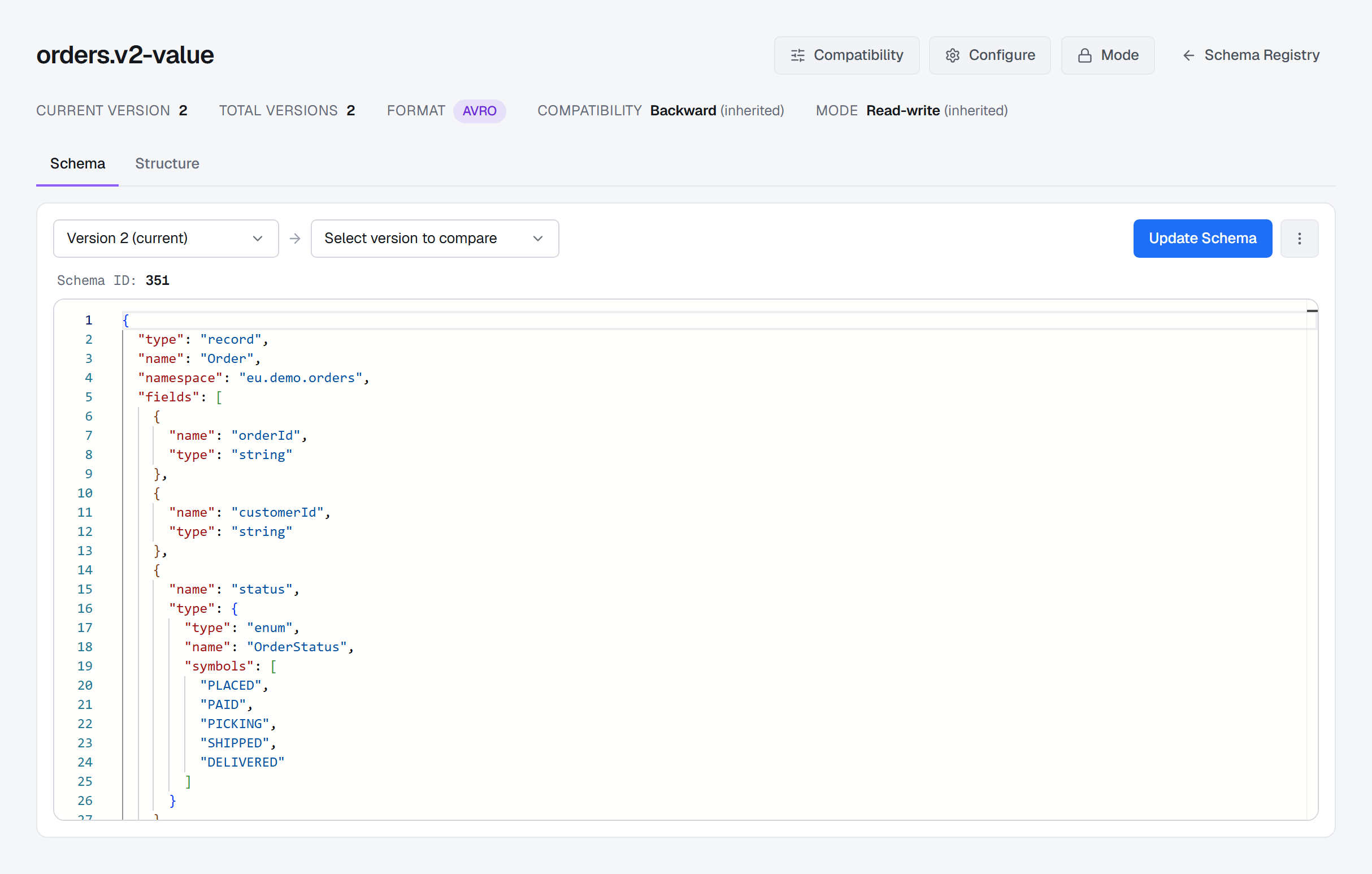
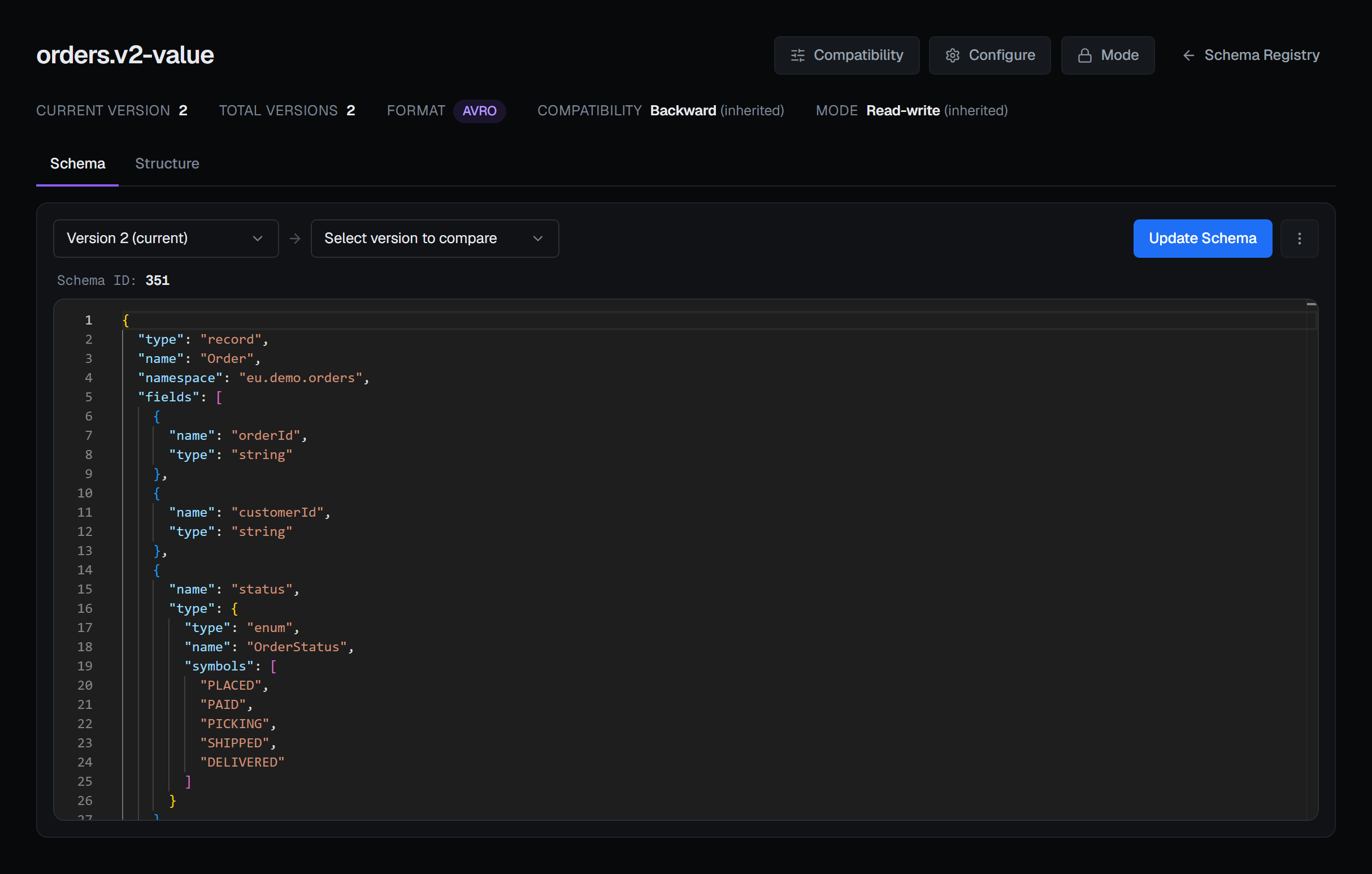
The Schema tab puts any two versions side by side. Each side names its version and its schema id, so the diff answers both "what changed in version 4" and "which of these is the id in the record I cannot read". Structure lays the same schema out as fields — for Avro the field, type and default — which is the quicker way to see what is optional and what a consumer must be ready for.
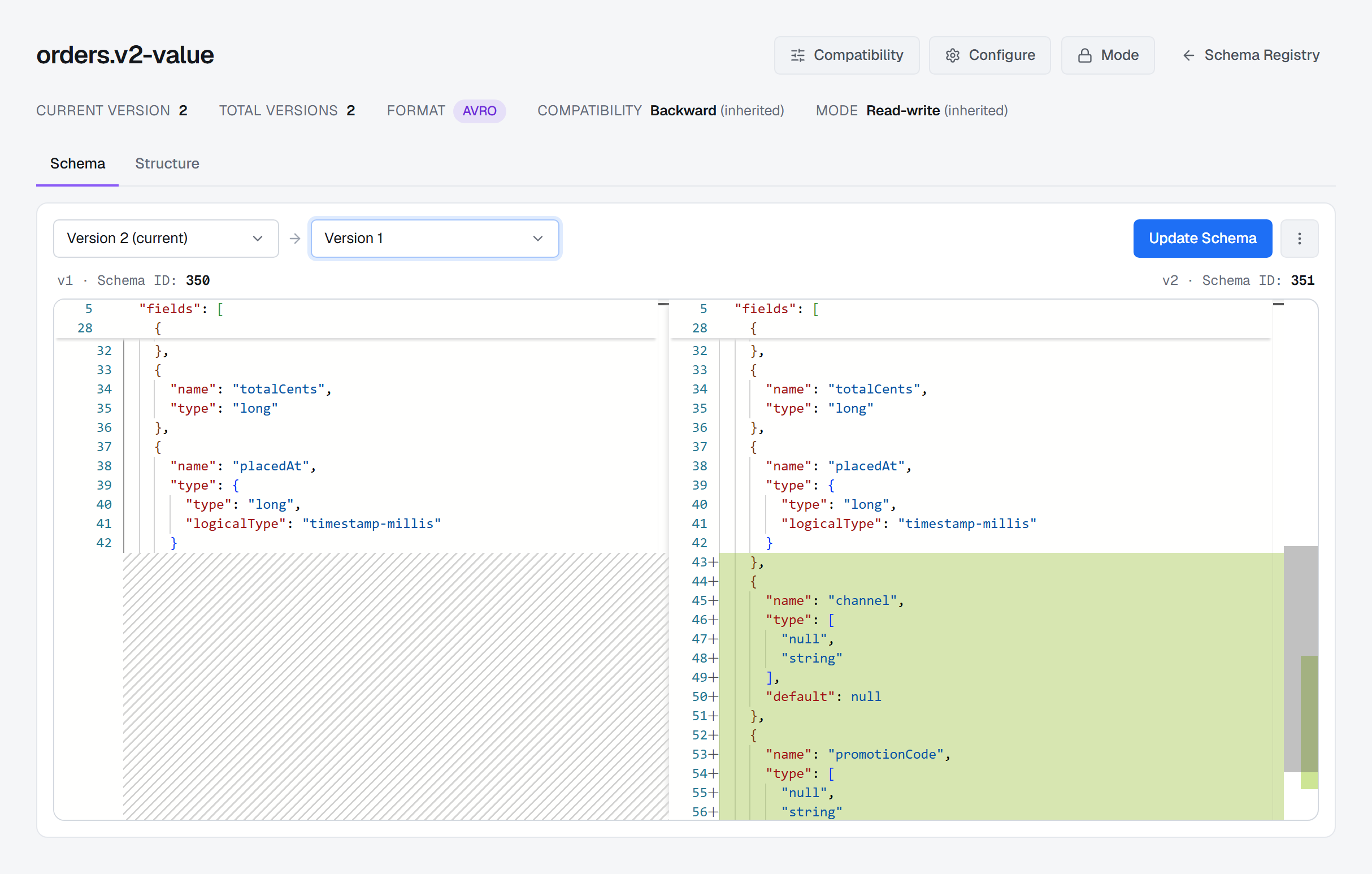
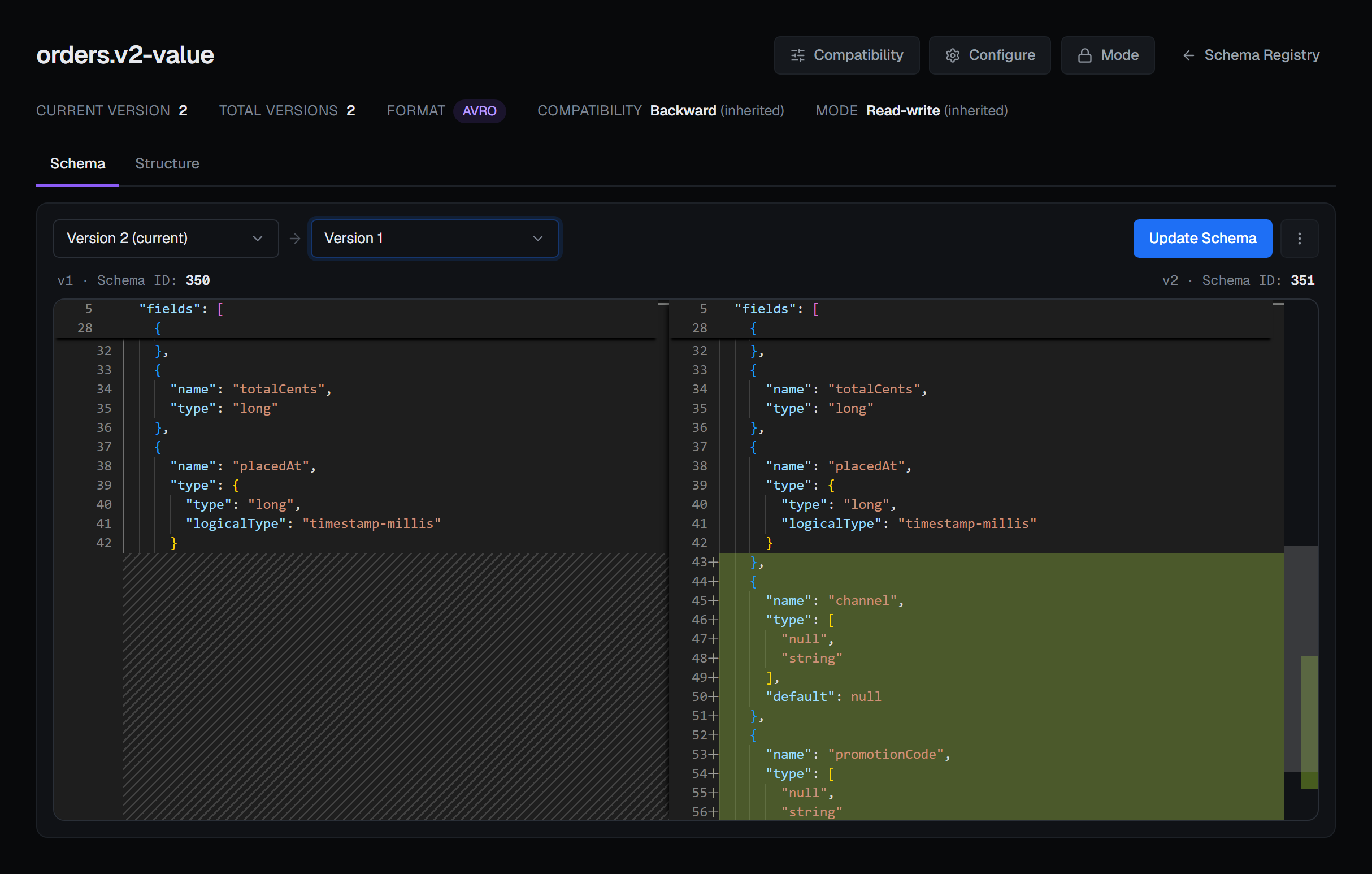
Whether that change was compatible is not something the diff decides. The registry decided it when version 2 was registered, under the level in force on that day.
5 — References
A schema can name types that live under another subject: an Avro named type, a Protobuf import, a
JSON Schema $ref to another schema. The registry resolves them only if the references are sent with
the schema.
BROKA carries references; it does not author them. Update Schema sends the references of the version you started from with both the check and the registration, so a referencing subject evolves like any other. New Subject has no place to declare them, so a first version that references another schema is registered with the tooling that owns it. Reading and producing resolve references the same way the serializers do — each one fetched from the registry in turn — and a reference the registry does not have is reported by name.
6 — What delete means here
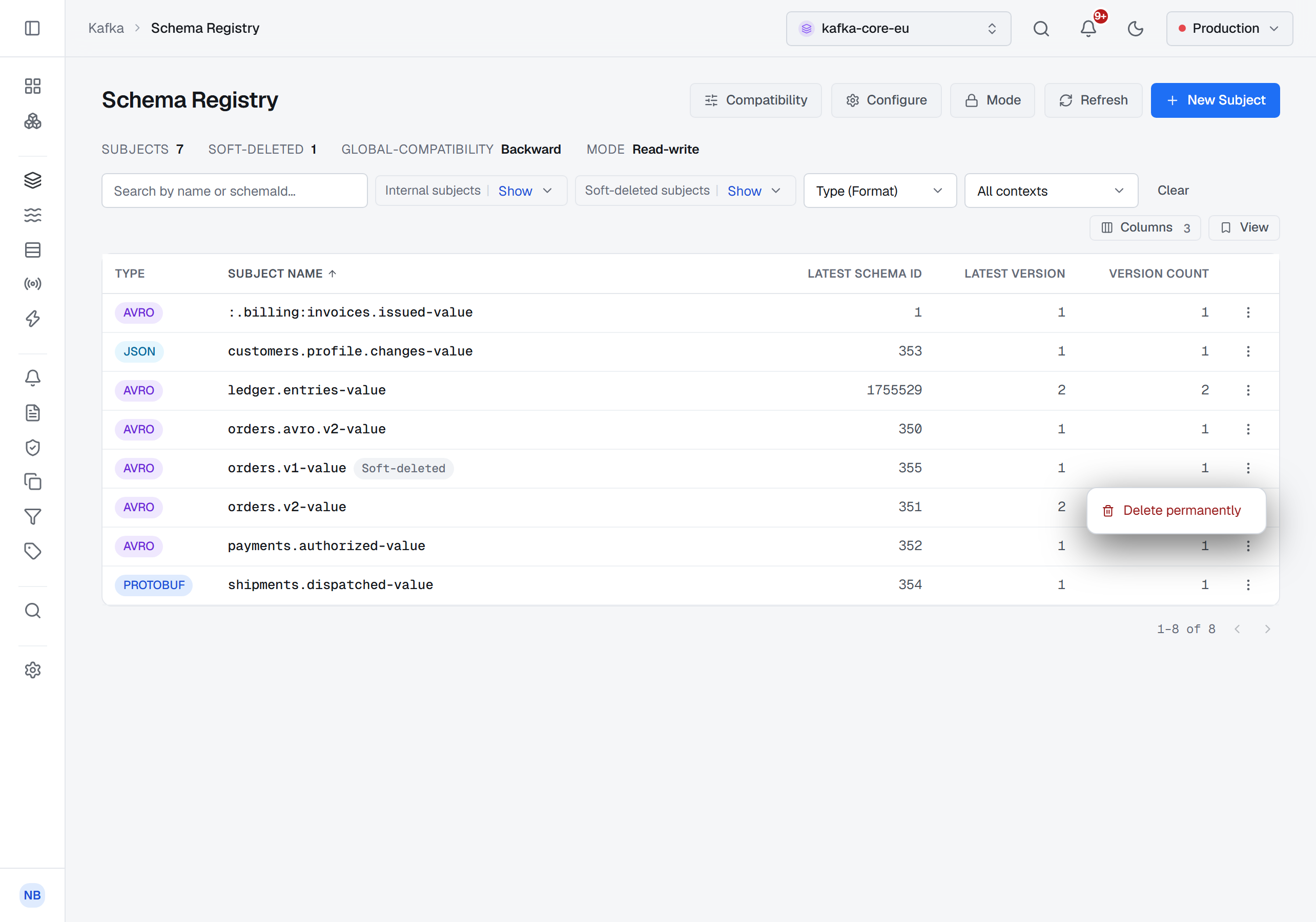
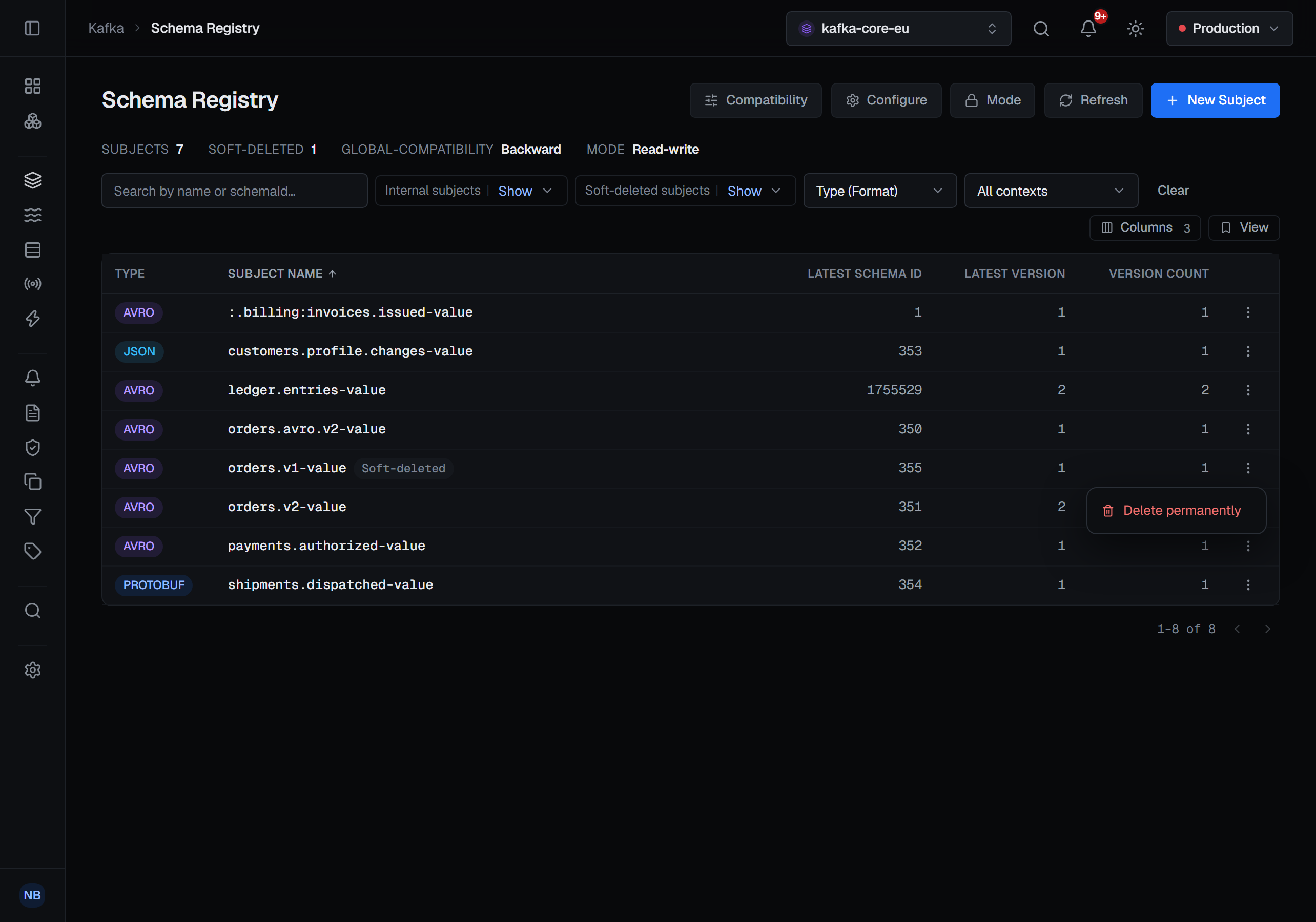
A first delete is soft. The subject or version leaves the active list, but its schema id stays resolvable, so records already written with it stay readable; registering the schema again creates a new version. The confirmation says so in as many words — its schema id remains for lookup — because delete in a registry does not mean what it means elsewhere.
Delete permanently is offered only for what is already soft-deleted, and it removes the schema with its id. Records written with that id may no longer be decodable by anyone. There is no undelete, in BROKA or in the registry.
7 — How a record names its schema
A record produced through the registry carries its schema id — in its first bytes, as the classic serializers write it, or in a record header, as newer ones can. BROKA reads that id, fetches that exact schema and shows the record as JSON. It is the version that was used to write the record, not whatever is latest now, and the record's Details tab names it: the schema id with the subject and version the registry has it under.
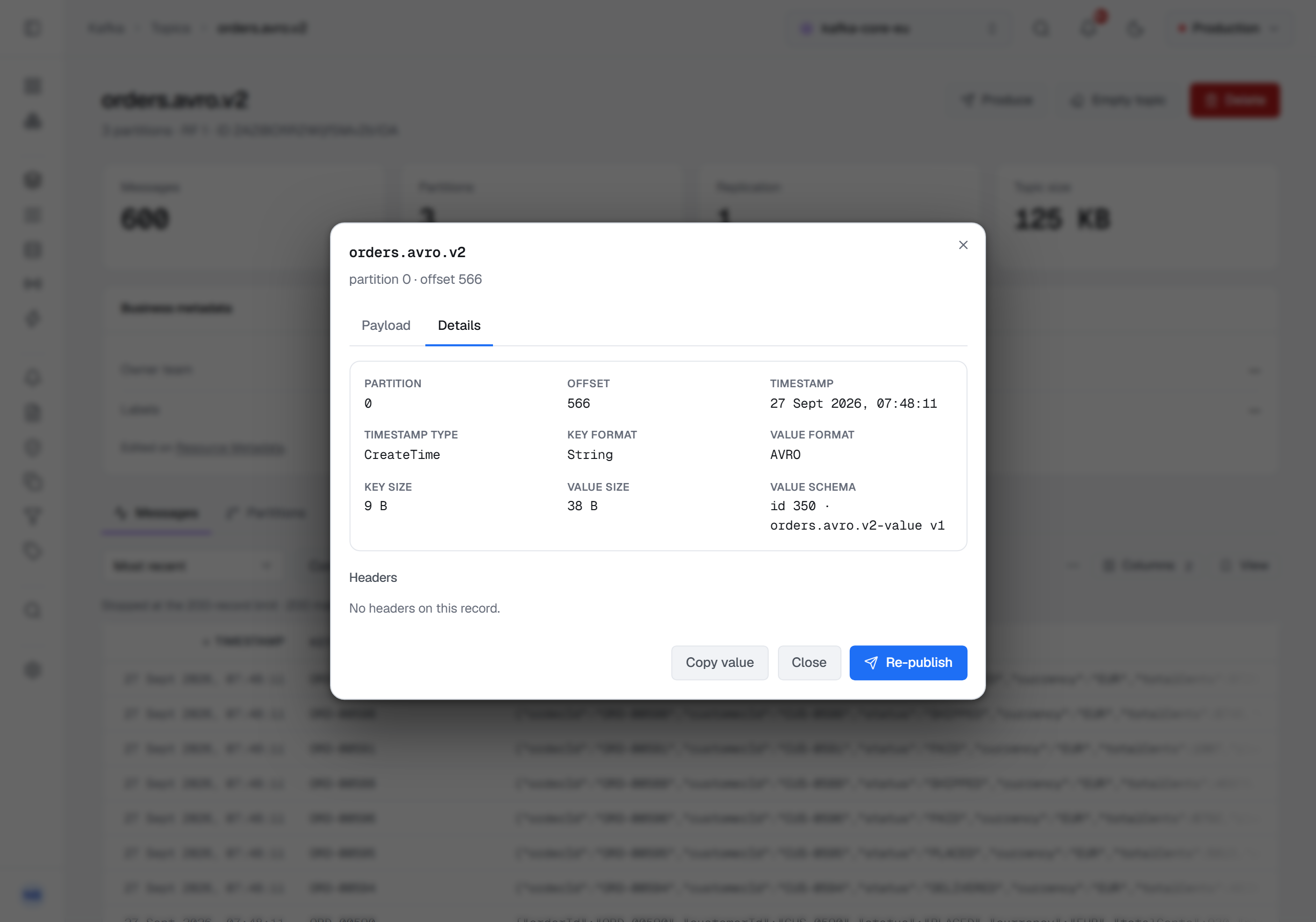
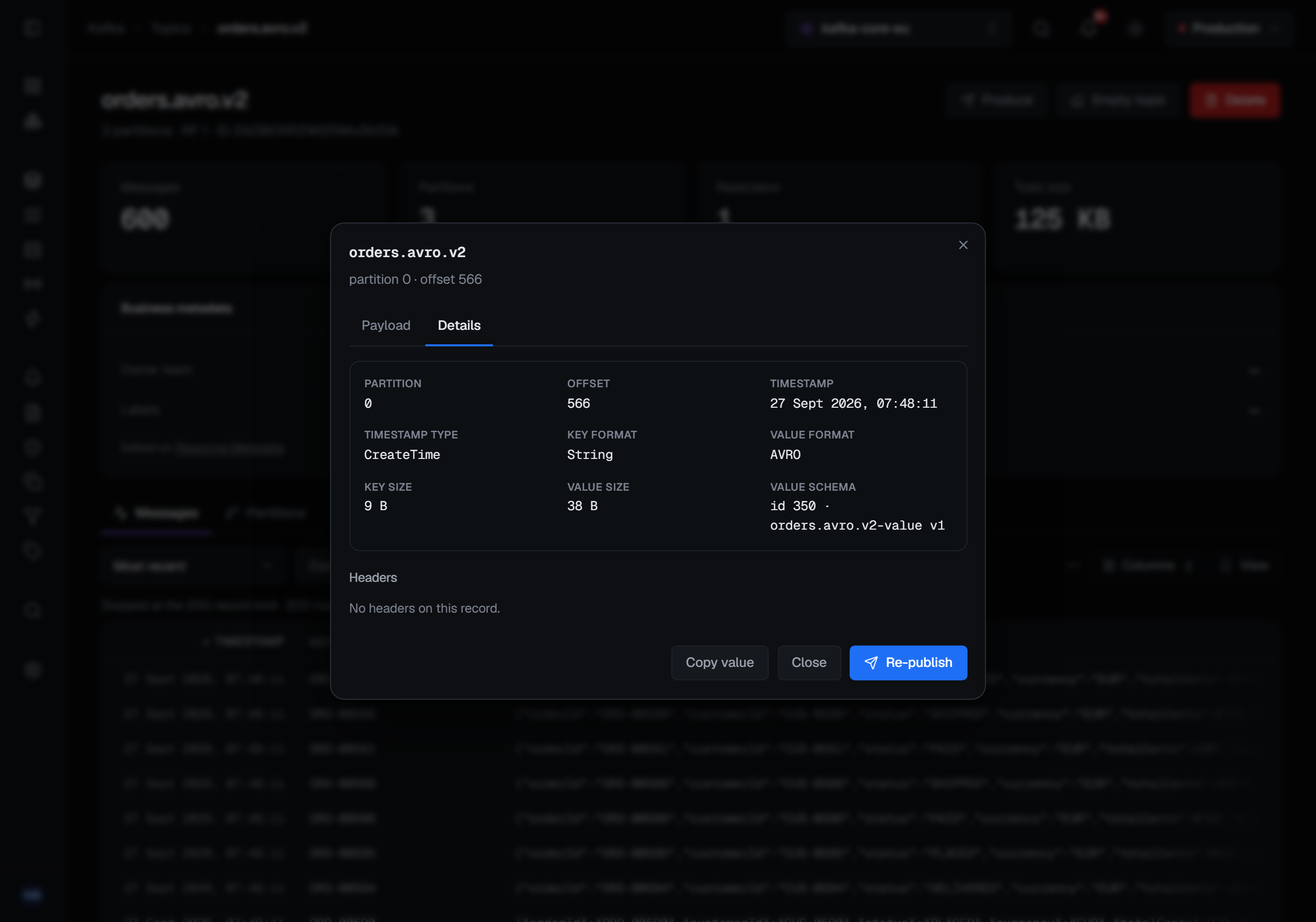
Each field ends up one of three ways. Decoded through its schema. Raw — shown as the text it is, because it carries no schema header, the connection has no registry, or the registry does not know its id; a leading zero byte alone is not taken as proof, since a plain numeric key starts with one too. Or failed — the registry was asked and the record still could not be decoded — with the reason beside it, while the scan carries on past it.
Producing works from the same contract. With Schema Registry chosen, your JSON is encoded through the latest version of the topic's own subject unless you pick another subject or version, a field the schema does not declare is refused rather than dropped, and a plain string or JSON write onto a field whose subject is registered is refused with the reason.
Who may change it, and what is recorded
Checking needs only the permission to view the connection. Registering a version, changing a compatibility level and deleting need the permission to manage it — or, for registering and deleting, a grant on that subject — and every one of them is refused in a read-only environment or on a read-only connection. Both deletes, soft and permanent, ask for a reason in every environment; registering and changing a level ask for one in a guarded environment, where every write does. Choosing a compatibility level applies it at once, without a confirmation.
Each of those writes is audited. A registration records the schema id and version the registry assigned — not the schema text. A delete records whether it was soft or permanent and which versions went. The Kafka page describes these screens with the rest of the cluster.
What this article does not cover
- Producers that are not BROKA. Kafka brokers never look inside a record; checking a schema is something clients agree to do. What BROKA guarantees is that BROKA does not write a record that breaks the topic's schema — and when the registry cannot be reached, that check steps aside rather than make producing impossible. Another producer can still write anything.
- Modes and subject settings. Read-only and Import modes, and the settings a subject can carry besides its level, have their own page.
- Other registry APIs. BROKA works with registries that speak the Confluent Schema Registry REST API.
Try it yourself
The schema-registry lab starts Kafka with a Schema Registry holding versioned subjects, a subject with its own level, a reference, a soft-deleted subject and records written with two versions, along with the changes to paste that the registry refuses.
Applies to BROKA 1.0 · Kafka · Community and Commercial.