

Schema compatibility and modes
Updated 6 October 2026 · applies to 1.0.1 · Community and Commercial
Under Kafka ▸ Schema Registry, BROKA sets the compatibility level and mode of the whole registry or of one subject, and the settings a subject carries itself. All three are held by your registry, not by BROKA: the console writes them to the registry and, after every change, reads back what the registry kept. The subjects and versions they govern are described on Schema Registry.
Compatibility levels
A compatibility level is the rule the registry applies before it accepts a new version of a subject. BROKA offers the registry's seven levels:
- Backward — the new schema can read data written with the previous one, so a field can be removed, or added with a default. Consumers are upgraded first.
- Forward — the previous schema can read data written with the new one, so a field can be added. Producers are upgraded first.
- Full — both at once, so either side can be upgraded first.
- Backward - transitive, Forward - transitive and Full - transitive — the same rules, checked against every earlier version rather than only the previous one.
- None — no check at all. The menu marks it with a warning sign.
Tightening a schema is not backward compatible, by definition. Making a JSON Schema field required, closing a JSON Schema to extra properties, or retyping an Avro field makes old data unreadable by the new schema, so Backward and Full refuse it. To close an over-permissive schema, move the subject to Forward or None for that registration and revert it to inherited afterwards, or start a new subject.
Check compatibility, in Update Schema, asks the registry whether a new version would pass under the subject's level before anything is registered — see Schema Registry.
Setting a level
The registry has a global level, which every subject without a level of its own follows. The Compatibility button in the list's header sets it; its menu is headed Global compatibility, with the current level ticked. One subject's level is set from Change compatibility in the subject's row menu, or from the Compatibility menu in the header of its own page.
Choosing a level applies it at once — there is no confirmation — and a message says what was set: Global compatibility set to Backward., or Compatibility for orders.v2-value set to Full.
A subject that sets no level of its own inherits one, and its page shows (inherited) beside the level. The inherited level is its context's, when the context has one, and the registry's global level otherwise.
Revert to inherited
Revert to inherited, the last item of a subject's compatibility menu, removes what the subject sets itself. On the subject's page it is disabled while the subject already inherits. Its confirmation says what goes: the subject's compatibility level and every other setting set on it — the ones under Configuring a subject below — so that it inherits them all again. It asks for a reason, and the button is Revert.
From the row menu it is offered even when the subject has nothing of its own, and the answer is then said in words: the subject has no configuration of its own to remove; it already inherits. A registry older than 7.0 cannot remove a subject's configuration and answers that it does not offer that operation.
Modes
A registry has a mode, and so can each subject in it:
- Read-write is the ordinary one: the registry takes registrations as usual.
- Read-only refuses every new registration in its scope until the mode is changed back.
- Import takes registrations with an explicit schema id and version, which is how schemas are copied from one registry to another with their ids intact — and therefore how records written with those ids stay readable after the move.
The list's summary line shows the registry's mode. A subject's page shows the mode in force for it, marked (inherited) when the subject sets none — the mode is then its context's or the registry's. A mode BROKA does not offer, if the registry reports one, is shown under the registry's own name.
A registry left in read-only or import mode refuses producers registering new versions. An alert rule on Schema Registry read-only says so before a producer does.
Setting a mode
The Mode button in the list's header sets the registry's mode (its menu is headed Registry mode); the Mode button on a subject's page sets that subject's own (Change mode). The current mode is ticked. Choosing one opens a confirmation — Set orders.v2-value to Read-only, or Set the registry to Import — that says what the mode will do and asks for a reason, whichever mode it is. Its button is Set mode.
Switching to Import has one more choice. Left unticked, the registry refuses the switch while any subject is active in that scope, and permanently deletes the soft-deleted versions left there; with Switch even though subjects exist ticked, it switches anyway and deletes nothing.
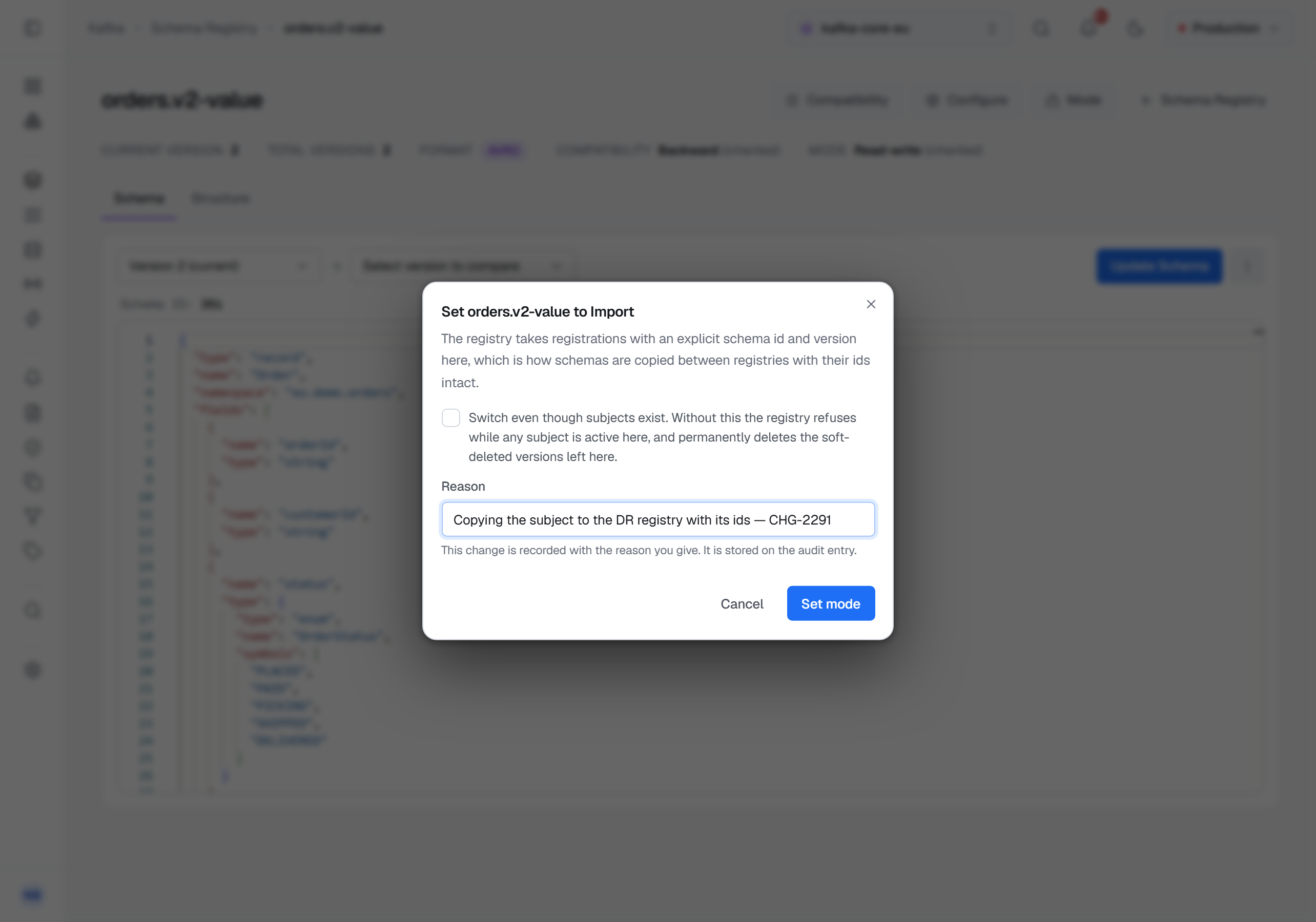
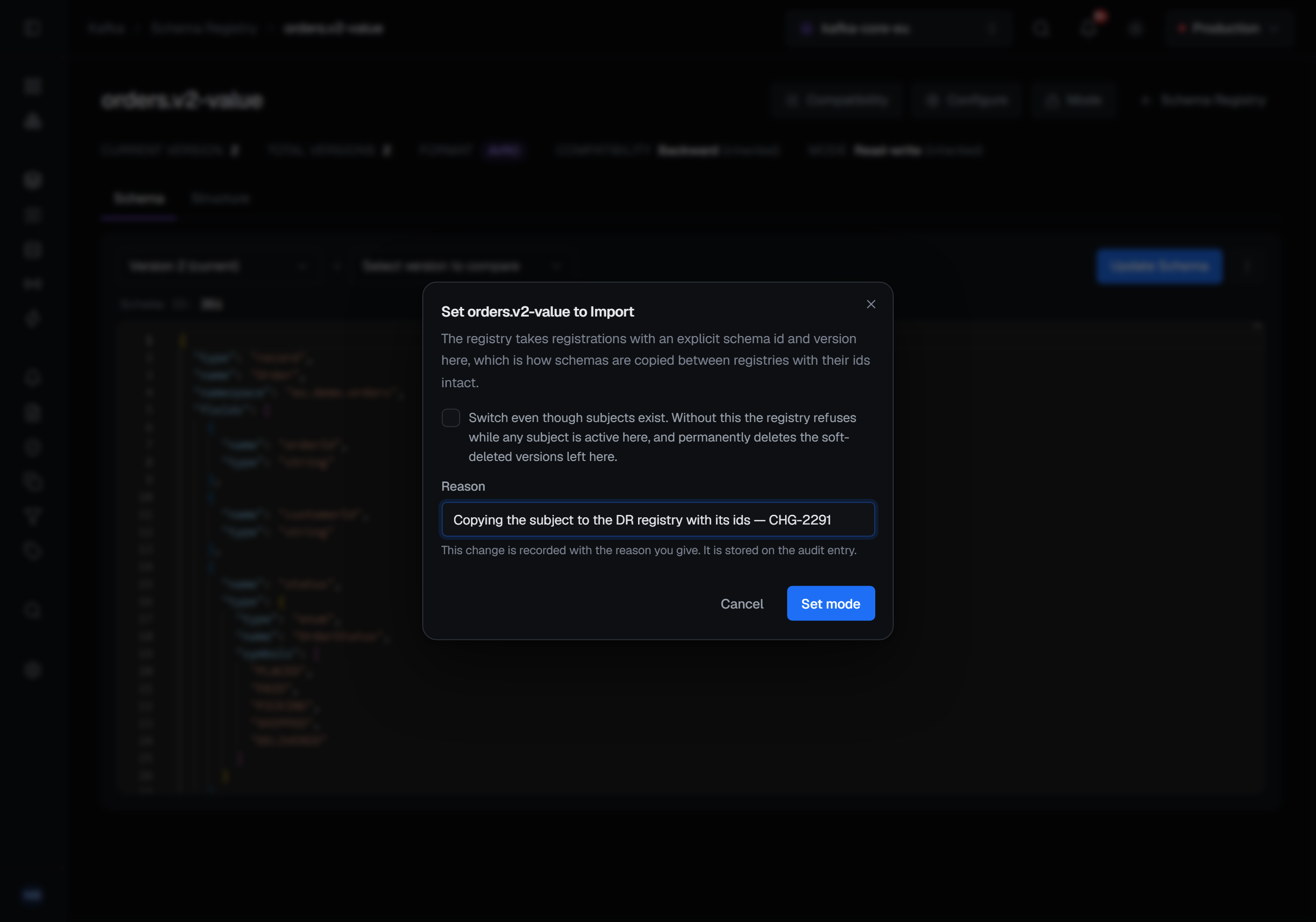
After the change BROKA reads the mode back, because the registry's answer to the write only repeats the request. A success says orders.v2-value is now Read-only. If the registry did not keep the mode you asked for, a warning names the one it holds instead of reporting the change made: The registry did not keep Import; the registry is Read-write.
On a subject's page the Mode menu also offers Revert to inherited once the subject has a mode of its own. Its confirmation, Revert mode to inherited, says the subject will take its context's or the registry's mode again, and asks for a reason.
A registry can be configured so that its modes cannot be changed at all. Nothing short of a write reveals that, so the menu is always offered and such a registry's own refusal is what you see.
Registering in Import mode
While the mode in force for a subject is Import, Update Schema also offers a Schema id and a Version. Left empty, the registry assigns them as it always does — the fields say Assigned by the registry and The next one. Outside Import the registry refuses an explicit id, in its own words.
Configuring a subject
Besides its compatibility level, a subject can carry settings of its own. Configure, on the subject's page and in its row menu, opens Configure subject. It shows what the subject sets itself, not what it inherits, so a setting the subject does not set reads Inherited:
- Compatibility policy — Inherited, Strict or Lenient: how strictly a JSON Schema change is judged (registry 8.2 and later)
- Compatibility group — the name of a metadata property; a version is compared only with versions that carry the same value of it (7.4 and later). Metadata is described on Schema metadata and contexts.
- Normalize schemas — Inherited, On or Off: whether schemas are normalized before they are compared and registered (7.5 and later)
- Alias — another subject this one is an alias for, so a lookup under this name goes there (7.5 and later)
- Validate field names — Inherited, On or Off: whether field names are checked on registration (7.6 and later)
Which settings are offered follows the version the registry states about itself. The registry has no way to say, without a write, which settings it accepts, and an older one quietly ignores a setting it does not know — so BROKA shows a setting your registry cannot hold disabled, with the release it needs, instead of letting you set something that would be dropped. A registry that does not state its version — Karapace, Redpanda, or a Confluent registry older than 7.3 — has every setting offered, and the read-back below catches what it drops.
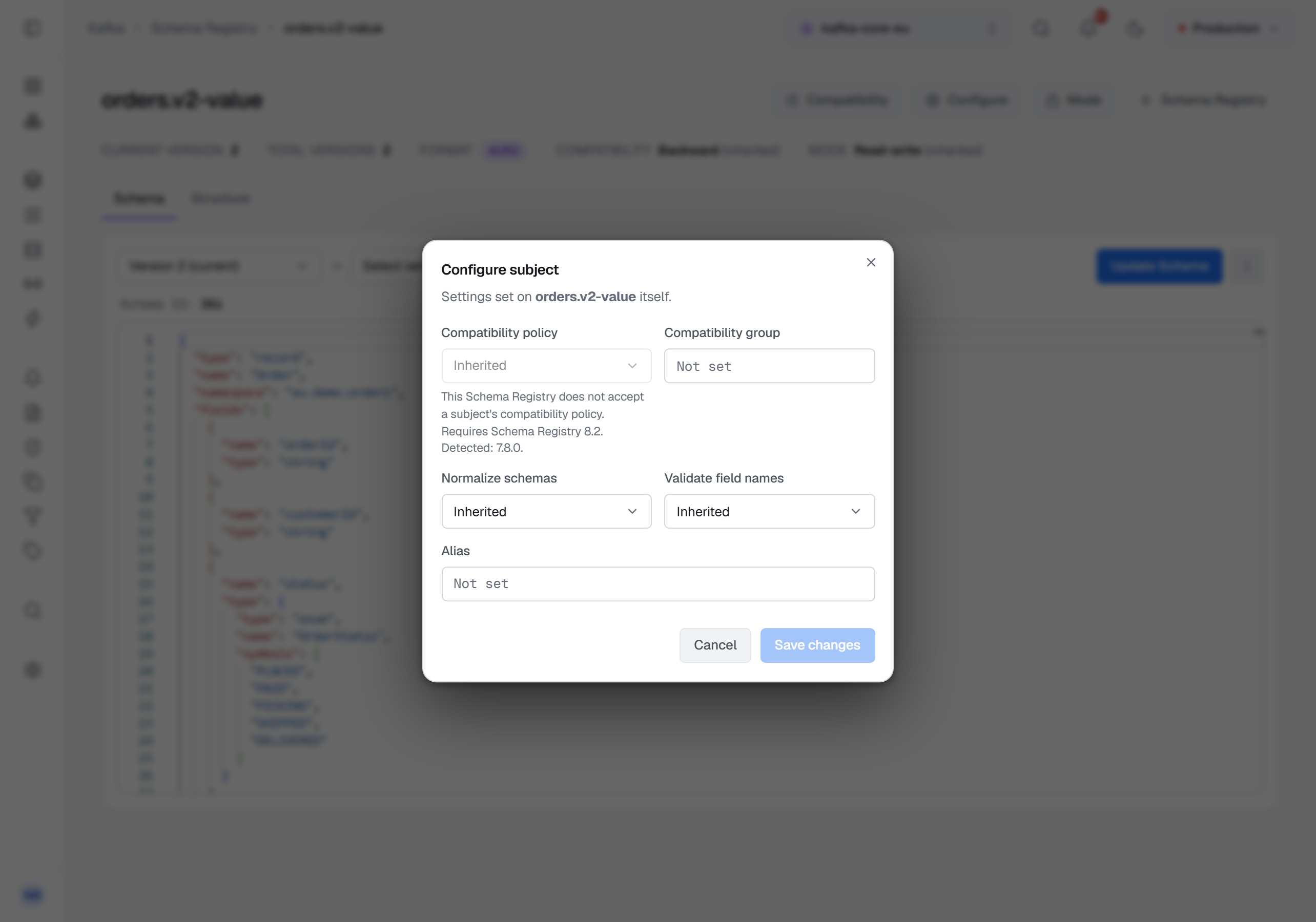
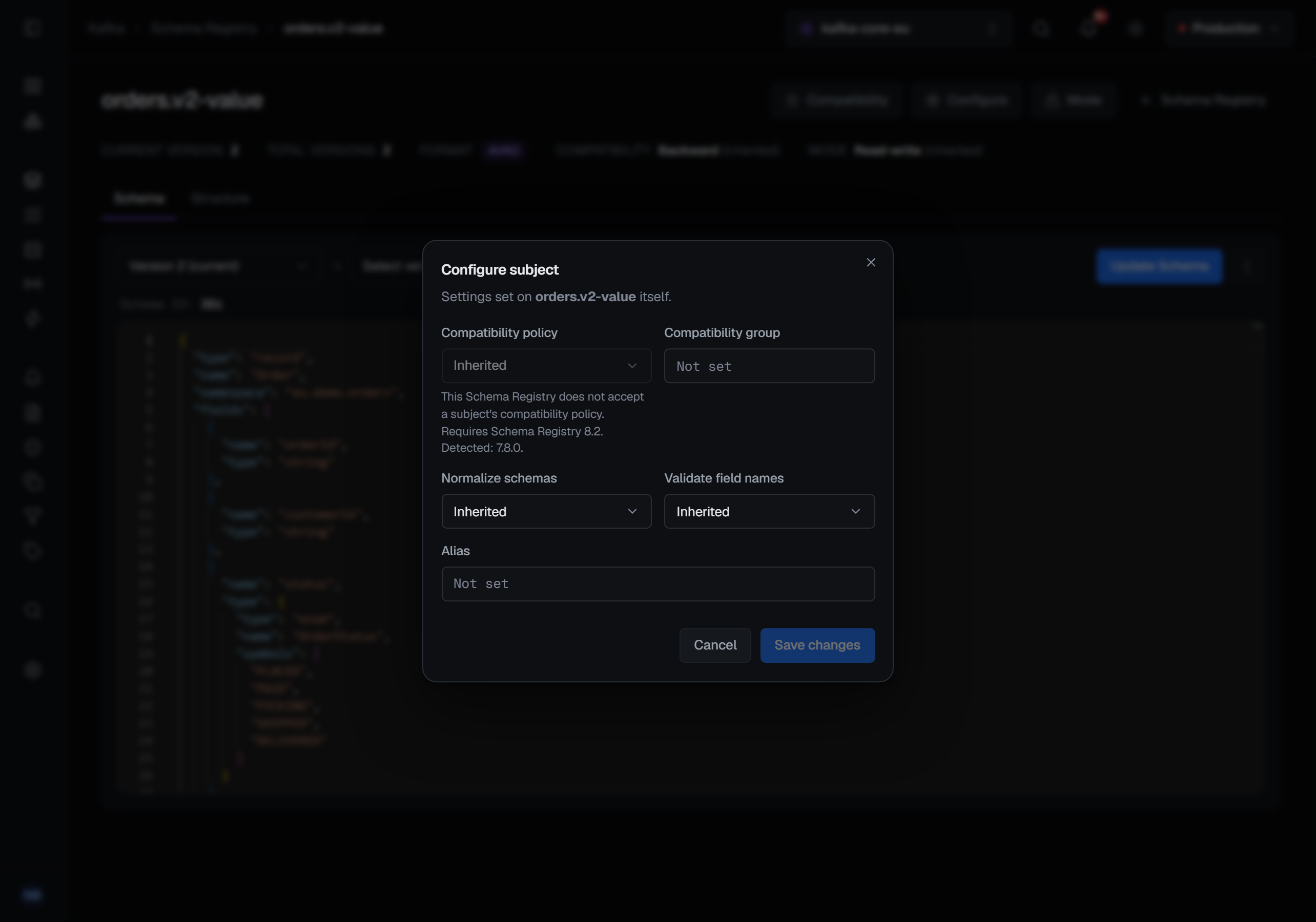
Save changes stays disabled until something changes, and only what changed is sent. Setting a choice back to Inherited, or emptying a field, removes that setting on a registry from 8.x; a 7.x registry keeps it, and removing it there takes Revert to inherited. After a save BROKA reads the subject's configuration back. A success says Settings for orders.v2-value saved. A setting the registry did not keep is named instead of reported saved — The registry did not apply compatibility policy. — and the audit record names it too.
Who can change them, and what is recorded
Setting a compatibility level, a mode or a subject's settings, and reverting any of them to inherited, needs the permission to manage connections. Like every write, each is refused in a read-only environment or on a connection marked read-only. Choosing one from a menu then says what stopped it — the environment, the connection, or your role — and in Configure subject Save changes is disabled, with the same reason on hover.
Setting a mode and reverting to inherited ask for a reason; setting a level or a subject's settings
does not, except in a guarded environment, where every write does. Every one of these changes is audited. A mode change records the mode before it and the mode
the registry holds after it, and a subject setting the registry did not keep is named on the record.