

Reassignments and leader election
Updated 3 October 2026 · applies to 1.0.0 · Community and Commercial
The Reassignments tab of Kafka ▸ Brokers plans, executes and cancels partition moves, and Elect preferred leaders, in the page header, evens out leadership. They are the two remedies for what the Brokers list shows: a broker holding more partitions than its share, and one leading more than its share. A reassignment copies data to other brokers; an election moves only leadership.
Reassignments in progress
The Reassignments tab lists every partition the cluster is moving, whether BROKA started the move or something else did. Each row shows:
- Topic and Partition — the partition being moved.
- Replicas — the brokers that hold it while it moves.
- Adding — the brokers it is being copied to.
- Removing — the brokers it will leave.
When nothing is moving, the tab says No reassignments in progress. It is read when you open the tab.
Planning a reassignment
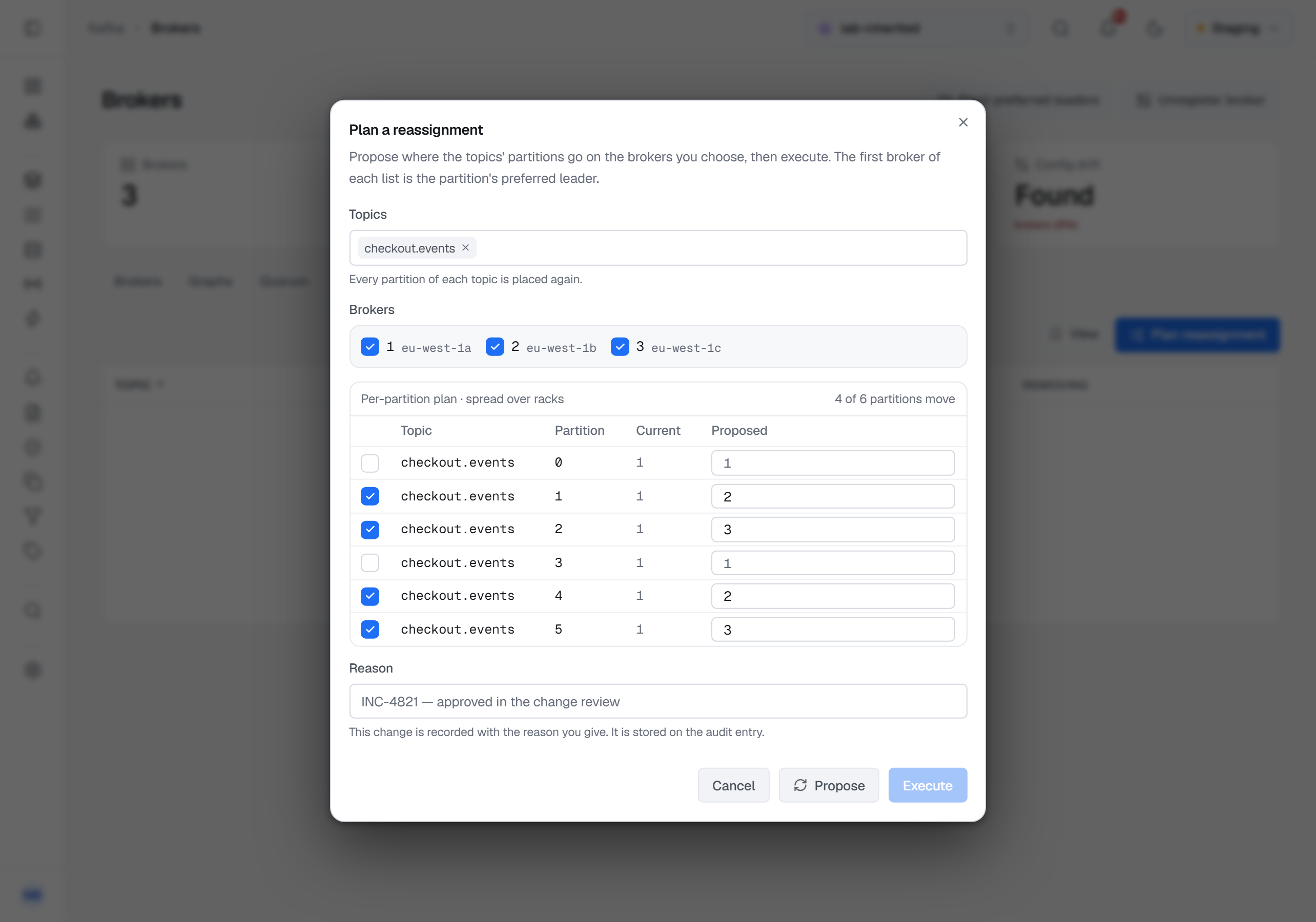
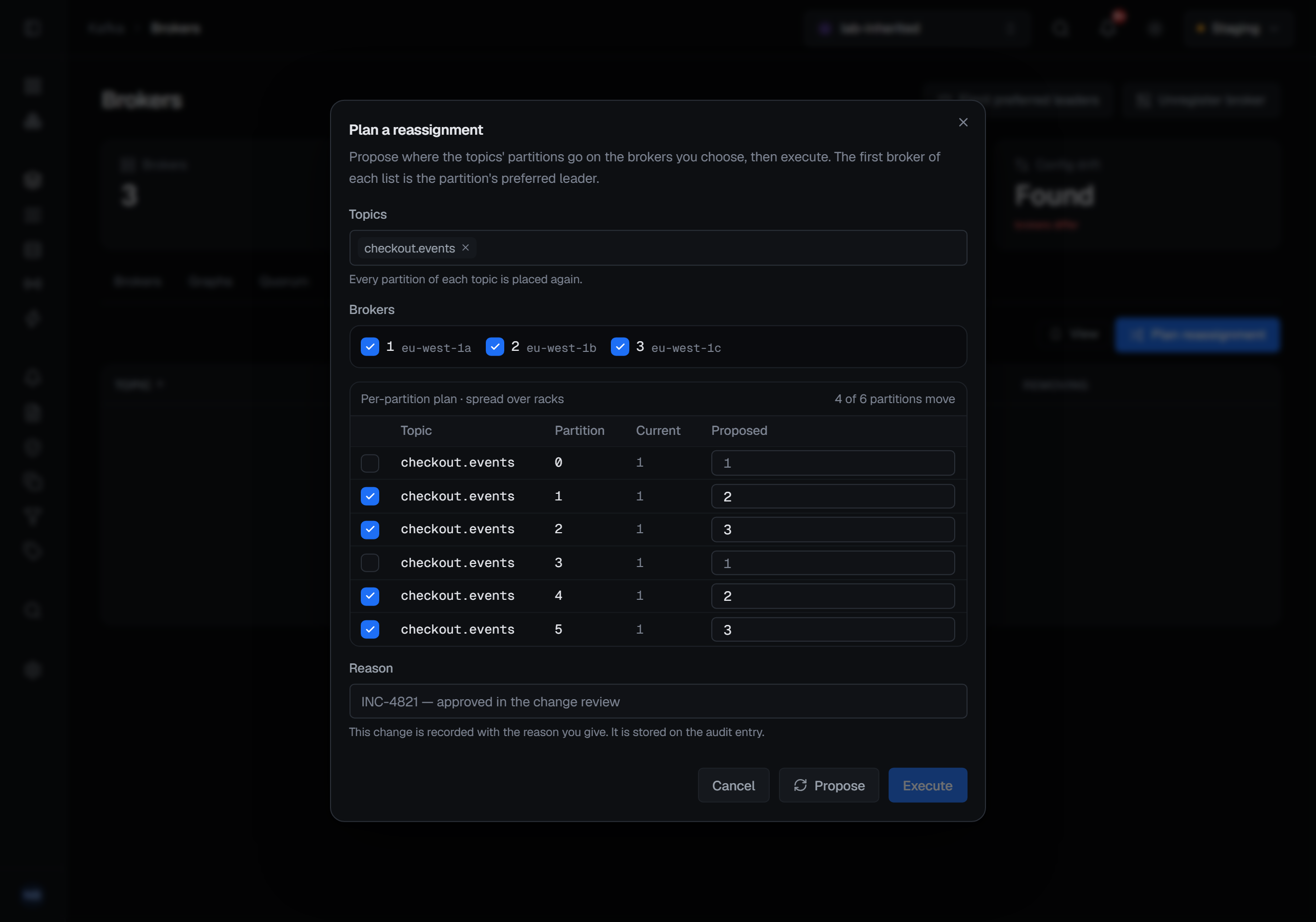
Plan reassignment, on the Reassignments tab, moves partitions onto different brokers — to fill a new broker, empty one you are retiring, or spread a topic across racks. It opens Plan a reassignment.
Name the Topics, pressing Enter after each; every partition of each is placed again. Tick the Brokers to
place them on. Each broker is listed with its rack, and every broker the controller has not fenced is ticked to
start with. Propose asks for a plan: Kafka's own rack-aware replica assignment, the one
kafka-reassign-partitions --generate derives from, spread over racks where the brokers have them. It is
deterministic, so the same request proposes the same plan. Proposing changes nothing on the cluster, and changing
the topics or the brokers afterwards discards the proposal.
The plan lists every partition with its replicas now, under Current, beside the proposal, under Proposed. Its heading says spread over racks when the proposal is rack-aware, and counts how many partitions move — N of M partitions move. The first broker of each list is the partition's preferred leader.
Any proposed list can be edited: broker ids separated by commas, at least one and none twice. A list that is not one keeps Execute disabled. A list left the same as the current one is greyed and does not move, and neither does a partition you untick.
Execute starts the reassignment and asks for a reason. The result says how many partitions are moving. The controller answers partition by partition, so a plan it partly refuses is reported as such rather than failed as a whole: the result counts the refused partitions and names the first with the controller's reason. A plan onto a broker the cluster does not have is refused.
Moving a partition copies its data to its new brokers. BROKA sets no replication throttle, because it cannot be sure to clear one it set.
Cancelling a reassignment
Each reassignment in progress has Cancel on its row. The confirmation names the partition and the replicas it will keep: the partition stops moving and keeps the replicas it had. Cancel reassignment confirms it. If the partition finished moving in the meantime, the console says it had already finished.
Cancelling moves no data, so it does not ask for a reason of its own. In a guarded environment it asks for one,
like every write there.
Who can move partitions
Planning, executing and cancelling need the permission to manage the cluster. The connection's Kafka identity must
also hold ALTER on the cluster. Without it, Plan reassignment and each row's Cancel are disabled, and
hovering Plan reassignment says why: This connection's identity may not alter the cluster (ALTER on the
cluster), which moving partitions needs. The same happens on a cluster whose brokers do not reassign partitions
through the admin API, which is anything before Kafka 2.4, and where your role or the environment does not allow
the change; the dialog then shows the same reason at its top.
Electing preferred leaders
When the skew columns on Brokers show one broker leading far more than its share, Elect preferred leaders in the page header is the remedy: every partition in the cluster whose leader is not its preferred replica — the first in its replica list — gets that replica back as leader. The confirmation, Elect preferred leaders?, says so; Elect leaders runs it.
A topic's Partitions tab, in Partitions and leaders, has the same action for that topic alone, as Elect leaders. Its result also counts the partitions that already had their preferred leader.
No data moves; clients follow the new leaders. The controller answers partition by partition, so the result says how many partitions moved to their preferred leader and names any it refused, with its reason, rather than failing the whole request because one partition could not move.
Because the first broker of each list in a reassignment plan is the preferred leader, electing preferred leaders after a reassignment completes gives leadership to the brokers the plan put first.
The election needs the permission to manage the cluster. Where your role or the environment does not allow it, the
console says why instead of running it. It does not ask for a reason of its own, because leadership moves and no
data does; in a guarded environment it asks for one, like every write there.
What gets recorded
Executing a reassignment is recorded with each moved partition's brokers before and after, and with how many partitions were applied and how many refused. The controller's refusal sentences are not recorded, because they name brokers. Cancelling is recorded with the replicas the partition had while moving and those it kept. An election is recorded in the audit trail, as partial when the controller refused some partitions and moved others.