

Metadata quorum and features
Updated 6 October 2026 · applies to 1.0.1 · Community and Commercial
The Quorum and Features tabs of Kafka ▸ Brokers show what a KRaft cluster keeps about itself: its metadata quorum, its feature levels and its version. The same page flags a broker the controller has fenced, and removes the registration of one that is gone for good. The broker list itself — its load, its disks and each broker's configuration — is described on Brokers.
The Version tile
The Version tile above the tabs is the cluster's version as Kafka states it. On a KRaft cluster it is the
finalized metadata.version, named as the release it belongs to: level 20 reads 3.8. On a ZooKeeper cluster,
which finalizes no metadata version, it is the inter-broker protocol version instead.
It is the version the cluster runs, not the one its binaries could run. A cluster whose brokers were upgraded but
whose metadata.version was never raised shows the old version here, and behaves like it.
The tile asks the cluster each time the page reads it. What BROKA remembers is its answer about what the cluster can do, which the features gated on these levels follow: it keeps that answer for a minute, so a level raised a moment ago can take a minute or so to make such a feature available.
The metadata quorum
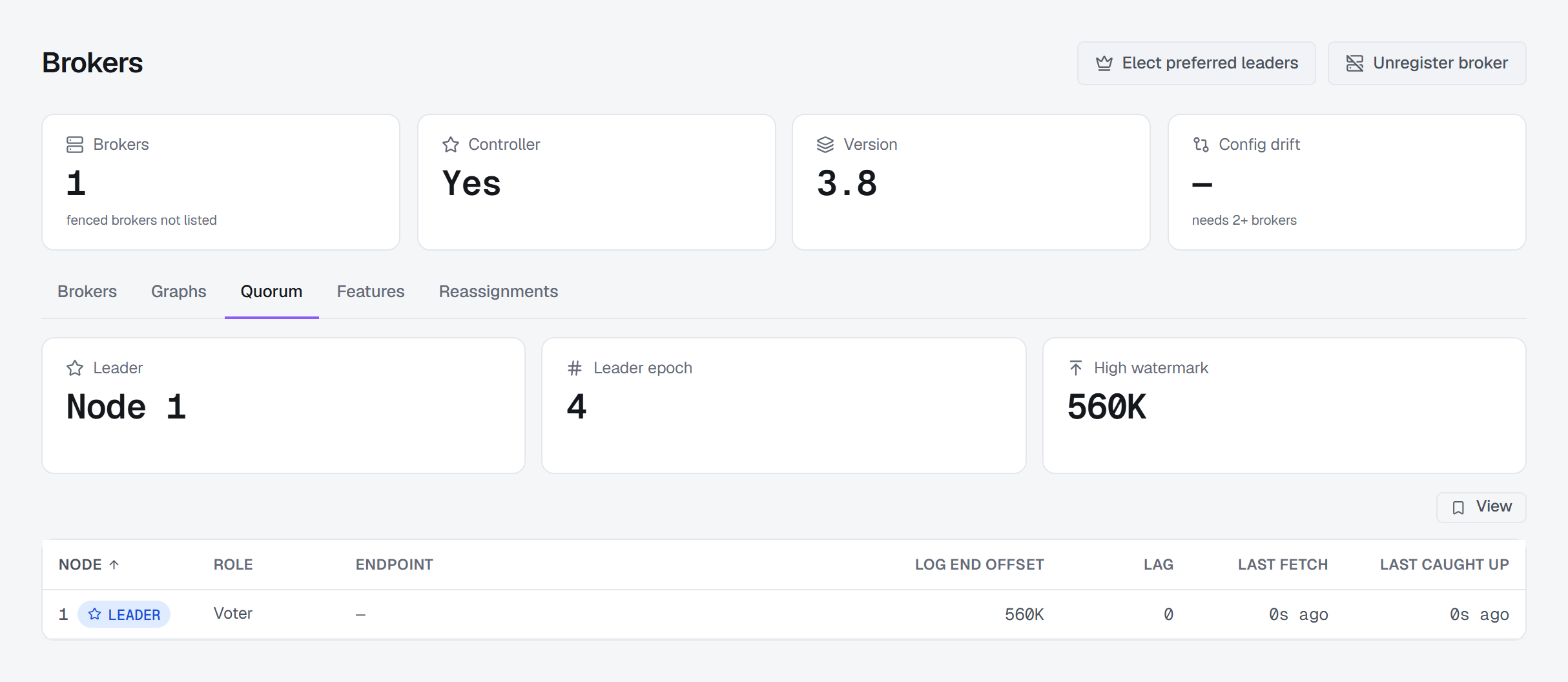
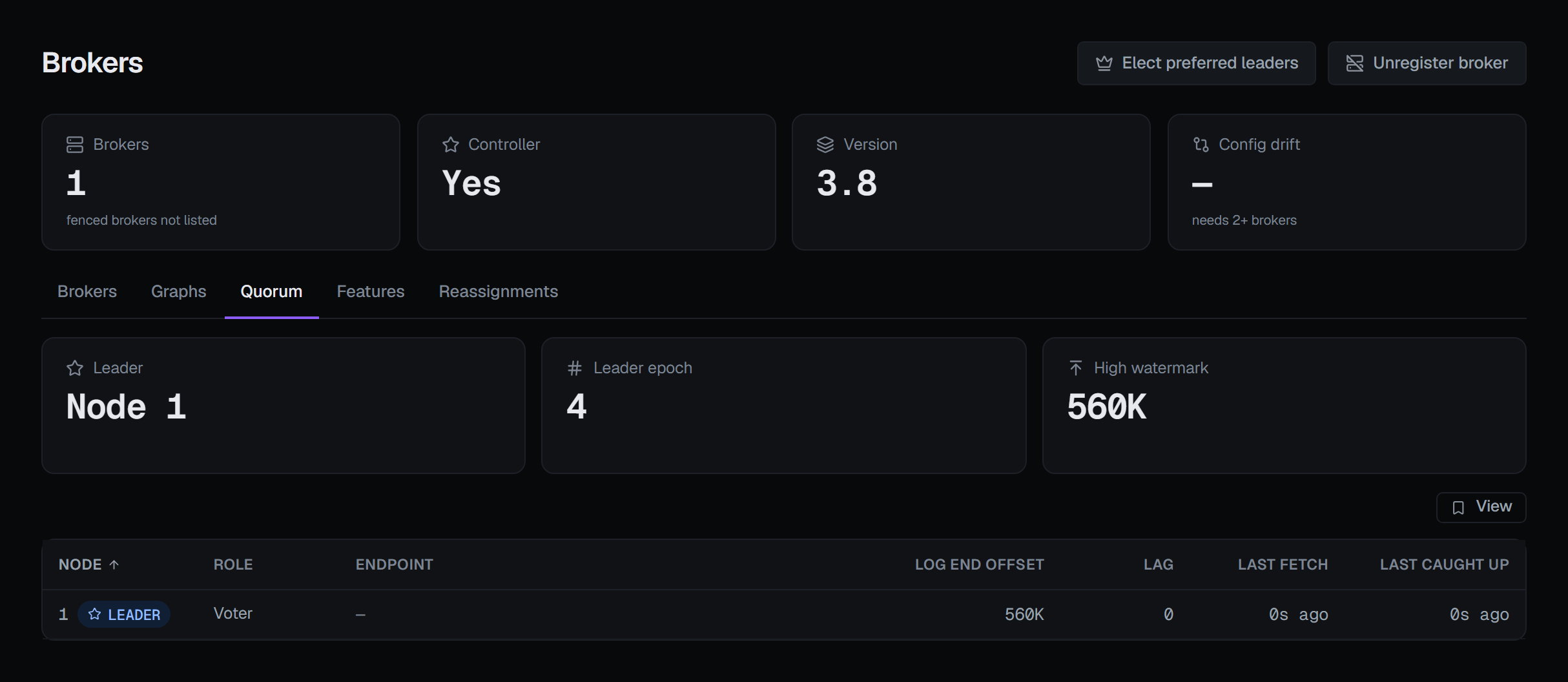
Quorum is the KRaft metadata quorum as its leader reports it. Three tiles name the Leader — Node 1, or None when there is no leader — its Leader epoch and the High watermark.
Below them, every voter and observer of the quorum has a row:
- Node — the node's id, with a LEADER badge on the leader.
- Role — Voter or Observer.
- Endpoint — the voter's address, where the cluster reports it. Kafka reports endpoints only for voters, and only on a cluster with Kafka 3.9's dynamic quorum; elsewhere the column shows a dash.
- Log end offset — how far the replica's copy of the metadata log reaches.
- Lag — how far it trails the leader's.
- Last fetch and Last caught up — when the leader last received a fetch from it, and when it last knew the replica had caught up. Where the leader does not know, the column shows a dash, never 0s ago.
A replica that is falling behind is visible here before it becomes a controller failover.
The quorum's leader is the cluster's active controller: the broker the Brokers list marks CONTROLLER, or, when the leader is a controller-only node with no row in that list, the node the Controller tile names.
A ZooKeeper cluster has no such quorum, so there the tab does not appear. Where the connection's Kafka identity may not describe the cluster, the tab is shown disabled, and hovering it says why: This connection's identity may not describe the cluster, which reading the metadata quorum needs. A KRaft cluster whose brokers are older than Kafka 3.3 does not describe its quorum to clients, and there too the tab is disabled with that reason.
The tab only reads, and it reads the quorum when you open it.
A node's own figures. Clicking a row opens that node's JMX figures — its heap, garbage collection, CPU, file descriptors and threads, and how far behind the cluster metadata it is (the metadata lag, in milliseconds); a broker adds its own broker figures, as on its Metrics tab on Brokers. This is where a controller that is not a broker shows its figures, since it has no row in the broker list. With JMX set up, BROKA reads each such controller too, at the address you give it in the JMX settings — where it is listed as Controller N — or at the voter's host and the JMX port. Without JMX, or when the node's agent did not answer, the dialog says so. See JMX metrics.
Feature levels
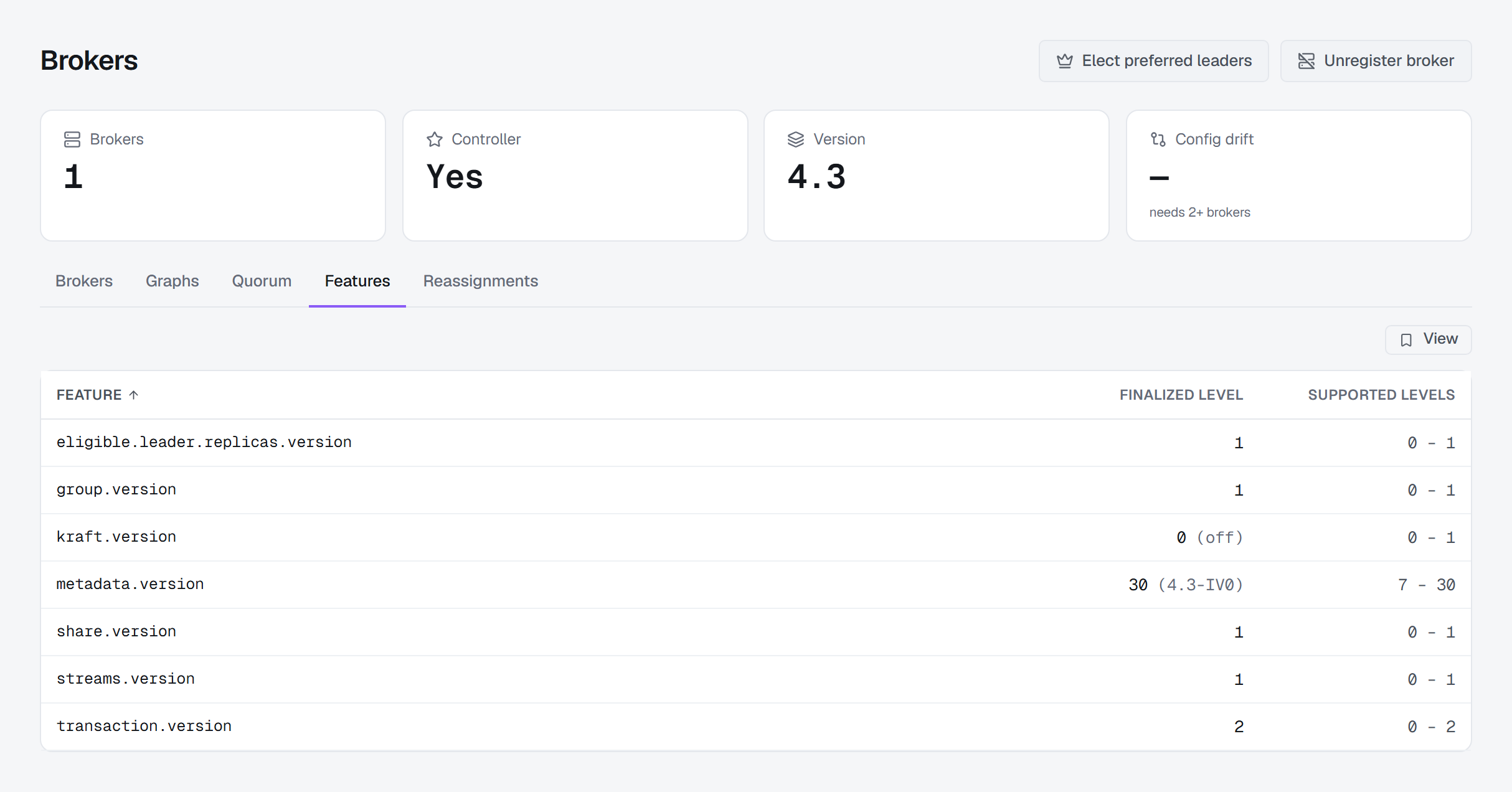
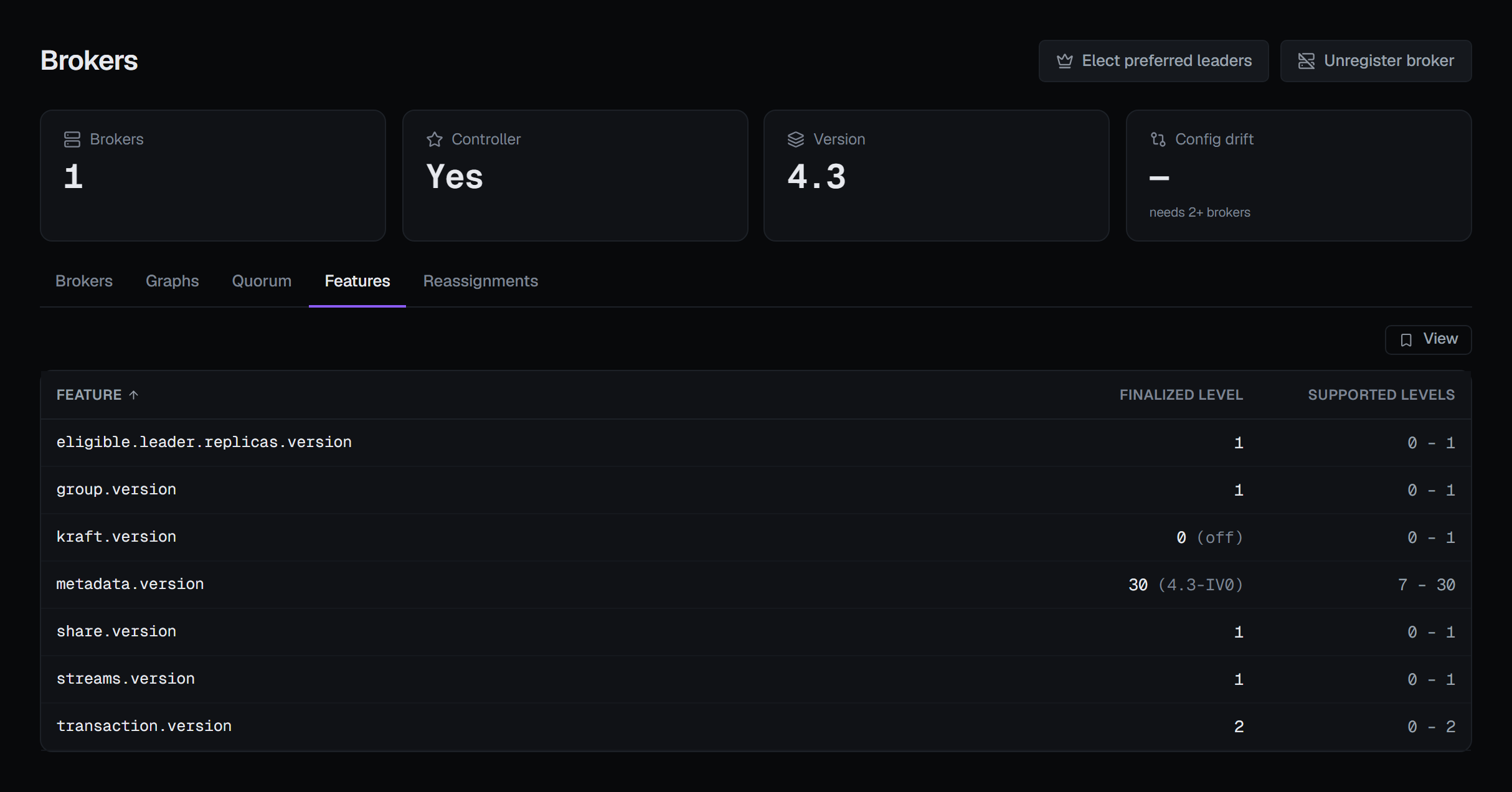
Features lists every feature the cluster names — metadata.version, group.version, transaction.version
and the rest — under the cluster's own names, so a feature newer than this console still appears. Nothing on the
tab is filled in from a table of BROKA's.
- Feature — the feature's name.
- Finalized level — the level the cluster runs it at.
metadata.version's is also named as a release, such as 30 (4.3-IV0). - Supported levels — the range of levels the brokers support, or a single number where the range is one level.
A feature at level 0 reads 0 (off): the brokers support it and the cluster has not switched it on. Kafka removes
a feature from its finalized set when its level is set to 0, so the cluster never reports a finalized 0; Kafka's own
kafka-features.sh describe prints the same absence as level 0, and the tab follows it rather than showing a
feature with no level at all.
The tab is how you tell what an upgrade actually switched on: a cluster whose binaries are new but whose metadata
version was never finalized behaves like the old one. It only reads. A level is raised with Kafka's own
kafka-features.sh.
Several of BROKA's own features follow these levels rather than the release, and where the level they need is not finalized they are shown disabled, with the reason on hover:
- Share groups and streams groups, in Share and streams groups —
share.versionandstreams.version1. Where the brokers support level 1 and the cluster runs 0, the reason says so: This cluster's brokers support share groups, and the cluster has not enabled them (share.version). - A topic's Eligible leaders column, in Partitions and leaders —
eligible.leader.replicas.version1. - Cordoned, on a broker's Logs ▸ Directories, in Brokers —
metadata.version4.3-IV0. - Setting and deleting SCRAM credentials —
metadata.version3.5-IV2 — and delegation tokens —metadata.version3.6-IV2 — in SCRAM credentials and Delegation tokens.
Fenced brokers
A broker the controller has fenced — registered, but not serving — carries a FENCED badge in the broker list, and the Brokers tile counts it (N fenced). Hovering the badge says what that means: the broker leads no partitions, and BROKA does not ask it for its log directories or its configuration until it is unfenced, because it would not answer. So a fenced broker takes no part in the config-drift check, and it is not counted among the brokers that did not return their configuration.
Before Kafka 4.0 the brokers do not report a fenced broker at all: it is missing from the list rather than flagged. There the Brokers tile says fenced brokers not listed, and hovering it gives the reason — This cluster's brokers do not report fenced brokers, so a fenced broker is missing from the list. — because the count can be one short without anything else on the page saying so.
A broker that is gone for good can be unregistered.
Unregistering a broker that is gone
When a broker has been removed for good, the controller keeps its registration until somebody removes it. Unregister broker, in the page header beside Elect preferred leaders, is that removal.
The dialog, Unregister a broker, asks for the Broker ID and a reason. When the list shows exactly one fenced broker, the dialog opens with that broker's id already filled in, since that is almost always the broker it is for. Unregister broker then makes the controller forget the broker. It cannot be undone.
Only a broker that is gone can be unregistered — one the controller has fenced or, on a cluster before Kafka 4.0, one the broker list no longer shows. A broker the cluster lists as serving is refused, because it would register again at its next heartbeat, and an id the controller never registered is refused as unknown. Either refusal is shown in its own words.
It is a KRaft operation: a ZooKeeper cluster keeps registrations in ZooKeeper, and there the button does not
appear. It needs the permission to manage the cluster. The connection's own Kafka identity must also hold ALTER on
the cluster; without it, the button is shown disabled, and hovering it says why: This connection's identity may
not alter the cluster (ALTER on the cluster), which unregistering a broker needs. Where your role or the
environment does not allow the change, the dialog says why and Unregister broker stays disabled.
Unregistering is recorded in the audit trail with the broker's id.