

Reading messages
Updated 6 October 2026 · applies to 1.0.1 · Community and Commercial
The Messages tab of a Kafka topic's detail page reads its records without taking, moving or committing anything. It is a browse in the strict sense, and it leaves no consumer group behind.
Browsing does not move anybody's offsets
BROKA reads by assigning partitions directly and seeking to a position. It never joins a consumer group, sets no group id, and has auto-commit switched off.
The consequences are worth being explicit about, because they are the reason this is safe to do on production:
- Your applications' committed offsets are untouched. Nothing you do here changes where a consumer resumes.
- No group is created, so nothing new appears in
kafka-consumer-groupsand no lag is attributed to you. - The only trace on the broker is a client id naming BROKA and the connection it read through.
This is a different operation from reading a RabbitMQ queue, where taking a message is what reading means. On Kafka, reading takes nothing — and BROKA does not add a way to change that by accident.
Where to start
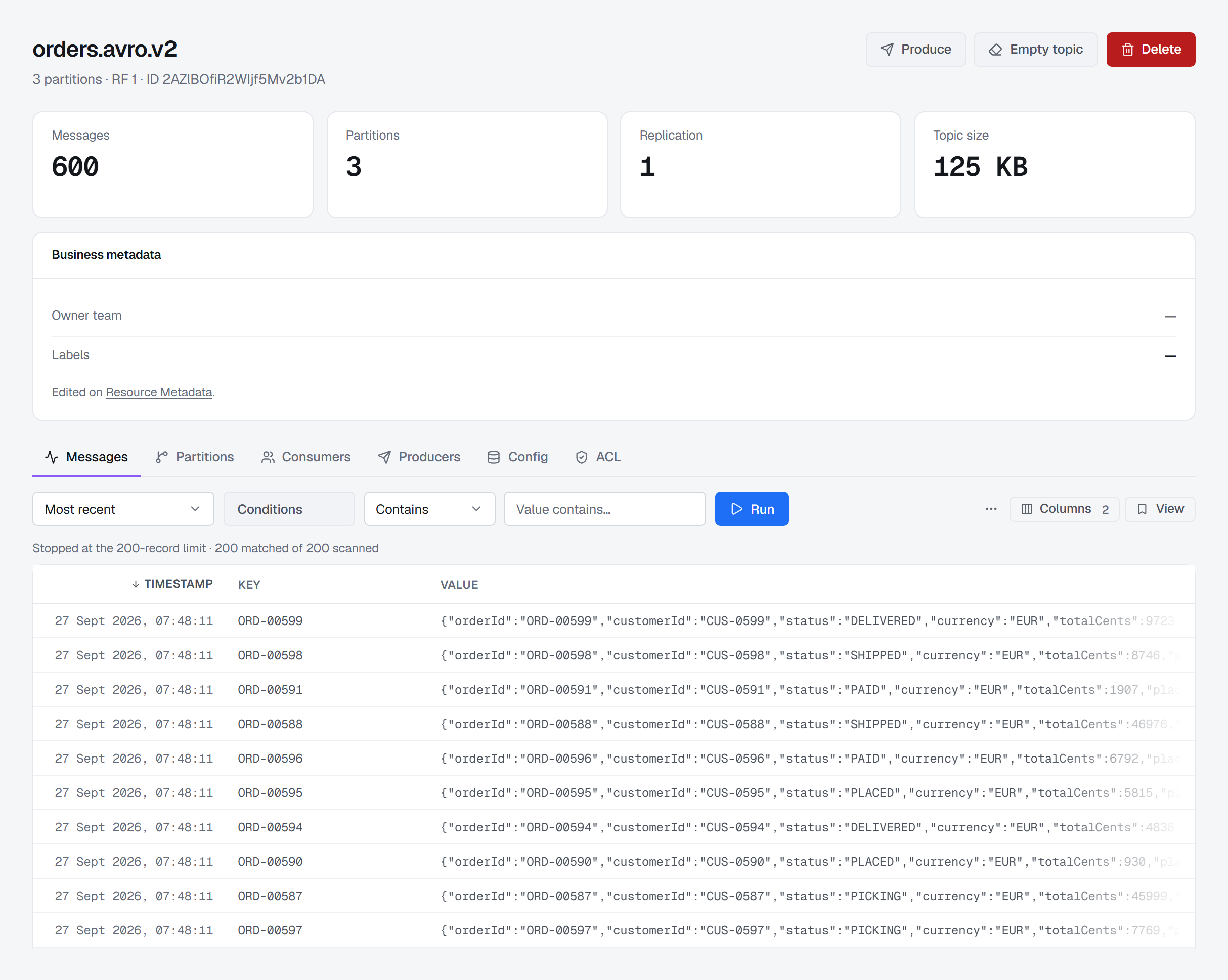
Most recent reads the newest records of the topic, as many as the limit, and shares that window across the partitions by where the records actually are — so a topic whose records sit mostly in one partition still fills the page, instead of a few records from each partition. It ends with Read the newest N records, and the count is shown as a floor, because older records are there that it did not read; only when the window reached back to the first record of every partition does it say it reached the end of the topic. From the beginning starts at the earliest record still retained. From offset and From timestamp go to an exact position. From a consumer group starts where that group's committed offsets are — the question to ask when a consumer is behind and you want to see what it is about to process, which no other start point answers. When a group has fallen so far behind that retention has removed the record it would read next, the read starts at the oldest record the partition still holds — the next one the group would be given — so you see its backlog, rather than an empty read that claims to have reached the end of the topic.
An offset means something different in each partition, so reading several means one offset per partition: each gets its own field, with the range that partition actually holds printed beside it. If an offset falls outside that range, BROKA says so before reading — naming the range — rather than returning an empty result that looks like an answer. If the range has moved on since you looked — retention removed the oldest records in the meantime — an offset below it starts at the oldest record left.
You can choose which partitions to read, all of them or any subset.
Stopping, or not
A read stops at the end of the range, stops at a time you name, or keeps listening, appending records as they arrive. Following can be paused and resumed, and pausing really does stop reading — BROKA stops pulling from the broker rather than pulling and discarding.
An end time pairs with any start point, following included: on a live topic, "listen until 14:00" ends when records past that time arrive. BROKA then says it reached the end time, not the end of the topic — a windowed scan has looked at part of the log, and saying otherwise would answer "is my record in there?" with the reassuring answer rather than the true one.
A read can also be narrowed by a filter — text, a pattern, a JSONPath, a script or typed conditions on the key, value and headers — which the broker applies as it reads; each is described under Filtering messages.
What you get back
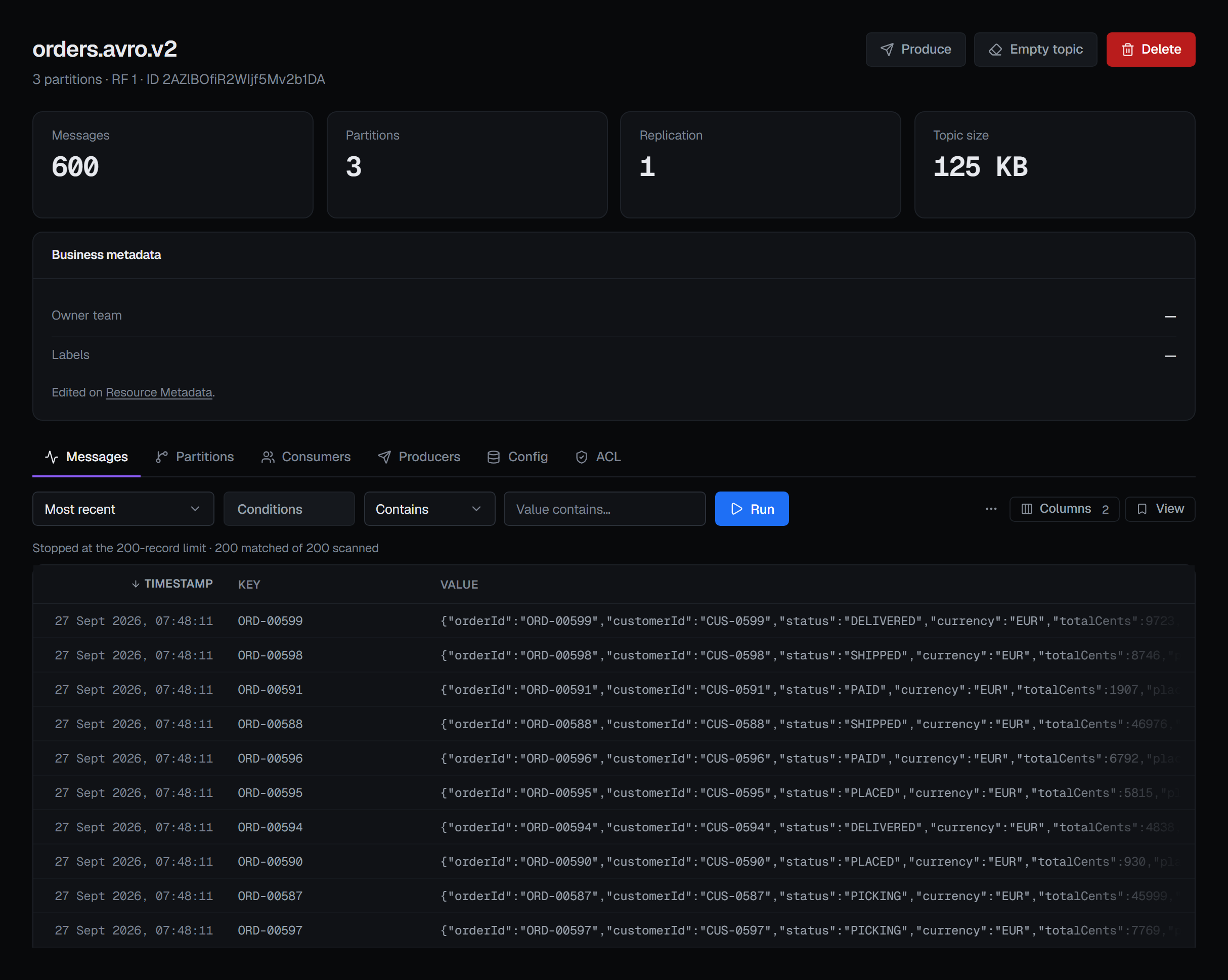
Records arrive as they are read rather than in one block at the end, with a running count of how many were scanned and how many matched — so a long scan tells you it is working instead of spinning.
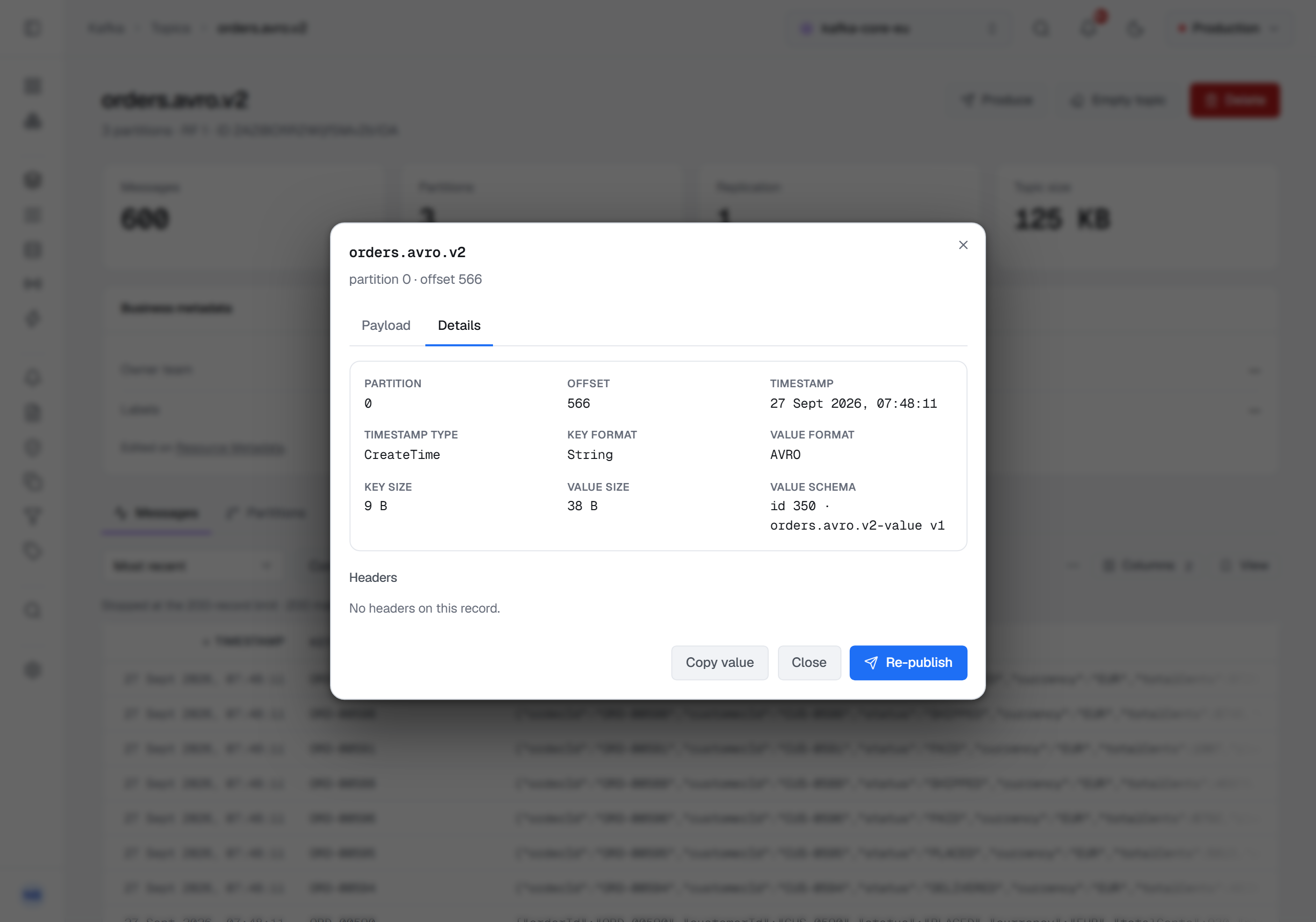
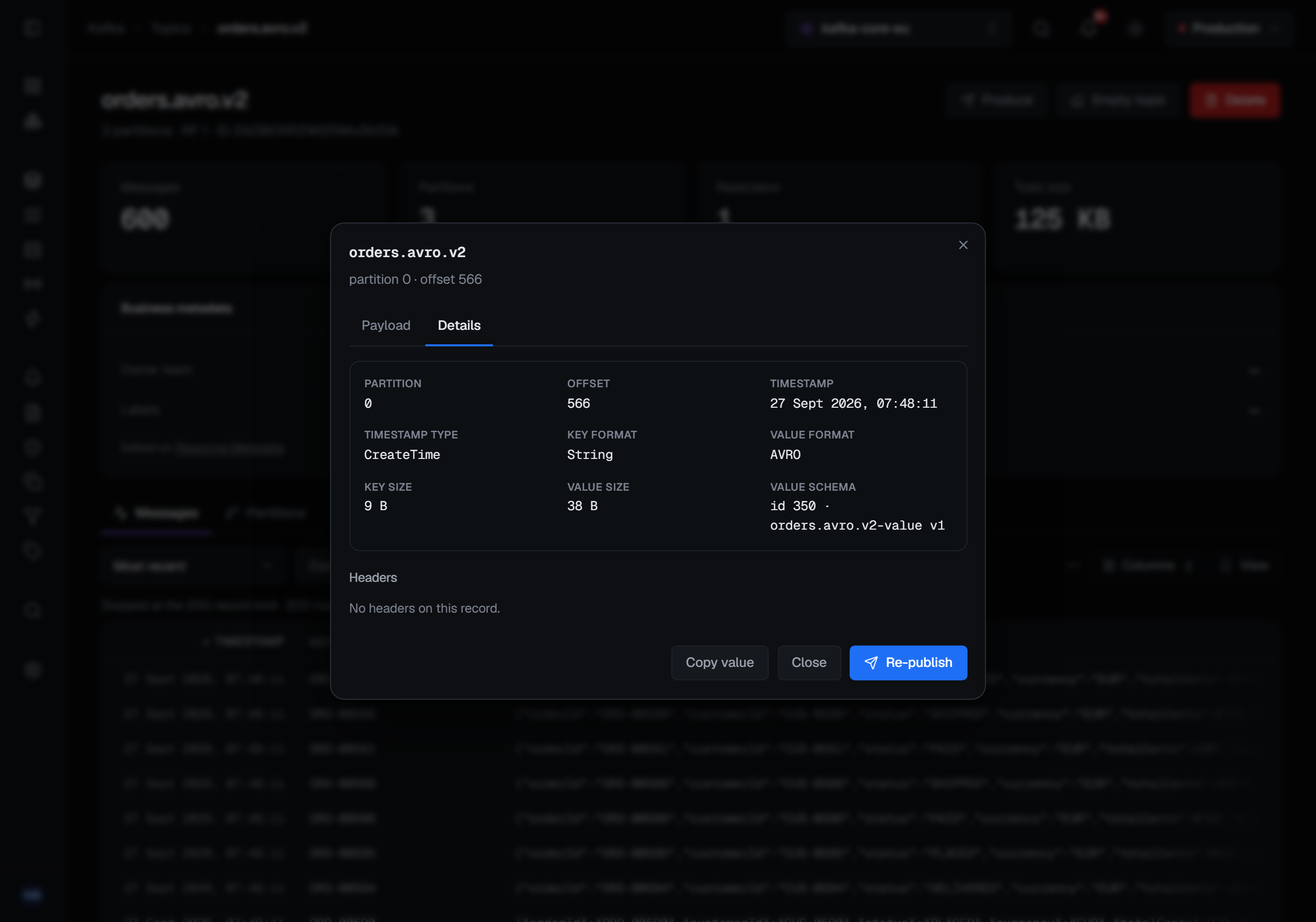
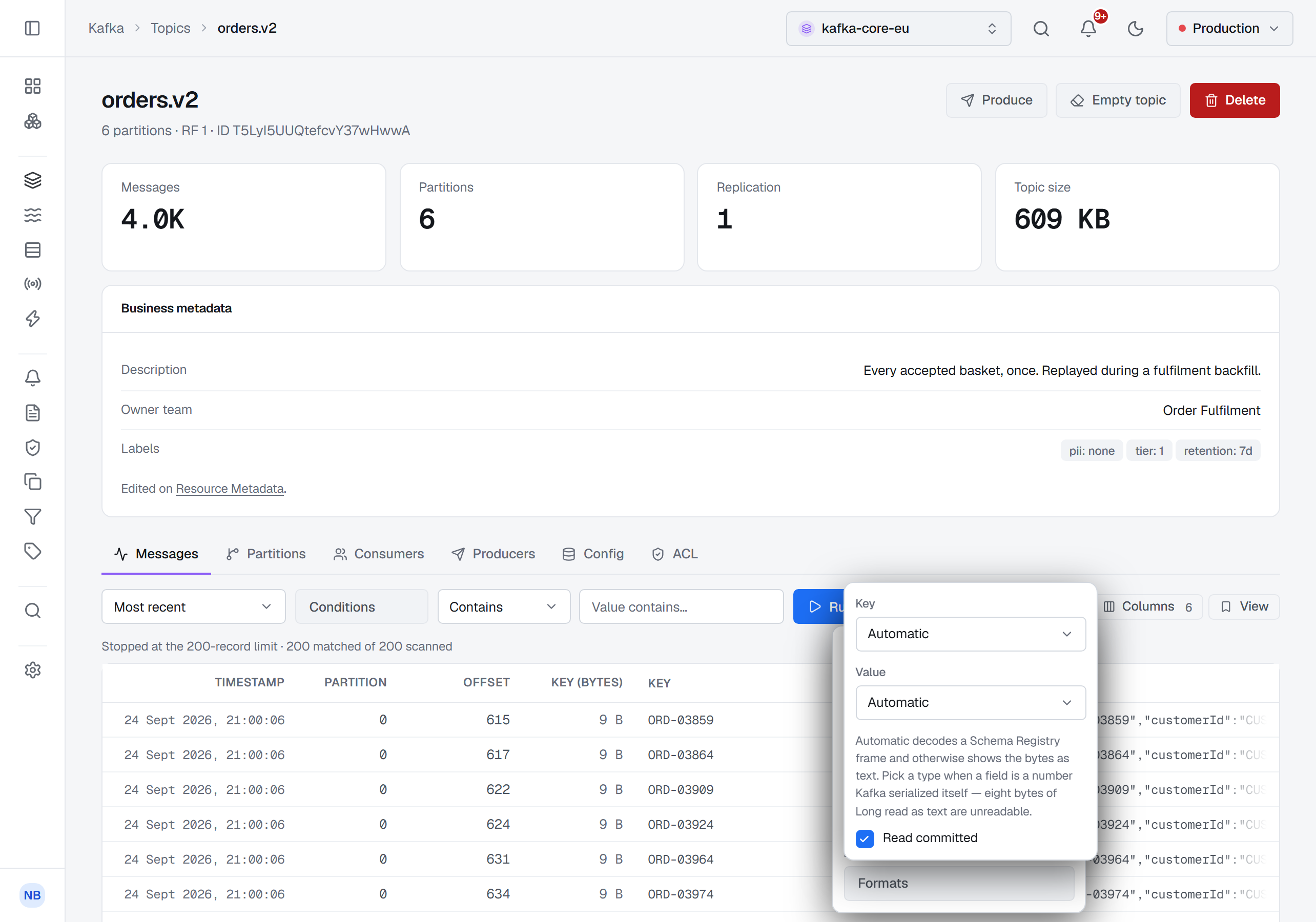
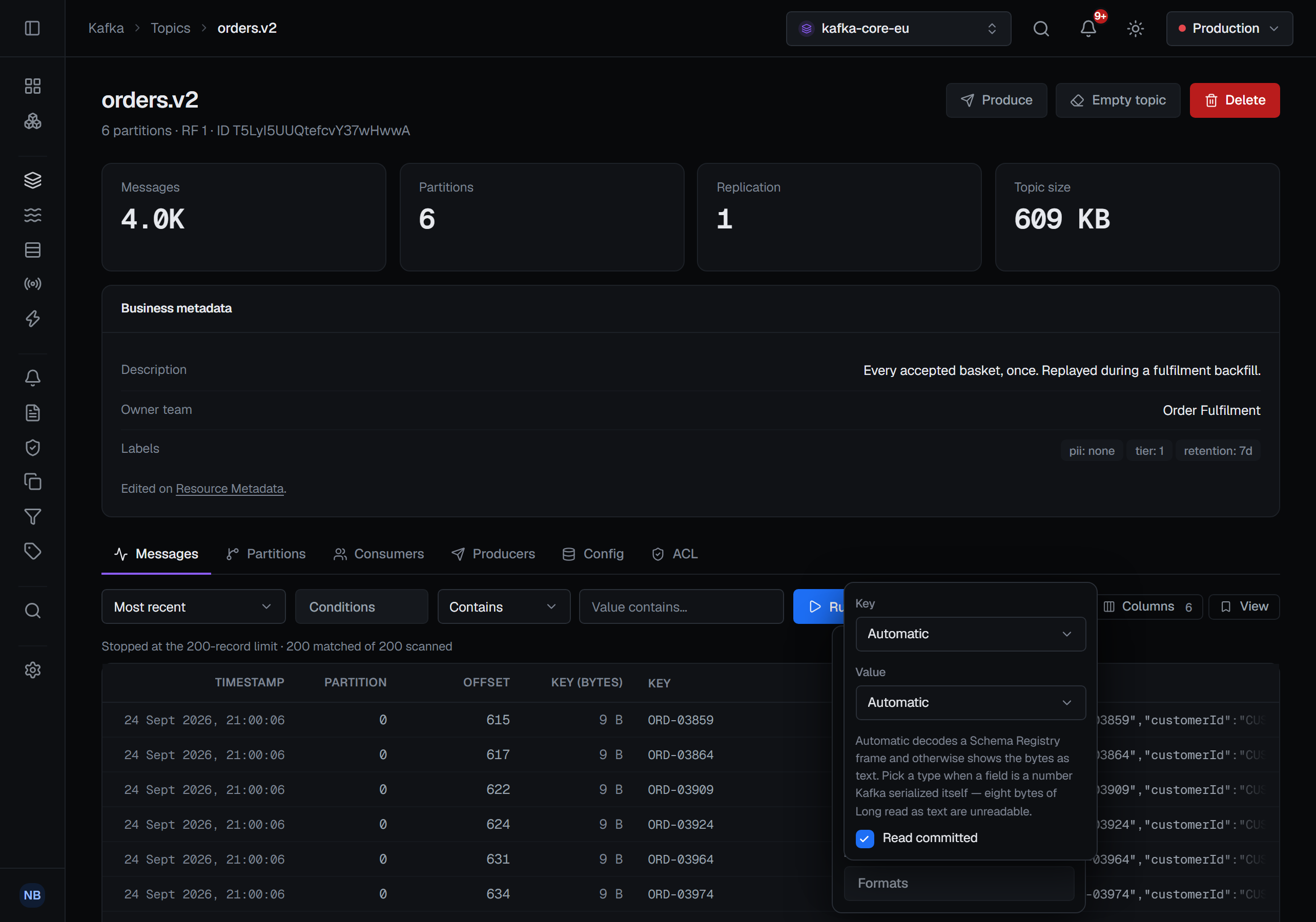
Each row carries its timestamp, partition, offset, key and value, and you can turn on the serialized sizes of the key and value as the broker reported them. Opening a row shows the full payload, plus the record's headers, its timestamp type, and which format each of the key and value were decoded from — and, for a field decoded through Schema Registry, which schema: Key schema and Value schema on the Details tab, as the schema id with the subject and version it is registered under, such as id 12 · orders-value v4. Below it, Copy value copies the value exactly as it arrived, and Re-publish opens Produce with this record's key, value and headers filled in.
Only committed records, unless you ask for the rest. A topic written by transactional producers can hold records from transactions that were aborted or are still open. BROKA reads committed records only, as a consumer reading committed would. To see the others too, untick Read committed under Formats. In Commercial, the read's audit record says which of the two you read.
Schema-encoded records
When a record was produced through Schema Registry, BROKA decodes it: it reads the schema id from the record, fetches that exact schema, and renders the payload as JSON. Avro, Protobuf and JSON Schema are all handled, and the schema behind a record is fetched by the id the record carries — the version that was actually used to write it, not whatever is latest now. The record then names it: its schema id, and the subject and version the registry has that id under — the topic's own subject when it is one of them. A registry that cannot say which subject leaves the id on its own, and the record is decoded all the same.
The id is found where the producer put it: in the payload's first bytes, as the classic serializers write it, or in a record header, where newer serializers can carry it instead. A schema that references other schemas is fetched with its references, so it decodes like any other. A header id that only a newer registry can resolve — one written as a GUID, which needs registry 8.x — is shown as failed with the reason, and the scan carries on past it.
Decoded Avro is shown in a form you can read and filter: an optional field as its bare value rather
than wrapped in its type, bytes as base64, dates and timestamps as ISO-8601 text, decimals as numbers.
Protobuf is shown with the field names the .proto file uses. Produce takes the same form back, so a
value copied from here can be sent as it is.
This is why a filter on a schema-encoded topic works: the search runs against the decoded text, so you can search an Avro topic for an order id and find it.
A record that is not schema-encoded is shown as its raw text, and one topic can hold both.
When the bytes are not text, Formats says how to read the key and the value, each on its own: Automatic (the default — through the registry when the record carries a schema id, as text otherwise), String (always text, never the registry), Hex, the fixed-width numbers Kafka's own serializers write — Boolean, Short, Integer, Long, Float, Double — or None (do not read). A payload of the wrong width for the number chosen is marked failed and shown as its raw text, rather than turned into a figure that is not in the record.
Limits, and being told about them
A read is bounded, and every boundary announces itself rather than silently truncating:
- It stops at the Limit you choose — 50 to 1,000 matching records, 200 by default — and says that is why it stopped. The result count is shown as a floor, not a total, because there may be more.
- A scan that runs past 60 seconds, or past 1,000,000 records read, stops and says which.
- Following stops after 30 minutes rather than holding a stream open forever.
- While following, the browser keeps the most recent 2,000 records and says so once it starts dropping older ones.
Masked fields
Commercial only. A data masking rule can hide fields of a topic's records
from people who may read the records but not those fields. The records then arrive masked from the broker
service, after a schema-encoded record is decoded, so a rule's path reaches into an Avro or Protobuf value: a
masked string reads ••••, a masked number 0 and a masked boolean false, the JSON keeping its shape, and a
masked key or header reads ••••. A value a rule covers that is not JSON, or could not be decoded, is masked whole.
A masked badge beside the value, in the row and in the record's dialog, names on hover each masked field, its
method and the rule — or, for a value masked whole, the reason. Copy value copies what you see.
Re-publish is disabled on a masked record, with the reason: writing it back would overwrite the hidden values with the masks. A filter that reads a masked field is refused, and the text searches run on what you can see — see Filtering messages.
While a read keeps listening, a rule added in the meantime applies from then on.
Someone allowed to read the topic unmasked sees its records as they are, with a shown unmasked badge, and each such read is recorded in the audit trail. On a read that keeps listening, that lapses after ten minutes and every rule applies again; run the read again to be shown the records unmasked.
Reading is recorded
Commercial only. A Community installation records every change and every refusal, and no reads.
A read session is written to the audit trail when it opens — before the first record is delivered — and again when it closes, with how many records were scanned and how many matched.
The filter you typed is never recorded. The trail notes that a filter was set, not what it said, because a search term is often the very identifier the record is sensitive for.
Those counts are structured numbers rather than prose, which is what lets BROKA notice a read that does not look like troubleshooting: a single very large read, or a series of ordinary-looking ones that add up to a bulk export of a topic, each raise a signal of their own.
Permissions
Reading needs the ordinary view permission for connections and Read message contents
(messages.read), plus whatever resource grants apply to the topic. Without messages.read the
Messages tab says the read is not permitted and asks the broker for nothing; the topic's partitions,
offsets and consumer groups stay visible. Because it changes nothing, a read-only environment does not block it — a frozen
production environment is exactly where you most need to be able to look.
Commercial only: fields a data masking rule covers are shown masked. Seeing them as they are, and re-publishing
a record with masked fields, takes Read masked contents unmasked (messages.read.unmasked) as well — on the
topic's environment or connection, or by a topic grant whose pattern matches it.