

Introduction
Updated 3 November 2026 · applies to 1.4.0 · Community and Commercial
BROKA is a self-hosted operations console for message brokers. One workspace holds every broker you run, with one set of environments, one permission model and one audit trail across all of them — while each broker keeps the depth its own operators expect.
This section takes you from nothing to a connected broker you can actually work in. Everything after it is reference: what each screen shows and what each control does.
What you need before you start
A machine that can run containers. Nothing else is required: PostgreSQL comes with the Compose file as one of the four containers, there is no agent to install on your brokers, and no change to make to them.
BROKA connects outward, and only outward. It reads your brokers over their own management interfaces using credentials you give it. It is not a proxy, it does not sit in the path your messages take, and nothing about your brokers has to be reconfigured to be managed by it.
The order this section goes in
- Product concepts — the four words the rest of the documentation is written in: environment, connection, resource and team. Reading this first makes everything after it shorter.
- Initial setup — the first-run screen, where the first administrator account is created.
- Connect your first broker — registering a broker, testing it before saving, and what happens when the test fails.
- User and team setup — adding the people who will use it, and scoping what they can do.
What edition you are running
Community is Apache Kafka in full depth, plus any broker that speaks the Kafka protocol, with no licence key. Commercial adds Redis, RabbitMQ, Apache Artemis (formerly ActiveMQ Artemis) and Memcached, forwarding the audit trail to Kafka or RabbitMQ, four governance features — Applications, Access Review, recording reads in the audit trail, and Slack, Microsoft Teams and webhook alert channels — data masking, single sign-on through your identity provider over OpenID Connect, with a client secret or a private key, or LDAP, MirrorMaker 2 replication flows, and an MCP server for AI assistants. Guardrails, scoped roles, password sign-in, the audit trail of every write and every refusal, alerting, JMX metrics and e-mail are in both.
The boundary is in the images rather than in a setting: a community build does not contain the code for the commercial platforms or for those features, so there is nothing to enable and nothing to unlock. All three images — the console, the orchestrator and the broker service — come in both editions, so upgrading means pulling the commercial three and then activating your licence. The images decide what exists; the licence decides how long it keeps working — with two exceptions. Data masking rules stay applied whatever the licence's state, because a protection that lapses with a payment is not one; and single sign-on keeps signing people in, because on the day a licence is renewed someone has to be able to sign in to renew it.
Every page in this documentation carries the editions it applies to in its own header line, beside the date and the version, and a Commercial part of a shared page says so where it starts.
Help in the console
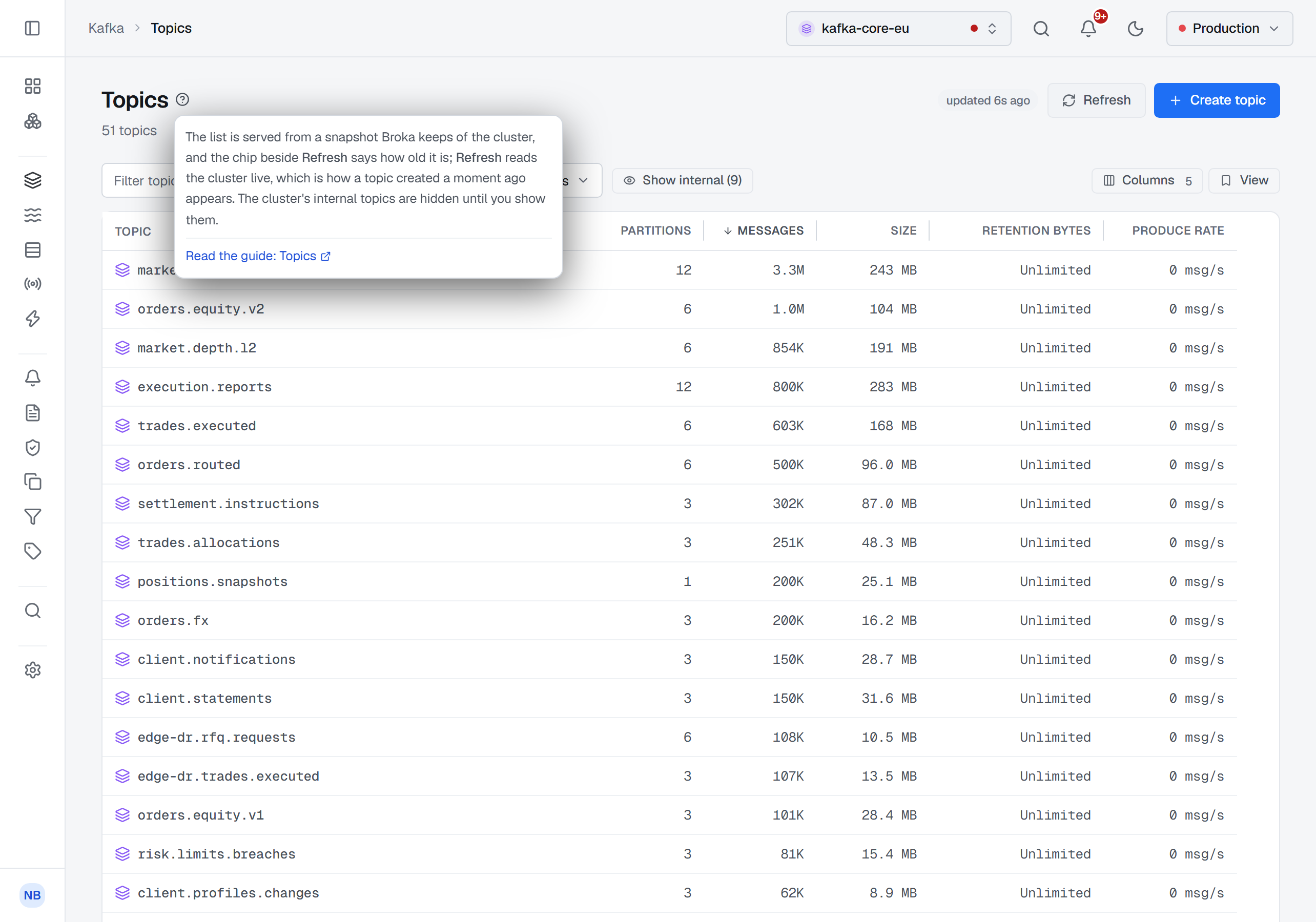
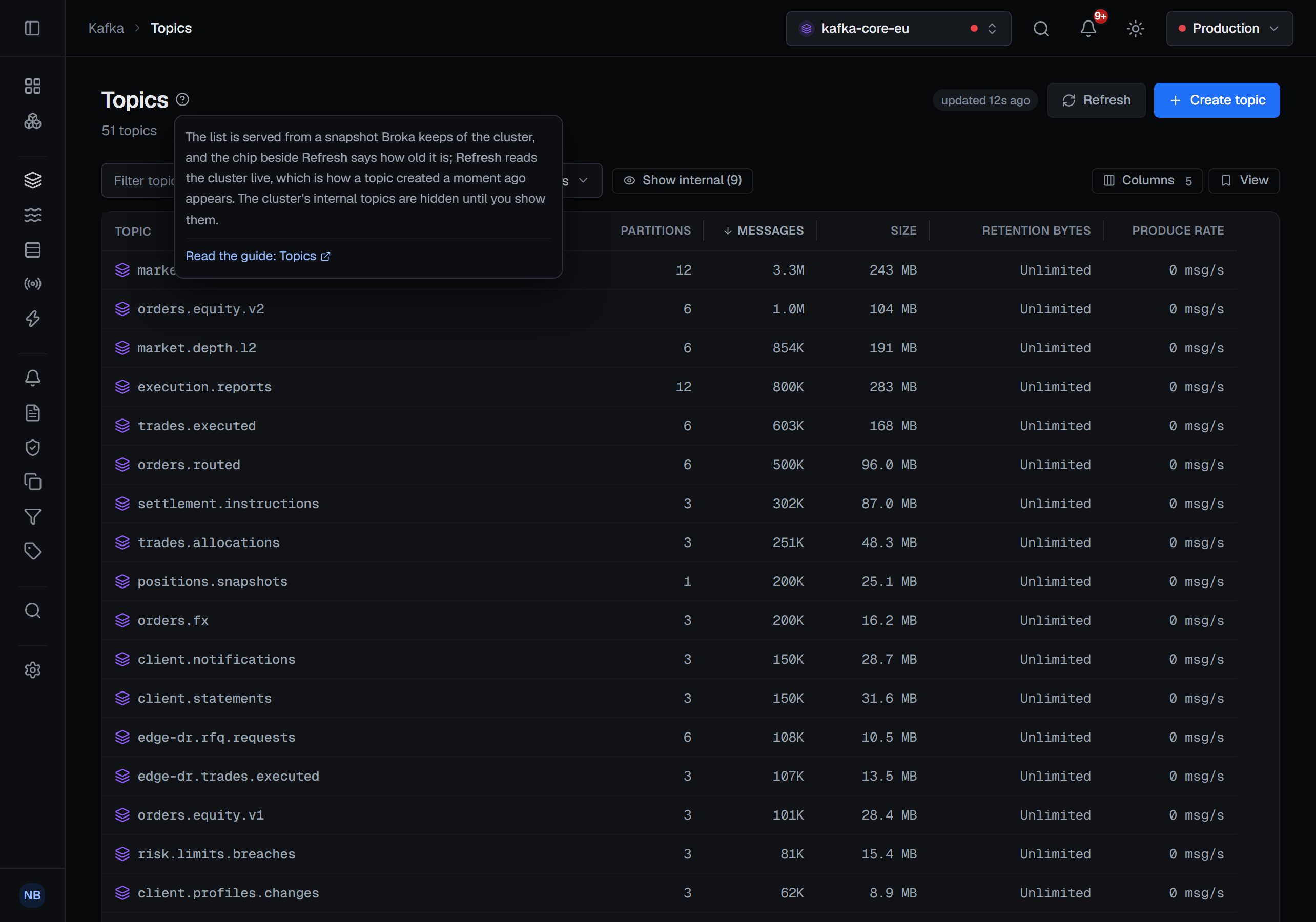
The console points back here. The ? beside a screen's title ends with Read the guide and the name of the page of this documentation that covers the screen, after a few lines of its own where the screen needs them; a tab or a form that another page explains links that page instead. The link opens the page for the version you run, so an installation that stays on a release keeps reading the pages that describe its own screens. It opens in a new tab and carries nothing about your installation. Where the installation's release check has never been answered — usually an installation with no route out — the ? adds one line saying the guide may not open from there.
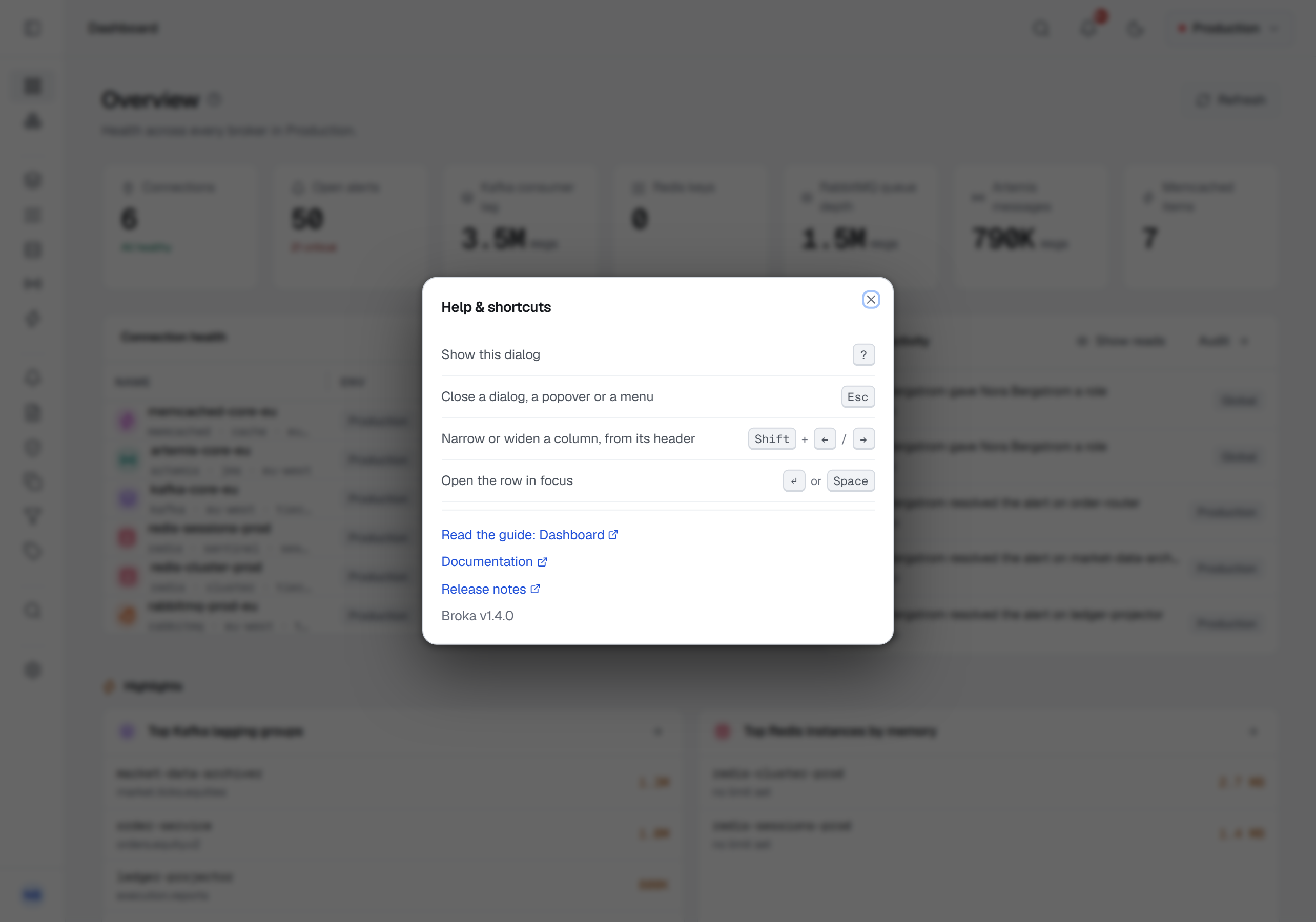
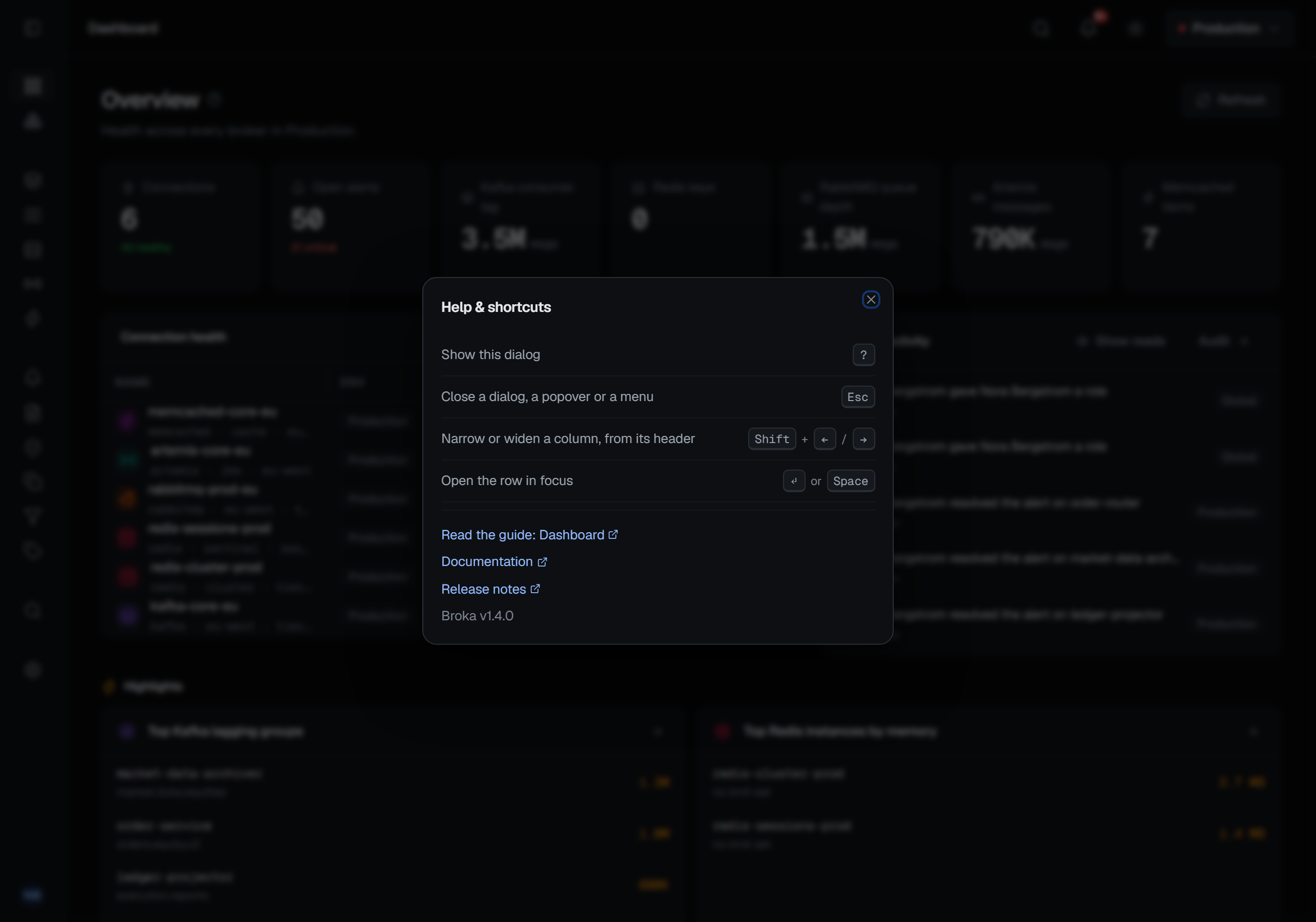
Pressing ? anywhere outside a text field opens Help & shortcuts: the keys the console answers to — Esc closes a dialog, a popover or a menu; Shift with ← or → narrows or widens a column from its header; Enter or Space opens the row in focus — then the guide for the screen on show, this documentation, the release notes of your version, and the version itself.
On a new installation, administrators also find a Getting started list on the Dashboard, and after an upgrade everyone is told once which version they are now on — see Settings ▸ About.
A note on what this documentation does not do
It describes what the product does today, on the version named at the top of each page. Where a screen cannot do something — because the broker's own API does not expose it, or because we have not built it — the page says so, in the place you would have looked for it.