

Search
Updated 3 October 2026 · applies to 1.0.0 · Community and Commercial
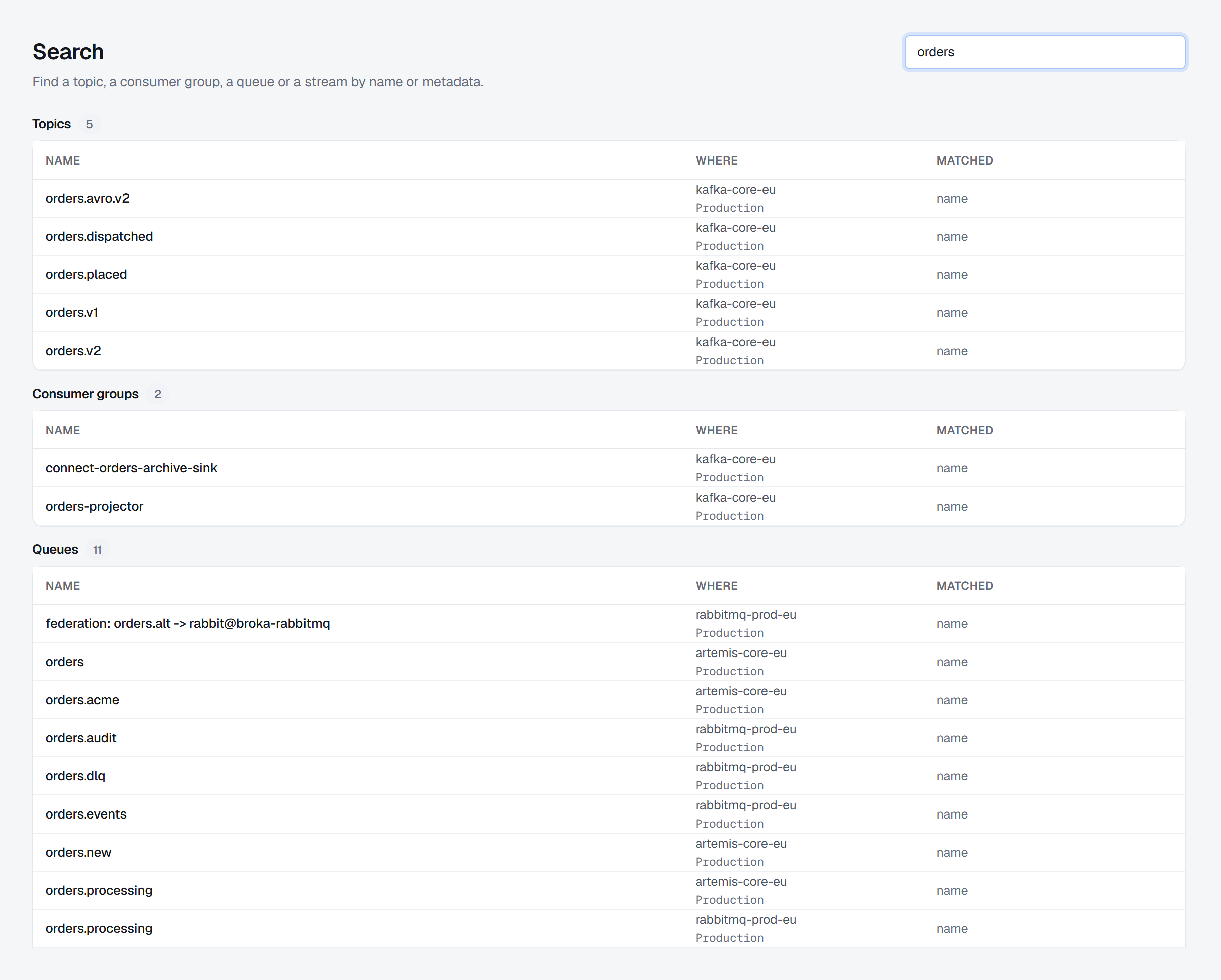
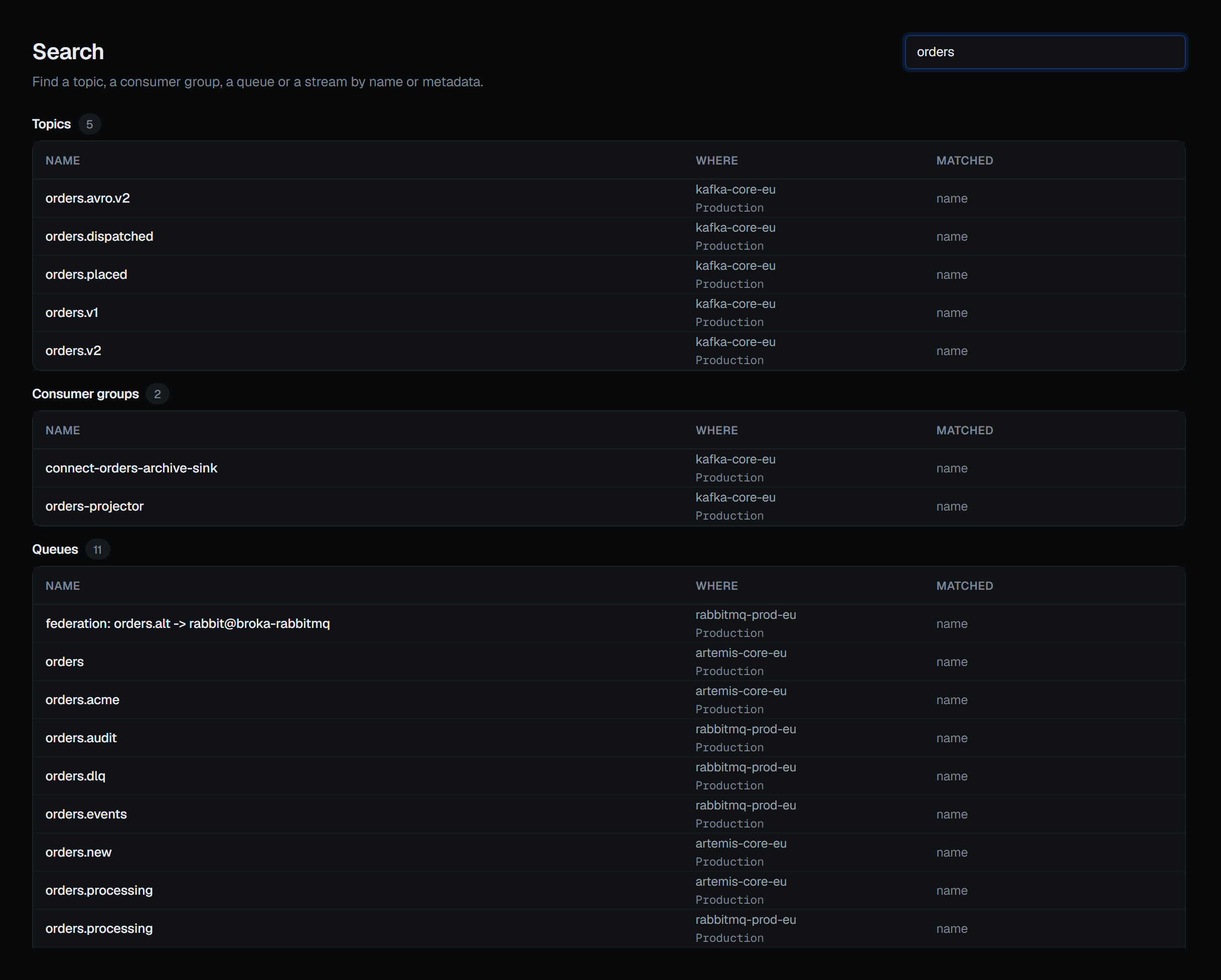
One search across every connected environment: find a topic, a consumer group, a queue, an address or a stream by name — or by the metadata you gave it. It finds BROKA's own records too: connections, environments, applications (Commercial), resource metadata, templates and saved views.
The result is a screen rather than a dropdown, and that is deliberate. A search across an estate is rarely a complete answer, and the things that make it incomplete — a connection that timed out, a platform that cannot be asked, a scan that cost something — need somewhere to be said. A dropdown has nowhere to put them, and leaving them out would make a partial answer look like a whole one.
What it searches
Names and metadata. Not message bodies, not key values, not schema contents — that is a different kind of product with a different cost, and this is not it.
The metadata half is the labels and descriptions you attached yourself, so a resource you have already described is findable by your own words rather than only by whatever the broker calls it.
Every result carries the screen that owns it. Finding a topic and then having to work out where to look at it is half a job, and the missing half is the one you wanted. Two exceptions are deliberate: a result you may find but not open is shown as plain text rather than as a link that would bounce you somewhere unexplained, and a RabbitMQ queue opens the queue list, because the hit names the queue but not its virtual host.
Not every platform can be asked, and the screen says which
What a broker can answer about its own names is a property of its protocol, not of how hard we try.
| Platform | What a search finds | What it costs |
|---|---|---|
| Kafka | Topics and consumer groups | Nothing. It reads the snapshot the console already keeps, and only that — never the cluster |
| RabbitMQ | Queues and exchanges | One call, filtered by the broker |
| Apache Artemis (formerly ActiveMQ Artemis) | Addresses and queues | One call, paged by the broker |
| Redis | Keys, including streams | A real scan — so it only runs when you ask for that connection by name, and the result tells you what it cost |
| Memcached | Nothing | The protocol has no server-side key search. The screen says so rather than returning an empty list |
Kafka reads only the snapshot. The console keeps a snapshot of each Kafka cluster's topics and groups once somebody has opened them, and refreshes it while they are in use; the search reads that and asks the cluster nothing, and a search does not start keeping one. A cluster nobody has opened since the broker service started, or in the last hour, has no snapshot to search: the footer names it and says nothing there was searched, rather than letting an empty answer read as "nothing matched". Open its topics, and it is searchable within half a minute, once the snapshot has been made.
Redis is opt-in rather than excluded. Enumerating a keyspace is a genuine cost, and the console already treats it as something you choose rather than something that happens to you. A search that quietly launched a scan on every Redis connection in an estate would be the same mistake wearing a friendlier name. So you name the Redis connection you want searched, and you are told what the scan cost when the results come back.
The scan covers every primary of a Redis Cluster, and it is bounded: it stops after a fixed amount of work, or once it has more names than it shows. When it stopped before the end of the keyspace, the footer names the connection and says only part of it was searched — a key that is not listed may still be there — so "no results" from a scan that stopped early never reads as "nothing matched".
Memcached cannot be asked at all. There is no way to ask a Memcached node "which of your keys look like this" — the protocol does not have the question. Silently leaving it out would read as "nothing matched", which is a different answer from "this cannot be asked", and the difference is the one that matters when you are looking for something you believe is there.
The footer is part of the answer
Under the results, the screen names every connection that did not contribute and why: it timed out, it refused, it cannot be searched, or — a Kafka cluster — it has no snapshot yet; and every Redis connection that was searched only in part. Nothing is dropped quietly.
This is the same rule the dashboard follows for its totals. A number that silently omits a broker it could not reach is worse than a slower one, because you read it as complete.
You only ever see what you could already open
Results are filtered by your own access, per connection and per resource, using the same permission model that decides whether you could open the thing if you clicked it.
The property being protected is existence, not just access. Names carry customers, projects and
acquisitions in them, so learning that orders-acme-migration exists is often the sensitive part —
knowing the name is most of the leak.
So a connection you cannot reach is not searched at all, and it is not listed in the footer either. To you, it is not there.
Reaching a connection takes what opening its screens takes: seeing the connection, and seeing that platform. A role kept off Kafka's screens is shown no Kafka results. BROKA's own records follow their screens the same way — applications, resource metadata, templates and saved views are searched only if you may open that screen, and a template or saved view only if it is yours, your team's or shared with everyone.
Key names go one step further. A Redis connection you asked for is searched for keys only if you may list its keys — seeing the connection is not enough. If you may not, it is not scanned and the footer says why, while the connection's other results still appear. Each scan is recorded in the audit trail the way a page of the key list is: how many key names came back, never which ones, and never what you searched for.