

User and team setup
Updated 1 October 2026 · applies to 1.0.0 · Community and Commercial
After setup there is one administrator and nobody else. This is how the rest of the people get in, and how what they can do gets decided.
Three objects, and the order matters
A user is a person who signs in. A team is a group of them. A role is a set of permissions.
A role can be given to one person, but given to a team it reaches everybody in it. People are added under Settings ▸ Users with Create members — a local account with an email and a password you choose and pass on yourself. So the order to work in is: create the teams that match how you are actually organised, put people in them, then give the teams roles — rather than assigning permissions person by person and rediscovering later who has what.
Roles are scoped, not global
A role assignment carries the scope it applies to: everywhere, one environment, or one connection. The same team can be an operator in staging and a reader in production, and that is one team with two assignments rather than two teams.
A narrower scope reaches the connections inside it and nothing else. The pages that belong to no connection — the dashboard, alerts, applications, the audit trail — and every administrative permission come only from an assignment made everywhere, so give people a base role such as Viewer everywhere as well; a role that carries an administrative permission can only be assigned everywhere.
Built-in roles cannot be edited, and custom ones can
The roles that ship with the product — Admin, Operator, Viewer and Auditor — are marked built-in and cannot be edited or deleted, so a role name means the same thing on every installation.
Where they do not fit, Create role and choose its permissions. Deleting a custom role is refused while it is still assigned: revoke its assignments first.
This is BROKA's access model, not your broker's
Both apply, and they are separate systems. BROKA decides whether a person may press a button. Your broker still decides whether the credential BROKA is using may perform the operation.
Granting somebody an operator role in BROKA does not grant them anything on Kafka, RabbitMQ, Redis or Artemis; the broker enforces its own rules underneath, using the credentials on the connection. A person can be permitted by BROKA and refused by the broker, and the error they see is the broker's.
Managing the broker's own accounts is a different screen for each platform — RabbitMQ's users and permissions, Artemis's users and security settings, Kafka's ACLs and service accounts — and those are covered in each platform's own section.
If somebody loses their password
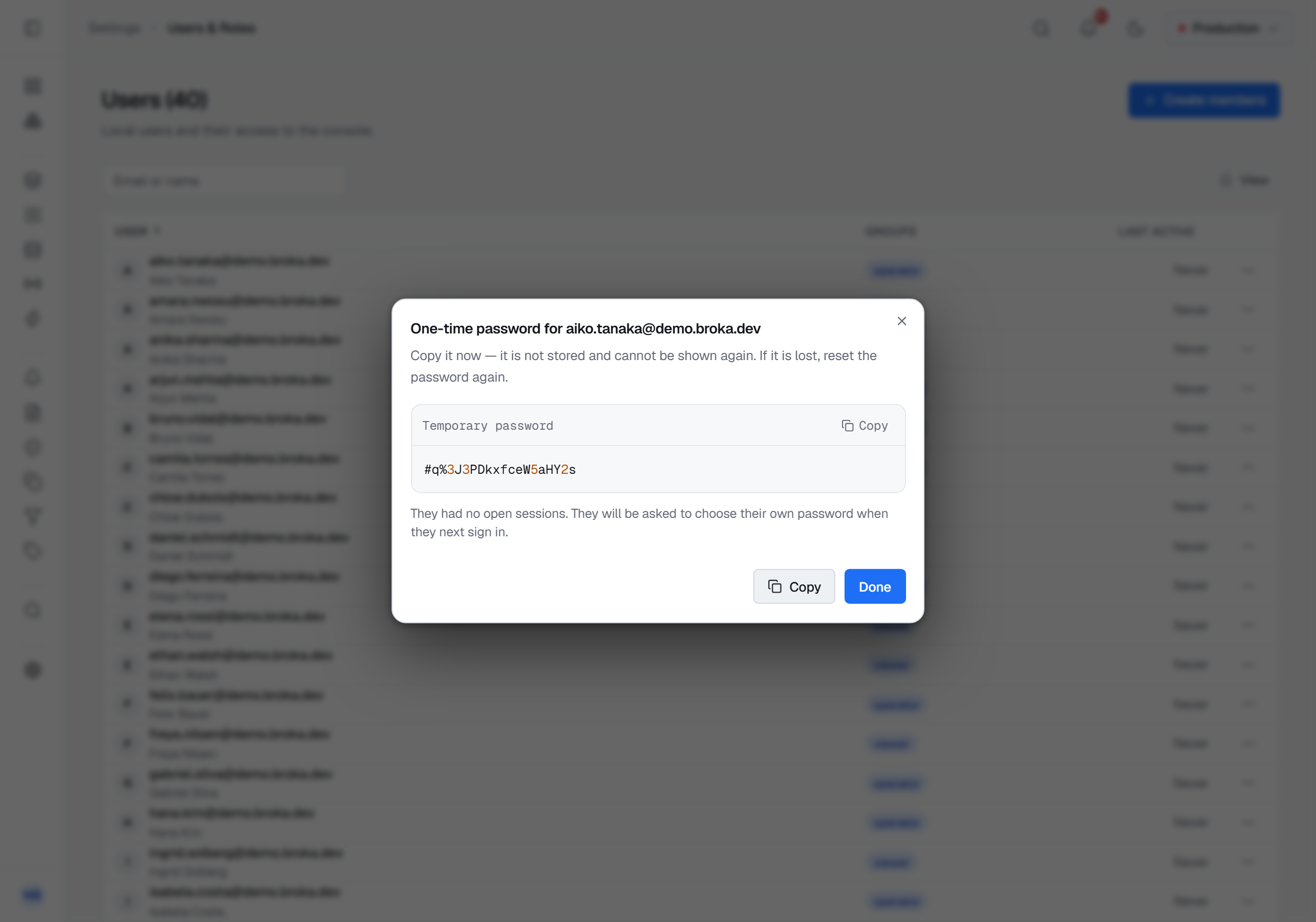
An administrator resets it: Settings ▸ Users, the row's menu, Reset password. The console then shows a generated one-time password once — it is stored nowhere and cannot be shown again, so if it is lost you reset again.
BROKA does not email a reset, which makes you the delivery channel: you pass the value on yourself. It
is twenty characters — or the password policy's minimum length, if that is longer — and deliberately
leaves out the letters and digits that get misheard when one is read down a phone — no I, O, l,
0 or 1.
Resetting also ends every session that account has open. A reset is a way back in rather than a second way in, and that distinction matters most when the reset is answering a suspected compromise. The account is then marked must-change, so the person is told on their own Password tab that they are signed in on a password somebody else has seen, and picks their own. It has to meet the installation's password policy, set in Settings ▸ Security and stated beneath the field — by default at least twelve characters, with an upper-case letter, a lower-case letter, a digit and a symbol.
The temporary value itself is never written to the audit trail; a recorded password would be a standing key, and the trail is readable by more people than the reset is. What is recorded is that a reset happened, to whom, by whom, and how many sessions it ended.
There is no self-service route — no Forgot password link on the sign-in form, and no email-based
reset. Recovery goes through somebody holding users.manage, which is worth knowing before the only
administrator is also the only person locked out.