

Keyspace
Updated 10 October 2026 · applies to 1.2.0 · Commercial
The Keys screen, under Redis in the sidebar, walks a keyspace with SCAN — loading as much of it as you ask for, as a tree or a table — and adds and deletes keys without ever blocking the server. Its three tabs are Browse, Analysis and Hot keys; this page covers Browse, and the other two have pages of their own — Keyspace analysis and Hot keys.
Browsing a Redis keyspace is not like browsing a table, and a console that pretends otherwise is
lying about what the server is doing. BROKA's key browser is built around what SCAN actually is.
Everything on this screen — the browse, the analysis, delete-by-pattern and adding a key — works in the logical database chosen in the top bar's database switcher, described under Instances. Switching databases starts the walk over. The Hot keys tab is the one exception: it ranks the server's keys across every database at once.
The first page is read when the page opens
Listing keys is an ordinary read, like a topic list on Kafka: the first page is read when the screen opens, and no listing asks for a confirmation. A page of keys is recorded in the audit trail where every read is recorded — how many keys, from which database, never their names or what you searched for. Nothing is read again on its own: a write, a refresh of the window or a timer never walks the keyspace again.
Listing keys needs write permission on the connection, the same access as listing keys on Memcached. A user who may only view the connection is refused, and the server's refusal is shown instead of a list. The Streams, Consumer groups and Pending entries screens do not list keys: they read a list of the streams alone, which anyone who may view the connection sees. The same access decides whether search returns a connection's key names.
It scans, it never blocks
Every listing on this screen — the browse, the analysis, and the delete-by-pattern sweep — uses the
SCAN family. KEYS is never issued, anywhere, on any of them.
That matters on a production instance because KEYS blocks the server for the duration of a full
keyspace walk, and on a large instance that is measured in seconds during which nothing else is
served. SCAN walks incrementally instead, and BROKA never trades your instance's availability for a
faster-looking table.
Searching
Search takes text and one of three modes:
- Contains, the default — the keys whose name contains the text.
- Glob — Redis's own pattern, such as
user:*:watchlist, matched as typed. - Exact name — reads that one key, without a scan.
Contains and Glob are matched by the server as part of the scan, and so is the Type filter: BROKA never fetches a page and then hides rows from you — what you asked the server for is what the server looked for. Changing the search, the mode or the type reads nothing until you press Search, or Enter in the search.
Loading more, and why there are no page numbers
SCAN gives you a cursor, not an offset, so there is no page 5 to jump to. Load more continues the walk from
where it stopped and adds what it finds to what is loaded, each key once — up to 50,000 keys; past that, the
footer asks you to narrow the search. The footer says how many keys are loaded, how many SCAN calls they cost and
whether the scan is complete.
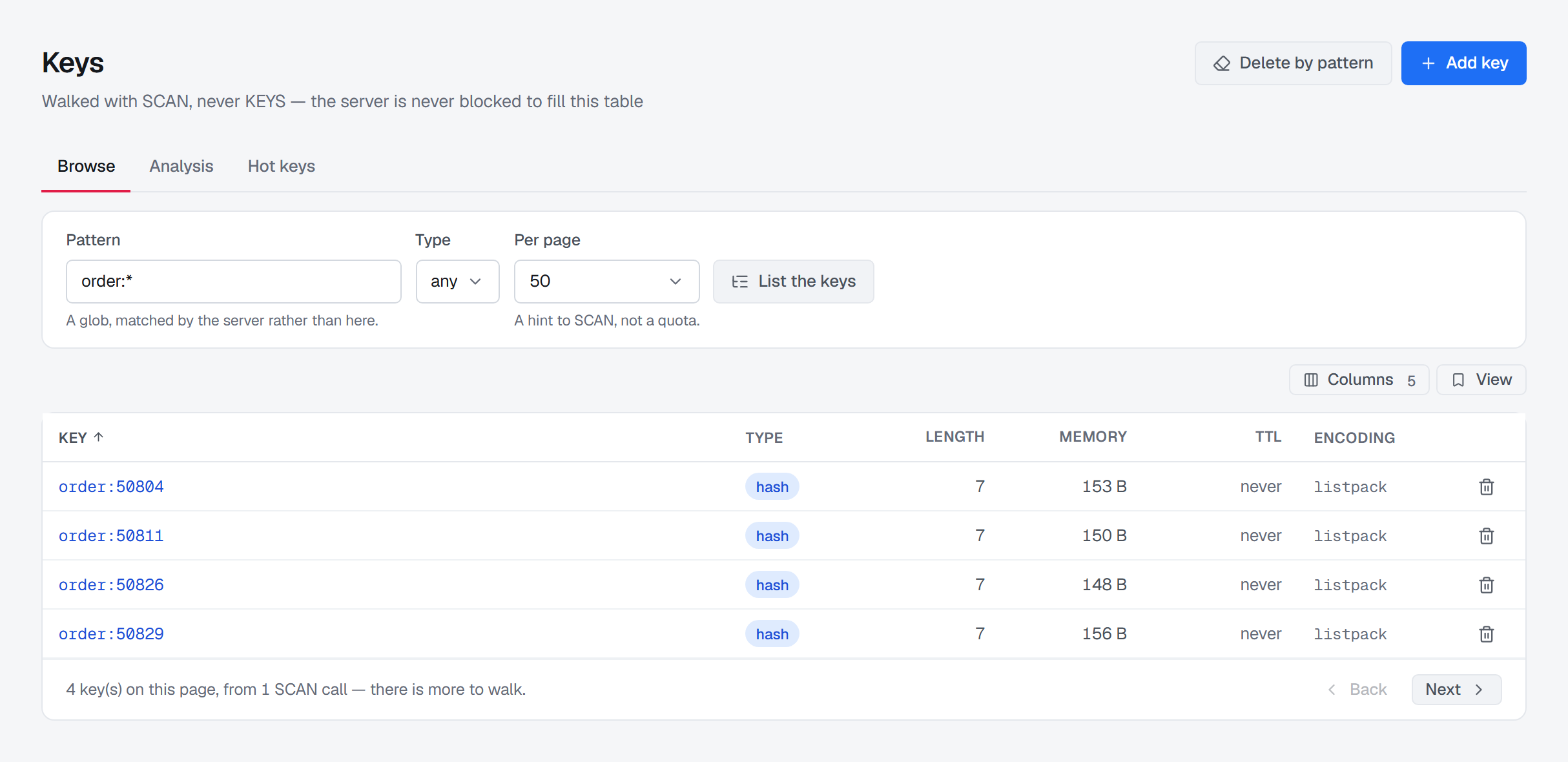
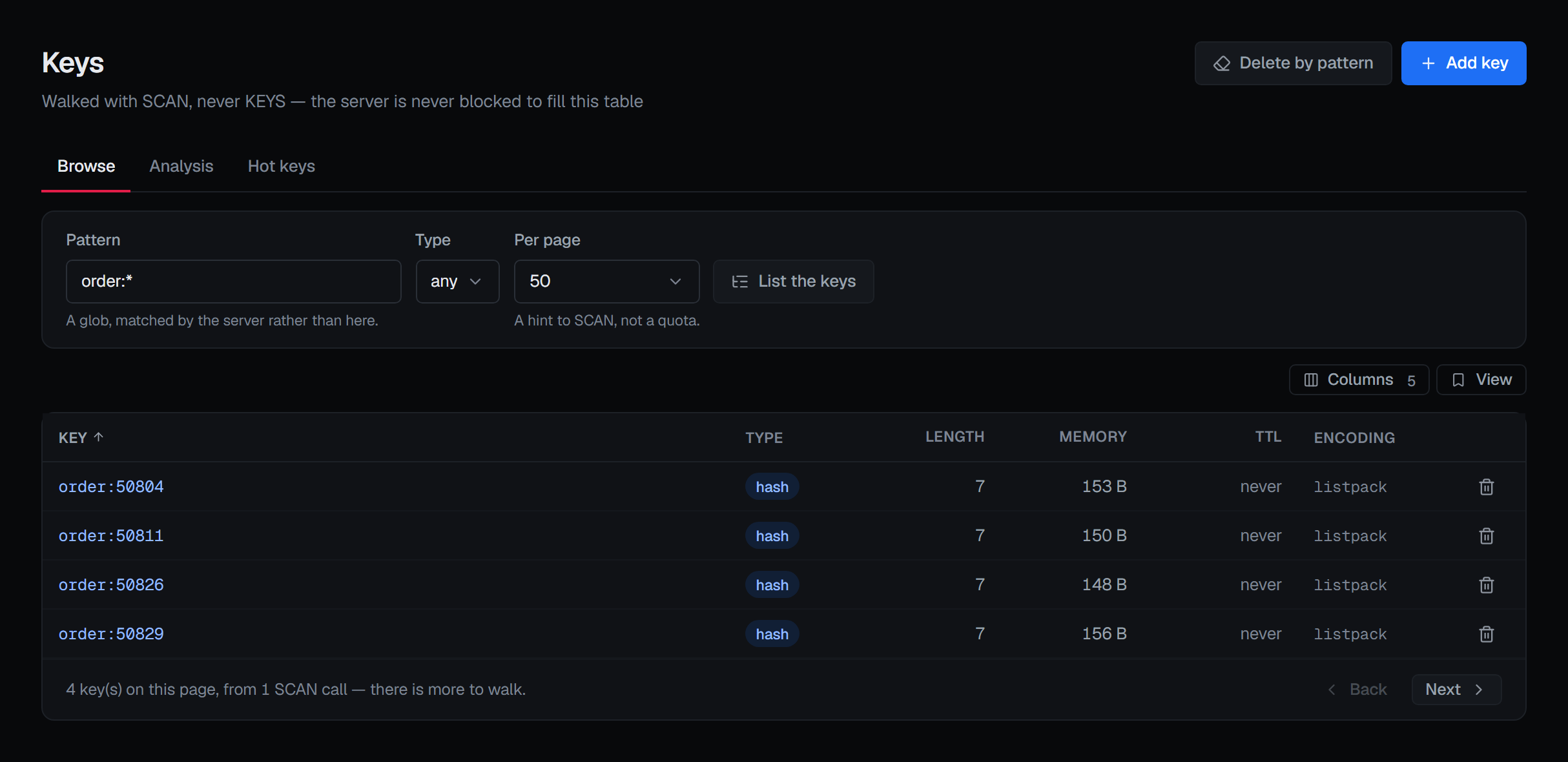
Two consequences worth knowing:
- Load more continues the walk on screen with what that walk asked for. A search, mode or type you have changed since is used only when you list again, because a cursor is only meaningful for the scan that produced it.
- A keyspace that changes during the walk can give a key added meanwhile, or miss one; a walk sees every key that existed for the whole of it. That is a property of the server, not a limitation of the console.
How much one step reads
Each step asks the server to walk about 500 keys, or 1,000 with a search. Redis's COUNT bounds how much work a step
does; it does not promise how many keys come back, so a step can bring back more or fewer, and the footer reports what
actually came back. A search that matches few of the keys a step walks makes the next step larger, up to 5,000, so a
rare name's matches take fewer clicks; when a step comes back short, the footer adds This pattern is matching
sparsely.
An empty page is not the end
This is the most important sentence on the screen, and the screen says it itself.
A SCAN step can walk part of the keyspace, match nothing, and return you an empty page with a cursor
that still has work left. A browser that stopped there — or that showed "no results" — would tell you
a key does not exist when it does.
So BROKA distinguishes the two states and says which one you are in: Nothing matched yet — the server walked part of the keyspace and matched nothing there, and Load more walks further — or No keys match, when the scan covered the whole keyspace. The reassuring sentence only appears when the walk genuinely finished.
On a Redis Cluster
A cluster has no single keyspace to walk, so BROKA walks each primary in turn and carries which node it is on inside the cursor. A scan is declared complete only after the last node has wrapped — not after the first one does. The browse, the analysis, delete-by-pattern and the name search all walk this way.
Replicas are not scanned, because scanning both a primary and its replica would report every key twice.
A tree, or a table
The loaded keys fold into a tree on a separator — : unless you change it under the tree's settings button,
kept for each connection; empty gives a flat list. Folders come first, each with the count of keys loaded under it: a count of what is loaded, not of
the server. Table shows the same keys as rows, with their type, length, memory, expiry and encoding, sorted over
what is loaded; it has no pager of its own — Load more is the one way further — and past 2,000 rows it says the
tree shows the rest. Its columns can be hidden and kept in a saved view. In the tree the
arrow keys move through the keys, and each key opens beside the list as you reach it.
Sampled analysis
The Analysis tab — the server's own count of every key by size, and a bounded sample broken down by type, by prefix and by the largest keys — has its own page: Keyspace analysis.
Hot keys
On Redis 8.6 and later, the Hot keys tab ranks the keys that cost the server the most CPU time and network bytes; it has its own page: Hot keys.
Working on one key
Selecting a key opens it beside the list, with what it is, how large it is, when it expires, and how it is encoded — plus its value in the format it was stored in, described under Keys.
Rename and copy refuse rather than overwrite. Renaming onto a name that already exists would delete that key silently, so BROKA declines and says why. A copy carries the source key's remaining TTL, which is the opposite of what most people expect, so the console says that too — before you copy, not after.
Adding a key
Add key, in the header, creates a key of any of the core types — a string, hash, list, set, sorted set or stream, or a JSON document where the JSON module is loaded — with its first content and an optional expiry. It never overwrites: a name that already exists is refused, and the refusal names the key. The new key opens beside the list, in the database you are in. Details are under Key operations.
Deleting many keys at once
Delete by pattern, in the header's ⋯ menu, sweeps with SCAN and removes in batches, and it will not accept a blank pattern —
treating an empty box as "everything" is not a convenience anyone needs.
You can count the matches first, which runs the same sweep and removes nothing, so you can see the size of what you are about to do.
Each run is bounded by the work it does as well as by what it finds: it stops after 5,000 matches, 100 scan calls or five seconds, whichever comes first, removes what it has found, and says the scan stopped at its per-call limit. Running it again carries on from there. A narrow pattern on a large keyspace finds little for most of the walk, and without that bound one run walked the whole keyspace while the console had long since stopped waiting for it.
Removal uses UNLINK rather than DEL. The key becomes unreachable immediately and its memory is
reclaimed on a background thread, so deleting a large collection does not stall every other client
connected to the instance.
The confirmation says the thing that is actually true and easy to forget: Redis keeps no history. Once these keys are unlinked, the audit entry is the only surviving record that they existed.
The sweep, and deleting a single key from its row's ⋯ menu, ask for a reason in every environment, in their confirmation. Count matches is a read with its own route: it removes nothing, so it asks for no reason, in any environment. Where you may not write, Add key is shown locked, with the reason on hover, Delete by pattern is greyed out in the ⋯ menu with the reason under it, and a note above the list says why the rows have no delete.
When the identity cannot browse
An ACL user restricted to a key prefix, or denied the keyspace commands, makes a connection that is perfectly good for metrics and useless for browsing. BROKA finds this out by attempting a one-key scan rather than by trying to interpret the ACL rules itself.
When that is the situation, the screen says so in place — naming what is missing and what it means — rather than showing an empty table you would read as an empty database.
Everything you change is recorded
Each kind of write has its own audit action rather than one generic "key updated": creating a key, setting a value, setting a hash field, pushing to a list, adding to a set, setting a TTL, removing one, deleting a key, sweeping a pattern. Each names the database it was made in. An operator reading the trail sees what was done, not an inference from a payload.
The entries record the outcome, not just the attempt: a rename that was refused says so and why, a delete of a key that was already gone says that, and a sweep that reached its per-call limit says it did not finish.