

Where an Artemis message went: reading from the address down
A producer says it sent the message. No consumer saw it, and the queue you opened does not have it — or has thousands like it that are not moving. On Apache Artemis the answer is rarely in the queue you looked at first, because Artemis routes to an address and the queue sits downstream of that decision. This is the order to read it in, and what is safe to do at each step.
Read Apache Artemis — formerly ActiveMQ Artemis — from the address down. The address says whether a message was routed at all; its routing type, its diverts and each queue's filter say where it went; the queue's own counts say whether it is waiting, scheduled, in flight or already dead-lettered. Each of those has a place on the screen, and none of them needs a write to find.
What you see, and where to read it
| What you see | What it usually is | Where to read it |
|---|---|---|
| The producer got no error, and no queue has the message | It matched no binding: the broker accepted it and routed it nowhere | Unrouted on Addresses |
| Each queue holds fewer messages than the address routed | The address is anycast, so its queues share the messages — or a queue's filter takes only what matches | The address's routing type; the queue's Filter |
| A queue stopped receiving, and nothing about it changed | A divert that moves takes the messages before they reach it, or the queue was disabled | Effect on Diverts; the queue's state |
| A queue has a count but browses as empty | Scheduled messages: held for a delivery time, never listed in a browse | Scheduled on Queues; the queue's Scheduled tab |
| The depth does not fall although a consumer is attached | The queue is paused, the consumer is orphaned, its selector matches nothing waiting, or the messages are in flight with a consumer that is not acknowledging | The queue's state; Status and Selector on Consumers; In flight |
| Producers hang | The broker crossed its memory or disk threshold, or the address blocks producers | Resources on Overview; Producers on the address's page |
| Failures from several places pile up on one dead-letter queue | Each message keeps the address it failed on | Count by original address on that queue |
1 — Start at the address
Artemis routes a message to an address, and queues are bound under it. The routing type decides what the bound queues get:
| Routing type | What happens to a message routed to the address |
|---|---|
| ANYCAST | The bound queues share it — one queue receives it, round-robin between them |
| MULTICAST | Every bound queue receives its own copy |
So six messages routed to an anycast address with three queues, six held in total, is normal; two routed to a multicast address with two queues, four held, is normal too. Both look wrong if you read the queues without the address.
Unrouted is the column that settles "we sent it and it never arrived". It counts messages the broker accepted and then routed nowhere, because they matched no binding — the producer got no error, the message is in no queue, and nothing failed. It is the only place in the console that number appears, and any value above zero is coloured.
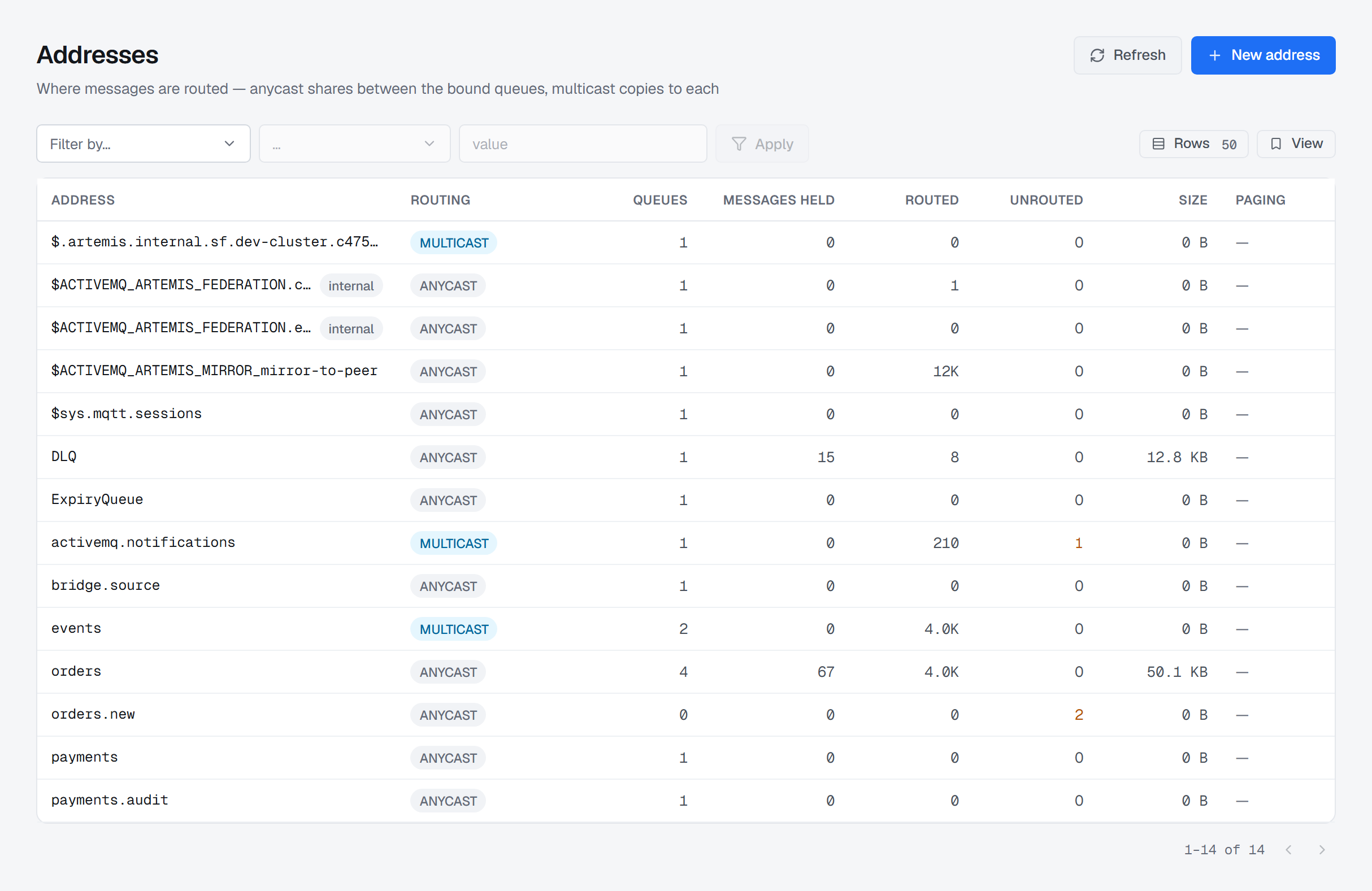
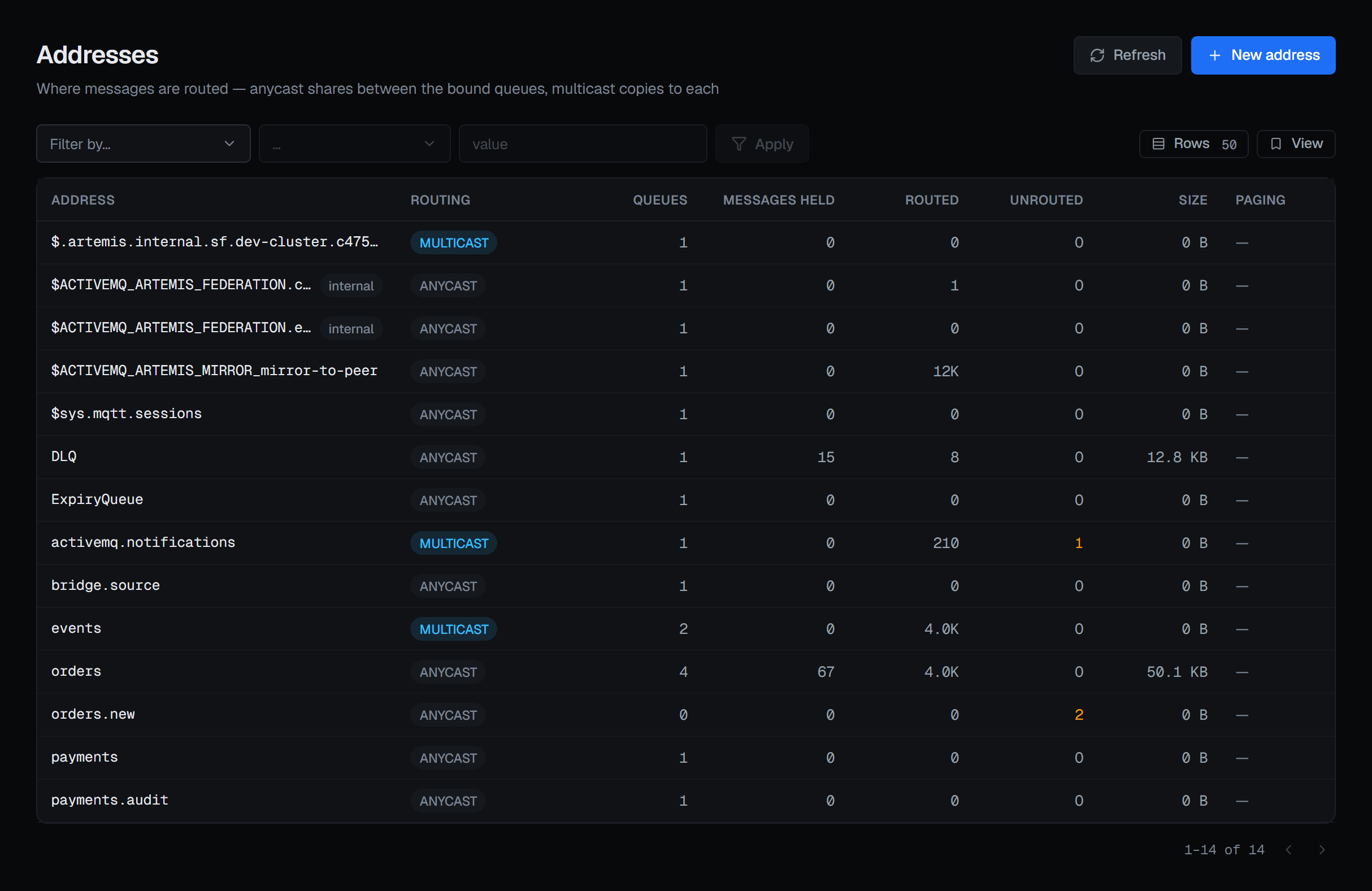
orders.new has no queue bound under it, so the two messages sent to it are counted as unrouted — accepted, and delivered nowhere. Two rows carry a non-zero Unrouted, and they are the only ones coloured.A paging badge on a row means the address exceeded its memory allowance and is writing to disk. Its queue depths are no longer bounded by memory, which changes what a deep queue there costs and how long recovery takes.
If producers hang rather than fail, look at the Resources card on the Overview before anything else. It shows address memory and disk store usage beside the limits they are measured against — the global maximum size, and the disk percentage at which the broker blocks producers. An address can also be told to block its own producers; the Producers row on its page says whether it is.
2 — Which queues took it, and which did not
The Queues list names each queue over the address it is bound under, and three of its columns explain a depth that the depth cannot:
- Delivering — dispatched to a consumer and not yet acknowledged.
- Scheduled — held until a delivery time.
- Filter — the queue takes only what matches. A queue holding less than its address routed is explained by this column or by the address's routing type, and by nothing else.
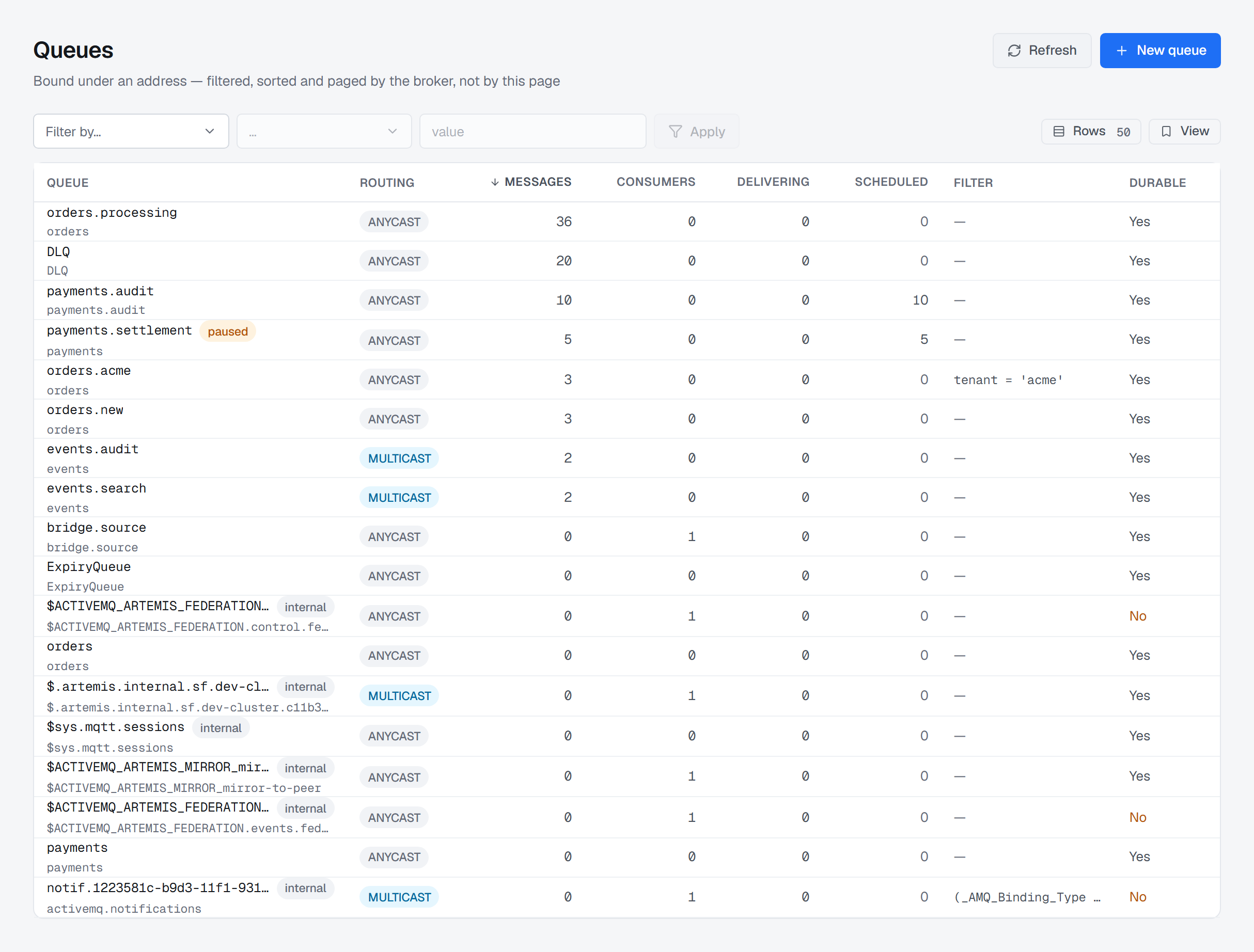
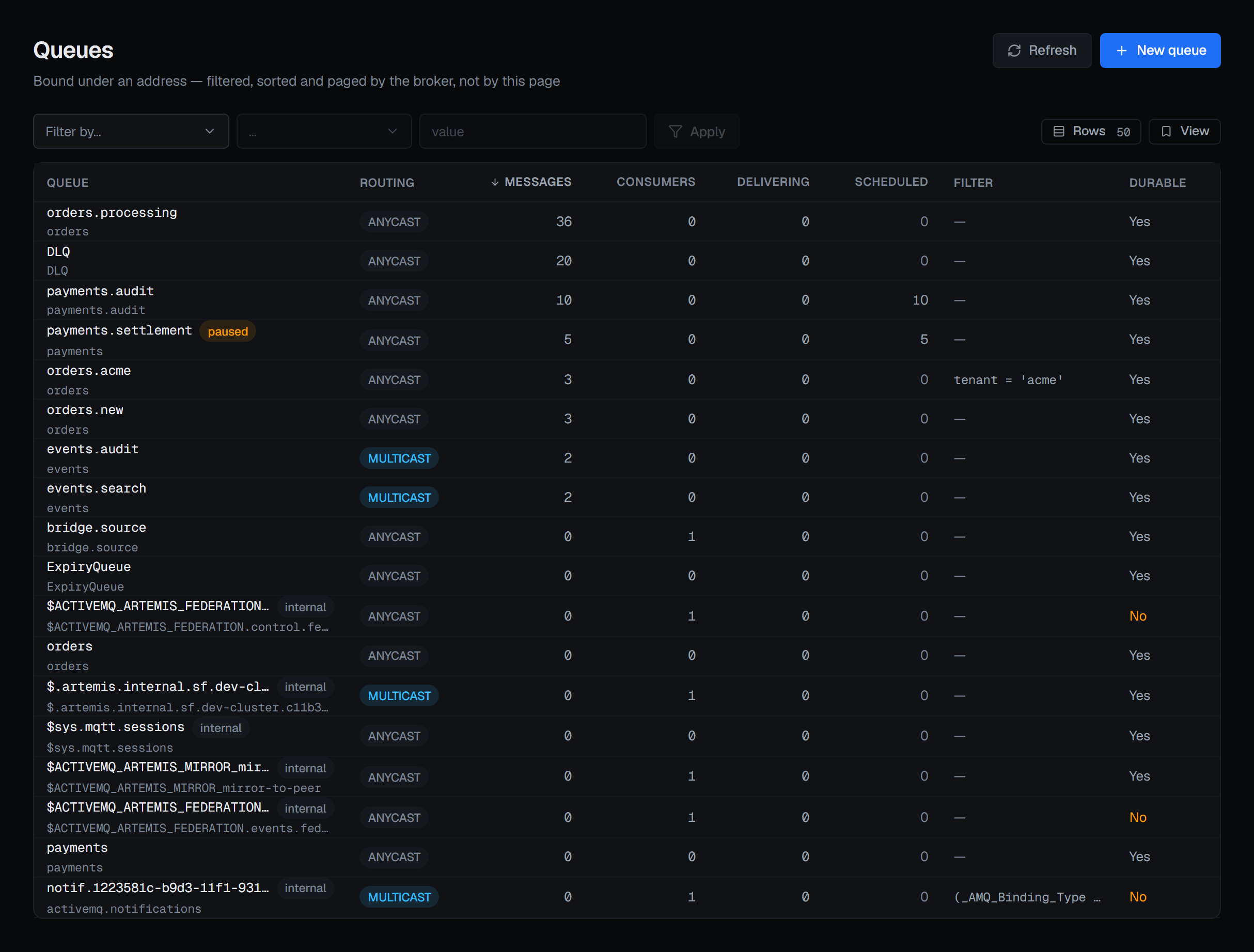
payments.audit holds 10 messages and all 10 are scheduled, so a browse of it shows nothing. orders.acme takes only tenant = 'acme' from the orders address, and payments.settlement is paused.Two states stop a queue in different ways, and the console never puts them behind one switch:
| What it does | What arrives while it is on | |
|---|---|---|
| Pause | Stops handing messages out | Keeps arriving and accumulating |
| Disable | Stops being a routing target | Nothing. Messages sent to the address reach the other queues bound there — or nowhere |
A paused queue with a rising depth is working exactly as configured. A disabled one carries a banner on its page for as long as it stays disabled.
The other way a queue silently stops receiving is a divert — a broker-side rule that sends a message somewhere other than where it was addressed. On Diverts, the Effect column reads moves or copies. A divert that moves sends what it matches to its forwarding address, and the queues bound to the source address never see it; one that copies lets both receive it. Nothing on the source queues' own pages says a divert is taking their messages, so when a queue has gone quiet, the Diverts list is worth a look before the producer is blamed.
If you came looking for durable subscriptions, they are multicast queues: Artemis has no subscription object, and the Subscriptions entry is the Queues list filtered to multicast.
3 — Four places a message waits inside a queue
Waiting. The ordinary backlog. The queue's Messages tab browses it, and on Artemis browsing is
genuinely a read: the messages stay where they are, keep their position and are not marked redelivered. A
JMS selector such as tenant = 'acme' is applied by the broker across the whole queue, not across the
page in view. The queue's Overview adds Oldest message — how long the message at the head of the queue
has waited, by the broker's own clock — which is usually the first figure to move when consumers fall
behind.
Scheduled. Held until a delivery time, and never listed in a browse, so a queue holding thousands of them browses as empty. The Scheduled tab lists them, with the time each is due, and Deliver now sends one — or every one a selector matches — to the consumers immediately. A message delivered early cannot be put back on its schedule, so it asks for a reason.
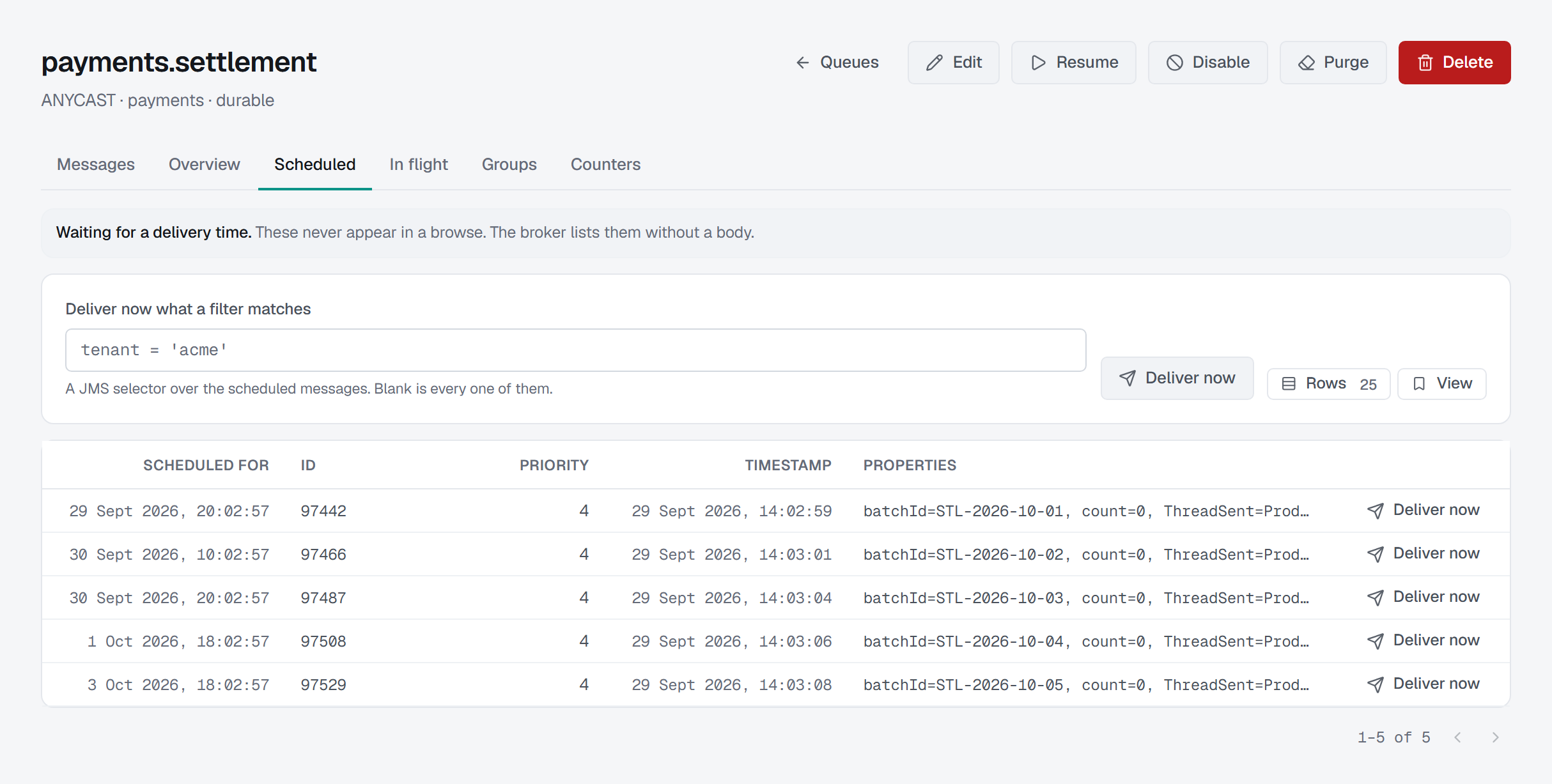
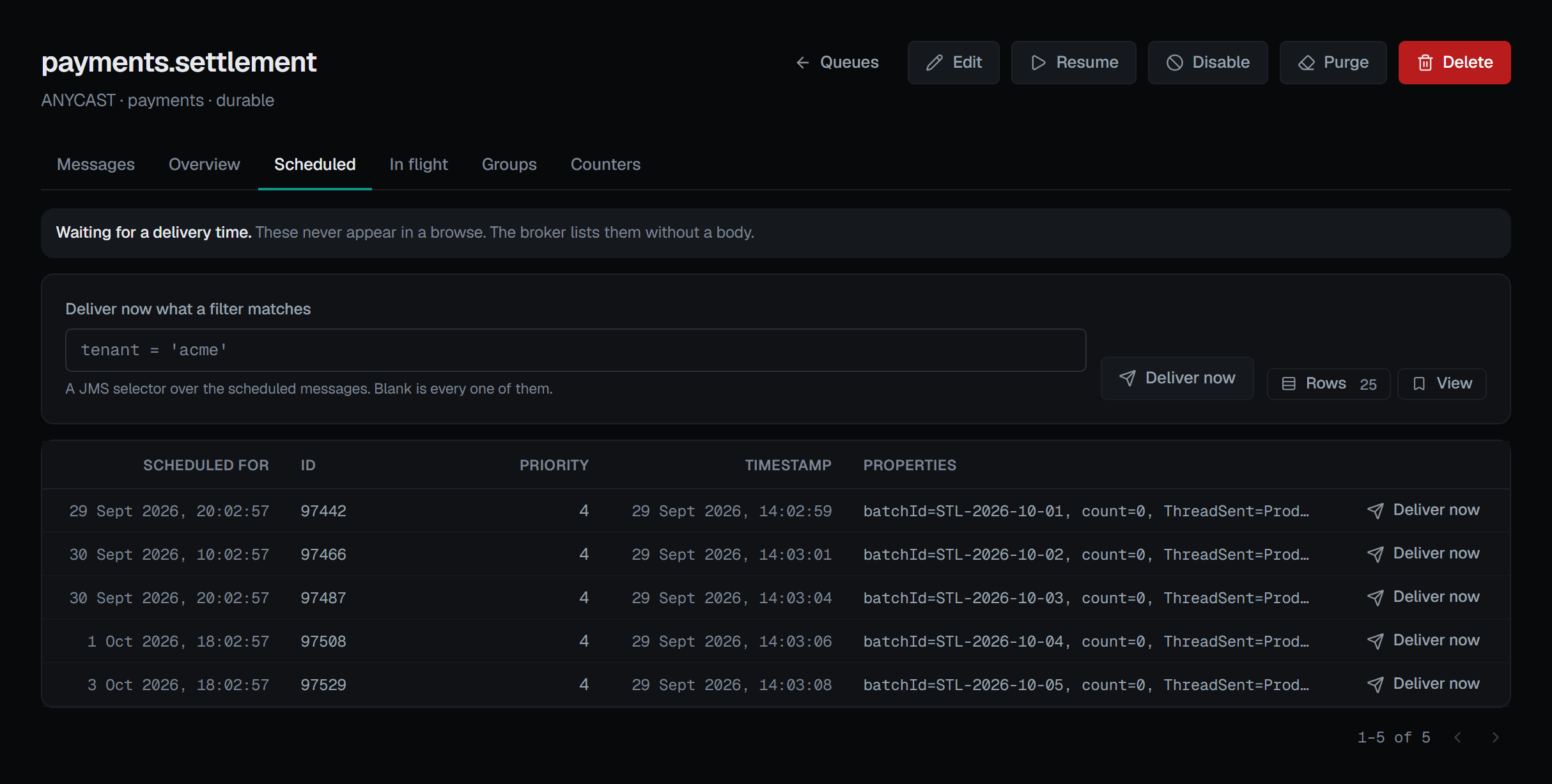
In flight. Dispatched to a consumer and not yet acknowledged — the Delivering column. The queue's In flight tab lists those messages and the consumer holding each. They stay with that consumer until it acknowledges them or leaves.
Pinned to a consumer. A message group — every message carrying the same group id — goes to the consumer the queue first chose for it. Groups lists which consumer each group is pinned to, and Unpin makes the group's next message choose afresh.
Then read the consumers. On Consumers, Status can read Orphaned: a consumer whose session has gone but whose registration survived. It will never take another message, and it still occupies a slot on an exclusive queue or one with a maximum number of consumers — a queue showing one consumer and a depth that never falls is explained by that word. Selector is the other explanation: a consumer with a selector takes only what matches it, so a full queue with a healthy consumer count can be a queue whose messages match nobody's selector.
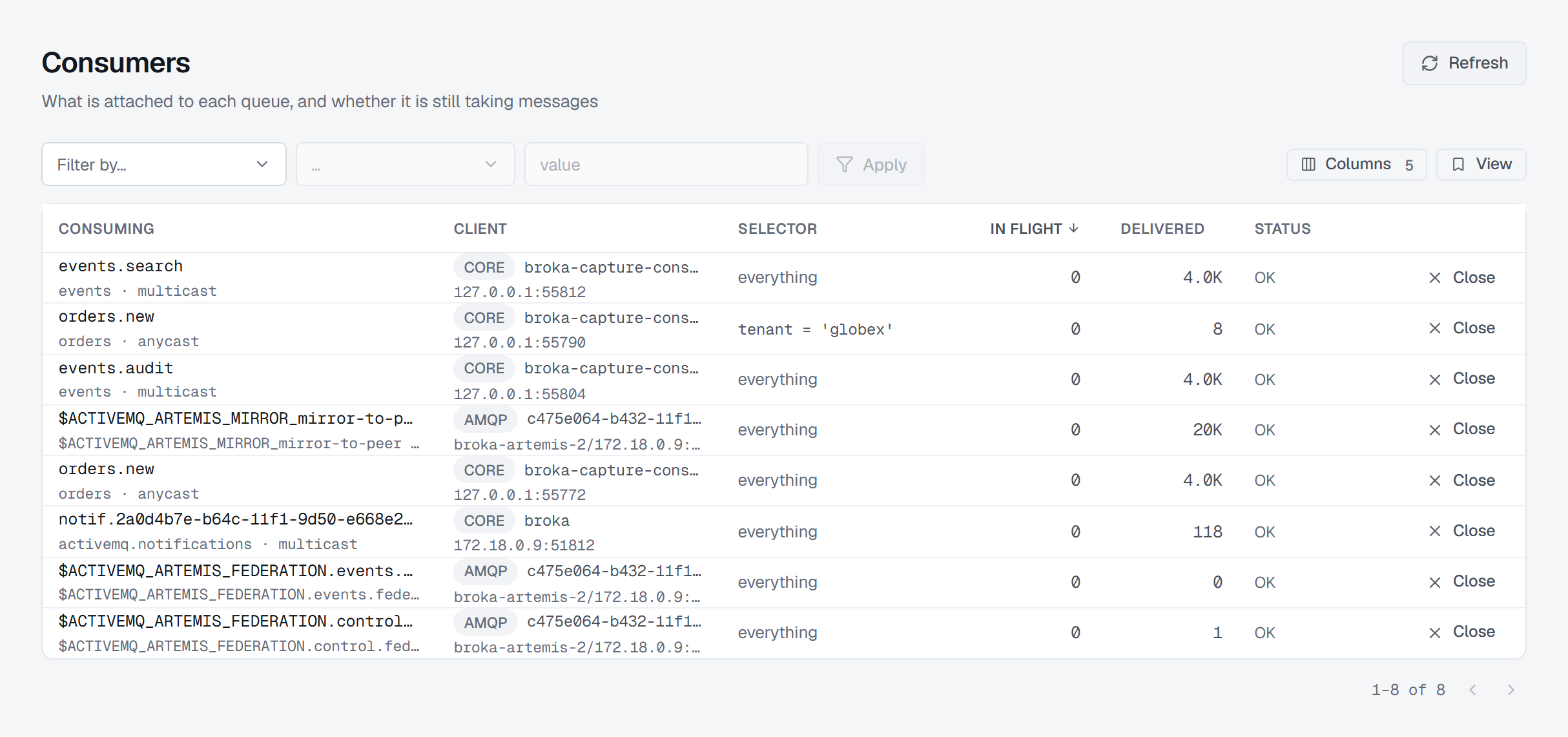
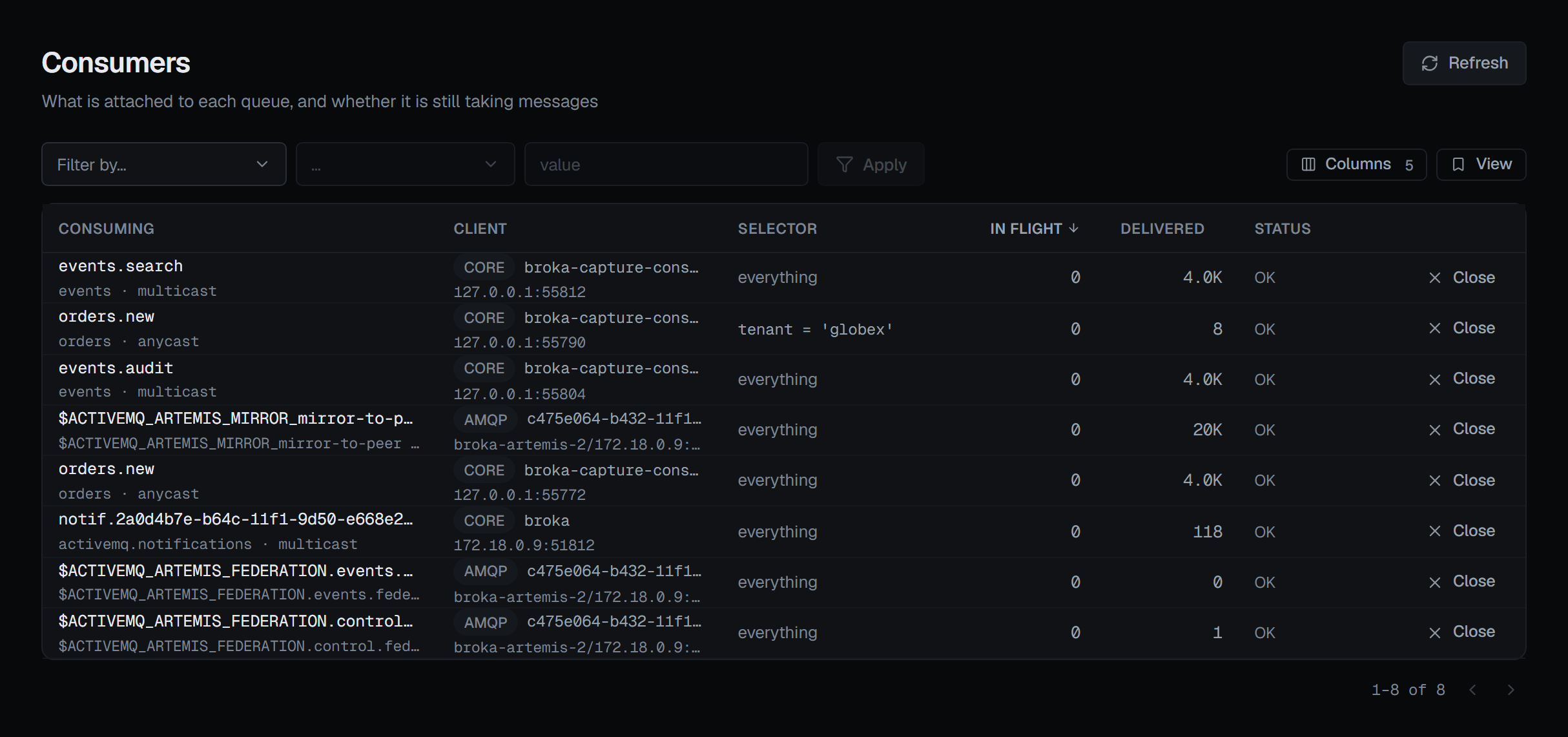
orders.new. One takes everything and has delivered 4.0K; the other carries the selector tenant = 'globex' and has delivered 8 — the Selector column is what tells them apart.Close on a consumer returns its in-flight messages to the queue for redelivery — which counts against a delivery limit, if the queue has one — and the confirmation gives this consumer's own number. Its session and connection stay open, so a client that keeps consuming simply opens another consumer: closing one is a way to free its messages, not to stop a client.
4 — The dead-letter queue
A message that cannot be delivered goes to a dead-letter address, and a dead-letter queue usually holds failures from more than one place. Count by original address, beside the selector on that queue's Messages tab, asks the broker to group what the selector matches — or the whole queue — by the address each message originally failed on, largest first. It is the broker's count over the whole queue, and it changes nothing.
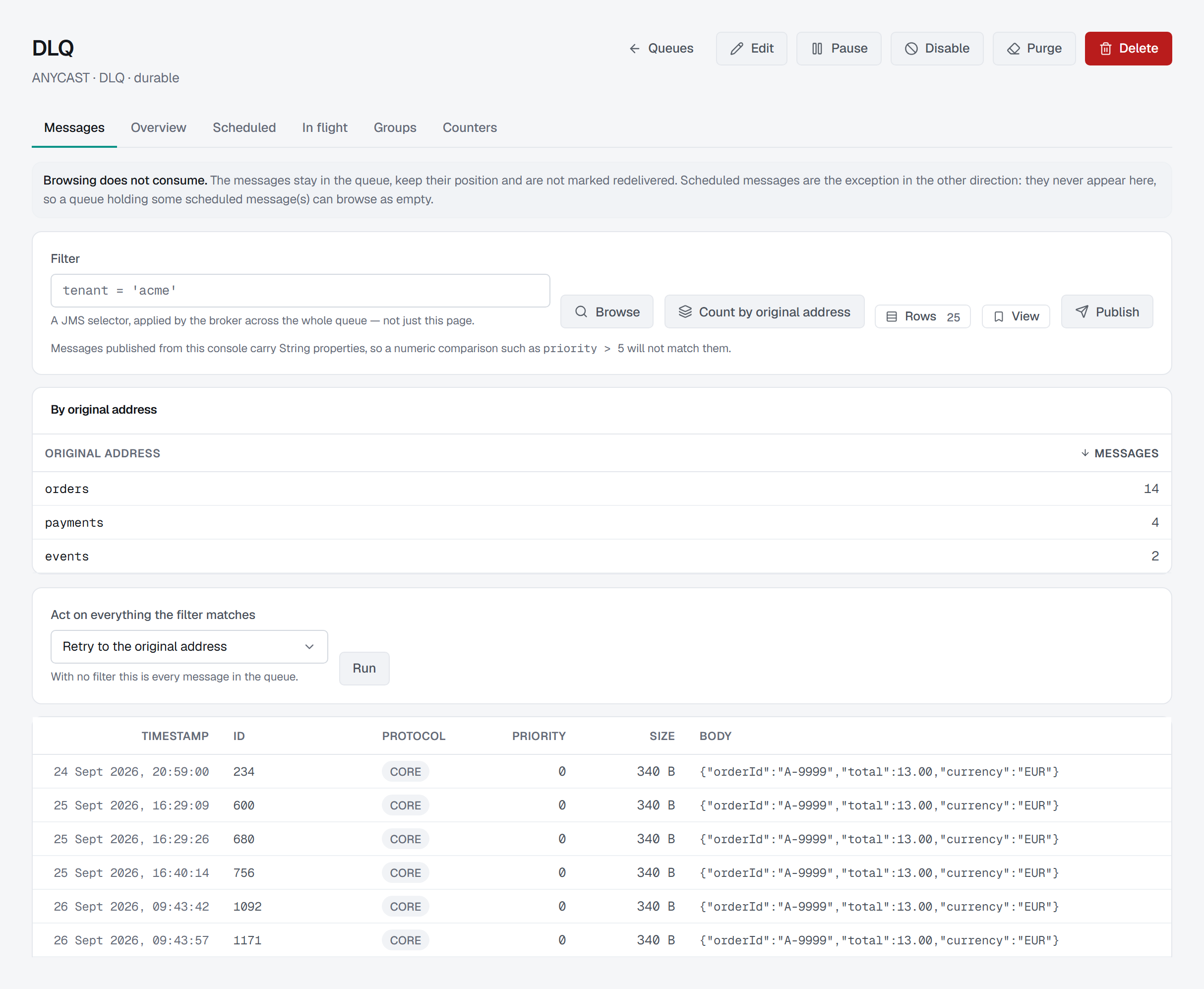
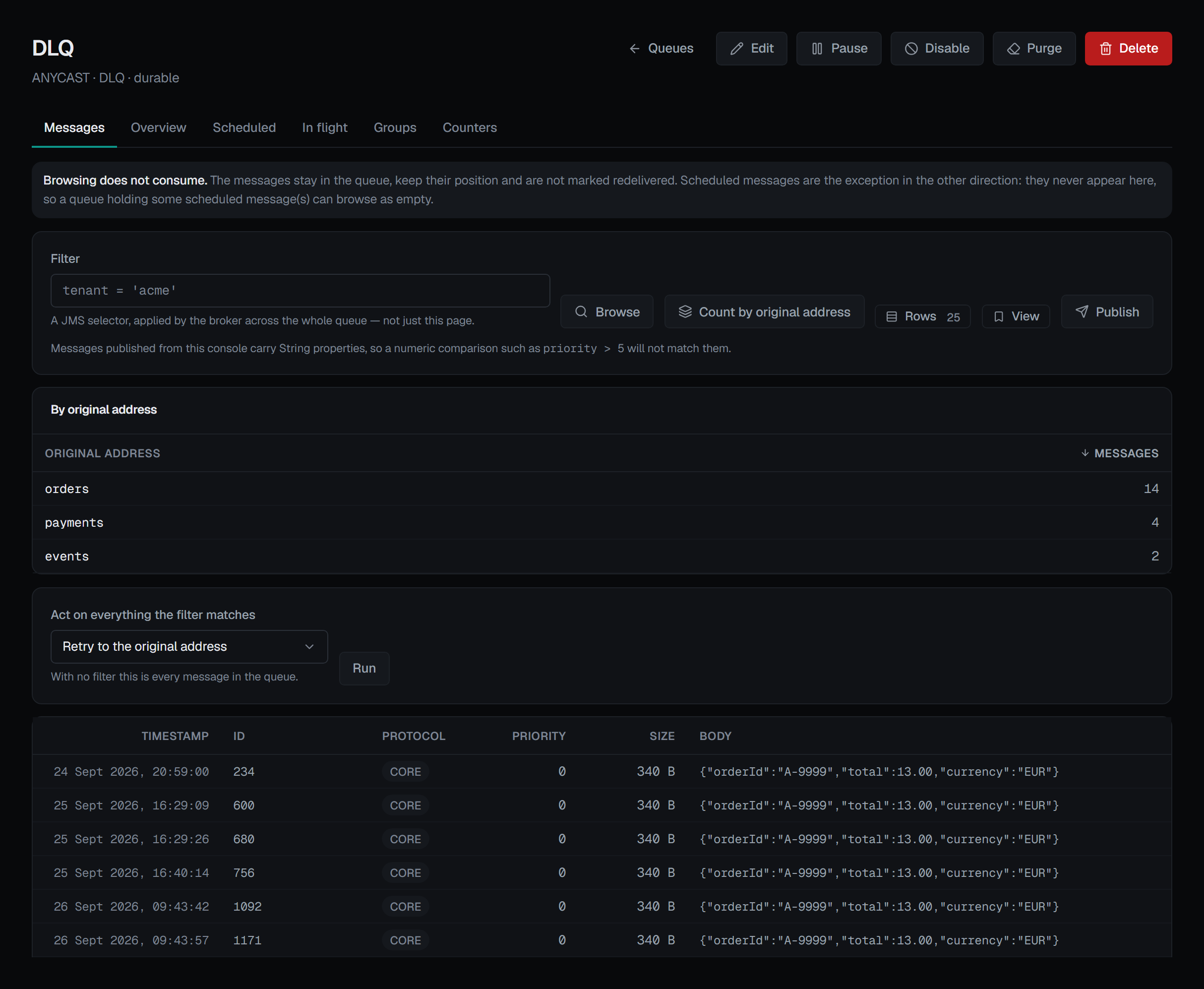
With that in hand, a retry can be aimed. Retry to the original address sends each matching message back to the address recorded on it when it was dead-lettered. Retrying everything works on every supported broker; retrying only what a selector matches needs Artemis 2.50 or later, and on an older broker that combination is shown disabled with the reason. To try a sample first, Move to another queue with a count moves only the first N matches. On a single message, Retry is offered only when the message carries the address it failed on — one that never failed has nowhere to be retried to.
Every bulk action takes a selector, not the rows on screen, and says what it will act on before it runs: N message(s) match — the broker acts on all of them, not on the page, or, with no selector, every message in the queue.
Where failed messages go, and after how many delivery attempts, is set per address. The Overview shows the broker-wide defaults; Address settings reads what applies to one address and where an override exists. The delivery-attempt limit reads as a dash where nobody configured one, rather than printing Artemis's built-in value as if it had been.
5 — What to reach for last
Purge discards every message in the queue immediately, and purged messages are not dead-lettered — the confirmation names the dead-letter address they will not reach, and counts what will be discarded. Deleting messages by selector is the same: gone, not dead-lettered. Disabling a queue to stop a flood holds nothing back: while it is disabled, what is sent to its address reaches the other queues bound there, or nowhere.
Before deciding the backlog is new, open the queue's Counters tab. Artemis samples every queue on its own period and keeps the record itself, so the chart of messages added per hour is the broker's history, not something the page collected while you watched. With message counters switched off, the tab draws nothing and says so rather than charting the zeros the broker reports in that state.
The same signals can be watched rather than visited: Oldest message age, Scheduled and an address's Unrouted messages are among the alert metrics for this broker.
Who may change it, and what is recorded
Browsing, reading the Scheduled, In flight and Groups lists, and counting by original address change nothing. Reading message contents — a browse, or the scheduled and in-flight lists — needs Read message contents as well as viewing the broker, and is recorded as a read: which list, how many rows, never a property's value.
Every action that changes the broker — Deliver now, Unpin, Close, retry, move, purge, delete, disable, pause — appears only for someone allowed to change this broker, and not in a read-only environment or on a read-only connection; the page says why instead. Purging, deleting, delivering now and closing a consumer ask for a reason in every environment; in a guarded environment every write does. Each write is recorded in the audit trail with the actor, the environment, the broker and the queue — a delivery by selector records that a selector was set, never the selector itself. The Artemis page describes the rest of the broker's screens.
What this article does not cover
- Cluster and replication. A backup that is not in sync, and what a failover from it would lose, is on the Cluster & Replication screen.
- Editing address settings. Reading them is effective; saving rebuilds the match from what you send, which has its own page.
- Publishing. A message published from the console goes to the address like any other, with every header a String property — so a numeric selector will not match it.
Try it yourself
The artemis-addresses lab starts Apache Artemis with anycast and multicast addresses, unrouted sends, a moving and a copying divert, scheduled and in-flight messages, a consumer whose selector matches nothing and a dead-letter queue fed from three addresses, so each step above has something to find.
Applies to BROKA 1.0 · Apache Artemis · Commercial.