

Message operations
Updated 6 October 2026 · applies to 1.0.1 · Commercial
Browse a queue, inspect one message, act on one or act on everything a selector matches, and publish to an address. All of it from the queue's Messages tab.
Browsing does not consume
On Artemis, reading a queue is genuinely a read. The messages stay where they are, keep their position, and are not marked redelivered — verified against 2.44.0 by comparing the message and acknowledgement counts either side of a browse.
This is worth stating because it is not true everywhere. Elsewhere in this console the equivalent screen has to warn you that reading is destructive; here the note says the opposite, and means it.
Scheduled messages are the exception, in the other direction. They never appear in a browse. A queue holding thousands of them browses as empty, so the note above the controls names how many this queue is holding — and the queue's Scheduled tab is where they are listed, and delivered now if they should not wait. See Scheduled, in-flight and grouped messages.
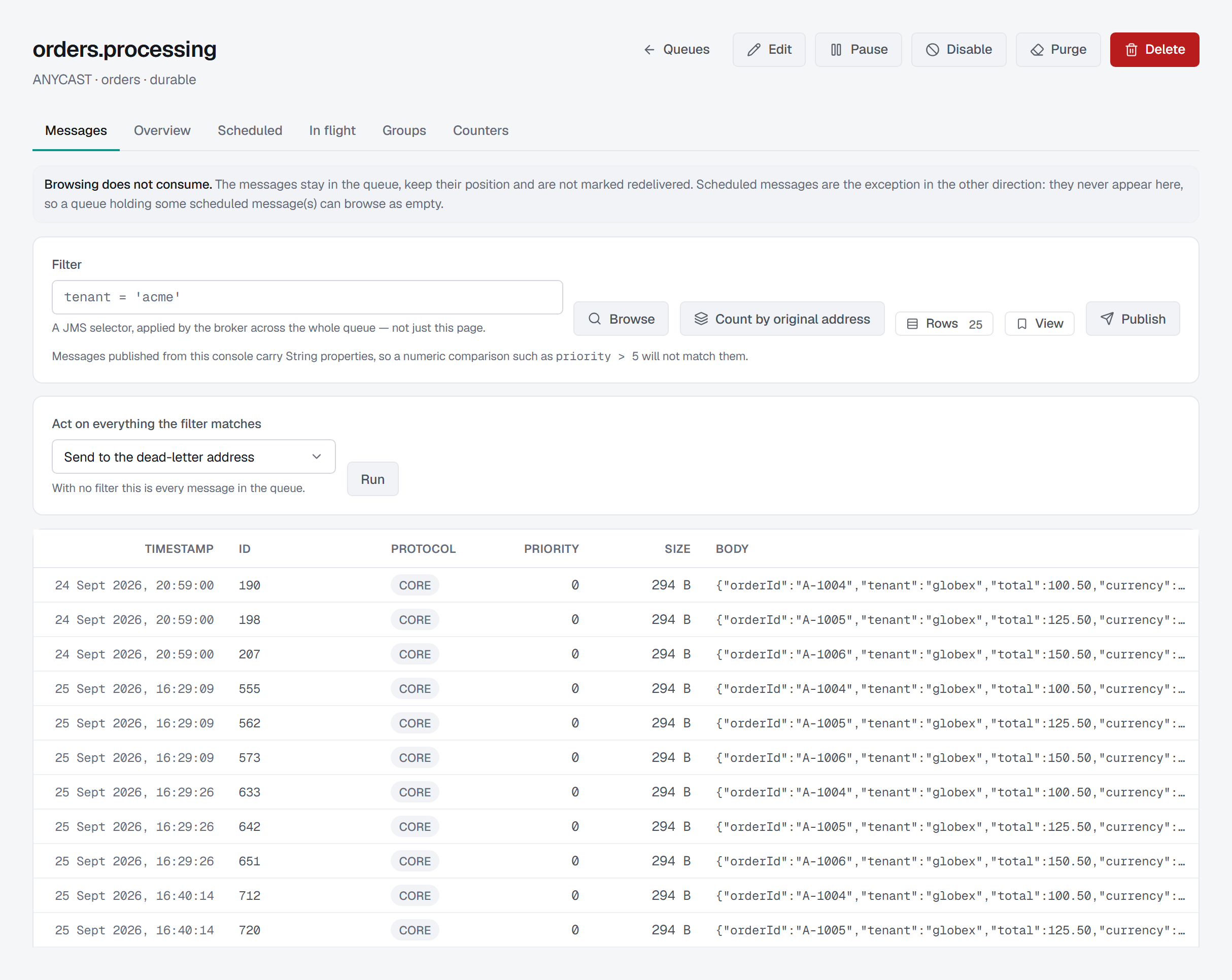
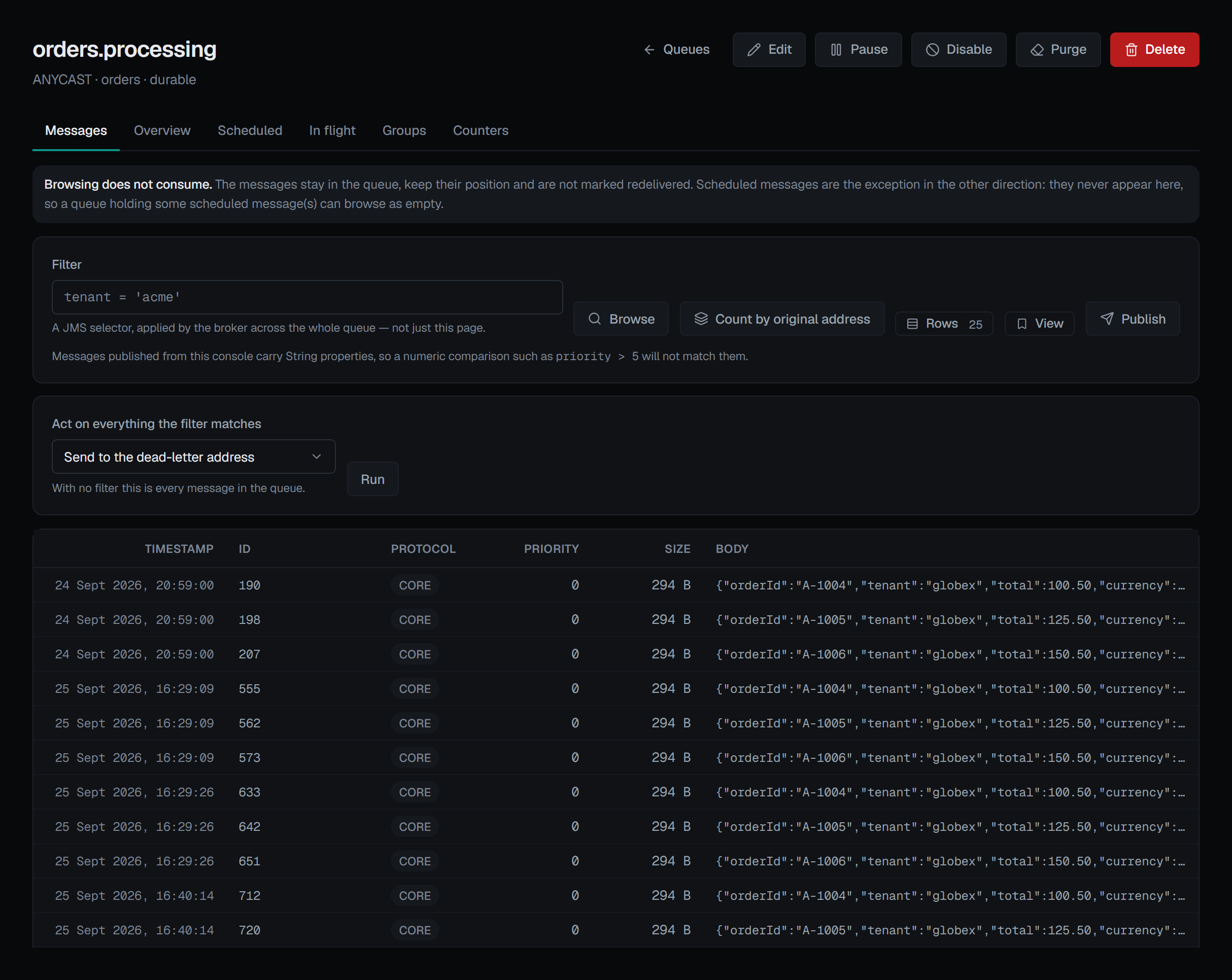
The filter is a JMS selector, applied by the broker
Type a selector such as tenant = 'acme' and the broker applies it across the whole queue, not
across the page you can see. The empty state says so too: the broker applied the selector across the
whole queue and found nothing.
One caveat is printed next to the box, because that is where someone is writing exactly the thing
it breaks: messages published from this console carry String properties, so a numeric comparison
like priority > 5 will not match them.
Acting on one message
Click a row to open it: the body first, then the facts — message id, JMS type in words rather than as a number, protocol, priority, durable, redelivered, size, timestamp and expiry — then its properties, each carrying the type the broker filed it under.
That last detail is the same caveat from the other side. A priority of "5" sitting in the String
map reads like a number and is not one, and no selector will treat it as one.
The actions are Move, Copy (both to a named target queue), Expire, Dead-letter and Delete.
Retry appears only where it means something. The broker retries a message to the address recorded
on the message itself, in the _AMQ_ORIG_ADDRESS property it sets when it dead-letters something. A
message that never failed does not carry one, so there is nothing to retry it to — and the button is
not offered. Where it is offered, it names the address it will send the message back to.
Acting on everything a filter matches
The bulk actions are Send to the dead-letter address, Expire, Move to another queue — all of the matches, or only the first N, given in Messages to move — Retry to the original address, Change priority and Delete.
Change priority gives every match the priority chosen in New priority, from 0 (lowest) to 9, and the queue delivers them in that order from then on. It moves nothing and removes nothing, and it works the same on every supported Artemis version.
They take a filter, not the rows on screen. Artemis has no "act on these ids" form, so ticking rows and running a filter would promise a precision the broker does not have. Instead the control says what it will act on before you run it:
- With a selector: "N message(s) match — the broker acts on all of them, not on the page."
- With no selector: "With no filter this is every message in the queue."
Where the broker could not count the matches, the figure is the number read so far with a +, in the hint and the confirmation alike, as the pager shows it.
The confirmation repeats it, quotes the selector back, and states that the count may change before this runs. For Delete it adds the thing people assume the other way round: deleted messages are not dead-lettered — they are gone.
The broker carries a bulk action out in one go, and on a queue of millions of messages that takes a while, so BROKA waits up to five minutes for its answer. If none comes, it does not say the action failed — the broker may still be working through the queue — but that the outcome is unknown, and the audit entry records it the same way. Look at the queue before running the action again: a repeated move or delete acts on whatever the first one left.
Triage on a dead-letter queue
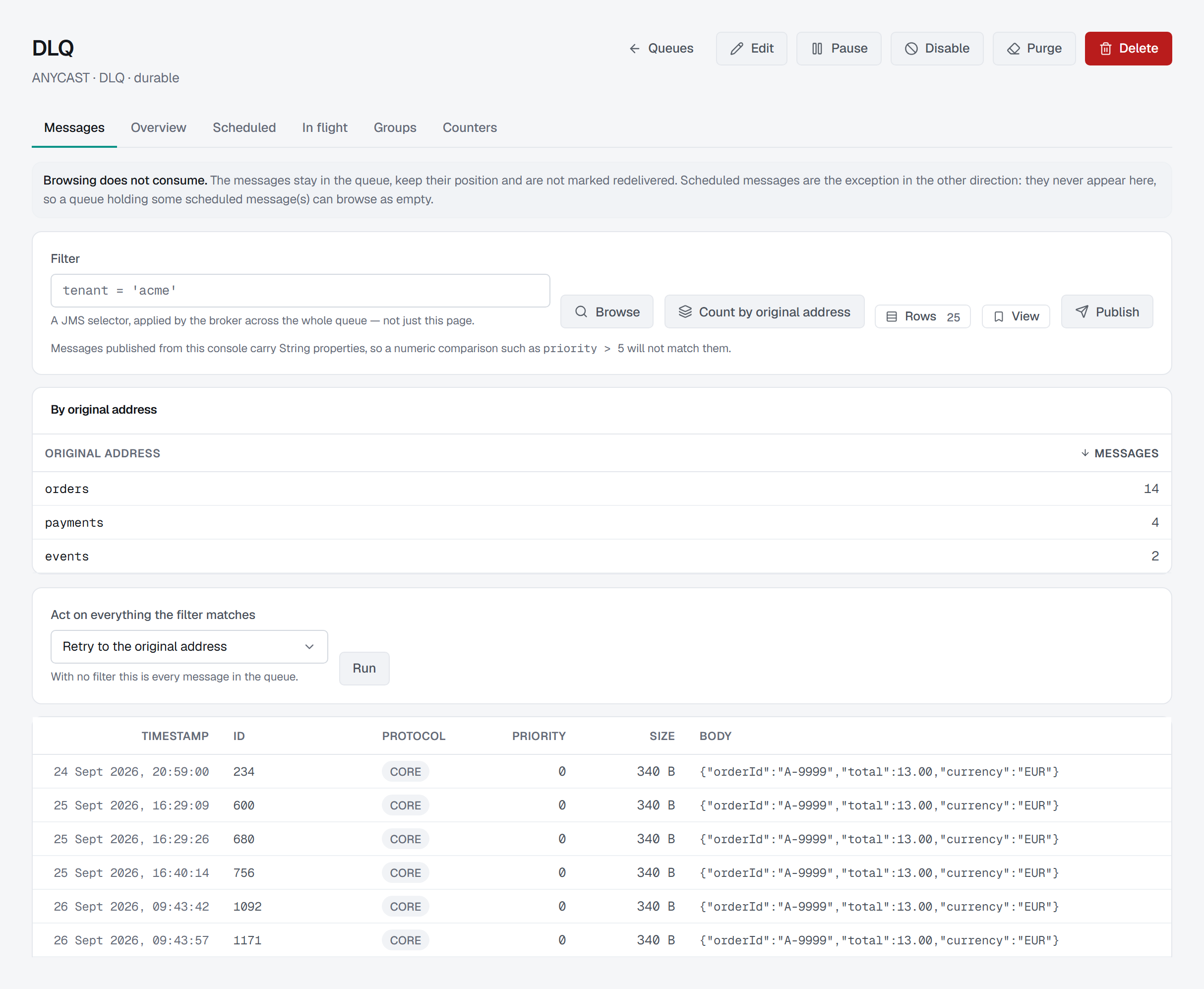
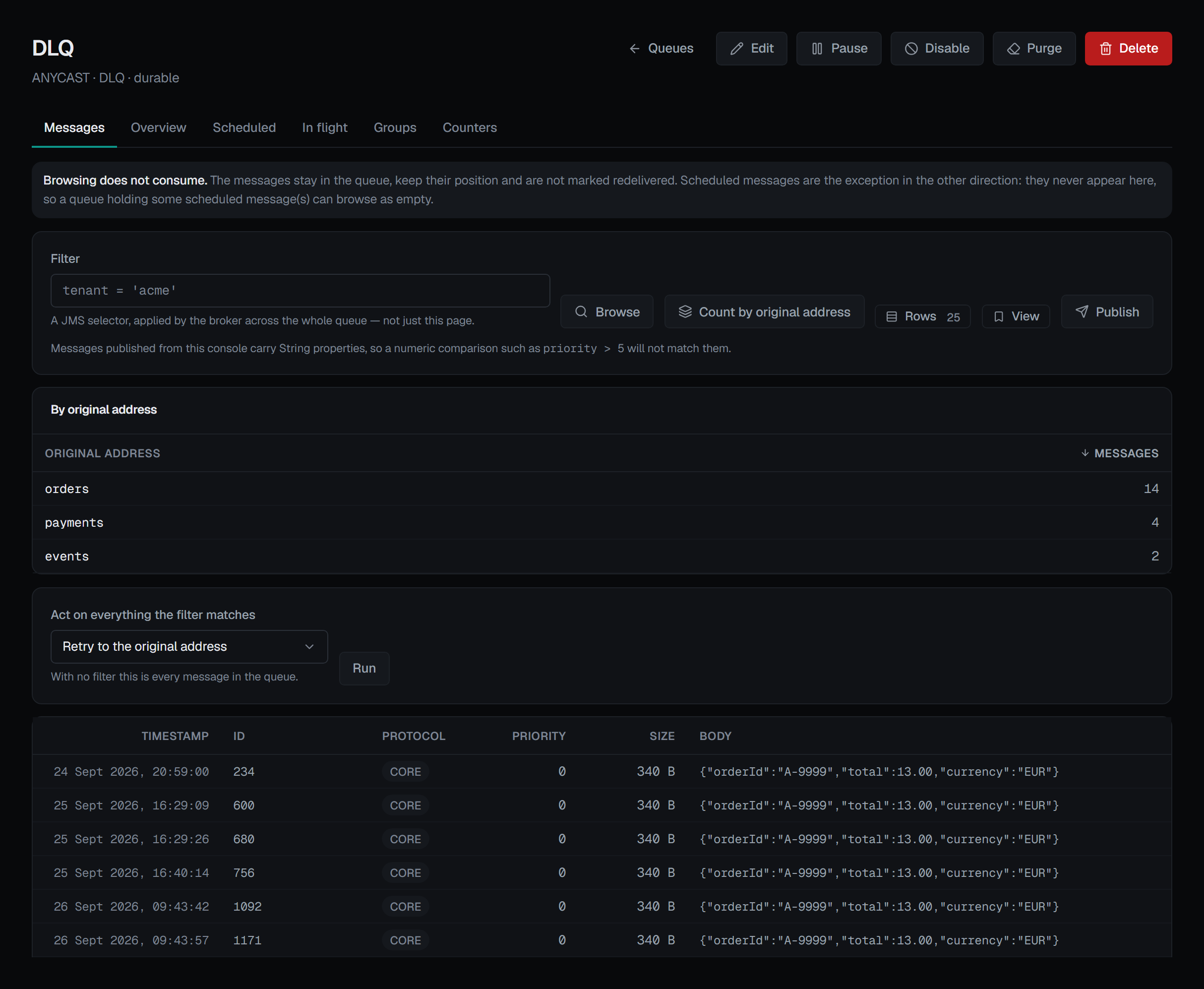
A dead-letter queue usually holds failures from more than one place, and they rarely all need the same treatment. Count by original address, beside the filter, asks the broker to group what the filter matches — or the whole queue, with no filter — by the address each message originally failed on, and lists the addresses largest first. It is the broker's own count over the whole queue, not over the page you can see, and it changes nothing.
With that in hand, a retry can be aimed. Retry to the original address sends each matching message back to the address recorded on it when it was dead-lettered. Retrying every message in the queue is always offered; retrying only what a filter matches needs Artemis 2.50 or later, and on an older broker that combination is shown greyed out, with the reason, while retrying everything stays available. To move a sample first rather than the whole backlog, Move to another queue with a count moves only the first N matches.
Like every bulk action, a retry states what it will act on before it runs and asks you to confirm, and it is recorded in the audit trail.
Publishing goes to the address, not to a queue
Publish sends to the queue's address. What receives it depends on the routing type and on the filters of the queues bound there — so a publish that lands nowhere is a real outcome, and the dialog says that rather than implying delivery.
Two limits belong to the broker's management operation rather than to BROKA, and both are stated in the dialog:
- The body is a string, so this is a text/JSON producer. There is no bytes mode, and offering one would be a promise the API cannot keep. The message is sent as JMS text, which is the only type a string body can honestly be — so it is not offered as a choice either.
- Every header becomes a String property. A "number" header is a string that looks like a number, and a numeric selector will not match it.
Masked fields
A data masking rule can hide fields of a queue's messages — the queue matched by
its own name or by its address — from people who may read the messages but not those fields. The browse, and the
Scheduled and In flight tabs, return them masked from the broker service: inside a JSON body a masked string
reads ••••, a number 0 and a boolean false; a masked property keeps its name and reads ••••, and the user id
can be masked as the property userID; a body that is not JSON, under a rule that looks inside it, is masked whole.
A masked badge in the row and in the message's dialog names on hover each masked field, its method and the rule
— or, for a body masked whole, the reason.
For someone who may not read the queue unmasked:
- A selector that names a masked property is refused — by the browse, by Count by original address and by every bulk action — because the messages it matches, and how many, would say what the property holds.
- Move, Copy, Retry, Expire and Dead-letter are refused for a masked message, one at a time or by a filter, because the message would be readable wherever it landed; a retry's or an expiry's address is the broker's choice, so it is refused rather than compared. The message's dialog shows those buttons disabled, with the reason.
- Delete, Change priority and publishing are not affected.
Someone allowed to read the queue unmasked sees its messages as they are, with a shown unmasked badge, each such read recorded in the audit trail, and acts on them as before.
Writes, guardrails and audit
Every action on this screen except browsing and counting is a write. Browsing takes Read message
contents (messages.read) as well as viewing the broker; without it the tab says you are not
permitted, and counting still works. Seeing the fields a data masking rule covers as they are — and filtering on
them, or moving, copying, retrying, expiring or dead-lettering such messages — takes Read masked contents
unmasked (messages.read.unmasked) too, on the queue's environment or connection, or by a queue grant whose
pattern matches it. The bulk panel, the publish
button and the per-message actions appear only for someone allowed to change this broker; in a
read-only environment or on a read-only connection they are not rendered at all, and the page states
the reason rather than showing controls that would fail. Deleting — one message or everything a filter
matches — asks for a reason; in a guarded environment every write asks for one. Each write is
recorded in the audit trail with the actor, the environment, the broker and the queue.