

Broker configuration, acceptors and maintenance
Updated 3 October 2026 · applies to 1.0.0 · Commercial
The broker as a thing in itself, rather than as a place messages pass through. Three tabs, because an operator arrives here with one of three different questions.
Configuration — how is this broker set up?
Every attribute the broker exposes except the five that can carry a credential, grouped by subject: identity and status, high availability and clustering, acceptors and connectors, journal and persistence, paging and disk, threading, security, expiry and transactions, routing and management addresses, message counters, interceptors and plugins, and live totals.
The five withheld attributes are the acceptor and connector documents — Acceptors,
AcceptorsAsJSON, Connectors and ConnectorsAsJSON — and the broker's Status document. Their text
can carry TLS keystore and truststore passwords, and the status document can echo a configuration
property together with its value, so BROKA leaves them out of the configuration it returns. The acceptors themselves
are on the next tab, where the broker masks their secrets before they are sent.
What the status document says about broker properties is still shown — by name only. Where the broker loads broker properties, a Broker properties card above the attributes lists each source it read — a file, or the properties given to it as system properties — and what became of it: All applied; not applied, followed by the names of the properties the broker could not apply; or could not be read, for a source the broker could not read or parse at all. Only the property names leave the broker service: never a value, and never the broker's reason, because a failed property is recorded with its value, and a reason or a parser message can quote it.
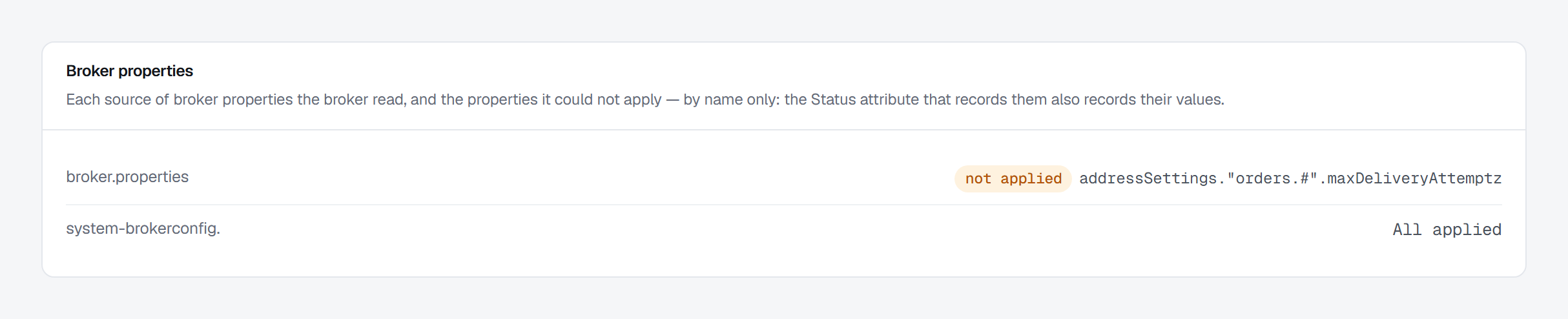
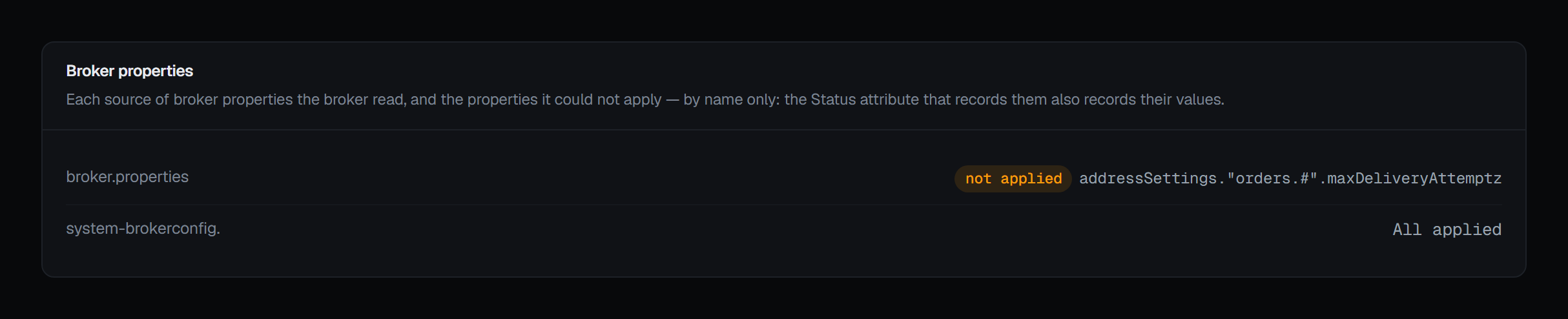
Each attribute is described in the broker's own words, not in ours — the description sits under the key rather than in a tooltip. A search box narrows the list, which matters at this length: the header states how many attributes there are and how many of them can be changed from here.
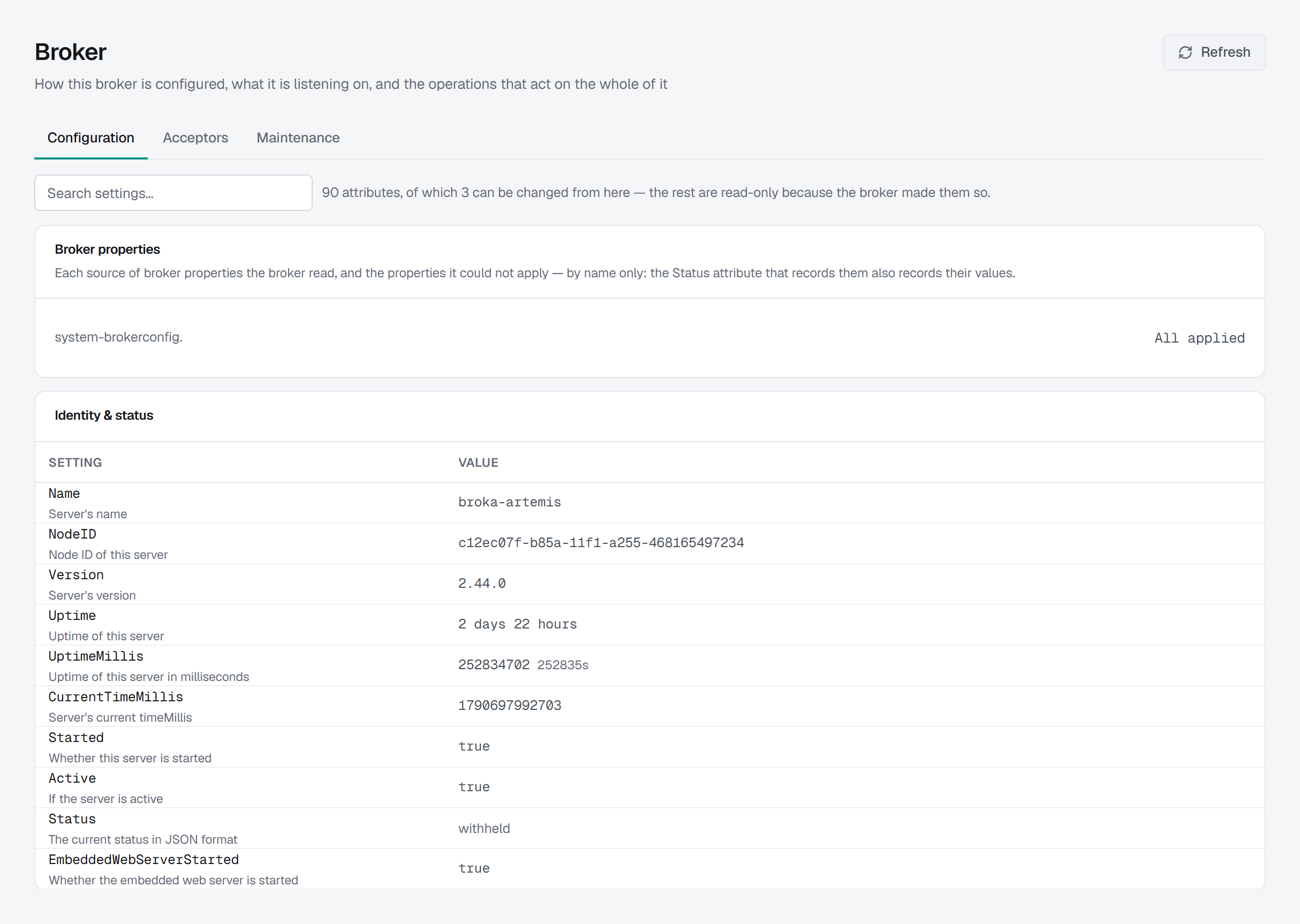
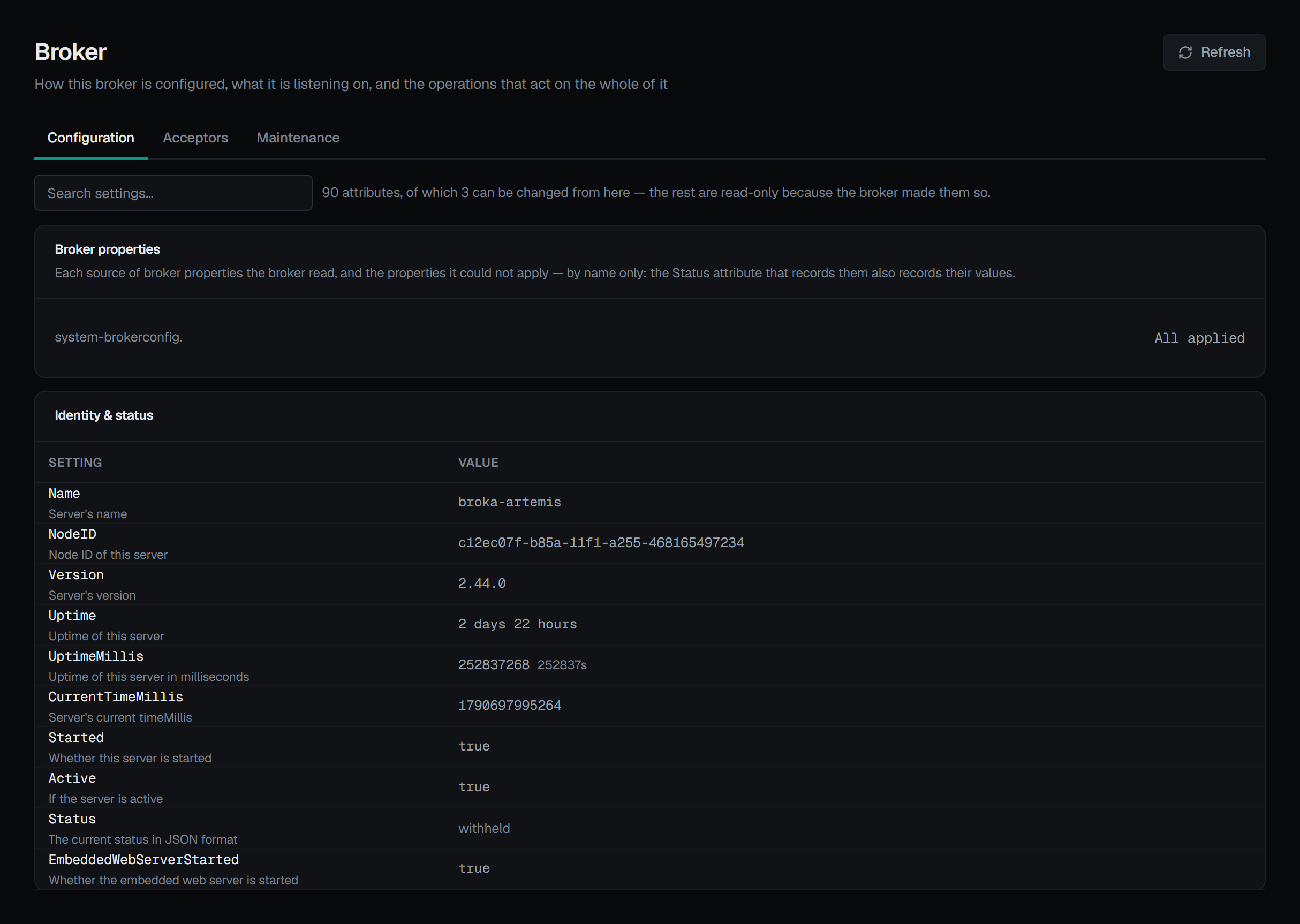
Three of them are editable. The rest are read-only because Artemis made them so — and the screen says which of the two it is, rather than leaving you to assume the console declined. That distinction was established by reading the MBean's own metadata rather than by looking for setters.
An editable attribute gets the control its type deserves — a true/false select for a boolean, a text box otherwise — and Save is only enabled once the value actually differs. After a save, the field follows what the broker reports rather than what was typed, so a value the broker adjusted or somebody else changed is what you see. The audit entry records the value before and after, both read from the broker; if a read fails, the change it made is still reported as made, and the entry leaves that side out rather than filling it in.
Acceptors — what is it listening on, and is it?
One row per port, with start, stop and reload.
Reload re-reads an acceptor's SSL material without dropping the connections already on it, which is how a renewed certificate is picked up.
Credentials never arrive here. Parameter values that look like a secret are masked by the
broker, before they reach this console: an acceptor's keyStorePassword is never sent.
If a broker reports no acceptors at all, the empty state says what that means — nothing can connect to it over any protocol — and that acceptors are declared in the broker's own configuration.
Maintenance — make it do something to itself
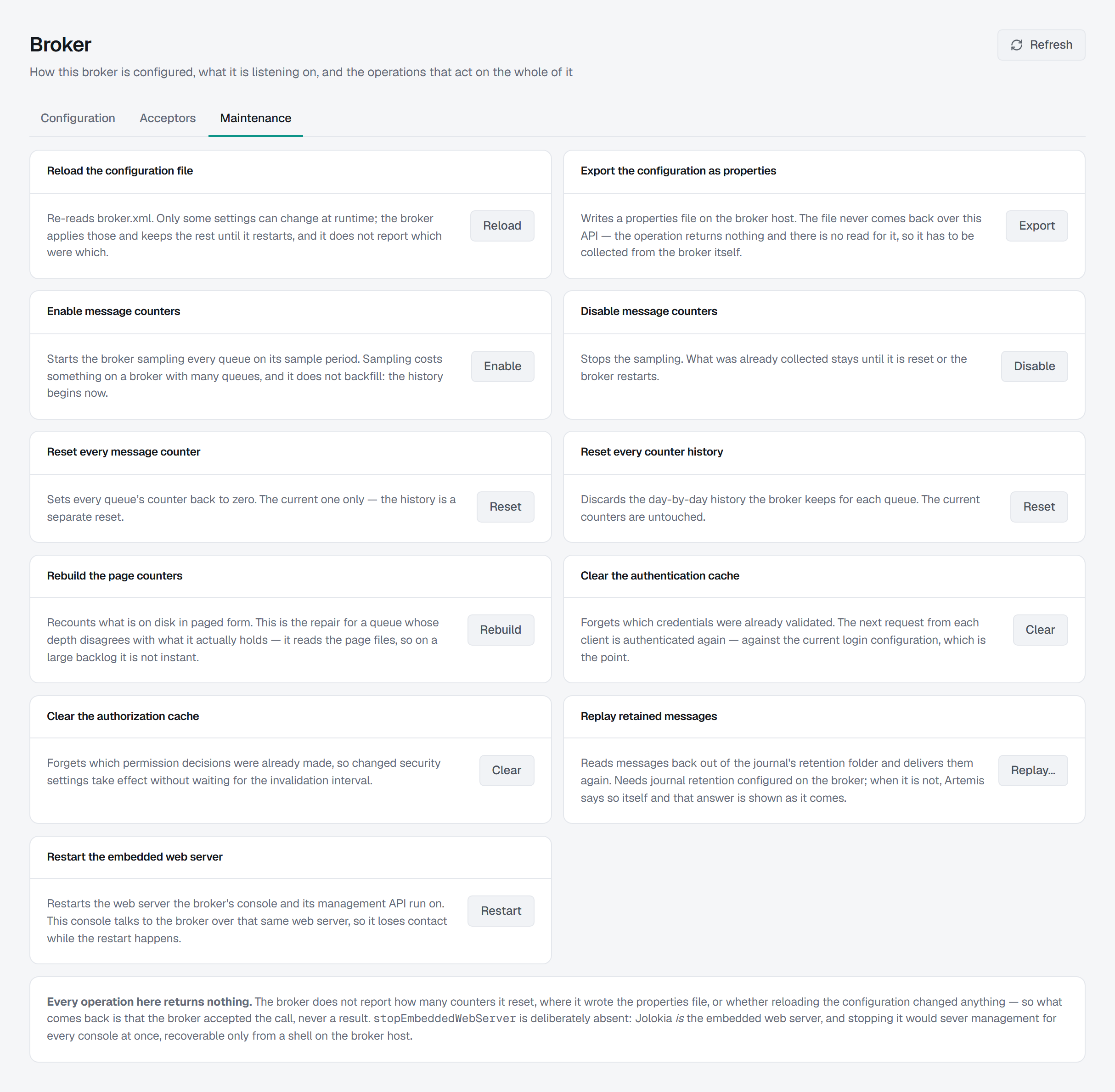
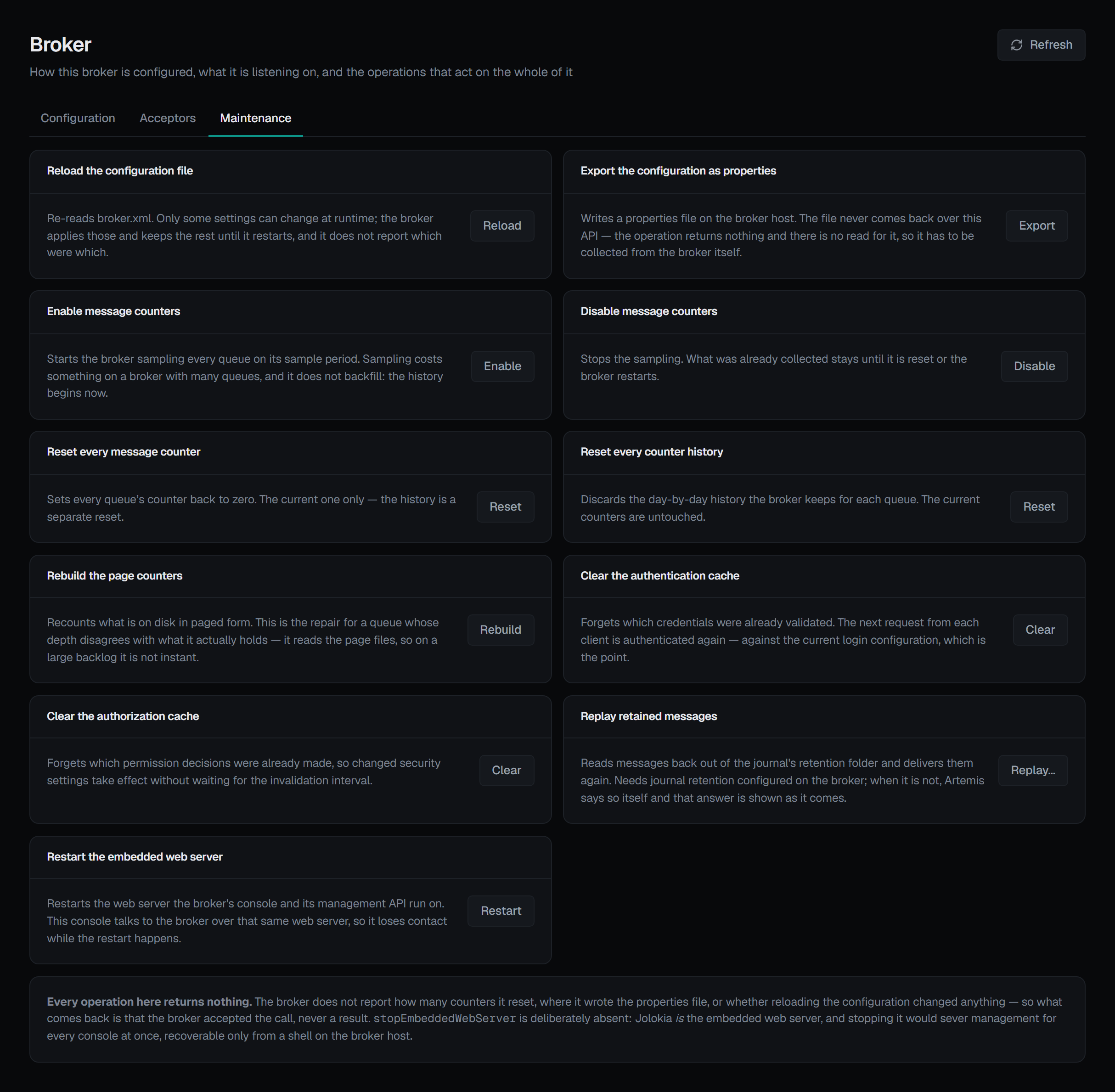
Nine operations, each with what it does and a confirmation that names the consequence. Several of them return nothing at all, and the screen says so rather than implying a result:
- Reload the configuration file — re-reads
broker.xml. Only some settings can change at runtime; the broker applies those, keeps the rest until it restarts, and does not report which were which for the file. Its own log is the only place that says. A broker property that failed to apply is the exception: it is named on the Configuration tab's Broker properties card. - Export the configuration as properties — writes a properties file on the broker's own host. The file never comes back over this API, so it has to be collected from the broker.
- Enable message counters — starts the broker sampling every queue on its sample period. Sampling costs something on a broker with many queues, and it does not backfill: the history begins from that moment. This is the switch the Counters tab links to.
- Disable message counters — stops the sampling. What was already collected stays until it is reset or the broker restarts.
- Reset every message counter — sets every queue's counter back to zero. The current one only; the history is a separate reset.
- Reset every counter history — discards the day-by-day history the broker keeps per queue. The current counters are untouched. The two resets are deliberately not one button.
- Rebuild the page counters — recounts what is on disk in paged form. This is the repair for a queue whose depth disagrees with what it actually holds, and because it reads the page files it is not instant on a large backlog.
- Clear the authentication cache — forgets which credentials were already validated, so the next request from each client is authenticated again against the current login configuration, which is the point of doing it.
- Clear the authorization cache — forgets which permission decisions were already made, so changed security settings take effect without waiting for the invalidation interval.
Plus a restart of the broker's embedded web server, and replay.
Replay reads messages back out of the journal and delivers them again
That is the whole risk of it: the consumers on the target address see those messages a second time, and unless they deduplicate, whatever they did the first time they do again.
The form takes the address whose retained messages are replayed, optionally a different target address (leave it empty to replay onto the same one), an optional message filter in the broker's own syntax, and an optional scan window.
Three things about it are the broker's shape rather than choices made here:
- Journal retention has to be configured on the broker. Where it is not, Artemis refuses with its own message, and that message is shown as it comes. A check invented here would be a guess about a setting this console does not read.
- The scan window is all-or-nothing. Artemis has one form that replays every retained file and
one that replays between two dates (
yyyyMMddHHmmss). A half-filled window means nothing to either, so the form asks for both or neither rather than quietly dropping one. - A blank filter is not an empty filter. An empty filter string is an expression that fails to parse, so blank travels as no filter instead.
The broker replays inside one call, journal file by journal file, and a retention journal of many gigabytes takes time, so BROKA waits up to five minutes for it. When no answer comes in that time, the replay is reported — and audited — as having an unknown outcome rather than as failed: the broker may still be replaying. Check the target before replaying again, or its consumers see the messages a third time.
Two operations are deliberately absent
Stopping the embedded web server is not offered, and cannot be sent at all. Jolokia is the embedded web server — the very thing this console talks to. It sits outside the broker service's operation allow-list entirely, so it cannot be sent even by a request that goes around this screen.
Starting it is allowed and useless. It applies only to a broker whose web server is stopped, and such a broker has no Jolokia to receive the call. A button for a state it can never be pressed in would misrepresent what the console can do, so there is not one.
Stopping an acceptor and restarting the web server ask for a reason. The maintenance operations and
replay do not, outside a guarded environment where every write asks for one: they are privileged, not
destructive. Editing an attribute and an acceptor's buttons appear only for someone allowed to change
this broker, and not in a read-only environment or on a read-only connection; there the Maintenance
buttons are shown greyed out, and the page says why. Every write on this page is recorded in the audit
trail.