

Reading Kafka ACLs by principal
Kafka stores its permissions as a flat list of bindings, and the question people actually ask of that list — what can this application do — is not one it answers directly. Read it by principal instead, one rule per row, with the denies on top.
Kafka's ACLs are its own permissions, separate from the roles that decide who may use BROKA — those are the subject of Operating every broker with one permission model. This guide is about the cluster's side: what a binding says, how Kafka decides with it, and how BROKA lets you read and change the bindings one principal at a time.
What a binding says
Every ACL binding is one sentence with six parts. BROKA shows each one under the name below.
| Part | What it holds | Where BROKA shows it |
|---|---|---|
| Principal | Who the rule is for, such as User:svc-ledger |
Service Accounts, one row per principal |
| Resource type | Topic, consumer group, transactional ID or the cluster | Resource |
| Pattern type | An exact name, or a prefix | A Prefix badge on prefix rules |
| Operation | Read, Write, Describe, Alter and the rest | Operations |
| Permission | Allow or deny | Effect |
| Host | The client address the rule applies from | From host; any when blank |
Under Kafka's standard authorizer, a request is allowed when at least one rule allows it and no rule denies it. A matching deny beats every allow, however many there are. A resource no rule matches is refused, unless the cluster is configured to allow everyone when no ACL is found.
That is why a flat listing is hard to read. The rule that explains a refusal may be a deny written for a prefix, on a resource whose name never appears in it, far from the allows that look as if they should apply.
One principal, one page
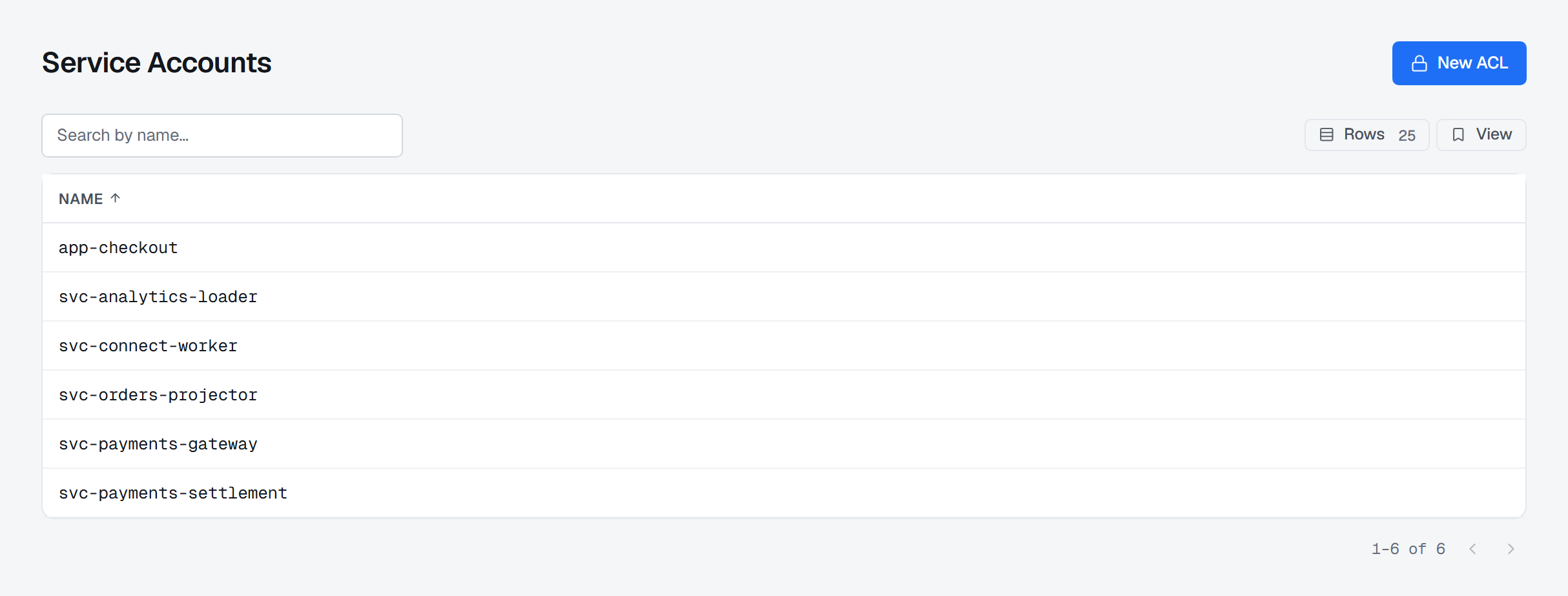
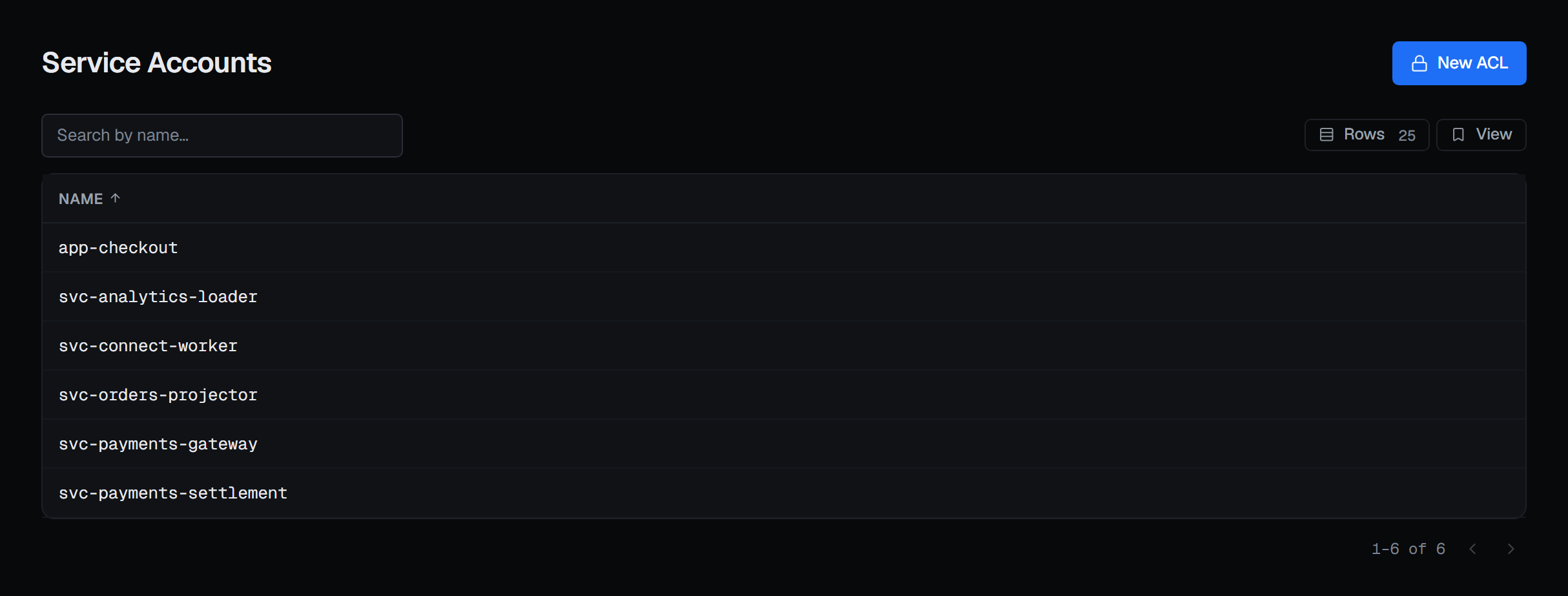
Kafka has no service-account object. Service Accounts, under Kafka in the sidebar, lists the distinct principals that appear in the cluster's ACLs. The list is read from the cluster every time, so it cannot drift from it: a principal appears once a rule names it.
A principal's Access tab gathers its bindings into rules: one row per resource, effect and host, with the operations as words. Denies sort to the top and carry a bar in their own colour, because a deny is the rule that explains why something does not work.
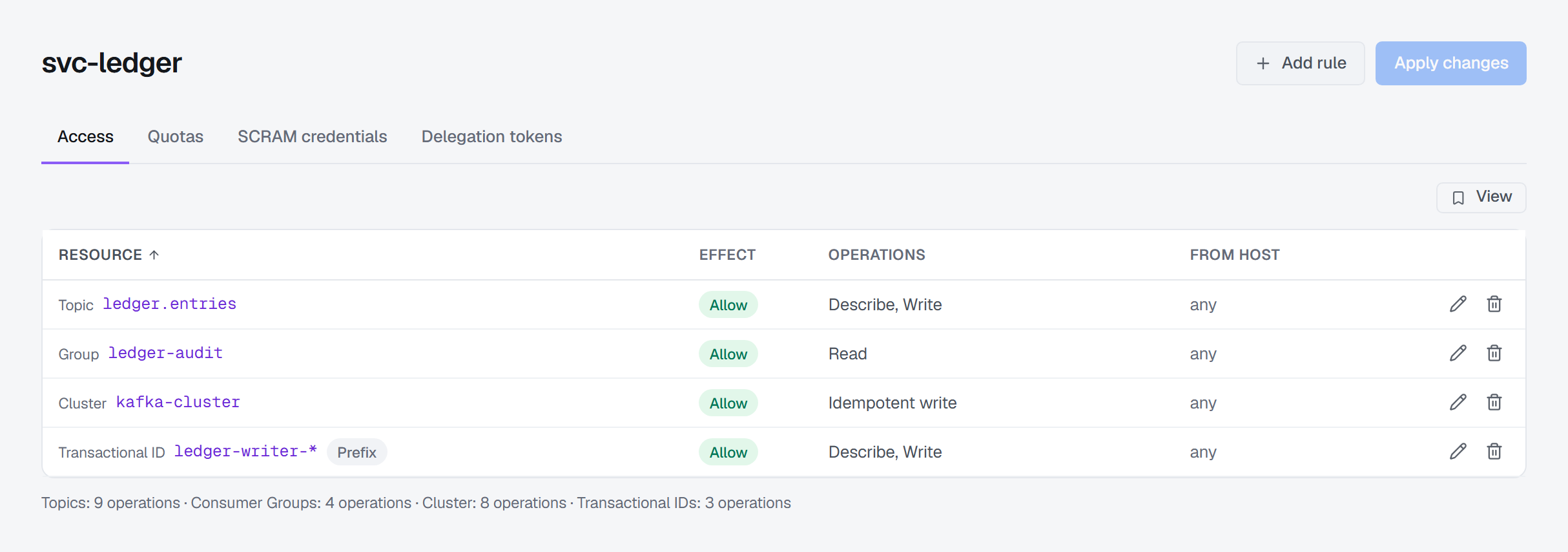
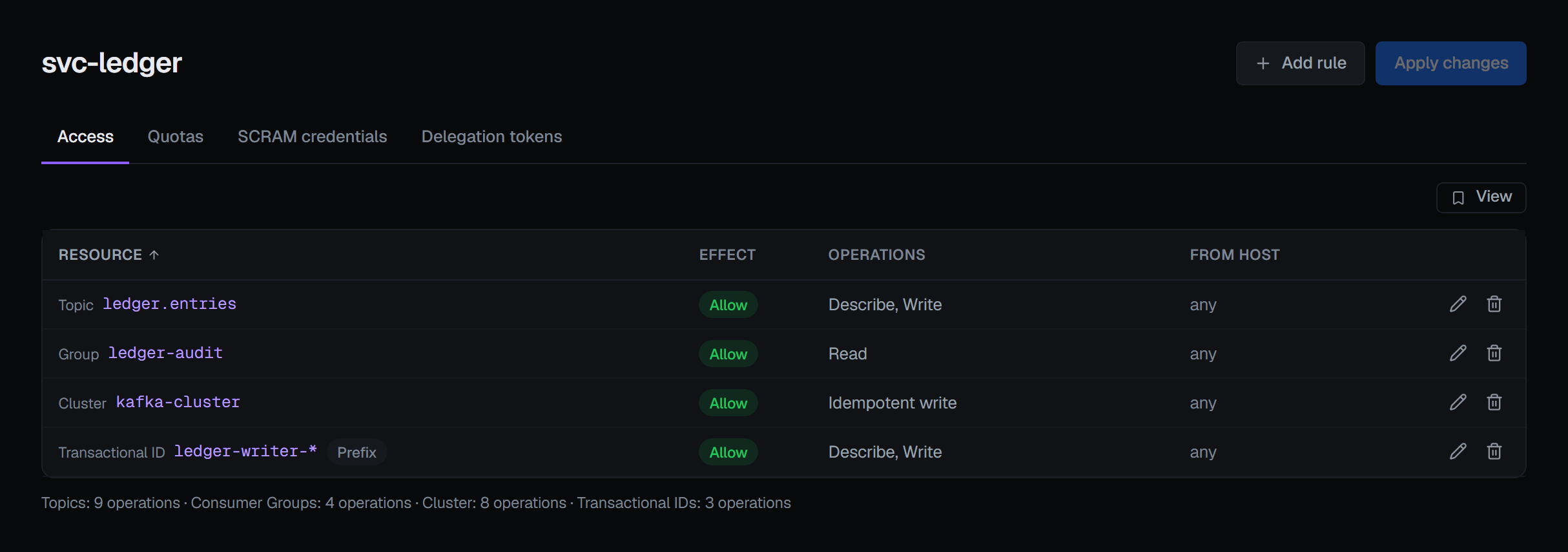
Three readings are worth knowing:
- A name ending in
*with a Prefix badge reaches every resource whose name starts with what comes before the*. - A name of just
*is Kafka's wildcard: an exact rule on every resource of that kind. - A name ending in
*without the badge is an exact name that happens to end in*. BROKA keeps it exact.
The other direction: a topic's ACL tab
"What can this application do" is answered per principal. "Who can reach this topic" is answered on the topic itself: its ACL tab lists every binding that applies to it — exact rules, prefix rules that cover it without naming it, and wildcard rules — with the principal, operation, permission, resource with its pattern type, and host, in Kafka's own words. The tab is read-only and says where to make changes: from the principal's page under Service Accounts. Both screens are governed by the same permission to view the cluster's ACLs, so they never disagree about who may read them.
Changing rules
Add access rule on the Service Accounts list first asks you to specify the service account and says plainly This will not create the service account. It opens that principal's page, which is how you give a principal its first rule.
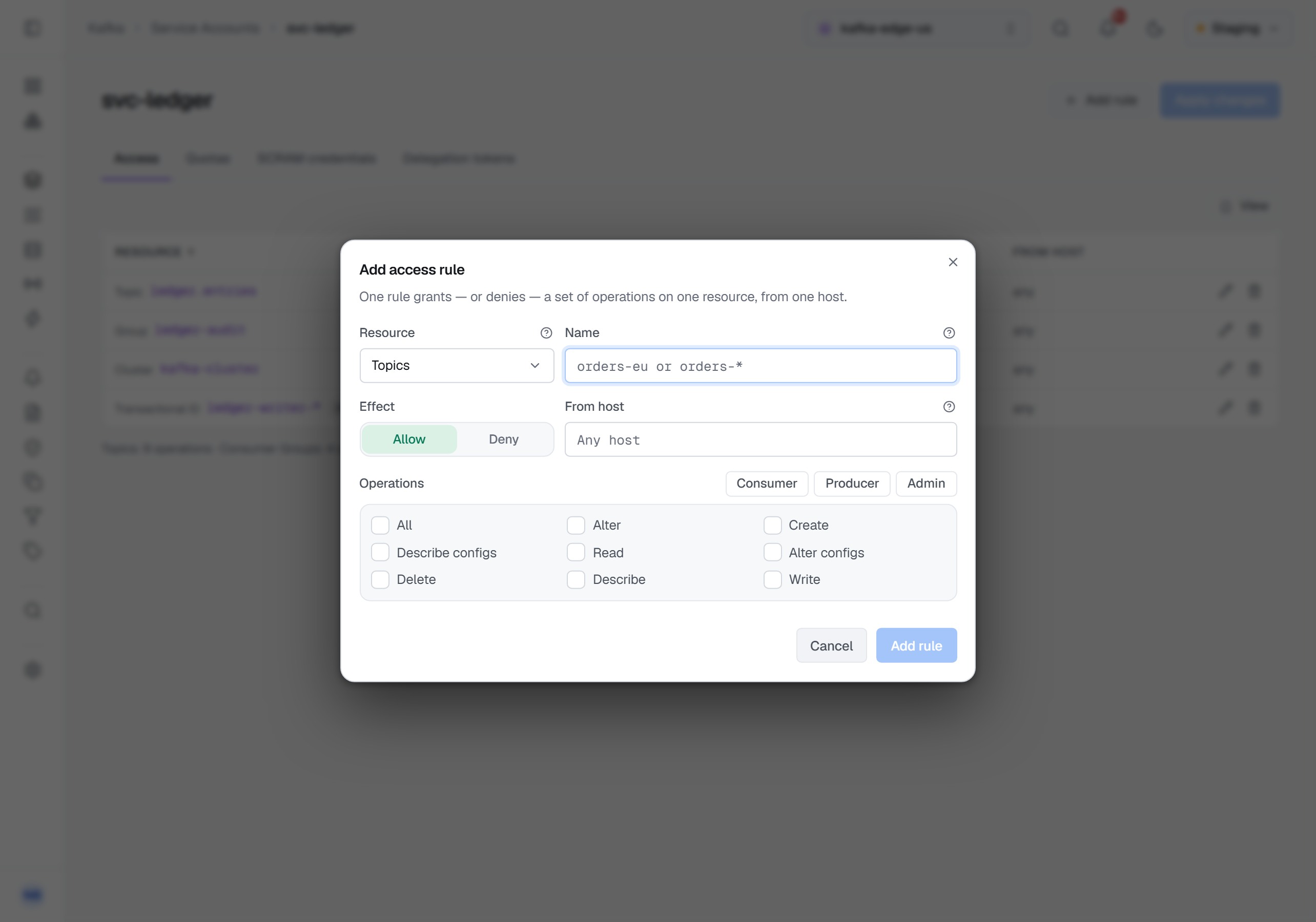
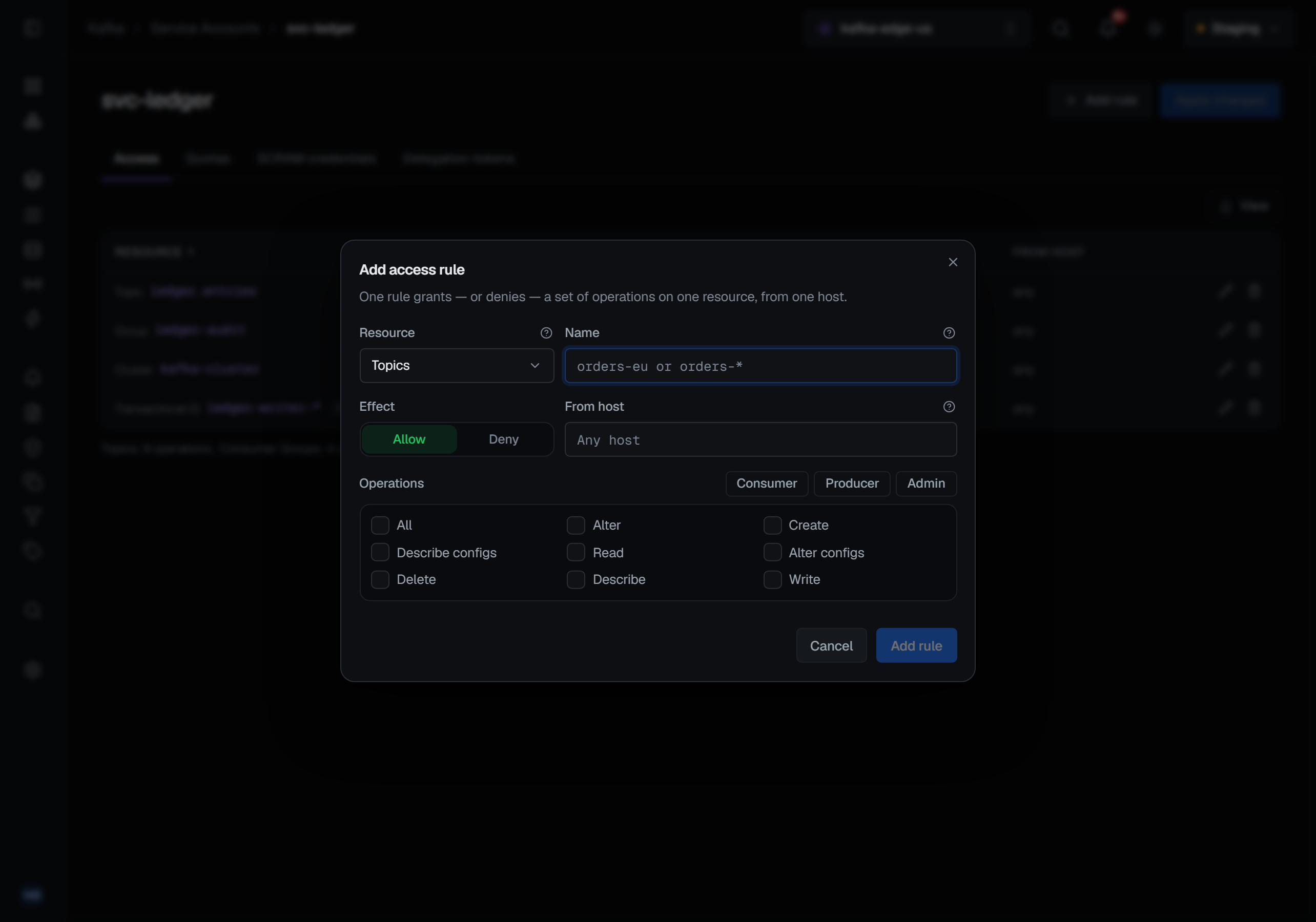
Add rule opens Add access rule. You choose the resource — Topics, Consumer Groups, Cluster or Transactional IDs — type a name, pick Allow or Deny, optionally restrict From host, and tick the operations Kafka defines for that kind. The presets tick the usual shapes: Consumer, Producer and Admin, and Viewer for the cluster. A transactional producer needs Write and Describe on its transactional ID as well as on its topics, and the transactional-ID Producer preset ticks both. All covers every operation on the resource and is sent alone.
Edits stay a draft, counted as unsaved changes, until Save on the Unsaved changes bar. What BROKA sends is the difference between the draft and what the cluster holds, and it sends the additions before the removals. Kafka has no update for an ACL, so changing a rule is a removal and an addition; adding first means a principal is never left holding neither. If the cluster refuses a change part-way, BROKA names the binding it stopped at and how many changes were already applied, then reads the cluster again so the screen shows what is really there.
Kinds this editor does not show — a delegation-token ACL, for example — are left alone: applying a change here never removes a rule you were not shown.
Guarded and recorded
Changing ACLs needs the permission to manage the cluster. In a read-only environment, or on a connection marked read-only, the Access tab says why and its controls are disabled.
Removing a rule is destructive, so when the draft removes anything a Reason field appears and Save waits for it, in every environment; a guarded environment asks for a reason on every write. The reason is stored on the audit entry.
Each binding added or removed is recorded with the principal and the full rule — permission, operation, resource, pattern type and host — and a removal records the bindings the cluster actually removed. In Commercial, reading the ACLs is recorded too. BROKA keeps no copy of the ACLs: they are read from the cluster and written straight back to it.
When the cluster has no authorizer
Not every cluster runs an authorizer, and BROKA asks the cluster rather than assuming. Without one, Add access rule on the list is disabled with This cluster has no ACL authorizer configured, so ACLs cannot be created., the Access tab carries the same sentence, the lists are empty because there are no rules to have, and a write attempted anyway is refused with that explanation.
What this guide does not cover
- How a principal signs in. SCRAM credentials, delegation tokens and quotas are the other tabs of the same page, each with its own documentation.
- BROKA's own roles. Who may open these screens is BROKA's permission model, not Kafka's.
The full reference is Service accounts and ACLs; the Kafka page describes the rest of the screens.
Applies to BROKA 1.0 · Kafka · Community and Commercial.