

Environments
Updated 2 October 2026 · applies to 1.0.0 · Community and Commercial
An environment is not a label. It is the thing every connection, every permission and every audit entry hangs off, and it carries the policy that decides whether a write is accepted at all.
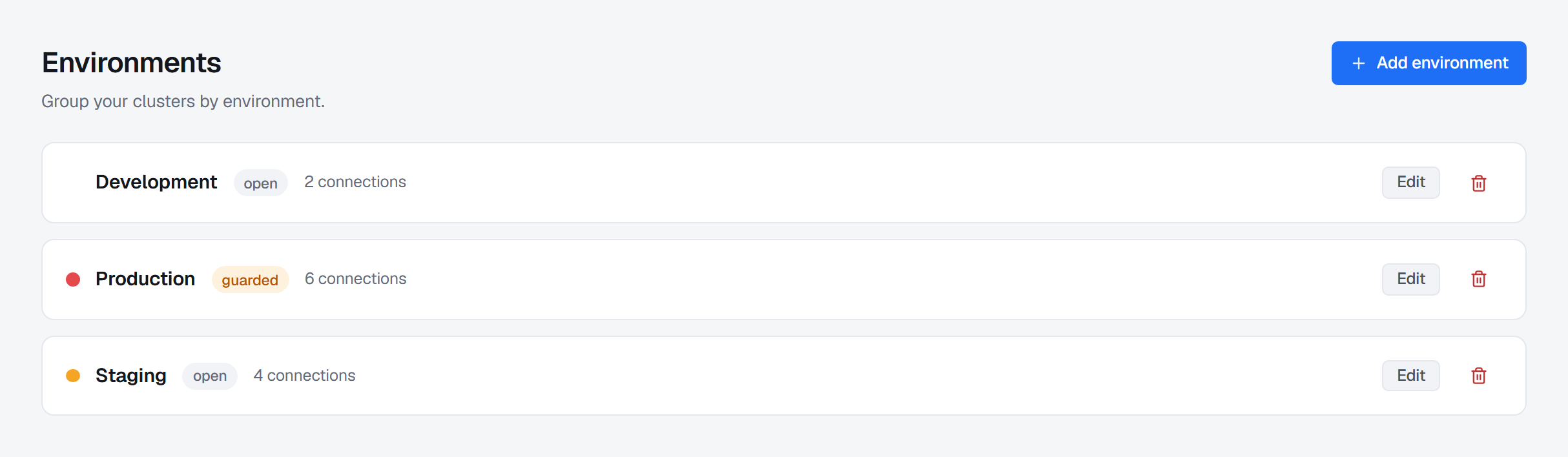
You will normally create three or four — development, staging, production, perhaps a sandbox — and then never think about them again, because everything else in BROKA is scoped through them.
What an environment carries
| Key | A short, stable identifier (production, staging, eu-prod), derived from the name when the environment is created. It never changes, even when the name does. |
| Name | What operators read on screen. |
| Colour | The accent used wherever this environment appears, so production never looks like staging at a glance. |
| Write policy | Open, guarded, or read-only — the subject of the next section. |
| Default classification | What a topic, queue, stream or exchange created here is classified as unless its creator chooses another. Every audit entry about that resource then records it. |
| Insecure TLS | Whether connections in this environment may skip TLS certificate verification. Off by default; a connection that asks for it is refused while it stays off. |
The guard policy
Three settings, and the difference between them is what happens to a write — creating a topic, purging a queue, resetting an offset, deleting keys:
| Policy | Reads | Writes |
|---|---|---|
| Open | Allowed | Allowed, subject to the operator's permissions — a destructive one has to say why, as it does everywhere |
| Guarded | Allowed | Allowed, subject to the operator's permissions — but every write is refused unless it says why. See below |
| Read-only | Allowed | Refused, whatever the operator's permissions say |
The environment's Write policy field offers them by what each does: Open — writes allowed, Guarded — every write asks for a reason and Read-only — writes rejected, browsing allowed.
Read-only is the one with teeth, and it is deliberately blunt: it is not a permission, it is a property of the environment. An administrator with every permission in the product still cannot purge a queue in a read-only environment. That is the point — the guard exists for the case where the person is authorised and the action is still a mistake.
The refusal happens in the API, not in the browser. The console disables the buttons it knows will be
refused and says why when you hover them, but that is a courtesy, not a control: a request made any
other way is refused just the same, with 403 ENV_READ_ONLY.
A refused write is recorded. The attempt lands in the audit trail as a blocked action with the reason that blocked it. A trail that only holds successes cannot answer the question an access review is actually asking.
Guarded: every write has to say why
Some work needs a reason wherever it runs. A destructive operation against a broker — every
delete, plus purge, trim, reset-offsets, flush and bulk-delete — has to carry one in every
environment. guarded is the middle policy, and one requirement is the whole of what separates it
from open: there, every write needs one — creating a topic, changing a configuration,
granting a permission. A write that arrives without its reason is refused with
400 REASON_REQUIRED before anything runs, and the refusal is written to the audit trail as a
blocked write, beside the ones read-only stopped.
The console asks before it sends: a confirmation that needs a reason grows a Reason field, and Confirm stays disabled until there is something in it. A write with no confirmation of its own — creating a topic in a guarded environment, say — opens a small A reason is required window first; ticking its box keeps that reason for the next ten minutes or ten operations in this environment, so a short job for one ticket is asked once. The reason travels with each request and lands on its audit entry, so the answer to why was this queue purged is in the same row as who purged it.
It is not a second pair of eyes. Nothing waits for anyone else to agree — a reason asks the person doing the work to account for it at the moment they do it.
Two independent read-only switches
The environment's policy is one of them. The other lives on the connection itself: any single connection can be marked read-only, and it is refused even inside an open environment. Either one is enough to stop a write — they are not levels of the same setting, they are two different questions:
- Is this whole environment one where writes are not accepted? → the environment's policy.
- Is this one cluster frozen right now? → the connection's switch.
Deleting an environment
An environment that still has connections cannot be deleted. Move or delete them first — the refusal says how many are still in it rather than cascading, because the alternative is deleting a production connection registry by way of a tidy-up. The same goes for an alert rule or a maintenance window that has not ended, scoped to the environment: the refusal names the rules, and you change their scope or delete them on Operations ▸ Alerts first. The refused attempt is recorded too.
Where environments show up
- Every connection belongs to exactly one.
- The environment switcher in the header scopes what you are looking at; the dashboard's health, lag and depth are all "in this environment".
- Every audit entry about a connection or an environment carries that environment, which is what makes an access review answerable per environment rather than per person. A change to the installation itself — a user, a role, a setting — belongs to no environment and carries none.
- Scoped permissions can be granted per environment (or per connection): a team can operate staging while only reading production.