Settings
Updated 6 October 2026 · applies to 1.0.1 · Community and Commercial
Twelve pages — thirteen in Commercial, which adds Licence; Data masking and MCP are Commercial and shown disabled in Community — and they divide cleanly: three are about people — users, roles, teams — and the rest are about the installation. Each page is behind its own permission, and a page you may not open is not in your menu.
Environments
Where you declare development, staging and production, and give each its colour so the top bar tells you where you are without reading.
Two properties are set here and matter everywhere else:
The write policy. Marking an environment read-only refuses every write inside it, whatever the operator's permissions say. It is a guardrail rather than a role, and it is the control to reach for when the answer to "who should write to production from a web console?" is "nobody, ordinarily". The middle setting, Guarded — every write asks for a reason, lets writes through only with one; see Environments.
Whether insecure TLS is allowed. An environment that forbids it refuses to save a connection that skips certificate verification — Kafka, Redis or RabbitMQ — and the option is disabled in the connection form rather than accepted and rejected later.
A third, the default classification, is what topics, queues, streams and exchanges created there are classified as unless their creator chooses otherwise; see Environments.
An environment cannot be deleted while connections still belong to it, and the refusal names how many. That check runs on the server, so it holds however the request arrives.
Both properties are audited when they change, with the old value and the new one — because "when did production become writable again" is a question somebody eventually asks.
Security
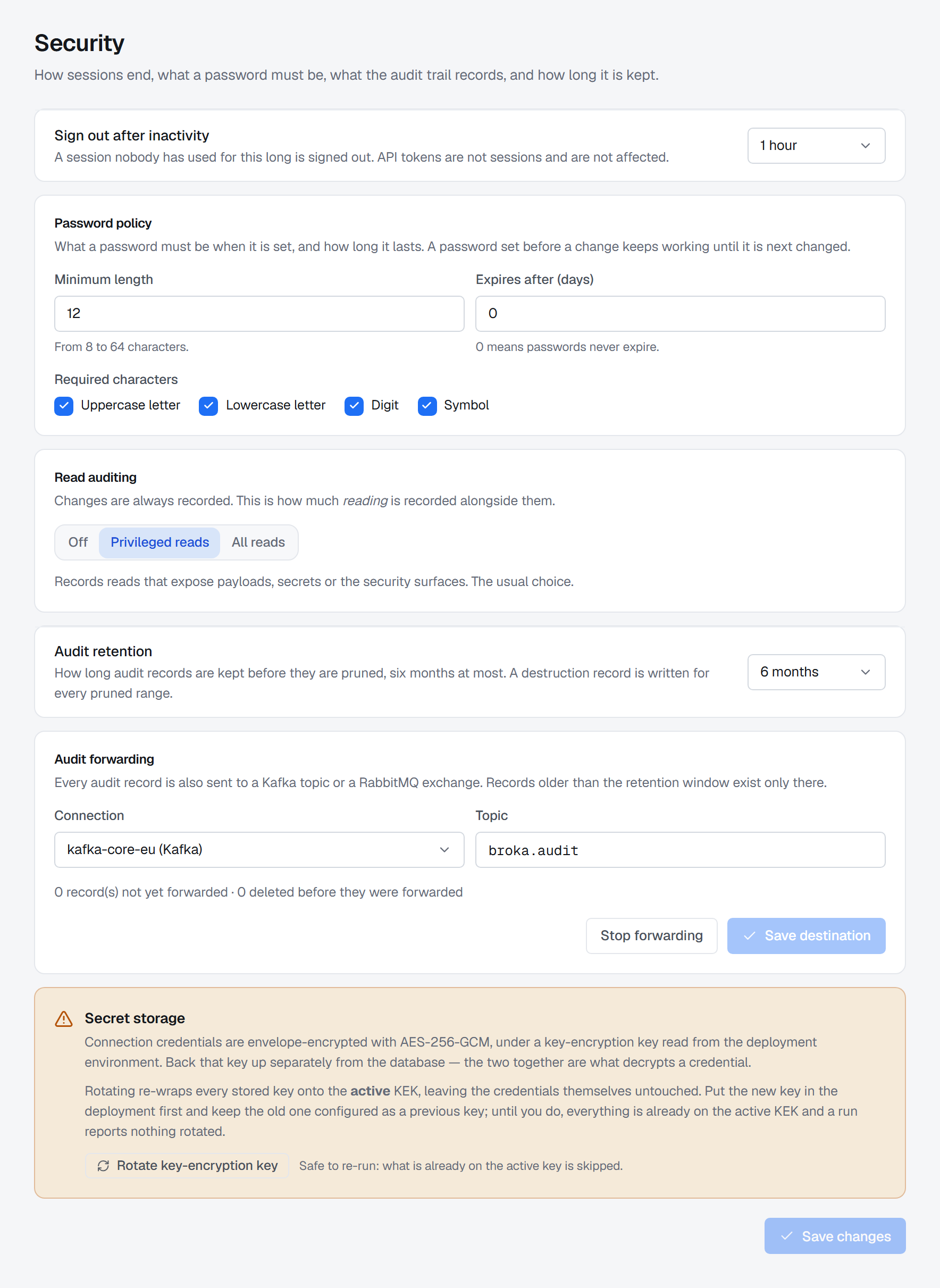
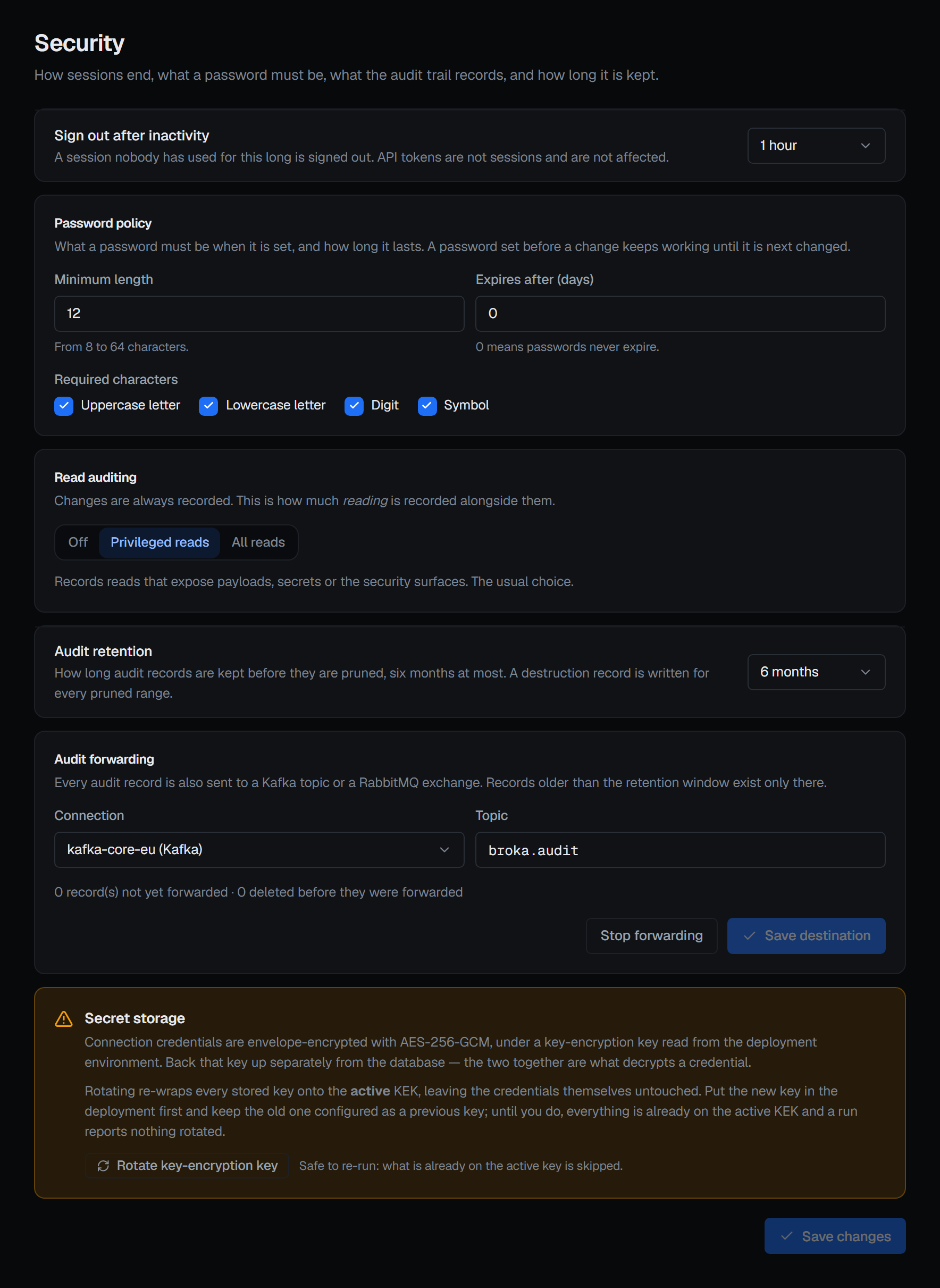
Four settings: how an unused session ends, what a password must be, and two about the audit trail. A Commercial installation has a fifth, also about the trail.
When an unused session is signed out. Sign out after inactivity — Off, 15 minutes, 30 minutes, 1 hour, 4 hours or 8 hours; 1 hour by default. The server enforces it: once a session has gone that long without its person doing anything, the server refuses to renew it. Only real use counts — a screen left open that refreshes itself, or a live view that stays connected, does not keep a session alive. The console also signs itself out the moment the window passes, counting input in every tab of the browser, so a tab in the background cannot sign you out of the one you are using; the sign-in page then says why. API tokens are not sessions and are not affected.
What a password must be. The Password policy: a minimum length from 8 to 64 characters, 12 by default; which of an upper-case letter, a lower-case letter, a digit and a symbol are required, all four by default; and how many days a password lasts, from 0 — never expires, the default — to 365. It applies wherever a password is set: at first-run setup, when an administrator creates an account or resets a password, and when someone changes their own. Every field that sets a password states the policy in force. A stricter policy does not invalidate the passwords already in use; each keeps working until it is next changed. A password past its expiry still signs its holder in, but only to change it.
Which reads are recorded — Commercial only. Most reads are not — recording them all produces a trail nobody reads — but privileged ones are, and this is where that tier is set. In Community the setting is shown disabled: that edition records every write and every refusal, and no reads.
How long the trail is kept. At most six months — 180 days, which is also the default; the choices are 30 days, 90 days and six months. You can shorten it but not switch it off, and shortening it is confirmed and needs a reason, because it deletes records sooner. Set it against your review cycle rather than your disk: a trail that expires between reviews cannot answer the question a review exists to ask, so if a review looks further back than six months, forward the trail — anything older exists only in a forwarded copy (see Audit logs). Every pruned range writes a destruction record of its own, so shortening retention leaves evidence that it happened.
Where the trail is forwarded — Commercial only. A Kafka or RabbitMQ connection already registered in BROKA, plus a topic on Kafka, or an exchange (empty for the default exchange) and a routing key on RabbitMQ. Save destination and Stop forwarding both need a reason and are recorded. Once it runs, the card counts the records not yet forwarded and any deleted before they were, and says so, with the destination's own words, when the destination starts refusing what is sent. Forwarding to a file or an HTTP endpoint, in either edition, is set in the deployment environment rather than here — and while it is set, the card says so and offers no Kafka or RabbitMQ destination.
Changing any of them needs the security permission, and only that one. The audit settings need it to be read as well: they are not part of general settings and are not visible to someone who merely has an account, because how long the trail is kept, and which reads are recorded, are exactly the two facts most useful to somebody trying to stay out of it. The inactivity window and the password policy can be read by anyone signed in, because the console needs them to sign itself out and to state the policy beside every password field.
Beside them, how connection secrets are stored: encrypted with a key of their own, wrapped by the installation's key-encrypting key, which comes from the deployment environment and never reaches the database. The console refuses to start without it. Rotate key-encryption key re-wraps every stored key — connection secrets, the installation's private key and its data-protection key ring — onto the active key, in one transaction, and reports per store what it re-wrapped and skipped. Put the new key in the deployment first and keep the old one as a previous key; until then a run reports nothing rotated, and it is safe to run again. It asks for a reason.
Connections
The estate's connection registry — every connection on every platform, in one list filtered by platform, environment and status. Opening one, or choosing a platform from New connection, takes you to that platform's own form. See Connections.
Users, roles and teams
Three pages, described under Users, Roles and permissions and Teams. Each is gated on its own permission — managing roles and managing users are separate rights, and separating them is what lets a reviewer hold one without the other.
System
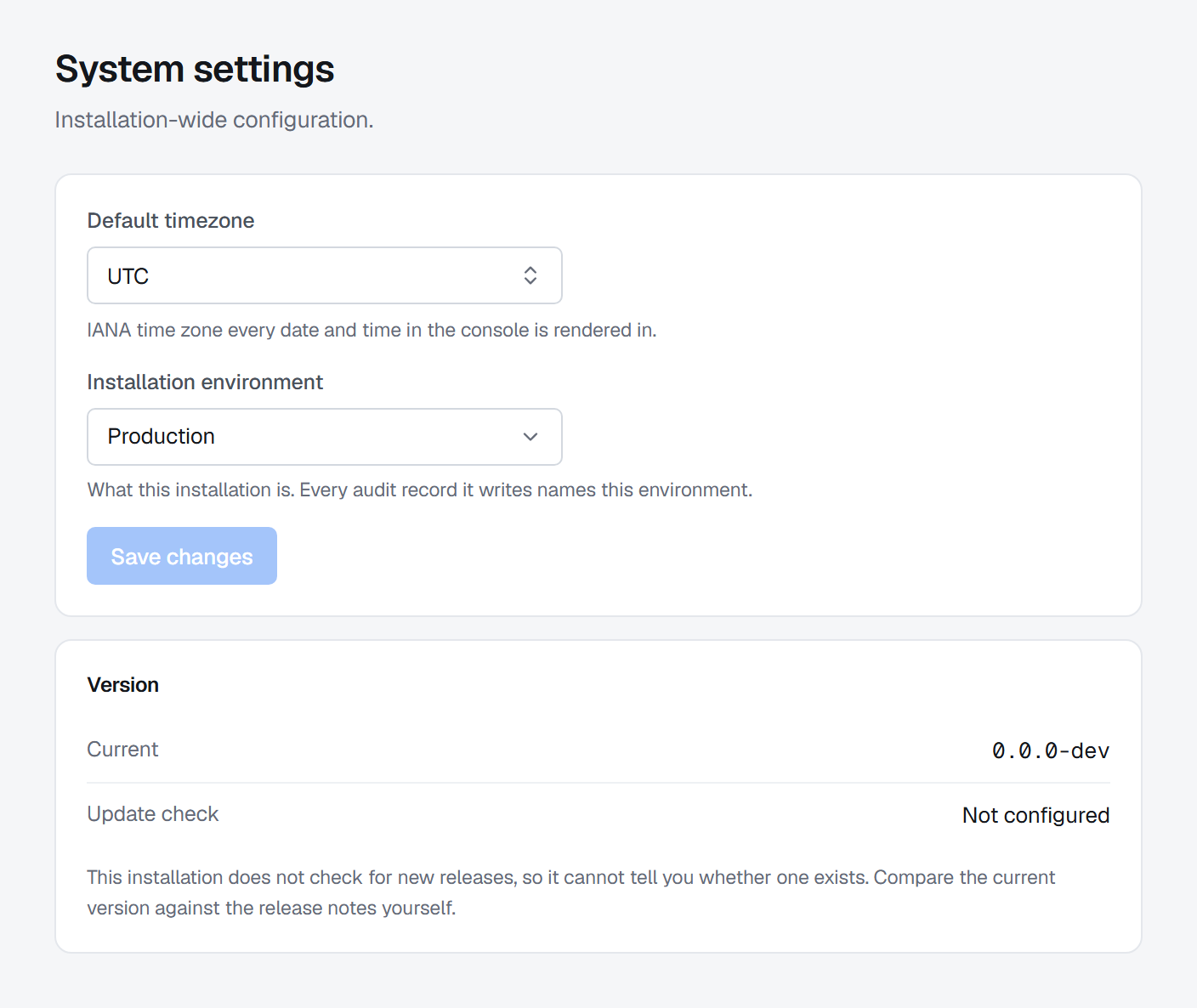
The installation's version, its default time zone, and its installation environment — what this installation of BROKA is, from Production to Disaster recovery. That is not one of the environments your brokers are grouped into: it describes the console itself, and every audit record the installation writes names it. First-run setup asks for it, and this is where it is changed.
Feature flags
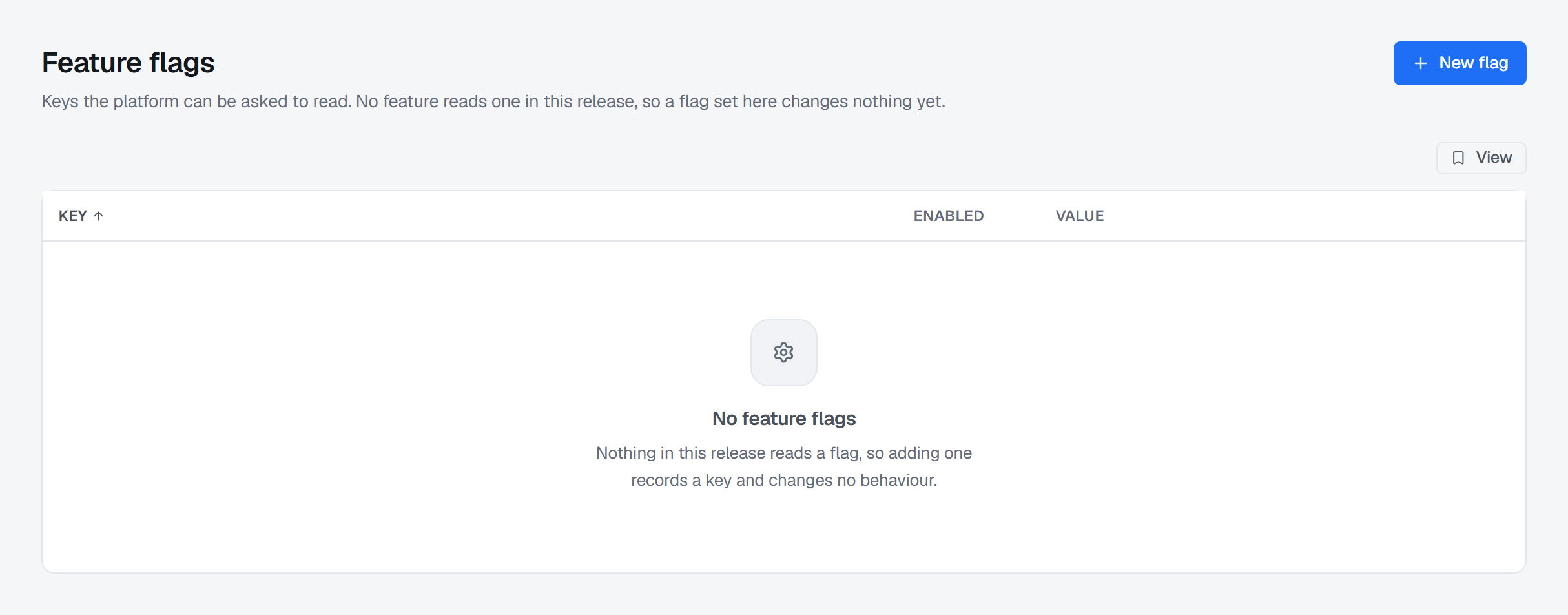
Keys the platform can be asked to read, stored per installation and changed without a restart. Each change is audited. No feature reads one in this release, so a flag set here changes nothing yet — the screen says the same thing above the list.
Integrations
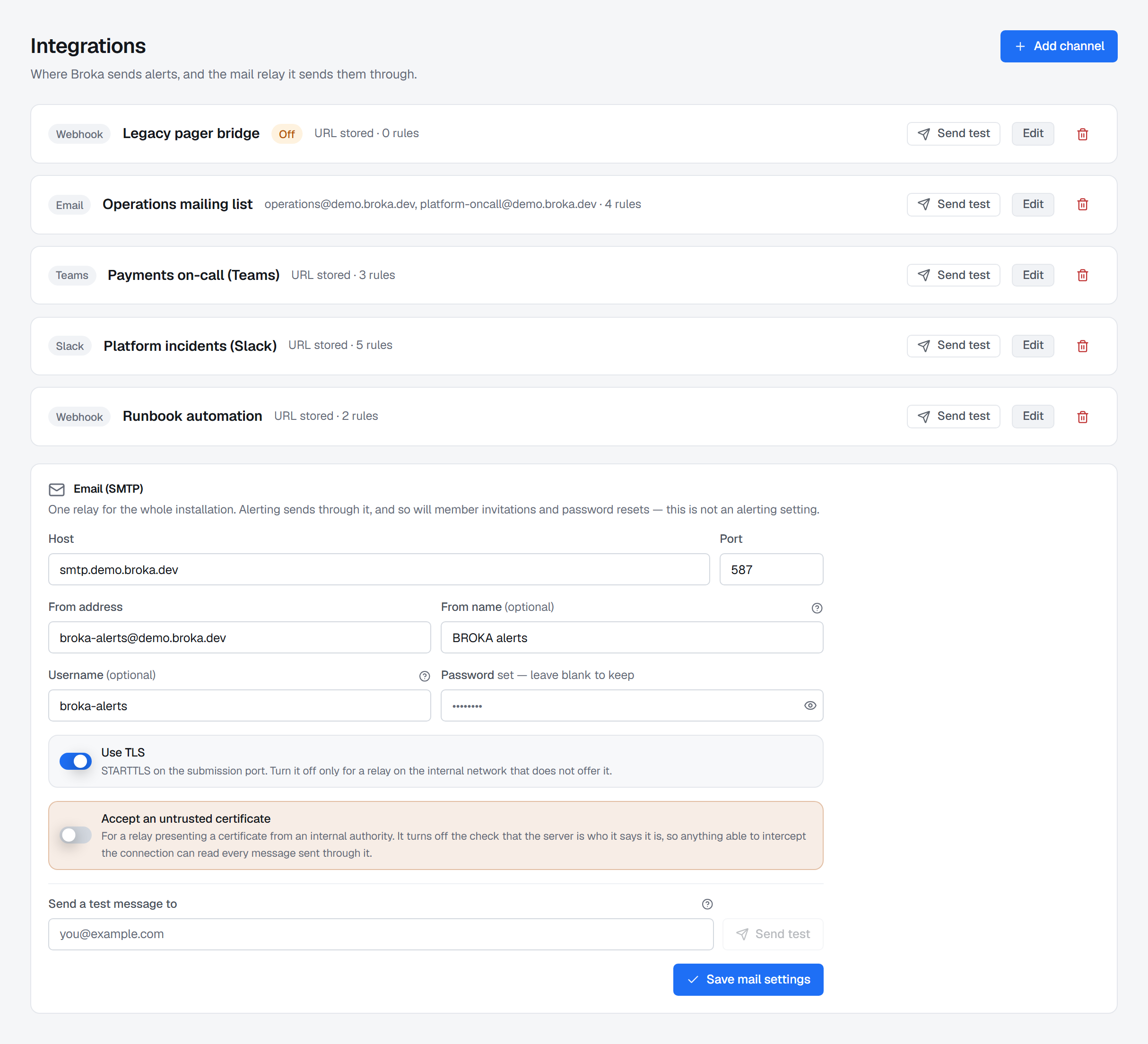
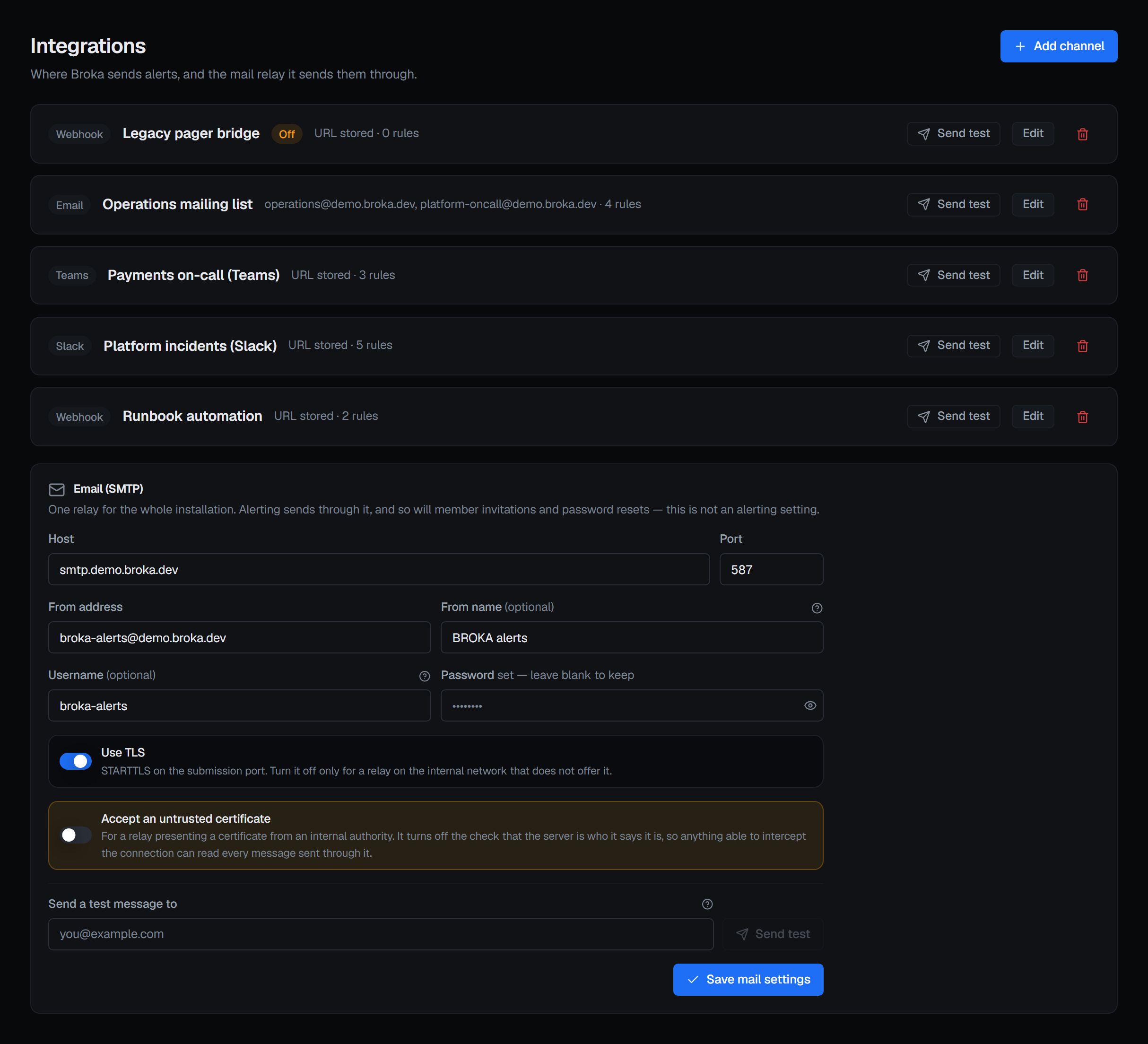
Slack, Microsoft Teams and webhook channels — Commercial only. In Community they are shown disabled; e-mail works in both editions. A channel of one of them kept from a Commercial installation that was moved back is listed and can be deleted, and nothing is delivered to it: its notifications say the edition that delivers it.
Where an alert goes when it fires. Four kinds of channel: Slack, Microsoft Teams, e-mail and a generic webhook, which posts BROKA's own document to any endpoint you name. The console is always a destination and needs no channel at all.
Beside them, the installation's own SMTP relay, which is what the e-mail channel sends through.
Each channel's credential is write-only: you set it, and the screen never shows it again. Each has a Send test that reports what the far end actually said rather than whether the request was accepted — a webhook that answers 200 and drops the message is the failure worth catching, and the test is proxied to the broker service, which is the side that will be doing the dispatching. That service is the only place a channel's credential or the relay's password becomes plaintext, and a decryption made for a Send test is recorded on the test's audit entry, naming whose credential and of which kind, never the value. One made to send an alert, which no request asked for, is recorded by the service as an entry of its own, once an hour per credential.
Data masking
Commercial only. The one place masking rules are defined: which fields of which messages and values are hidden
from people who may read the contents but not those fields. Behind its own permission, masking.manage. In
Community the page is shown disabled with the edition named. What a rule is, how it applies and who may still see a
field unmasked is in Data masking.
MCP
Commercial only. Whether the installation serves the MCP server, through which an AI assistant reaches BROKA with
an API token: Off (the default, and the endpoint answers as if it did not exist), Read only, or Read and
write. The page shows the endpoint's address and the settings to paste into Claude Code, Claude Desktop or Cursor.
Changing the mode takes settings.manage and is recorded. Everything else about it is in MCP server.
About
The version you are running, and what BROKA is. The source is closed; the community edition is free to run, with no metering and no licence key.