

MCP server
Updated 6 October 2026 · applies to 1.0.1 · Commercial
BROKA Commercial serves an MCP server, so an AI assistant — Claude Code, Claude Desktop, Cursor or another client of the Model Context Protocol — can read your estate and, when an administrator allows it, change it. It acts as the owner of an API token: with that person's permissions, inside the same environment guards, and on the same audit trail as the console. MCP is a way to call BROKA, never a way around it.
Where it runs
The server is part of the console. It answers at /api/mcp, on the address and port the console is already
published on — no separate service and no extra port — over MCP's Streamable HTTP transport. It is stateless: every
message is answered in its own response, so one console serves any number of assistants. It speaks the protocol
revisions 2025-03-26, 2025-06-18 and 2025-11-25. A request that a browser sends from a page on another origin is
refused.
The MCP server is BROKA Commercial. In Community, Settings ▸ MCP keeps its place in the menu, tagged
Commercial, and opens a page that says what the server does and which edition has it; /api/mcp answers 404.
Turning it on
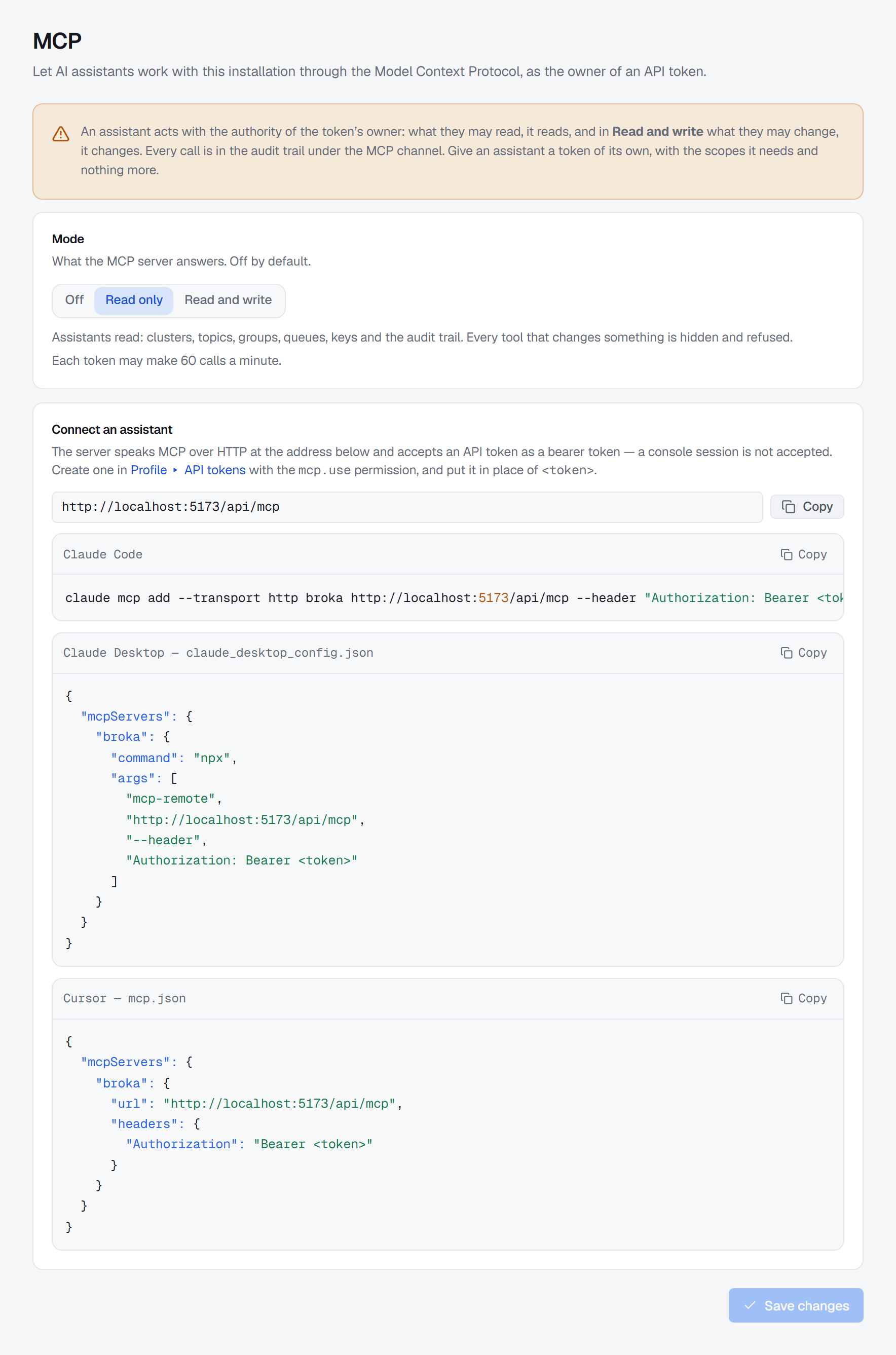
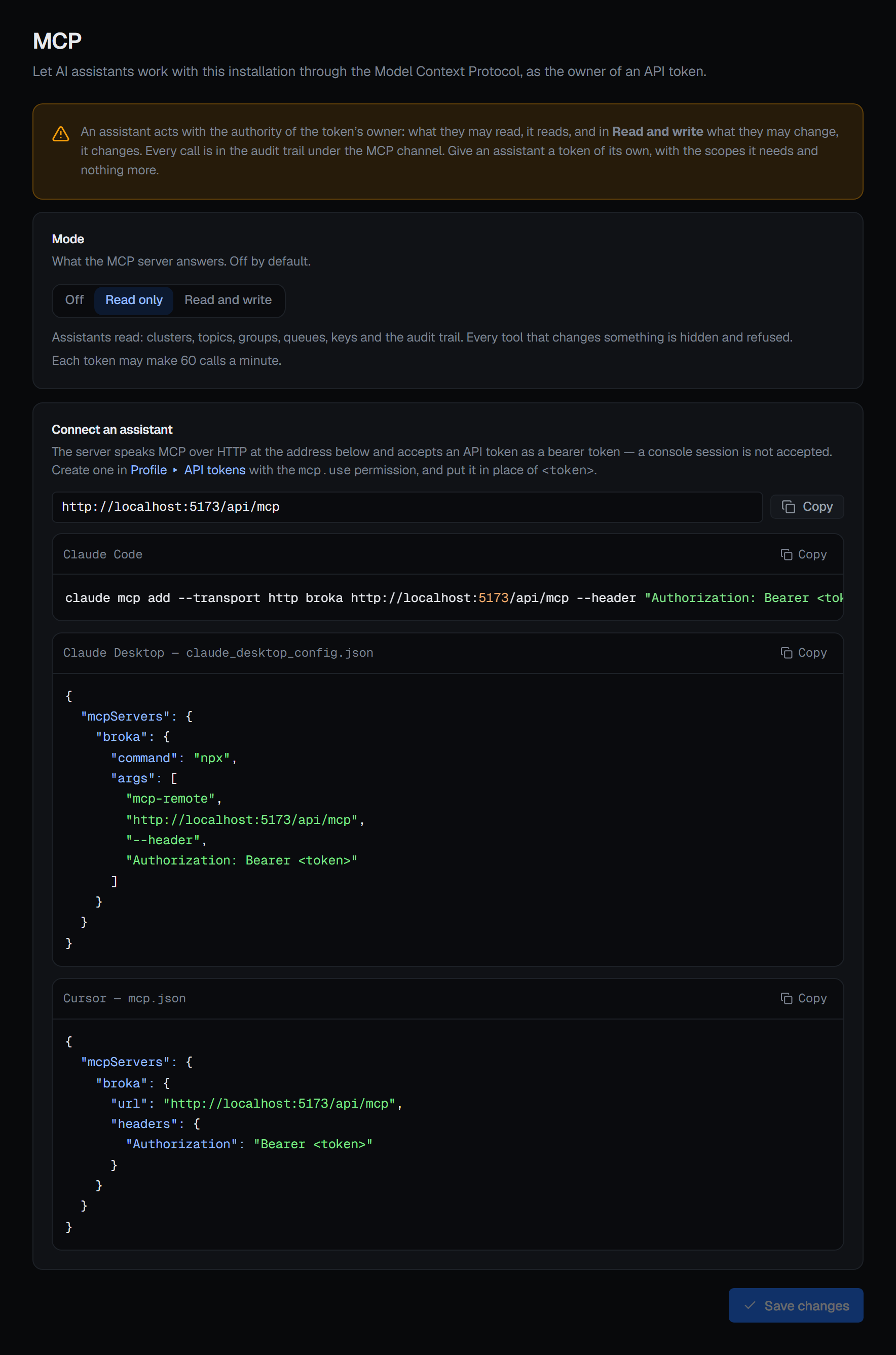
Settings ▸ MCP has three modes. The server is Off until an administrator changes it.
| Mode | What /api/mcp does |
|---|---|
| Off | Answers 404 to everybody, as if it were not there. The default |
| Read only | Lists the tools that read, and the previews. Every tool that changes something is hidden, and refused if called |
| Read and write | Lists every tool the token's owner could use. A change is previewed first where the console previews it, and refused where the owner could not make it |
Saving Read and write asks for confirmation first — Let assistants make changes — because from then on an assistant can change whatever its token's owner can change: topics, offsets, keys, queues. The screen says it plainly, and so does this page: an assistant acts with the authority of the token's owner. What they may read, it reads; in Read and write, what they may change, it changes. Give an assistant a token of its own, with the scopes it needs and nothing more.
The page needs the settings.manage permission, and every change of mode is recorded in the audit trail with the
mode before and after. It also states how many tool calls each token may make a minute.
Connecting an assistant
The server accepts an API token, sent as a bearer token: Authorization: Bearer <token>. A console session is
not accepted. Settings ▸ MCP shows the endpoint's full address with a Copy button, and the configuration for
three clients. Below, replace <host> with your console's address and <token> with the token.
Claude Code:
claude mcp add --transport http broka https://<host>/api/mcp --header "Authorization: Bearer <token>"
Claude Desktop, in claude_desktop_config.json, through mcp-remote run with npx:
{
  "mcpServers": {
    "broka": {
      "command": "npx",
      "args": [
        "mcp-remote",
        "https://<host>/api/mcp",
        "--header",
        "Authorization: Bearer <token>"
      ]
    }
  }
}
Cursor, in mcp.json:
{
  "mcpServers": {
    "broka": {
      "url": "https://<host>/api/mcp",
      "headers": {
        "Authorization": "Bearer <token>"
      }
    }
  }
}
Another MCP client connects the same way, as long as it can send that header with its requests.
The token
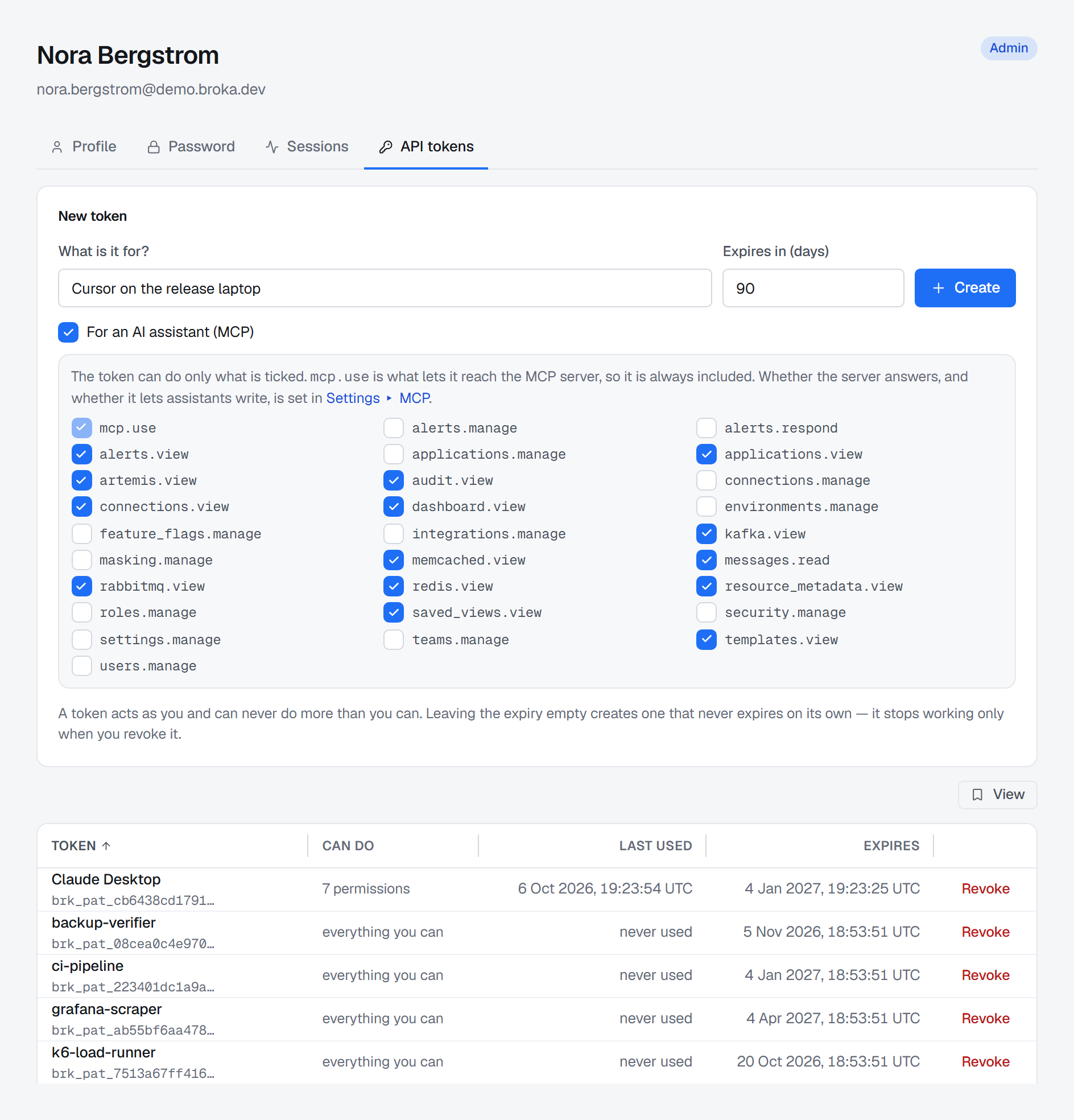
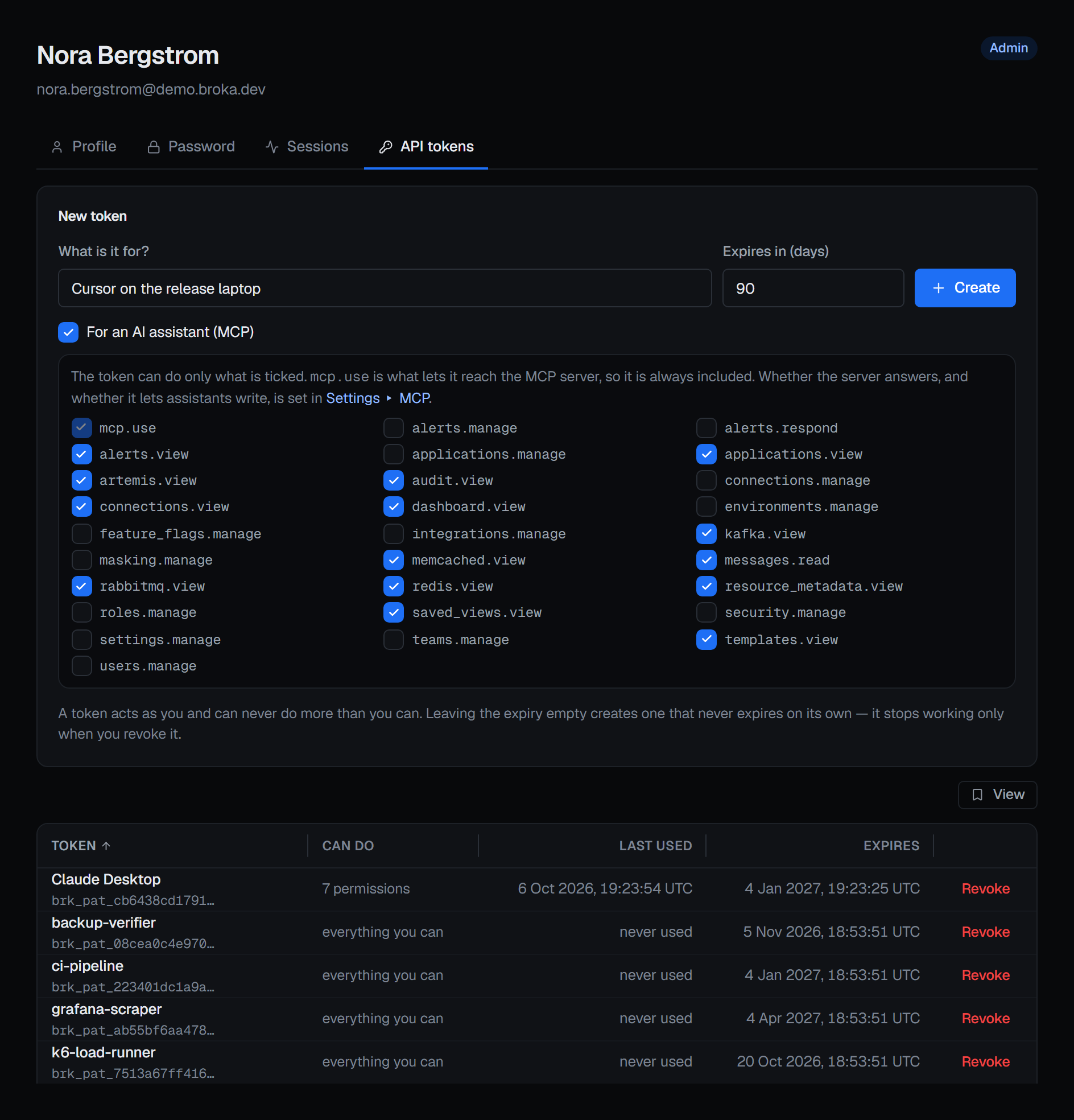
Create the token under Profile ▸ API tokens — see Your account. Someone who holds mcp.use sees an
extra option there in Commercial, For an AI assistant (MCP). Ticking it makes a token that can do only what is
ticked beneath it: every permission you hold is offered, all of them ticked to start with, and mcp.use is always
included, because it is what lets the token reach the server. Untick what the assistant does not need. A token made
without the option acts with everything you hold, and reaches the server too if you hold mcp.use. Either kind can
be given an expiry in days.
A token acts as its owner and can never do more than they can. The owner's roles and grants are resolved again on every request, so a removed role, a disabled account, or an expired or revoked token stops the very next call.
The permission: mcp.use
Every request to the server needs mcp.use — Use the MCP server in the roles editor. It is in the built-in
Admin role and in no other; an administrator grants it to anyone else. Two rules go with it:
- It must be held installation-wide. A grant scoped to an environment or a connection does not open the server, which belongs to neither.
- A token with scopes must name it. The MCP option above always does.
Without it, every request is refused with a message naming the permission, and the refusal is recorded.
mcp.use confers nothing else. It opens the server; each tool behind it needs the permission its console screen
needs — changing a topic needs what changing it in the console needs, and reading message contents needs
messages.read. A tool whose permission the token cannot use is not listed to it.
Every guard still applies
Each tool calls the console's own routes with the caller's own token, so everything those routes check applies unchanged:
- The environment's write policy. In a read-only environment every change is refused. In a guarded one
every change needs a reason: each tool that changes something takes a
reason, and BROKA sends it with the change, exactly as the console sends the one typed into its dialog. - Resource grants. A connection, topic or queue the token's owner cannot see does not exist for the assistant either.
messages.read. Message bodies, key values and payloads need it, as in the console.- Data masking. Every masking rule applies to what an assistant reads, as it does in the console: a masked field comes back masked. It is shown unmasked only to a token that may read it unmasked — a scoped token must name the unmasked-read permission — and every such read is recorded, whatever the read tier. See Data masking.
- The licence. Once a Commercial licence is degraded, an assistant's writes on the Commercial platforms are refused exactly as the console's are. See Licence.
- What the installation has. Tools for a platform the installation does not serve are not listed, and the Kafka Connect tools appear only where a Connect cluster is registered.
What it reads and what it changes
The tools are grouped by area; MCP tools lists every one.
| Area | Reads | Changes, in Read and write |
|---|---|---|
| Estate | Environments; connections with their health and supported features; a connection test; the global search | — |
| Kafka | Cluster health, brokers, the metadata quorum and features; live metrics, with JMX where it is set up; topics with their partitions and configuration; messages; consumer, share and Kafka Streams groups with their lag; ACLs, client quotas, SCRAM users, delegation tokens and client-metrics subscriptions; transactions; reassignments | Create and delete a topic, change its configuration, add partitions; produce; reset a group's offsets; delete a group |
| Schema Registry and Kafka Connect | Subjects and schema versions, a diff of two versions, a compatibility check; Connect clusters, connectors with their tasks and failures, plugins | Register a schema, set a subject's compatibility, soft-delete a subject; pause, resume, stop and restart a connector, restart a task, change a connector's configuration |
| Redis | The instance with its replication, cluster and Sentinel; keys, scanned, and a key's value; a sampled keyspace analysis; diagnostics; streams with their groups and pending entries; Pub/Sub; ACL users; search indexes and queries | Set a key's value, set or remove its expiry, delete keys by name or by pattern; add a stream entry; acknowledge and claim pending entries |
| RabbitMQ | The cluster and its health checks; queues and their messages; exchanges and bindings, and where a message with a given routing key would go; connections, channels and consumers; shovels, federation, policies, virtual hosts, users and permissions; a definitions export | Publish; purge a queue; create and delete queues, exchanges and bindings; restart a shovel |
| Apache Artemis | The broker; addresses with their settings; queues and their messages, browsed; clients; diverts, bridges, broker and cluster connections; in-doubt transactions; users and roles | Send; purge, pause and resume a queue |
| Memcached | Nodes, memory and slabs; keys and a key's value | Set and delete a key |
| Operations | The audit trail; access review; applications; resource metadata; saved views and templates; a metric's recent readings | — |
| Insights | Topics, consumer groups, queues and Redis keys worth a look; connections that are not healthy | — |
Peeking at a RabbitMQ queue changes it. The peek takes messages from the head of the queue and puts them back: they return marked redelivered, live consumers see the order change, and each one counts against a quorum queue's delivery limit. So it is a destructive tool — it takes a reason, and Read only does not list it. Reading a stream changes nothing.
Alerts are not reachable at all. No tool reads or changes an alert rule, an incident or a silence, and the audit tool leaves the trail's alert events out of its answer, saying how many it left out. Alerting stays in the console and its channels.
Kafka ACLs are read-only. An assistant can list them and see which apply to a topic. They are changed only in the console, because an ACL widens a client's reach on the broker.
Never through MCP
Some things only a person does, in the console — whatever the mode and whatever the token holds. Most of them decide who may do what, and an assistant acting on a token must not be able to widen its own reach:
- users, teams, roles, permission and resource grants, API tokens and sessions;
- the installation's settings — Security, SMTP, the notification channels, the data masking rules and the MCP setting itself — the licence, first-run setup and rotating the key-encryption key;
- connections and their credentials, and environments;
- alerting: rules, incidents and silences;
- access and limits on the brokers themselves: Kafka ACLs, client quotas, SCRAM credentials, delegation tokens and client-metrics subscriptions; Redis ACL users; RabbitMQ users, permissions, virtual hosts and policies; Artemis users, security settings and address settings;
- operations on a whole cluster: broker and logger configuration, broker defaults, unregistering a broker, leader elections and partition reassignments, deleting records from a partition, the Schema Registry's global configuration and deleting a schema permanently, Redis failover and configuration, a Memcached flush, a RabbitMQ rebalance and a definitions import, Artemis configuration and maintenance.
The product's own tests hold this line: a tool that reached any of these would fail them.
Changing something safely
Preview, then apply. Where the console previews a change, MCP makes it two tools. The preview checks the change with the server, writes nothing, and returns what would change with a plan id. The apply tool takes only that plan id — and a reason where one is needed — so what is applied is exactly what was shown. A plan:
- is good for ten minutes;
- is applied once;
- belongs to the token that previewed it, and to its own apply tool;
- is held in memory, so a restart of the console drops it — nothing was applied, and the assistant previews again.
The apply runs every check again: an environment that turned read-only between the preview and the apply refuses it. Five changes work this way — a topic's configuration, a consumer group's offset reset, registering a schema, a connector's configuration and deleting Redis keys by pattern. Every other change takes its arguments in full and is applied as given.
A reason for every destructive tool. Deleting a topic, a consumer group, keys, a queue, an exchange or a
binding; purging a queue; soft-deleting a subject; stopping a connector; adding partitions; applying an offset reset
or a pattern delete; peeking at a RabbitMQ queue — each requires a reason, in every environment. A call without one
is refused before its arguments are read, and the refusal is recorded. The reason travels with the change and is in
its audit record.
Annotations. Every tool tells the client what kind it is: readOnlyHint on reads and previews,
destructiveHint on the destructive tools and on the applies of a destructive change, idempotentHint where a second
identical call changes nothing more. A client that honours them can ask you before a destructive call; whether it
asks is the client's setting.
On the record
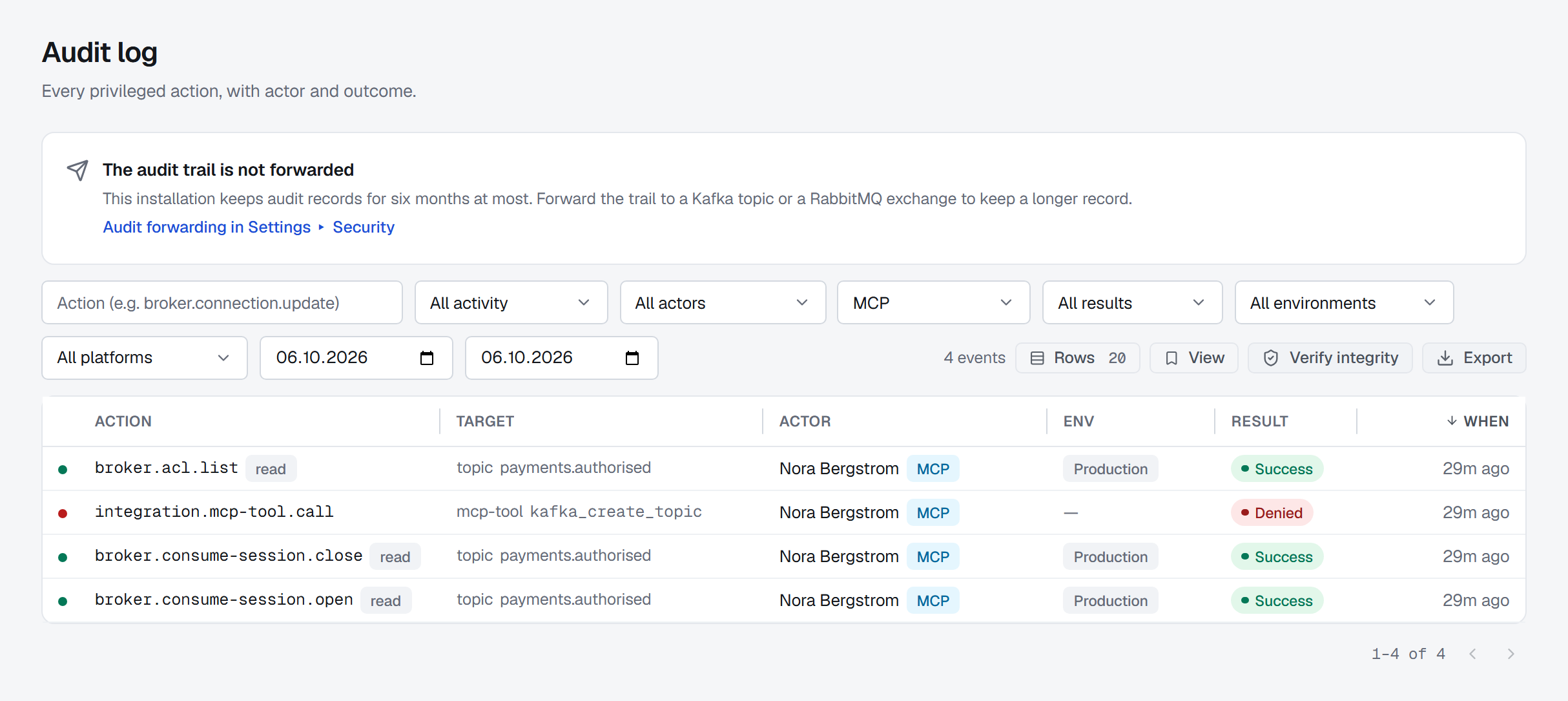
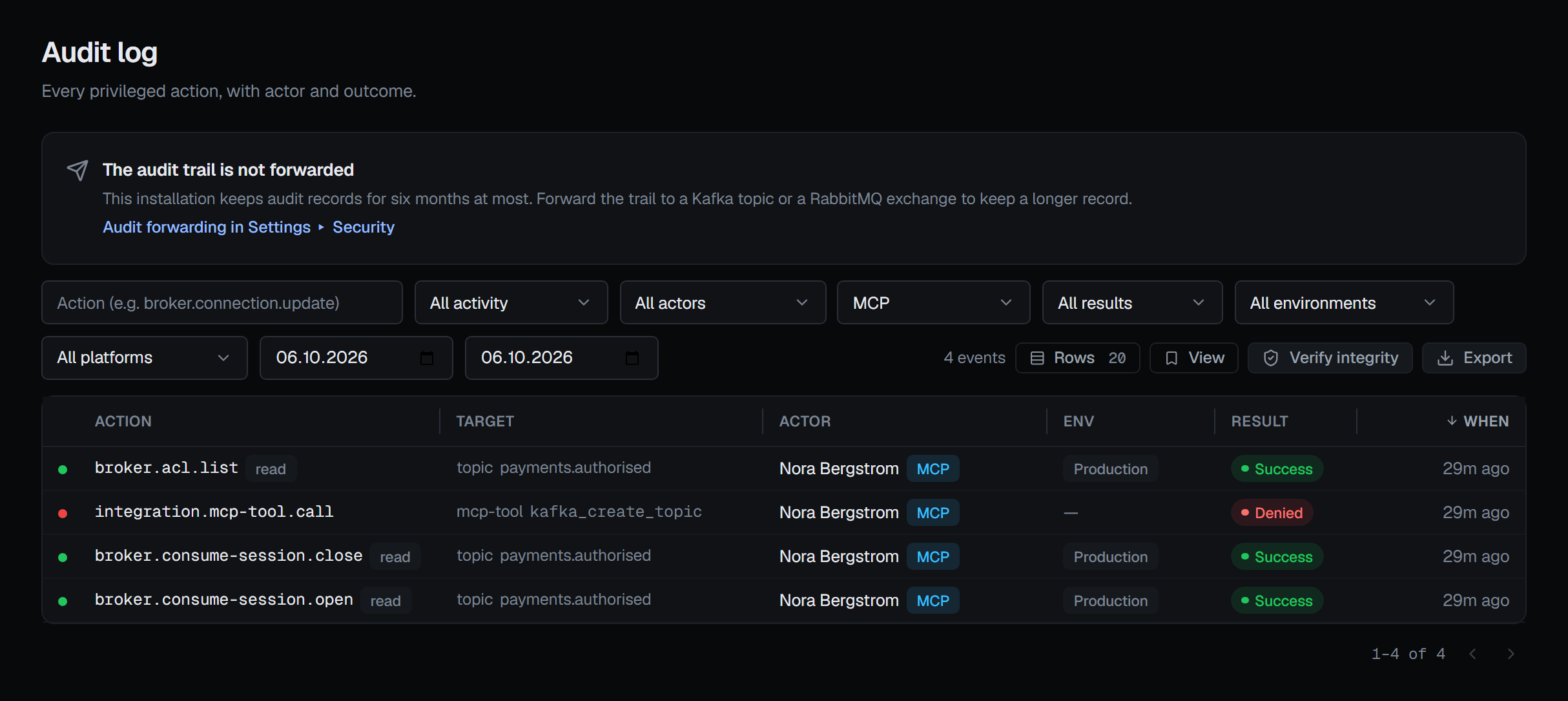
Every tool call produces the audit record its console route produces — the same operation, with the token's owner as the actor — and names the channel it came through: MCP, the tool, the client's name and version from the MCP handshake, and the token's prefix. In Operations ▸ Audit Logs such a row carries an MCP badge, its detail shows the channel, and the Channel filter — All channels, Console, MCP — answers "what did the assistant do on Tuesday?". See Audit logs.
- Changes and refusals are always recorded.
- Reads follow the installation's read tier, set in Settings ▸ Security, exactly as the console's reads do.
- A refusal the MCP server makes itself — no
mcp.use, a change in Read only mode, a tool not available, the rate limit, a destructive call without a reason, a plan that is unknown, expired, already applied or another token's — is recorded too, asintegration.mcp-tool.call. A mistyped argument is not a refusal and is not recorded.
Contents are data, not instructions
A message body, a key's value, a connector's stack trace, a label or a description was written by somebody else, and
an assistant may read instructions into it. BROKA keeps such contents apart. Every answer carries BROKA's own one-line
summary and, beside it, the data; when the data holds contents somebody else wrote, the answer marks it with
dataIsUntrusted, and the tool's description tells the assistant to treat it as data, never as instructions. BROKA's
own sentence never quotes it. No tool runs anything a payload says: a change is always its own call, with its own
arguments, and a destructive one with its own reason.
The marking tells the assistant; it cannot make it listen. That is why changes need their own calls, why Read only exists, and why the token is the boundary that holds.
Every answer is also given as text, for clients that read only text. A route's refusal comes back as a tool error with the console's own message and code, and a failure inside a tool is a tool error too, never an unreadable server error.
Limits
| Limit | Value |
|---|---|
| Tool calls | 60 a minute per token by default; Settings ▸ MCP states the figure in force. Past it, the call is refused and says when to try again |
| Messages from one address | 3,000 in five minutes. Every MCP message counts, the handshake and the tool list included |
| Live broker reads | The reads the console counts against a person's allowance of 30 live reads a minute count the same when an assistant makes them, against its token owner's allowance |
| Rows per page | 100 by default, and at most. A list hands back a cursor while there is more |
| Messages per read | At most 100 a call. A Kafka read returns 20 unless asked for more, and reads for at most 30 seconds |
| One value | 64 KiB; a longer one is cut |
| One answer | 1 MiB; past it, the longest list in the answer is cut |
| One request | 4 MiB |
| One tool call | 60 seconds by default; a slow broker answers timed out, never a call that hangs |
Wherever something is cut, the answer says what and by how much, so an assistant never mistakes part for all. A client can cancel a call it started — the call stops and answers that it was cancelled — and a client can cancel only its own token's calls.
Prompts and resources
The server offers four prompts: ready-made plans a client can show as commands. Each uses only the tools above and changes nothing unless you ask.
| Prompt | Takes | What it does |
|---|---|---|
investigate_lagging_group |
a Kafka connection and a consumer group | Finds where the lag is concentrated, the likely cause and what changed around it. It resets offsets only when you ask, and previews the reset first |
plan_schema_change |
a Kafka connection and a subject | Checks a proposed schema against the subject's compatibility and finds who reads the topic. It registers the schema only when you ask |
explain_cluster_health |
a connection | Says what is healthy, what is not and what to look at next. It changes nothing |
who_changed_what |
a resource, and optionally a date | Lists the changes to it from the audit trail, newest first, with who made each and why |
And these resources: broka://connections, the connections the token's owner can see with their platform and
status, and a link to this documentation for each area.