

Single sign-on with Active Directory or OpenLDAP
Updated 15 October 2026 · applies to 1.3.0 · Commercial
An LDAP provider lets people sign in to BROKA with their directory password — the one they use everywhere else in your organisation. There is no button for it on the sign-in page: they type their e-mail address and their directory password into the usual form, and BROKA checks the password against the directory. What each BROKA setting does is described on Single sign-on.
What BROKA needs from the directory
- A secure connection. LDAPS — usually port 636, or 3269 for an Active Directory global catalog — or StartTLS, usually on port 389. There is no unencrypted connection to choose: BROKA never sends a password in clear.
- The certificate of the authority that issued the directory's certificate, in PEM form — your organisation's certificate authority, with any intermediate. BROKA checks the directory's certificate, its name and its dates, on every connection, and has no setting that skips the check. Without an uploaded authority, it checks the certificate against the authorities the server BROKA runs on already trusts, and refuses one none of them issued.
- A service account that can read the people BROKA looks up and their groups. It needs no write access.
- Each person's groups in their entry. BROKA reads a person's groups from the
memberOfattribute of their entry, as full distinguished names. Active Directory keeps it; OpenLDAP keeps it only with itsmemberofoverlay. A person's primary group in Active Directory, such as Domain Users, is not inmemberOf.
The provider in BROKA
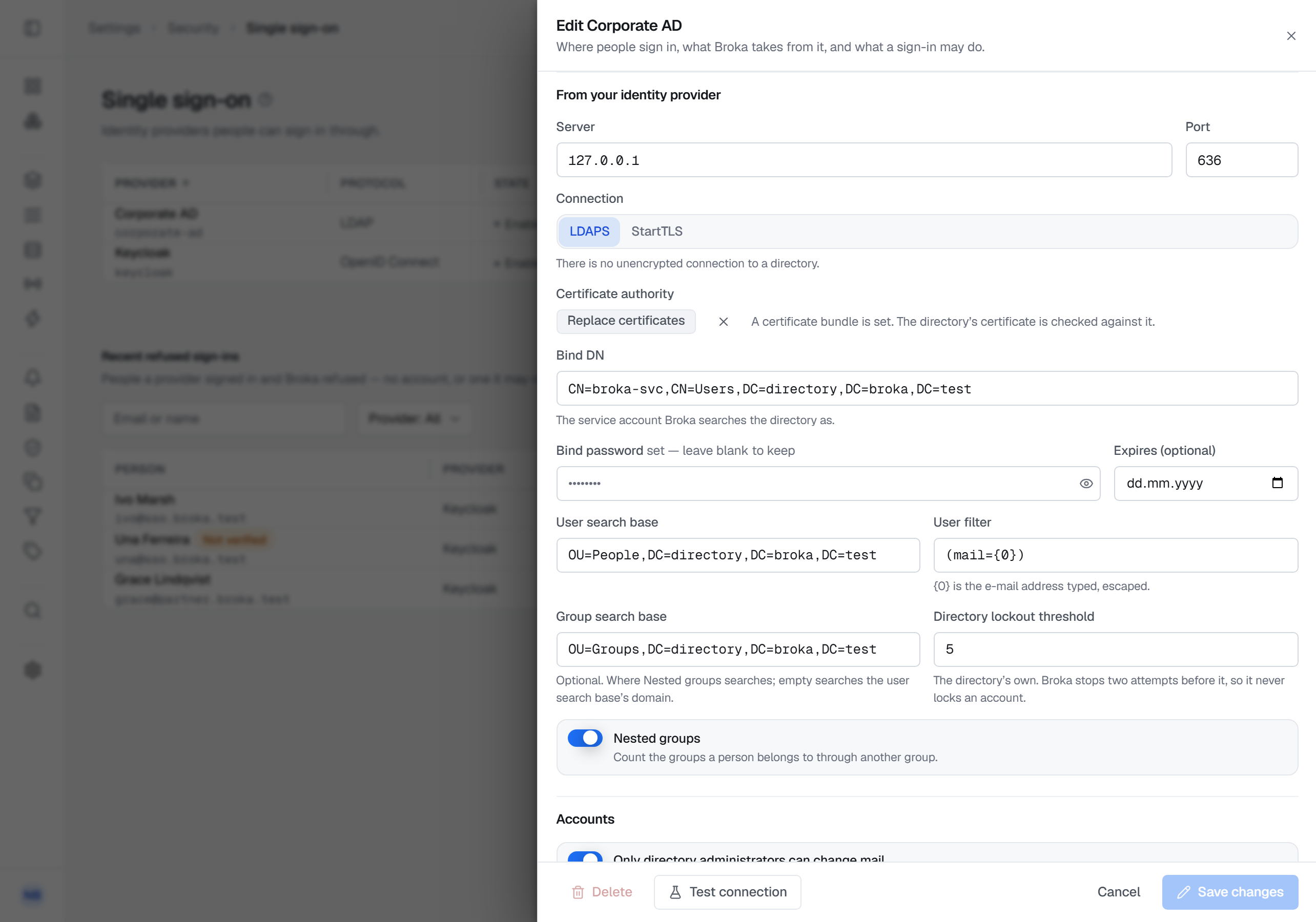
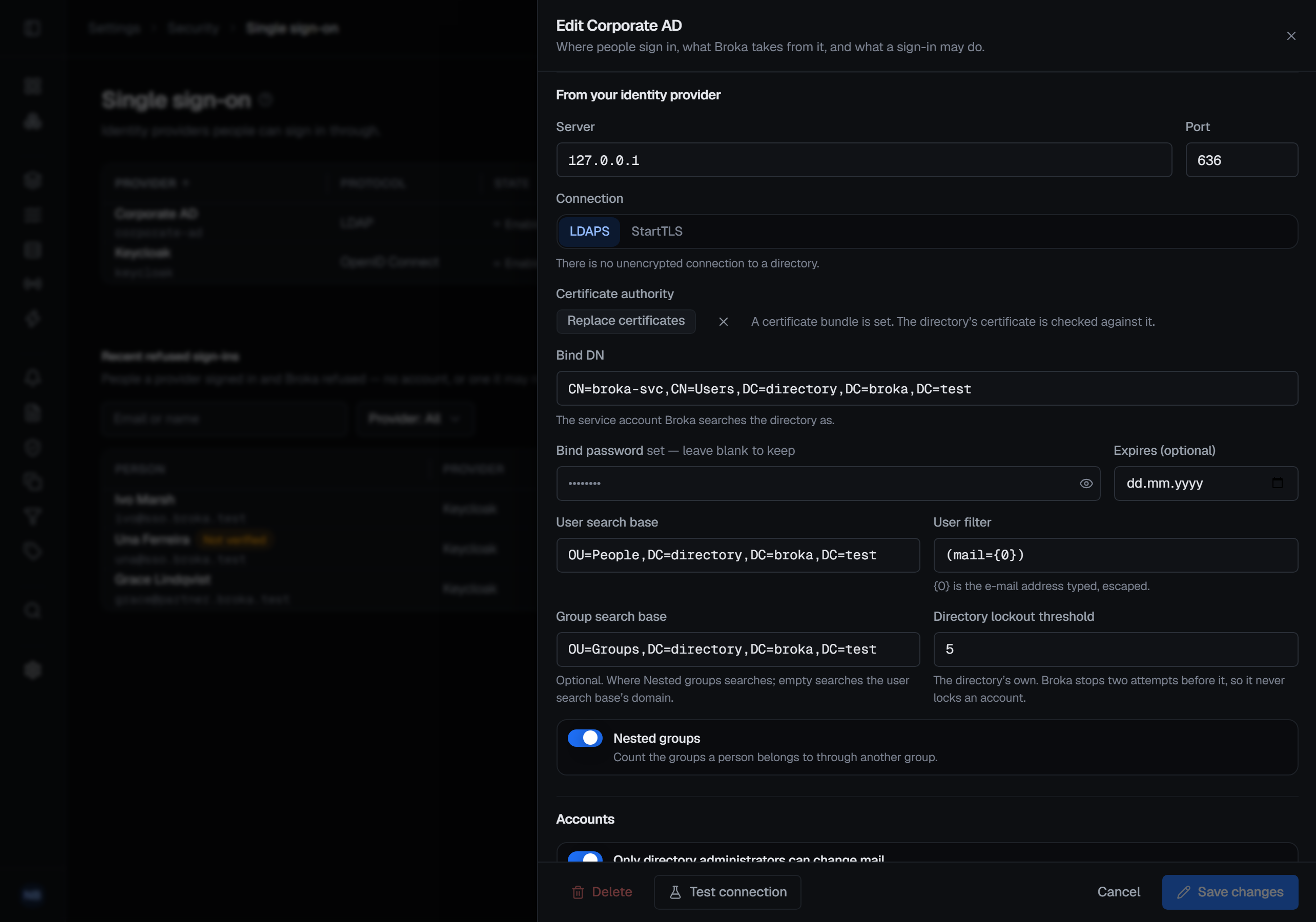
In Settings ▸ Security ▸ Single sign-on, choose New provider and LDAP, then:
- Kind: Active Directory, or Generic for OpenLDAP and other directories.
- Server and Port, and the Connection: LDAPS or StartTLS.
- Certificate authority: Upload certificates, with the PEM above, from a file or pasted.
- Bind DN: the service account's distinguished name, such as
CN=svc-broka,OU=Service Accounts,DC=example,DC=com, and Bind password, its password, which is write-only once saved. - User search base: where people are, such as
OU=People,DC=example,DC=com. - User filter:
(mail={0})by default, where{0}stands for the e-mail address typed in, escaped. The filter must hold{0}exactly once. If it finds more than one person, the sign-in is refused rather than given to one of them. - Nested groups: also count the mapped groups a person belongs to through another group. It uses a search that Active Directory answers; on OpenLDAP and other directories it finds nothing more, so leave it off there.
- Group search base: optional, and used only with Nested groups: where BROKA looks for those groups. Left
empty, it looks in the domain of the user search base — its
DC=part. - Directory lockout threshold: how many wrong passwords lock an account in your directory, 10 by default. BROKA stops two attempts short of it.
Under Accounts, Only directory administrators can change mail and the Allowed domains decide who can sign in through the directory, as described below.
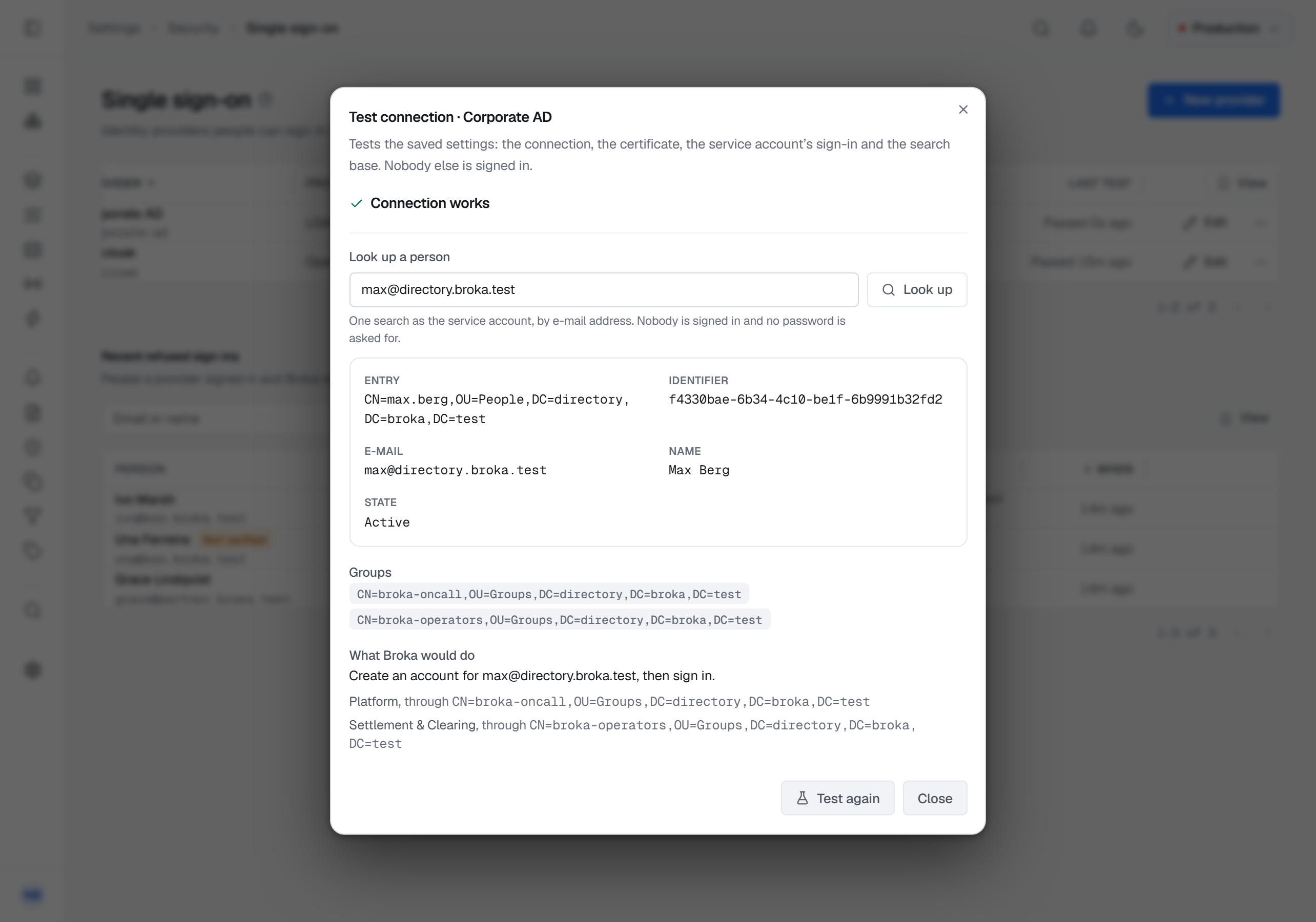
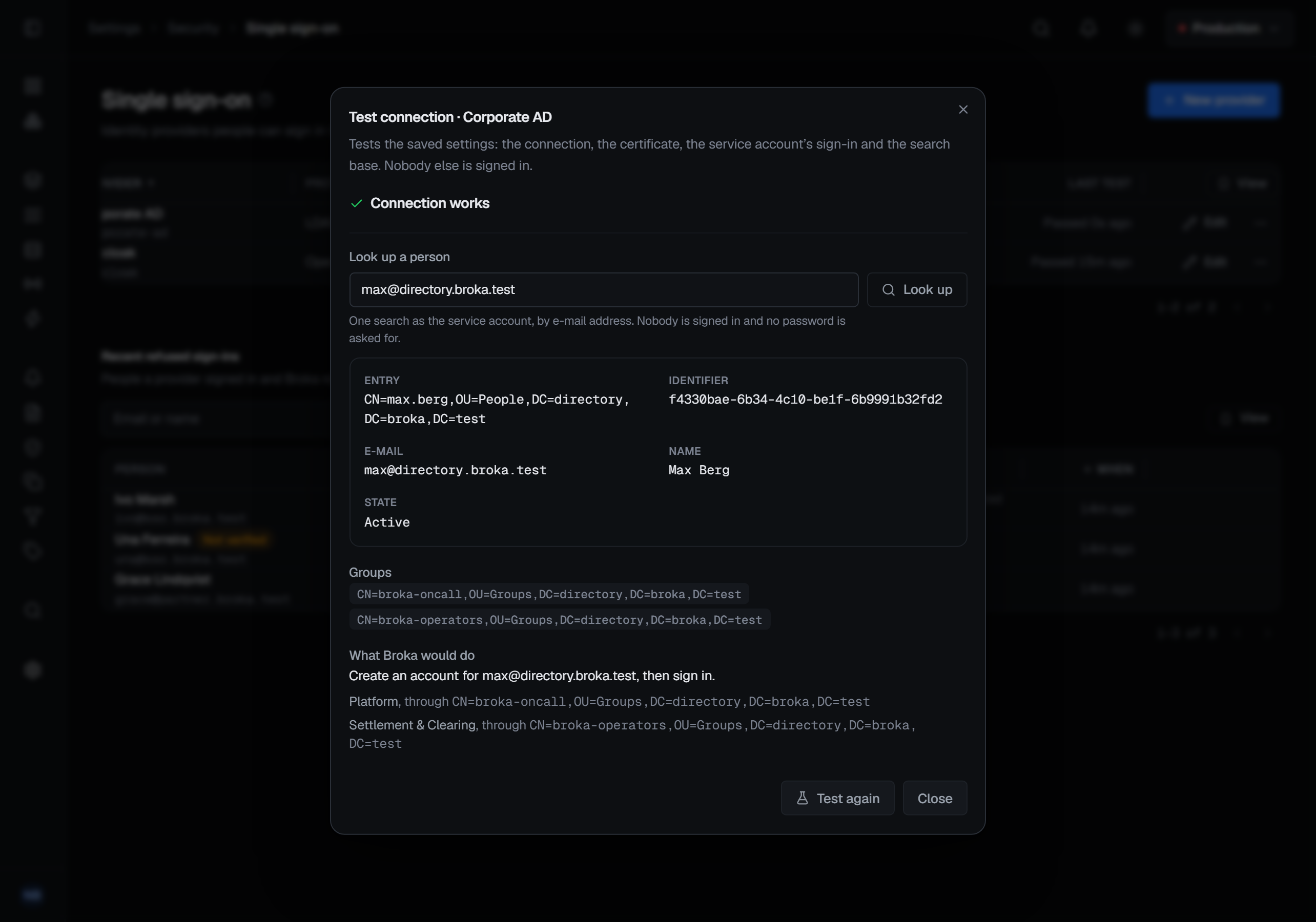
Test connection checks the saved settings: it connects, checks the directory's certificate, signs in as the service account and checks the search base. In the same dialog, Look up a person finds someone by e-mail address, as the service account, and shows their entry, the identifier BROKA would link them by, whether the directory holds the account disabled, their groups, and what BROKA would do with them. It asks for nobody's password.
Changing the server, the port, the connection, the certificate authority or the bind DN asks for the bind password again, so that it is never sent anywhere it was not saved for. While accounts are linked to the directory, only an administrator — an account holding the Admin role — can change its server, port, connection or certificate authority: whichever directory answers there decides who signs in as those accounts.
How BROKA tells people apart
By the directory's own identifier for each entry — objectGUID in Active Directory, entryUUID elsewhere — never by
the distinguished name, the e-mail address or the account name. Someone moved to another part of the directory, or
renamed, keeps their link to their BROKA account.
Who can sign in
- An account linked to the directory signs in with its directory password only, and has no BROKA password. Link an existing account from its Sign-in tab: choose the directory, then Link to the directory. BROKA finds its e-mail address in the directory and removes its BROKA password. Reset password is not available while the link stands. An account created at a first sign-in through the directory is linked to it in the same way.
- Linking by e-mail and creating accounts at a first sign-in need you to state, on the provider, that only directory
administrators can change people's
mailattribute. A directory says nothing about whether an address is verified, and in some directories people can edit their own, so both stay unavailable until you do. - Each allowed domain belongs to one directory. With several directories, an e-mail address BROKA does not know is looked up only in the directory that owns its domain, and a linked account only in its own. One sign-in never searches more than one directory.
- Groups are mapped to teams under Group mappings, as on any provider, by their full distinguished names. A mapping is checked against the directory when you save it, and is kept as the directory writes the name. A sign-in whose groups cannot be read changes no membership.
Every failure — a wrong password, an account the directory has locked or disabled, a directory that does not answer, a person BROKA does not let in — gets the same Invalid email or password. as a wrong BROKA password. The refusals that come after the directory has accepted the password are listed under Recent refused sign-ins, with the reason.
BROKA does not lock people out of the directory
A directory counts wrong passwords too, so BROKA is careful with them:
- it stops sending a person's password to the directory two attempts before the threshold you entered;
- it never tries a password while BROKA or the directory has that account locked or disabled;
- if the directory refuses the service account's own password, BROKA stops asking the directory anything until new credentials are saved, so a changed service-account password cannot lock that account out;
- a directory that stops answering is given a few seconds, and after repeated failures is left alone for a short while rather than asked again at every attempt.
People with BROKA passwords keep signing in throughout.
Sessions and passwords
A session signed in with a directory password ends at the provider's maximum length — 12 hours by default — on the sign-in page, and the next sign-in reads the person's groups again. A directory password is changed wherever your organisation manages it; BROKA's own password policy and expiry do not apply to it.