

Configuration
Updated 1 October 2026 · applies to 1.0.0 · Commercial
The Configuration tab under Redis ▸ Tools lists the server's running configuration, changes a parameter at
runtime and saves it to the config file. Every value on it is the server's own CONFIG GET answer and every
change is the server's own CONFIG SET, so Redis, not BROKA, decides what is valid. The tab sits beside the
slow log and the client list on Tools; if the connection's Redis user may not run the operational
commands at all, the whole Tools page is replaced by one notice saying so.
Reading the configuration
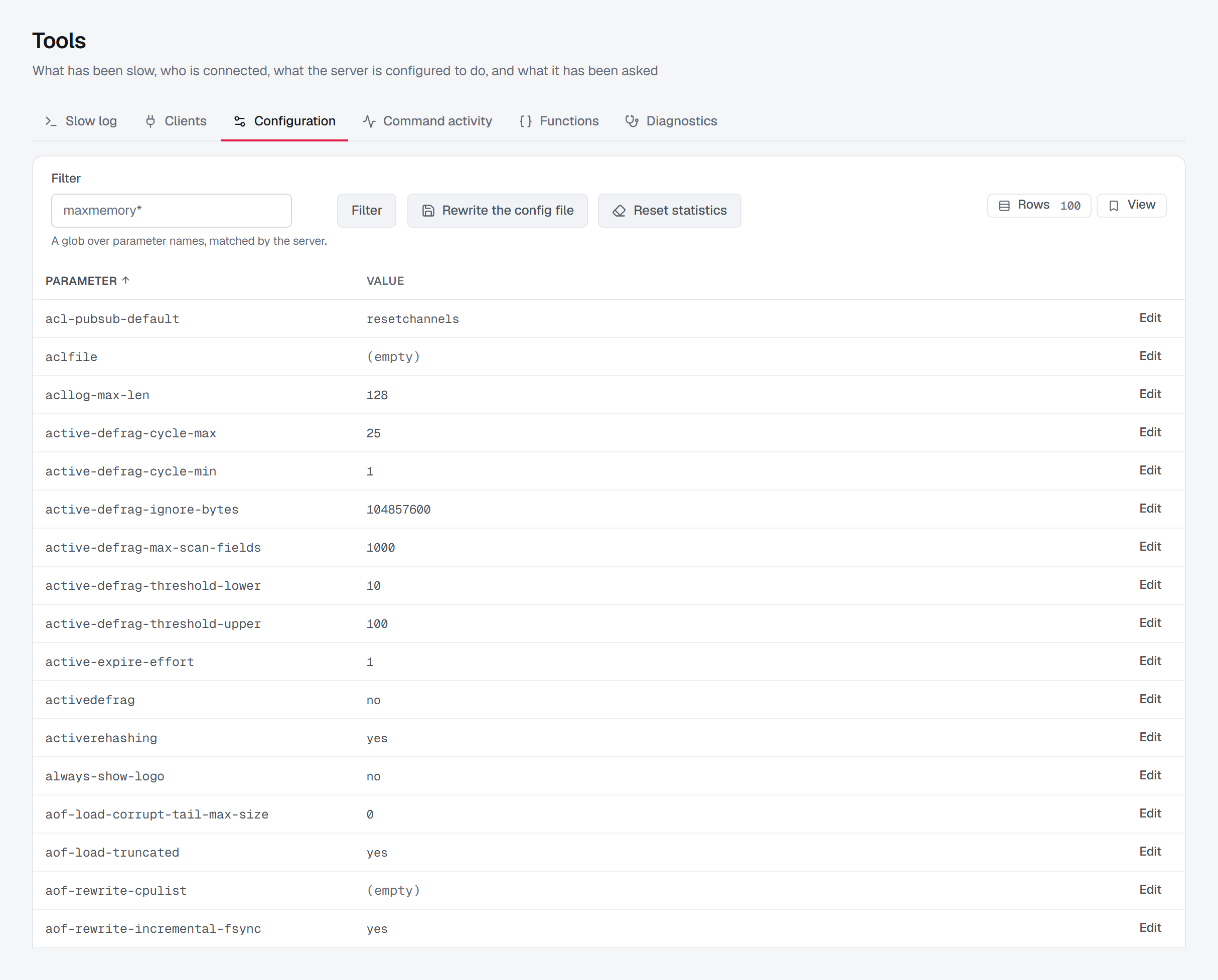
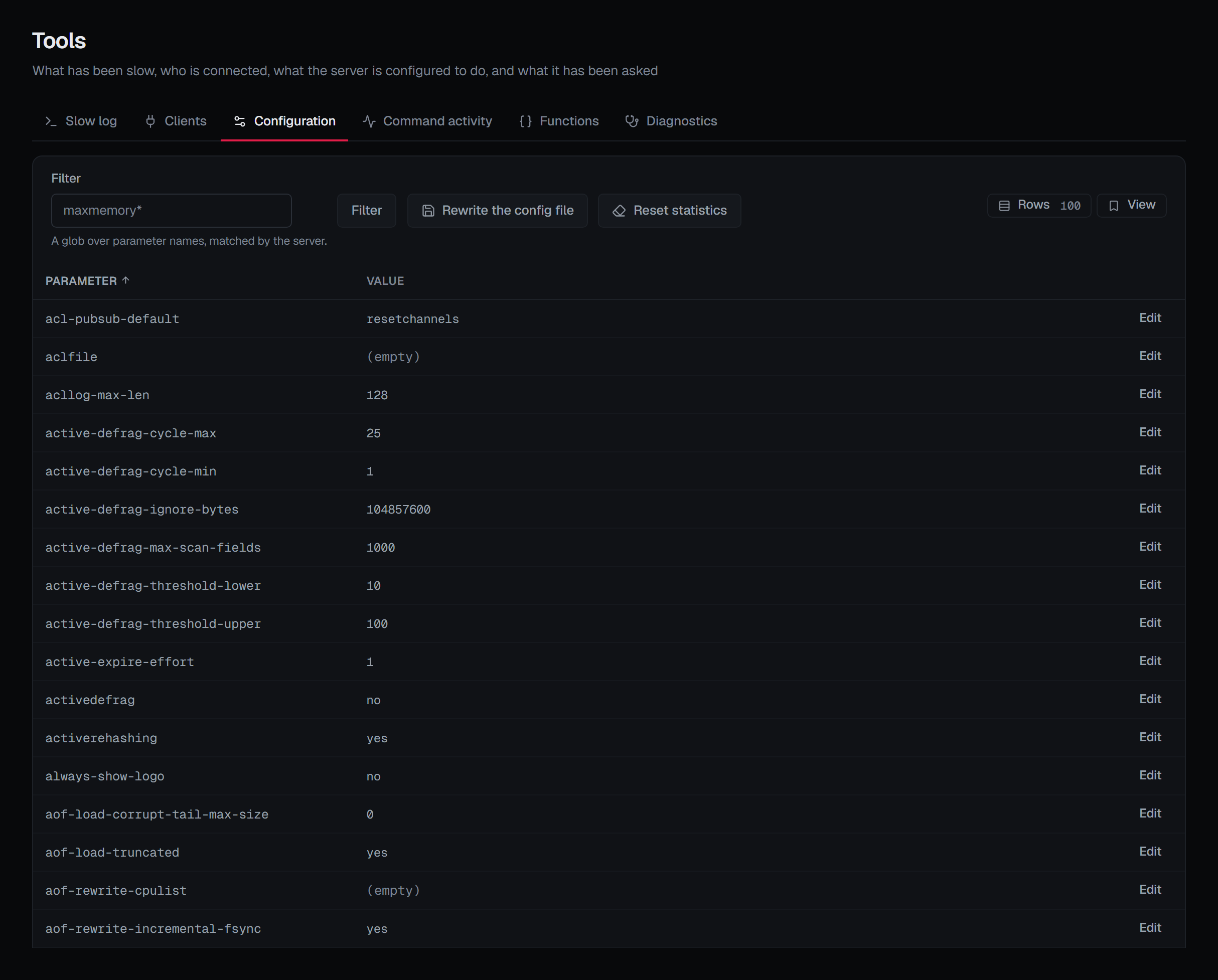
The list opens on every parameter — the filter starts at * — sorted by name and paged 25 at a time, or 50
or 100 if you choose. On a stock Redis 8 server that is around 300 parameters. The default stays * on
purpose: a narrower one would hide parameters without saying which.
Filter takes a glob over parameter names, and the server does the matching, so a fragment needs a *:
maxmemory matches only that exact parameter, where maxmemory* matches every parameter that begins with
it. A filter that matches nothing says so, and applying a filter goes back to the first page.
Two kinds of value are drawn differently from the rest:
- (empty) is an empty string. It is a real value here, not an unset one — several parameters mean something by it.
- value redacted marks a parameter that holds a credential: the five BROKA itself authenticates with
(
requirepass,masterauth,masteruser,primaryauthandprimaryuser), the TLS key passphrases (tls-key-file-pass,tls-client-key-file-pass), and any other parameter whose name says it carries a password, an auth value or a secret. Redis answers them in clear text, so the value is dropped before it leaves the broker service. The row stays, because whether one is set is worth knowing.
Changing a parameter
Edit on a row opens the parameter with its current value, and Apply sends the new one.
Redis is the validator. Types, units and ranges are its rules, and its error is what you see.
A change is applied to every node, replicas included. Redis has no cluster-wide CONFIG: the command
changes only the node that receives it, and a cluster client routes it to whichever node it likes. Measured on
a development cluster, a single change sent that way landed on one replica while the primaries stayed as they
were. Replicas are written too because a replica is one failover away from serving these settings.
The result names the parameter and the value it now has, and on a cluster adds how many nodes took it and the address of each node that refused. A node that refuses is reported rather than failing the whole change; only a change that no node took is an error, and then the setting is unchanged everywhere.
The value BROKA reports back is read from the server rather than echoed, because Redis normalises what
you type — 256mb comes back as its byte count, and showing you what you typed would hide that.
Every parameter can be changed except the five credentials, and those are refused for one specific reason: changing them on the server would not update the stored connection secret, so every screen — including the one making the change — would stop working at the next command. Their rows have no Edit, and the broker service refuses the change even when it arrives some other way. A redacted row of another kind, such as a TLS key passphrase, has no Edit either, because its current value is not shown.
Changing a parameter needs write permission on the connection. It is not offered in a read-only environment
or on a connection frozen with its own read-only switch. In a guarded environment it asks for a reason, like
every write there.
A runtime change is not saved
Under the list, the screen says the thing that catches people out: a runtime change is not saved. It applies immediately and is lost when the server restarts unless the configuration file is rewritten — so the audit entry recording the previous value is often the only record of what it used to be.
Rewriting the config file
Rewrite the config file, on the tab's toolbar beside the filter, is that rewrite: the running configuration, every runtime change included, is written into the file the server was started from, so it survives a restart. It is sent to every node, each rewriting its own, and the result says how many did and which refused. The confirmation, Rewrite the configuration file?, says all of this before anything is sent.
Two things stop a rewrite, and they look different:
- The button is greyed out. The server was started without a configuration file, so there is nowhere to write one. BROKA knows this from what the server reports about its own configuration file, and the button's tooltip says so: This server was started without a configuration file, so there is nowhere to write the running configuration.
- The rewrite is refused. The server has a file but may not write it — a file mounted read-only, for example. That refusal is the server's, and the error quotes it: The server refused CONFIG REWRITE: …. On a cluster where no node could rewrite, the error says how many refused and quotes the first.
Resetting statistics
Reset statistics, beside it, starts the counters INFO reports — commands processed, each command's
calls and errors, keyspace hits and misses — again from zero on every node, so the Overview and Command
activity on Tools count from then rather than from the server's start. Redis keeps no copy of the
counts, so the confirmation, Reset the statistics?, asks for a reason in every environment.
Both buttons need write permission on the connection, and neither is offered in a read-only environment or on
a connection frozen with its own read-only switch. A rewrite, like a parameter change, asks for a reason only
in a guarded environment.
What is recorded
- A parameter change is recorded with the parameter's value before and after, both read from the server by the broker service rather than taken from what was typed. A change some nodes refused is recorded as partial, with how many nodes took it, how many there were and how many refused — counted, not named. A parameter whose name marks it as a secret is recorded as changed, without either value.
- A rewrite is recorded as a configuration change, with how far it reached.
- A statistics reset is recorded with its reason and how far it reached.
When something looks wrong
- A value reads back differently from what you typed. Redis normalised it; the value shown is the one the server now holds.
- A setting went back after a restart. It was a runtime change, and the configuration file was not rewritten afterwards.
- The filter finds nothing for
maxmemory. The filter is a glob;maxmemory*finds every parameter that begins with it. - The result says a node refused. The other nodes took the change and that one still has its old value.
- Rewrite the config file is greyed out. The server was started without a configuration file; start it from one for a rewrite to have somewhere to go.