

Keys
Updated 4 October 2026 · applies to 1.0.0 · Commercial
Selecting a key opens it beside the list, with everything BROKA could read about it and an editor suited to what it is.
What a key tells you about itself
Its type, how many elements it holds, how much memory it occupies, when it expires, and how Redis is storing it internally.
That last one is the encoding, and it is worth more than it looks. Redis stores a small hash differently from a large one, and a collection that has outgrown its compact representation can cost an order of magnitude more memory than the same data would have a moment before it crossed the threshold. The encoding is how you find out that has happened.
A figure BROKA could not read is blank, never zero. Each piece of metadata is asked for separately, so a provider that blocks the memory-usage command costs you that one column rather than the whole listing — and the blank cell says which command was refused rather than leaving you to guess.
Expiry is stated as a fact, not as a dash. A key with no TTL reads never, because "never expires" is a real answer and an empty cell would look like a missing measurement.
Setting and removing expiry
A TTL can be given to a key that has none, changed, or removed entirely. Removing it is a separate, named action rather than an empty field, because clearing a box and making a key permanent should not be the same gesture.
Renaming and copying
Both refuse rather than overwrite. Renaming a key onto a name that already exists would delete
that key silently — Redis's own RENAME does exactly that — so BROKA declines and tells you the name
is taken.
Copying preserves the source key's remaining TTL. That is the opposite of what most people expect, so the console says it beside the button rather than leaving you to discover that your copy vanished an hour later.
On a Redis Cluster both are single-slot commands, so the new name must hash to the same slot as the old
one — repeat its {tag} — or Redis refuses it. The field says so before you type.
A key can also be copied or moved to another logical database, under the same name, from the sheet's Copy or move to another database panel. Neither overwrites a key there unless you ask; the details are under Key operations.
Exporting a key
A key can be exported as Redis's own serialized form — the exact bytes DUMP produces, which
RESTORE accepts. Export copies them to your clipboard.
It is not a backup. It is one key, at one moment, in a format only a Redis of a compatible version can read back, and — as the panel says — the blob carries neither the key's name nor its expiry. It is the right tool for moving a single key to another instance or capturing evidence of what a key held; it is the wrong tool for anything that needs to survive an upgrade.
Import, beside it, restores such a blob under a name you give, with an expiry in seconds or none. A name that already exists is refused unless you tick Replace an existing key, and then the console asks before it overwrites that key.
Exporting is recorded in the audit trail, because a key's full contents leaving the system is an event worth a record.
An export is read whole, so the key is measured first: one larger than 16 MB is refused with its size, and so is one whose size the server will not report. A key that large is moved with a replica or an RDB snapshot rather than through a browser's clipboard.
Reading a key is recorded too
Opening a key reads what it holds, and so does every further page of its elements and the reading of
what it is being used as — a geospatial index's members, a hash's field names. Each is recorded in the
audit trail the way an export is: the key's name, never what it holds. Reading a key takes
Read message contents (messages.read) as well as viewing the connection. Without it the sheet
says you are not permitted instead of showing the key, and where reading the connection's messages
has been denied to you, it shows the server's refusal.
The editors
A string opens in an editor you can rewrite. The panel reads at most the first 256 KB of it — a Redis string can hold 512 MB — and a longer one is shown cut off, with how much of how much, and cannot be edited here: saving would write back only what you can see and discard the rest. Nor can a value that is not valid text — binary data shown through a text decoding: saving it would replace the bytes that did not decode. Its hash fields, list elements and members are left without Edit for the same reason. Which values those are is the server's answer, from the bytes themselves, not a guess from how the text looks: a value whose text really contains the replacement character stays editable.
The same ceiling holds for each hash field, list element and member: one longer than 256 KB is shown cut off, and its Edit is unavailable, with the reason beside it, because saving it would write back only the part that was read.
A hash shows its fields and values in a table, each editable in place, each removable on its own. Redis 7.4 can expire individual hash fields: the fields that carry their own expiry are listed in the What this key is being used as panel, and the clock on each field's row sets or removes that field's expiry — when it passes, the field goes and the rest of the hash stays.
A set lists its members, each removable on its own, and Add a member adds one; adding a member it already has changes nothing, and the console says so. A sorted set lists its members with their scores; editing a member changes its score, which moves it in the ordering, and each is removable. A field or member whose name is not text is removed by its exact bytes. One whose name was cut off at the 256 KiB read limit cannot be removed or given an expiry here, and its buttons are disabled and say why.
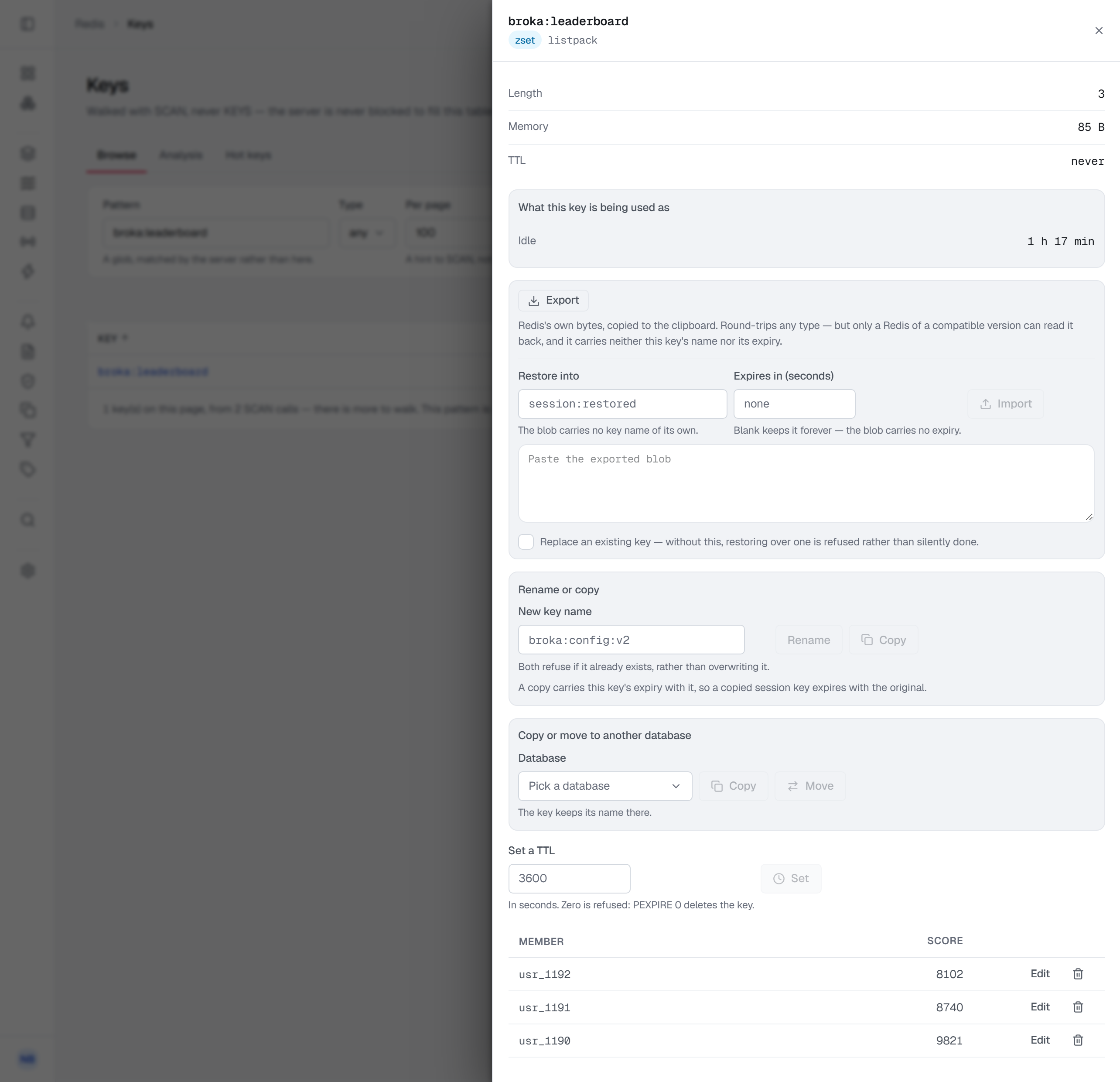
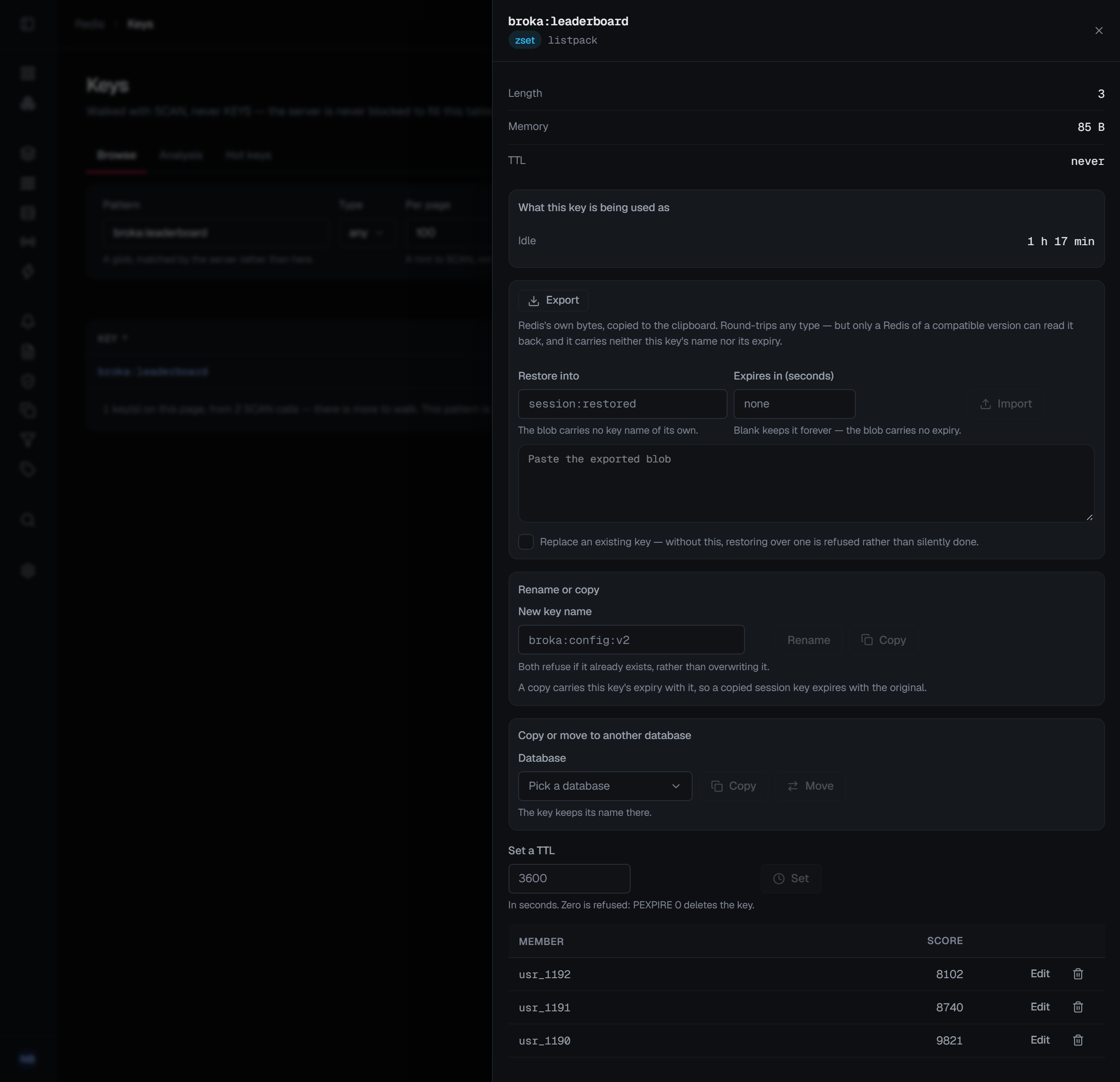
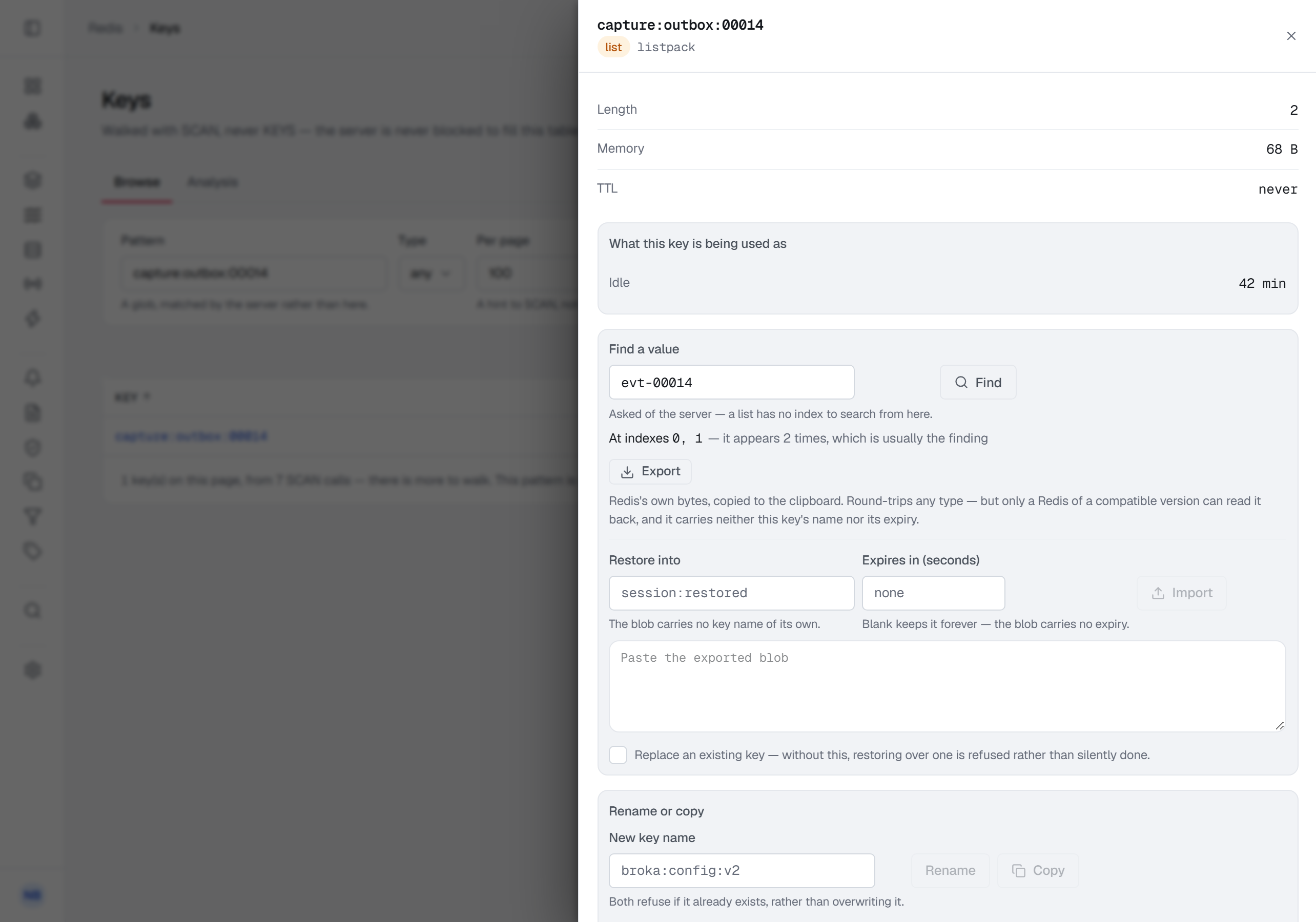
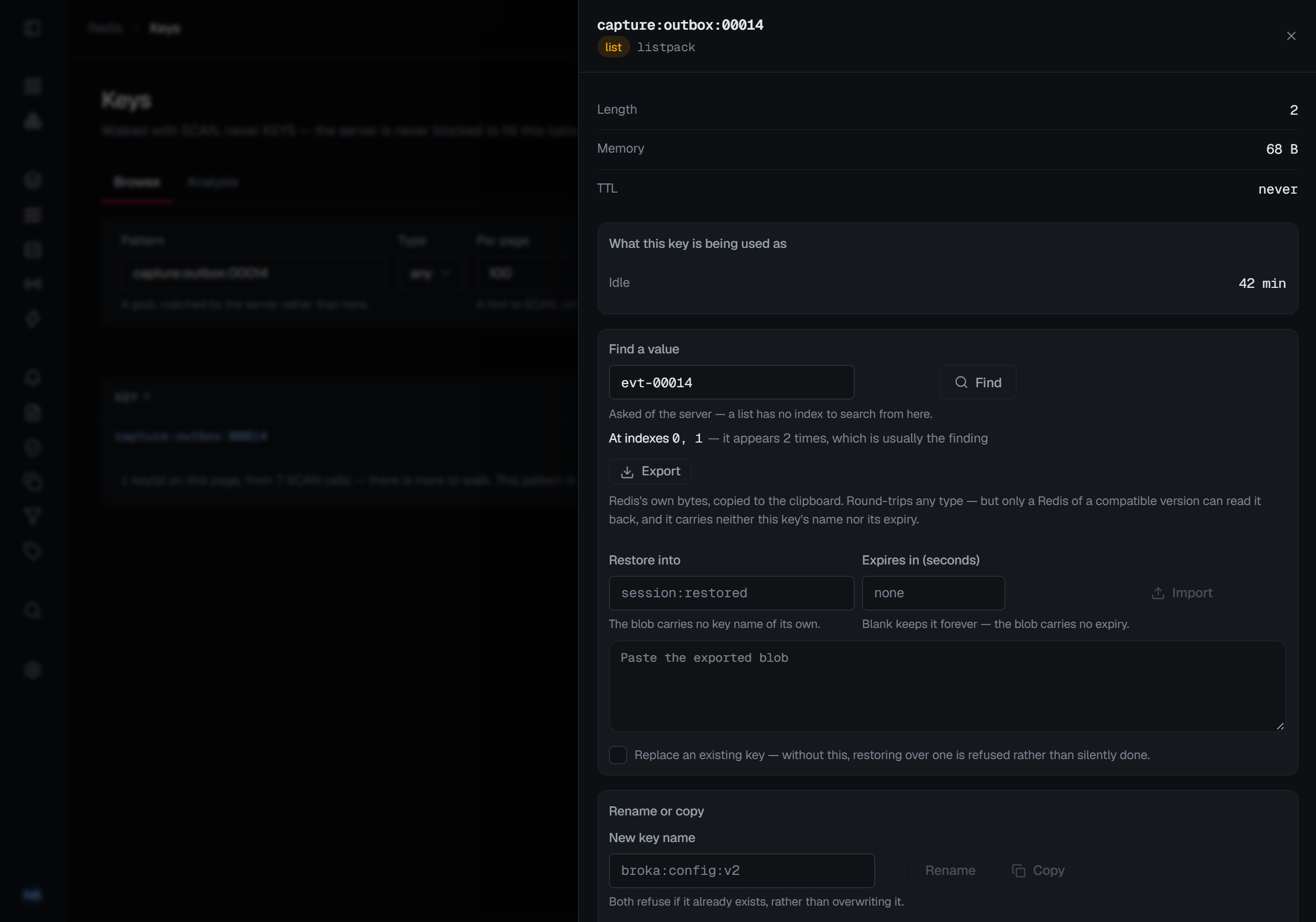
A list shows its elements with their indexes, editable in place. Push to head and Push to tail add an item at either end, and Pop head and Pop tail take one off after asking — the popped value is copied to your clipboard, because Redis keeps no other copy of it. A list also offers something a table cannot: find a value. It asks the server where a value sits, and it reports every position it occupies rather than the first. A job id appearing three times in a queue is the finding; an answer of "found at index 0" would have hidden it.
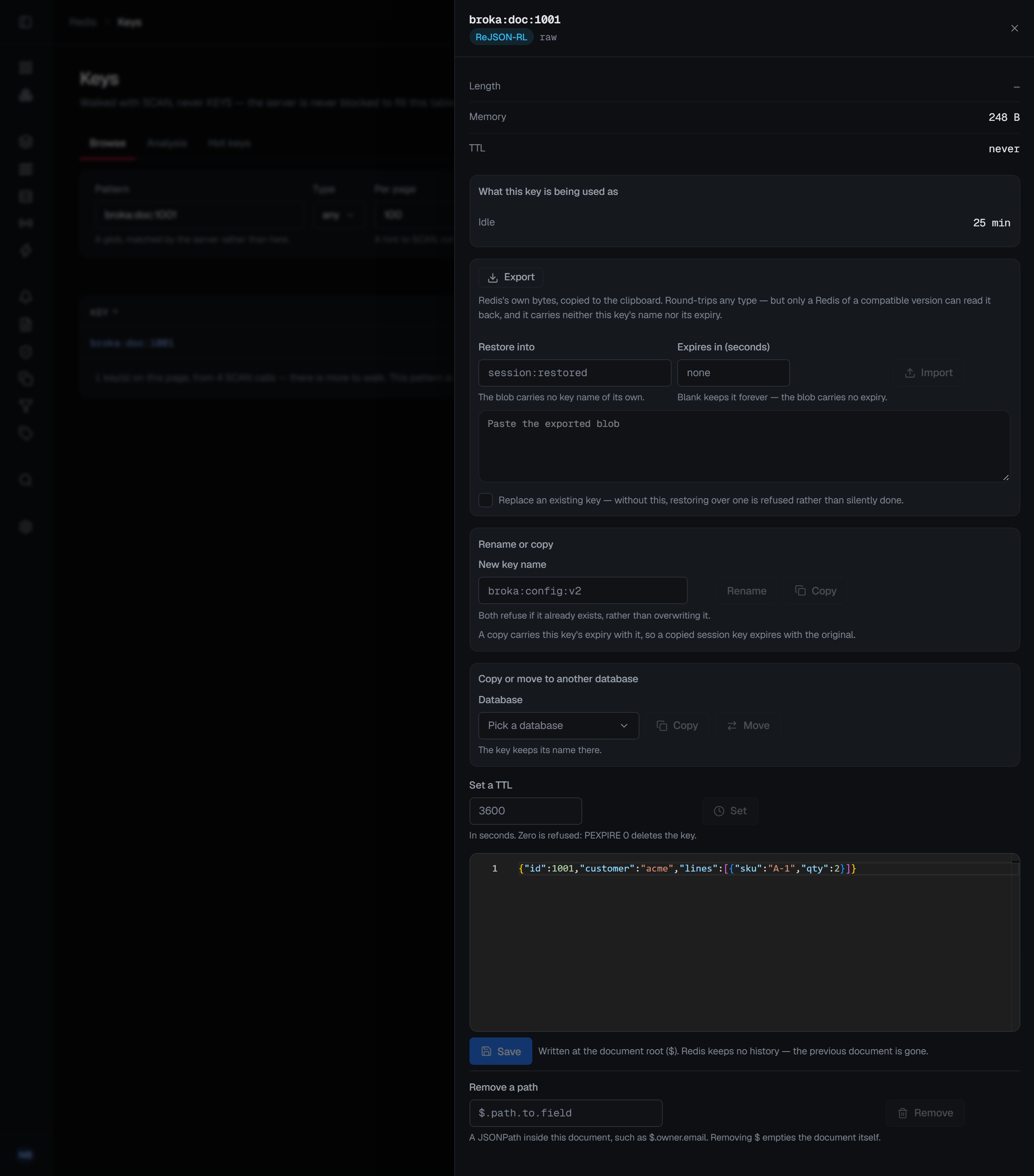
A JSON document is shown as the document itself when the instance has the JSON module loaded, and
you can rewrite it whole — the draft is sent only when it parses as JSON, and is written at the document
root — or remove one path inside it, such as $.owner.email, after a confirmation. A document cannot be
read in part, so it is measured first, and one larger than 256 KB — or one whose size the server will
not report — is not read at all: the panel says it was not read whole and offers no Save, and Export
copies it.
![The sheet of the JSON key broka:doc:1001, typed ReJSON-RL with encoding raw — length —, 248 B, TTL never — with Export and Restore, Rename or copy, Copy or move to another database and Set a TTL above the document itself, {"id":1001,"customer":"acme","lines":[{"sku":"A-1","qty":2}]}, in a JSON editor; below it Save, with the note that the document is written at its root ($) and Redis keeps no history, and Remove a path, a JSONPath field with the hint "such as $.owner.email. Removing $ empties the document itself." beside Remove.](/shots/docs/redis/03-key-json.light.webp)
A stream is not edited here. Streams have their own screen, with entries, consumer groups and a live tail — the detail sheet points you there rather than rendering a stream as a list of opaque rows.
A type BROKA has no reader for — a time series, for instance — shows a note naming the type instead of an empty table: the key is real, its size, TTL and encoding are measured, and Export still copies it.
A hash, list, set or sorted set is shown one page of elements at a time. Continue reads the next page and Back to the start returns to the first; there are no page numbers, because a scan of a live collection cannot promise them. A collection of large elements is read in smaller pages, sized from the key's memory over its length, so one page stays around a megabyte.
Every control that changes the key appears only where you may write to the connection. Where you may not, the sheet says why in place of them.
What the sheet is for, beyond editing
Beside the editor is what BROKA could work out about how the key is being used — how long it has been idle, and the signals that distinguish a key something reads constantly from one nothing has touched since it was written.
On Redis 7.2 and later, BROKA's own reads do not count as use: its connections ask the server not to update a key's last-access time or LRU/LFU standing when BROKA reads it. The idle time you see is therefore the applications' — opening the key to look at it does not reset it. An older server has no such switch, so there, reading a key through BROKA counts as a use like any other.
A reading that does not apply is absent rather than zero. A string that is not a probabilistic counter simply has no such row; a collection whose members are not coordinates has no map. A panel that answered every question about every key would be a panel of noughts, and a nought is a claim.
Everything you change is recorded
Each kind of edit is its own audit action — set a value, set a hash field, remove one, set an element, set a TTL, remove a TTL, delete the key — rather than one generic "key updated". The trail says what was done, not what might be inferred from a payload.
The records state the outcome rather than the attempt: a rename that was refused says so and why, and deleting a key that had already gone says exactly that.