

Keyspace analysis
Updated 3 October 2026 · applies to 1.0.0 · Commercial
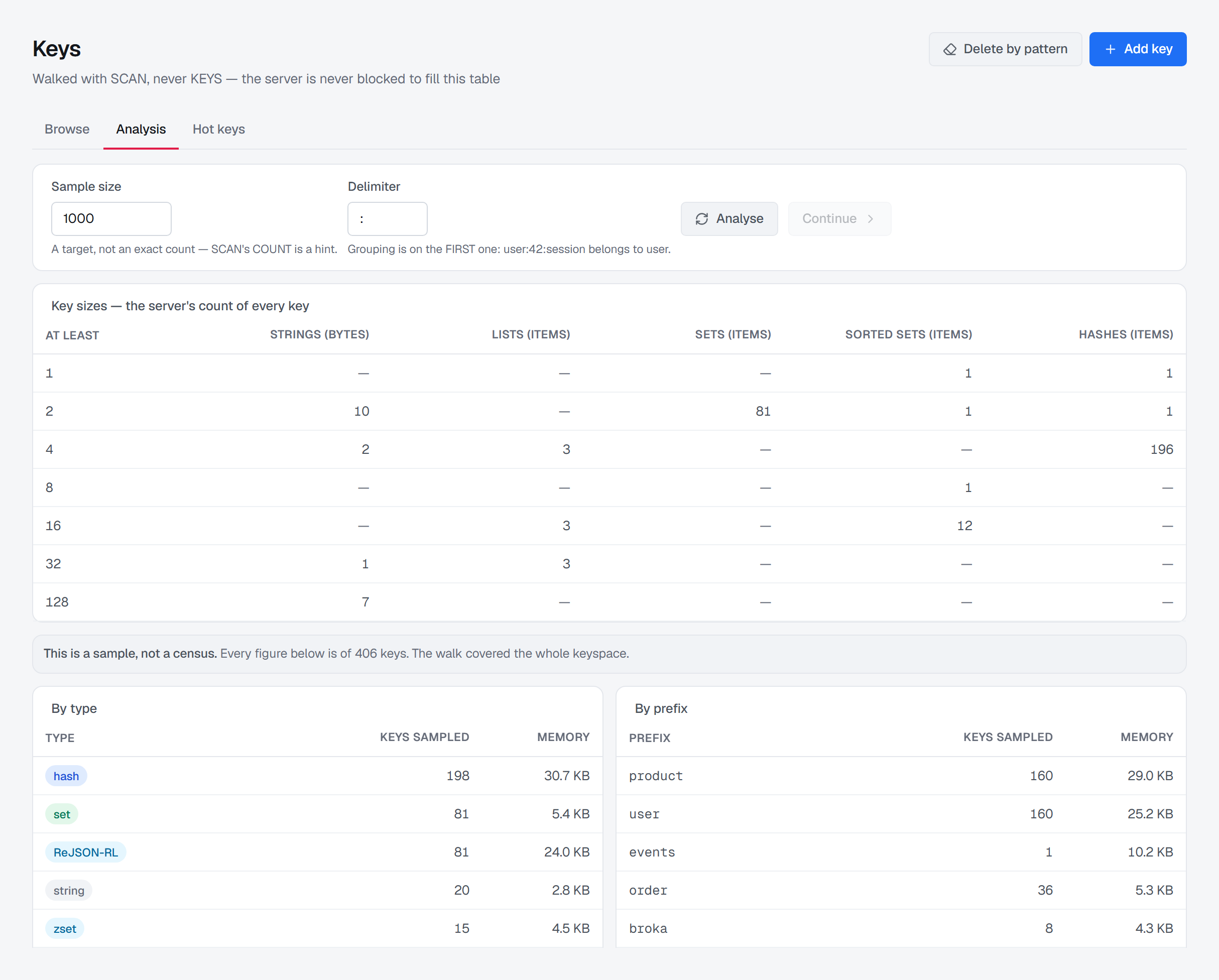
The Analysis tab of the Keys screen, under Redis in the sidebar, shows a keyspace by type, which prefixes use its memory and which keys are the largest. It answers the questions the browse cannot, and every figure on it says whether it is the server's own count of every key or a sample BROKA walked.
Asking for an analysis
Nothing is read when the tab opens. An analysis names your applications' key prefixes and their largest keys — a
disclosure of what they keep in Redis — so Analyse asks first, saying that the server walks a sample of the
keyspace with SCAN while it keeps serving traffic, and that what comes back is recorded in the audit trail. Each
analysis is recorded as a key listing: how many keys were sampled and from which database, never a key name, a
prefix or the pattern.
An analysis takes the same access as listing keys: write permission on the connection. A user who may only view the connection is refused; the refusal appears as a notification, and the tab keeps what it showed.
Two fields shape the walk:
- Sample size — how many keys to walk, 1,000 unless you change it. It is a target, not an exact count, because
SCAN's count is a hint, and the server walks at most 20,000 keys in one pass whatever is asked. - Delimiter — what separates the parts of your key names,
:unless you change it. It decides the prefixes described below.
The analysis works in the logical database chosen in the top bar's database switcher, and it covers the keys matching the pattern last listed on the Browse tab — the banner names that pattern when there is one. Switching the connection or the database discards the analysis on screen, because a walk's position belongs to one database of one server.
Key sizes: the server's own count
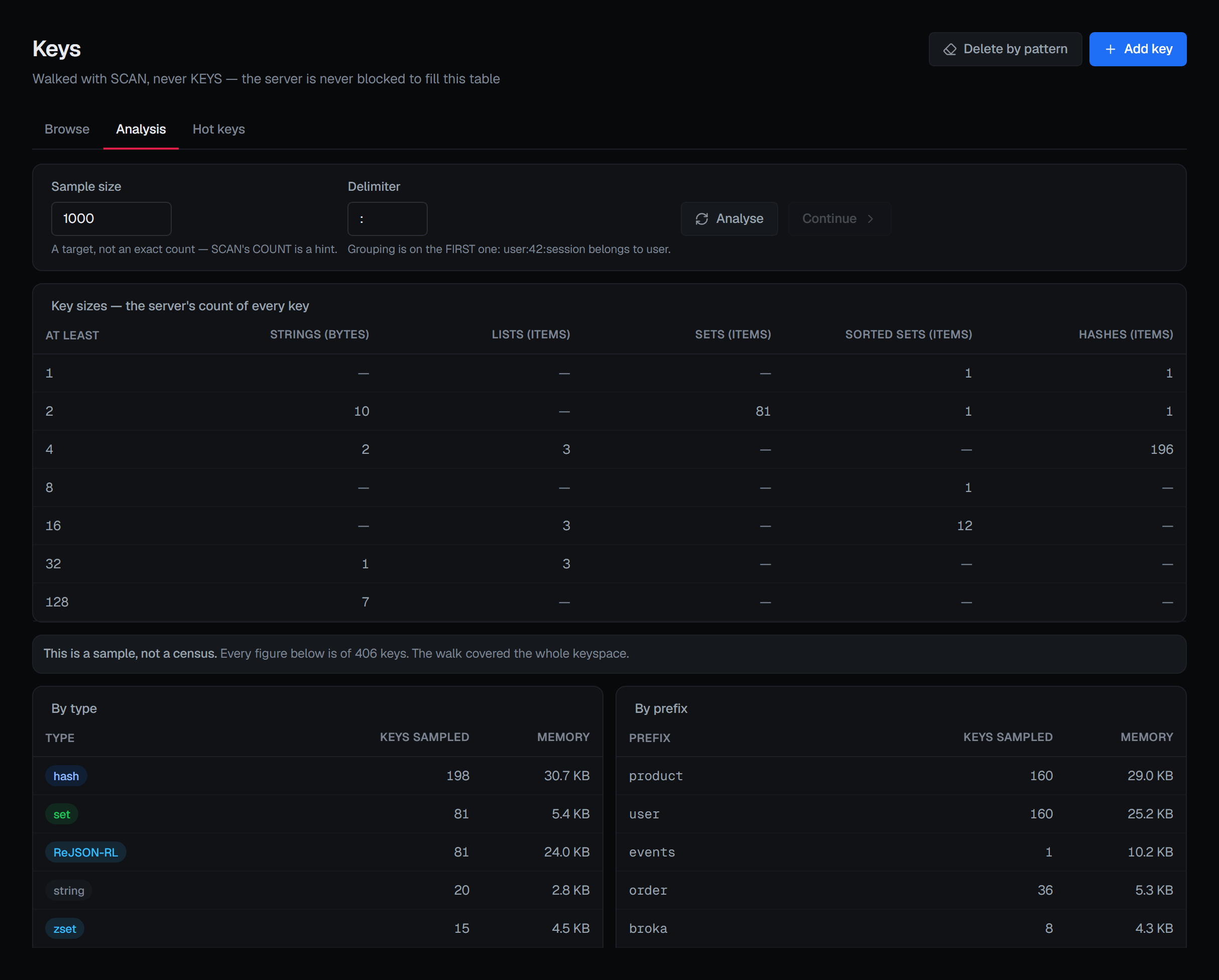
At the top of the tab, Key sizes — the server's count of every key is a census, not a sample. Redis 8 keeps, for each type, how many keys fall into each size range, and updates those counts as keys change, so the table covers every key of the database without any walk. Each row is a power-of-two range, headed At least. Each column is a type that holds at least one key, and says what its ranges count: a string's length in bytes, a collection's number of items.
The histogram names no key, so it is read as soon as the tab opens, by anyone who may view the connection, and needs no Analyse. On a server older than Redis 8 the card stays and says This server keeps no key-size histogram, with the server's reason, and the rest of the tab works as before.
Everything else is a sample
Everything below Key sizes comes from a bounded sample, and a banner above it says so: This is a sample, not a census. It states how many keys every figure below is of, and how the walk ended:
- The walk stopped at its budget — Continue picks it up from there. On a large keyspace, this is the usual answer. The budget is work as well as keys: a pass stops after 200 scan calls or five seconds even when the sample is not full, so a pattern that matches few keys returns what it found instead of walking the whole keyspace in one go.
- The walk covered the whole keyspace. The sample happened to take in every key, so it is not a sample at all, and the banner says so rather than hedging.
Where sizes could not be read for part of the sample, the banner says how many keys had a readable size, and the byte totals cover only those. A total that quietly excluded the keys it could not measure would be a smaller number presented as a complete one.
Continuing a walk
Continue, beside Analyse, carries the walk on from where the pass on screen stopped. It uses the sample size and delimiter that pass was asked with, never a field edited since, and it is available only while the walk has keyspace left to cover. Analyse always starts over from the beginning.
Each continued pass is analysed on its own. The banner says its figures are from this pass of the walk, and a pass that runs off the end says This pass reached the end of the keyspace — not that the whole keyspace was covered, which of one slice of it would be untrue.
By type, by prefix, and the largest keys
By type lists each type in the sample with Keys sampled and Memory, the type with the most keys first. A
blank memory cell means the server refused MEMORY USAGE for those keys, not that they take no memory.
By prefix groups the same keys by namespace, with the same two figures. Namespaces are an application
convention, not a Redis feature. Redis has one flat keyspace; user:42:session looks like a hierarchy only because
your applications agreed on a separator. BROKA groups on the first occurrence of the delimiter you choose, so
user:42:session and user:99:cart both count toward user rather than producing a namespace per user. Keys with no
delimiter at all are listed as (no delimiter), and that is a real group rather than a missing value.
Prefixes are ranked by measured memory, with the key count breaking ties, so the order is still useful on a server where sizes could not be read at all.
Largest keys in the sample lists individual keys with their type and memory, largest first. Only keys whose size was read can appear in it. Each of the three lists shows at most 20 rows.
Under them, an Expiry line says how many of the sampled keys have a TTL and how many never expire, and how soon the first and the last of them expire.
When the connection cannot scan
An identity that may not walk the keyspace makes every figure below Key sizes impossible. The screen states the reason in place rather than drawing empty tables — the same case as the browse, described under When the identity cannot browse.