

Sentinel
Updated 29 September 2026 · applies to 1.0.0 · Commercial
On a Redis connection that finds its primary through Sentinel, the Cluster screen under Redis in the sidebar adds what Sentinel knows and a manual failover. This page covers making such a connection, reading every group the Sentinel watches, and asking it to fail one over.
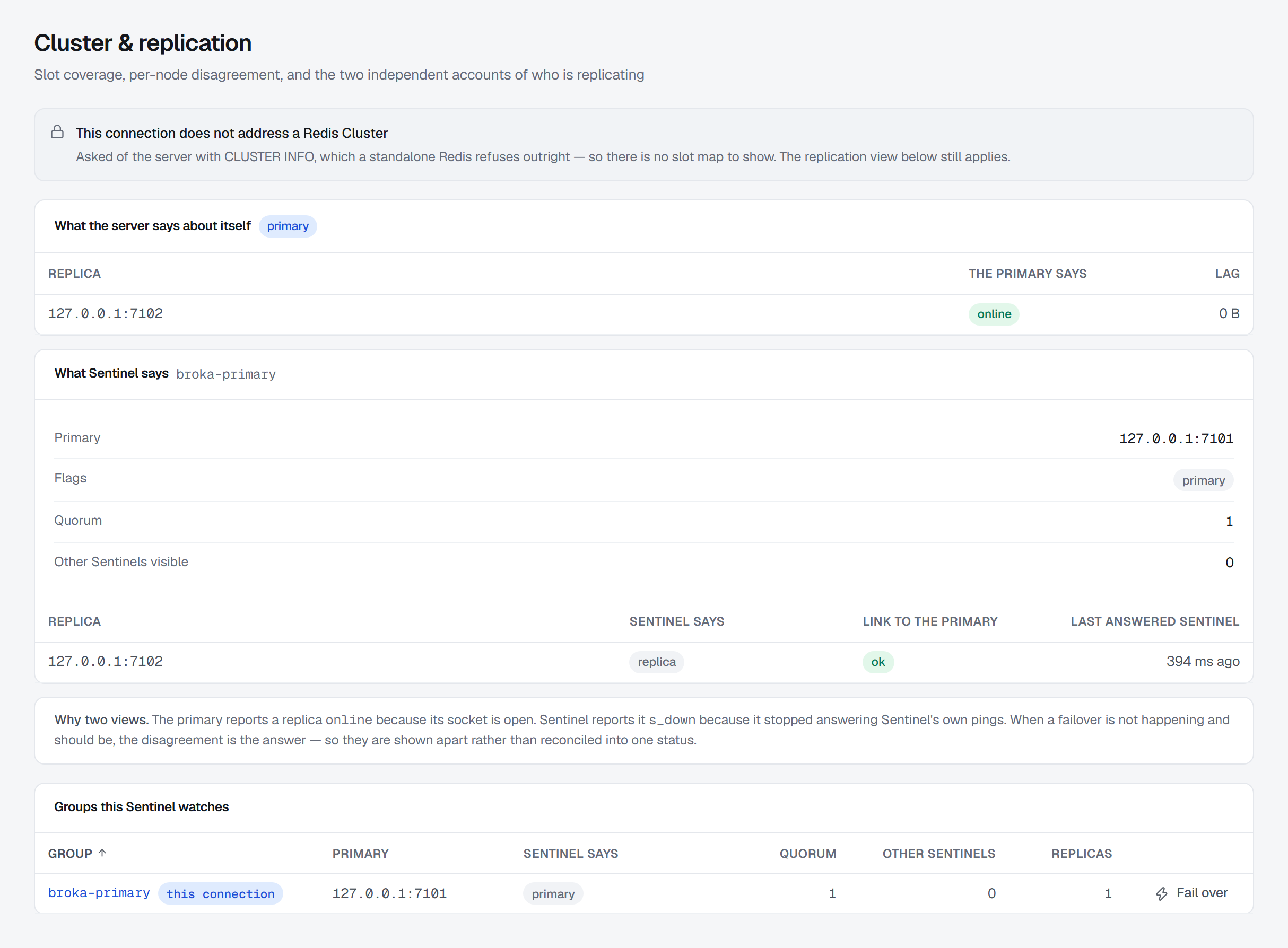
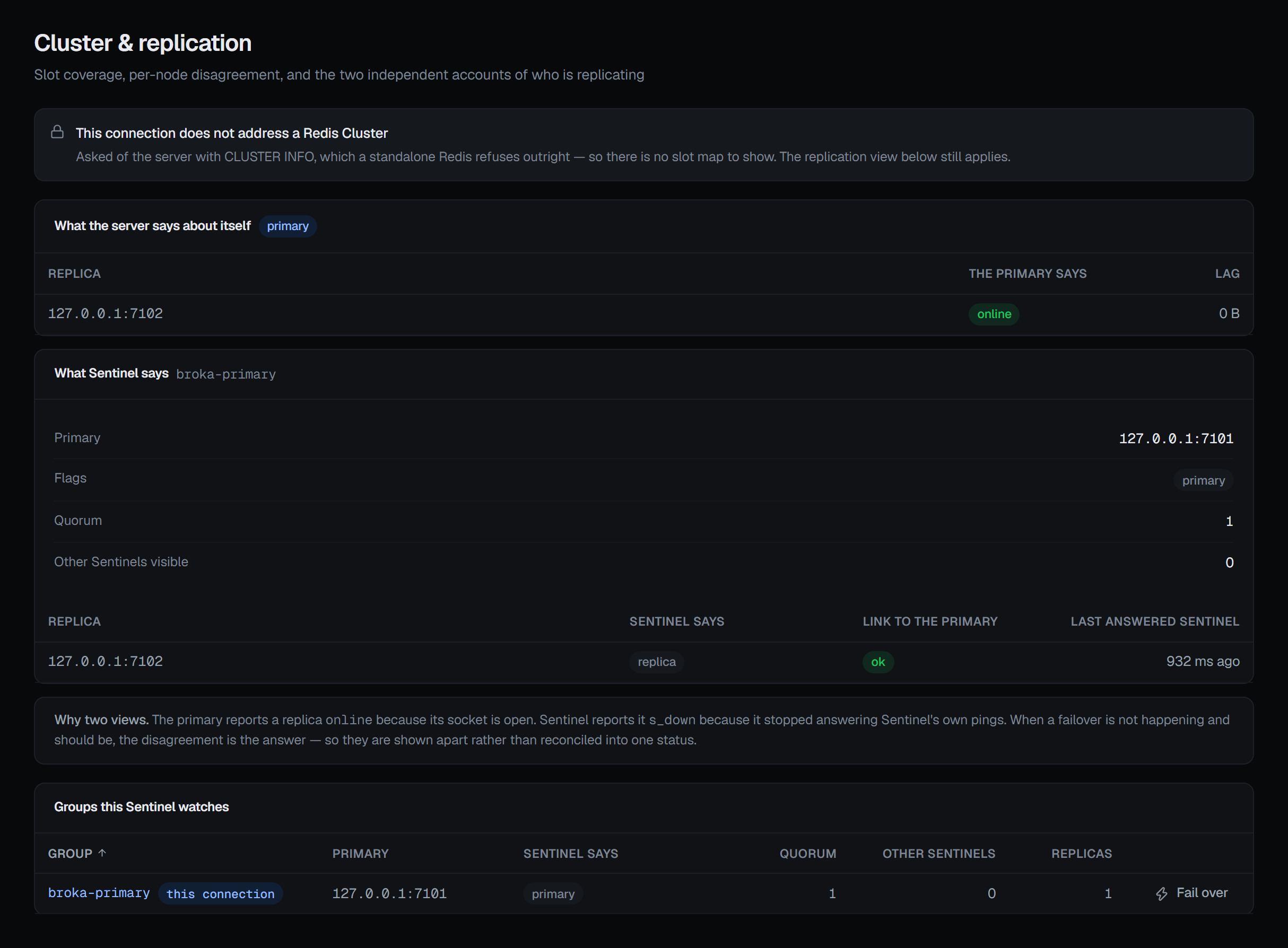
Sentinel's account of the connection's own primary — beside the server's, and never merged with it — is part of the replication view, described on Cluster and replication.
Configuring a Sentinel connection
Choose sentinel as the connection's Topology. Three things then change on the form.
On a Sentinel connection, the addresses are the Sentinels', not the primary's. That is the whole
point of Sentinel — you tell BROKA where the sentinels are and they tell it where the primary
currently is. The field is labelled Sentinel nodes and takes the Sentinels as comma-separated host:port.
Their default port is 26379 rather than 6379, so a Sentinel given without a port is dialed on 26379.
Sentinel master name is required, because there is no sensible default to invent for it: it is the name of the group the Sentinels watch, as they know it.
Sentinel credentials are a card of their own. A Sentinel deployment usually authenticates twice, and BROKA keeps the two credentials apart: the Username and Password above authenticate the primary, and the Sentinel username and Sentinel password authenticate the Sentinels that find it. Leave the Sentinel pair empty for the common setup where the Sentinels have no password of their own — the primary's password is still used for the primary either way.
If the Sentinels refuse your credential and no Sentinel password is stored, the error says exactly that — the password already here authenticates the primary, not the Sentinels that find it — rather than leaving you to work out which of two passwords was wrong.
Everything else about the connection — TLS, the logical database, what a connection test proves — is the same as for any Redis, and is on Instances.
Groups this Sentinel watches
This section exists only on Sentinel connections; a standalone server or a cluster has nothing here, and the section is not drawn at all. BROKA asks Sentinel on a connection of its own, separate from the one to the primary.
Groups this Sentinel watches lists every primary it monitors — not only the one this connection names, which is marked this connection. For each group:
- Group — the name Sentinel knows it by. Selecting it opens the group in full, below.
- Primary — the address Sentinel currently gives for the group's primary.
- Sentinel says — Sentinel's flags for it, with any down flag in red.
- Quorum — how many Sentinels must agree before a failover starts.
- Other Sentinels and Replicas — how many of each Sentinel knows of for this group.
One group in full
The group this connection names is shown in full to begin with; selecting another group's name shows that one instead.
Beside the group's name, the quorum check reads quorum reachable or no quorum — whether a failover could be agreed right now. Under it are the group's Primary and Flags, Sentinel's own sentence under Quorum check, how long Sentinel waits before calling the primary down (Down after), the Failover timeout and the Configuration epoch. A failed quorum check is an answer, shown as one, not an error: the sentence is Sentinel's own reply.
Two lists follow. The group's replicas, each with what Sentinel says about it, its Link to the primary, and when it Last answered Sentinel. And the other Sentinels, as this one sees them: each address, This Sentinel says, and when it last answered.
Failing over
Fail over, on a group's row, asks Sentinel to promote one of the group's replicas and reconfigure the old primary and the other replicas to follow it. The confirmation says what that costs: Sentinel does it without asking the other Sentinels to agree, and writes the old primary accepted but had not yet replicated are lost. It asks for a reason.
Sentinel answers once the failover has started, not when it has finished. The console confirms that it requested the failover, and the new primary shows on a re-read a moment later.
It needs write permission on the connection and is not offered in a read-only environment or on a read-only connection — the button is simply not on the row there.
When Sentinel refuses, nothing changes and the console shows the refusal as said:
- This Sentinel does not watch a group called '…' — the group is not one this Sentinel monitors.
- Sentinel found no replica of '…' it could promote, so the primary was not changed — followed by Sentinel's own reply.
- A failover of '…' is already in progress — a second request while the first is running.
When something looks wrong
| Symptom | Cause |
|---|---|
| The test fails with Could not reach Redis at an address on port 26379 | The Sentinel nodes field holds the primary's address. Given without a port it is dialed on 26379, where a primary does not answer; on a Sentinel connection every address is a Sentinel's. |
| The Sentinels refuse the credential, naming the primary's password | The Sentinels have a password of their own; enter it under Sentinel credentials. |
| There is no Sentinel section on the Cluster screen | The connection's topology is not sentinel — it reaches its server directly. |
| The group reads no quorum | A failover could not be agreed right now; Sentinel's own sentence under Quorum check says why. |
| The replication view warns Sentinel could not be reached | The server's own account still stands; Sentinel's is missing. See Cluster and replication. |
| Fail over is not on the rows | The environment or the connection is read-only, or you do not have write permission on the connection. |