

Share and streams groups
Updated 29 September 2026 · applies to 1.0.0 · Community and Commercial
Share and streams groups are listed under Kafka ▸ Consumer Groups beside ordinary consumer groups, on a cluster that runs them, each with its own detail. This page says what each detail shows, which clusters have them, and what BROKA can and cannot do with them. Lag and the consumer-group operations are described on Consumer groups and lag and Group offsets and operations.
Which clusters have them
Kafka keeps all three kinds of group in one namespace, and the Type column of the Consumer Groups list says which each row is: Consumer, Share — Kafka's queue-like group, whose members share the records of a partition rather than each owning partitions of their own — or Streams, the group a Kafka Streams application forms on the streams protocol.
Share and streams groups exist only where the cluster has enabled them: the share.version and streams.version
feature levels must be 1 or higher. BROKA reads those levels from the cluster rather than inferring them from its
version, and asks for share or streams groups only where they are enabled.
Where they are not, the type is listed in the Type filter disabled, with the reason on hover. On a cluster whose brokers do not know the level — Kafka 3.8, for instance — the reason is Requires Kafka 4.2, the release that enables them by default. On a cluster whose brokers support them but which has not raised the level, it is This cluster's brokers support share groups, and the cluster has not enabled them (share.version). A type whose list could not be read is disabled the same way, with the error as its reason. On a ZooKeeper-mode cluster neither type is offered at all. The levels themselves are shown on the Brokers page's Features tab, described in Metadata quorum and features.
In the list, measurements a protocol does not have are left as —: a share group reports its state, lag, members and topics, a streams group its state, members and topics.
Share groups
Clicking a share group opens its own detail: its state, members, lag, group epoch and target epoch, then four tabs — Topics, Partitions, Members and Configuration.
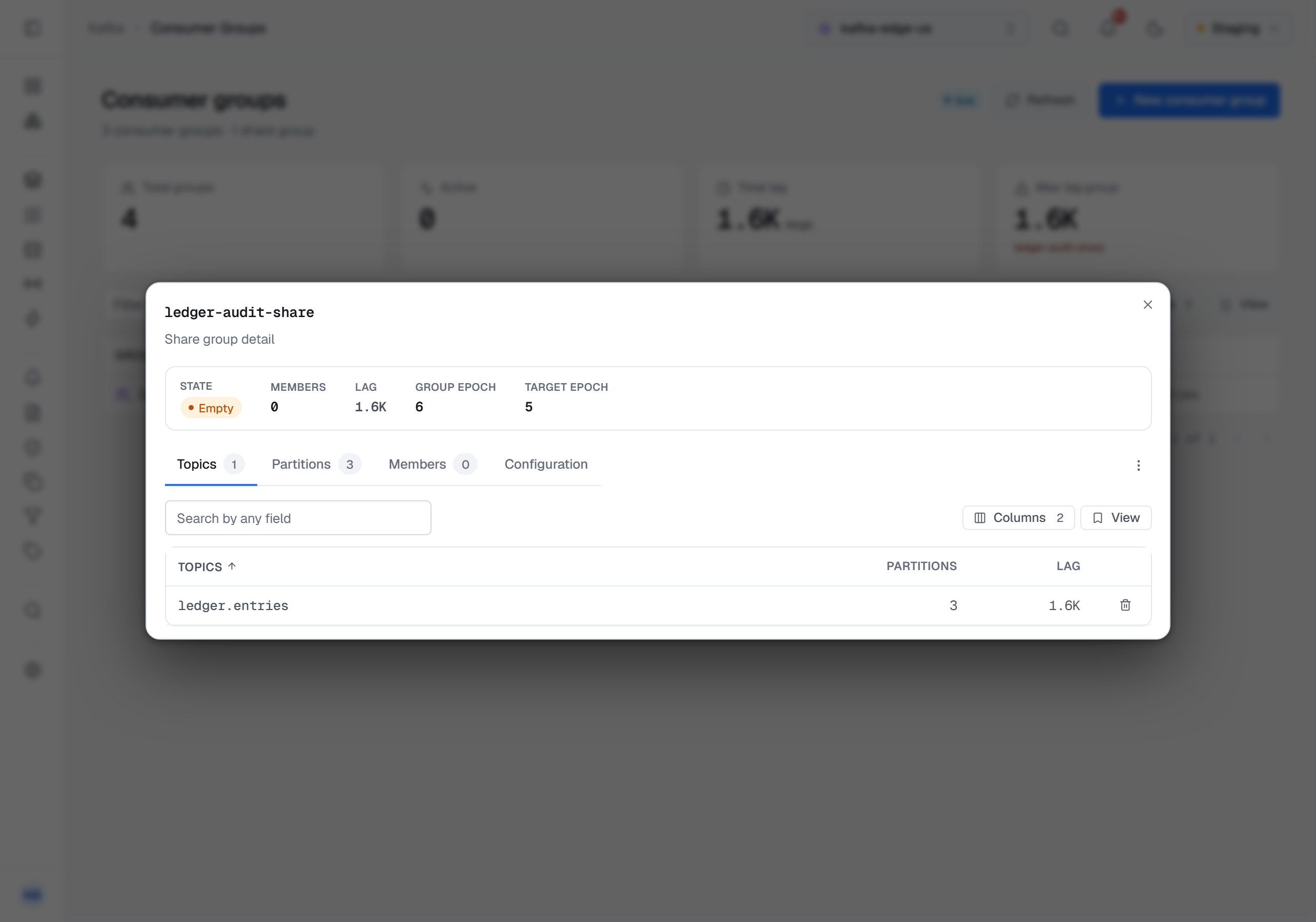
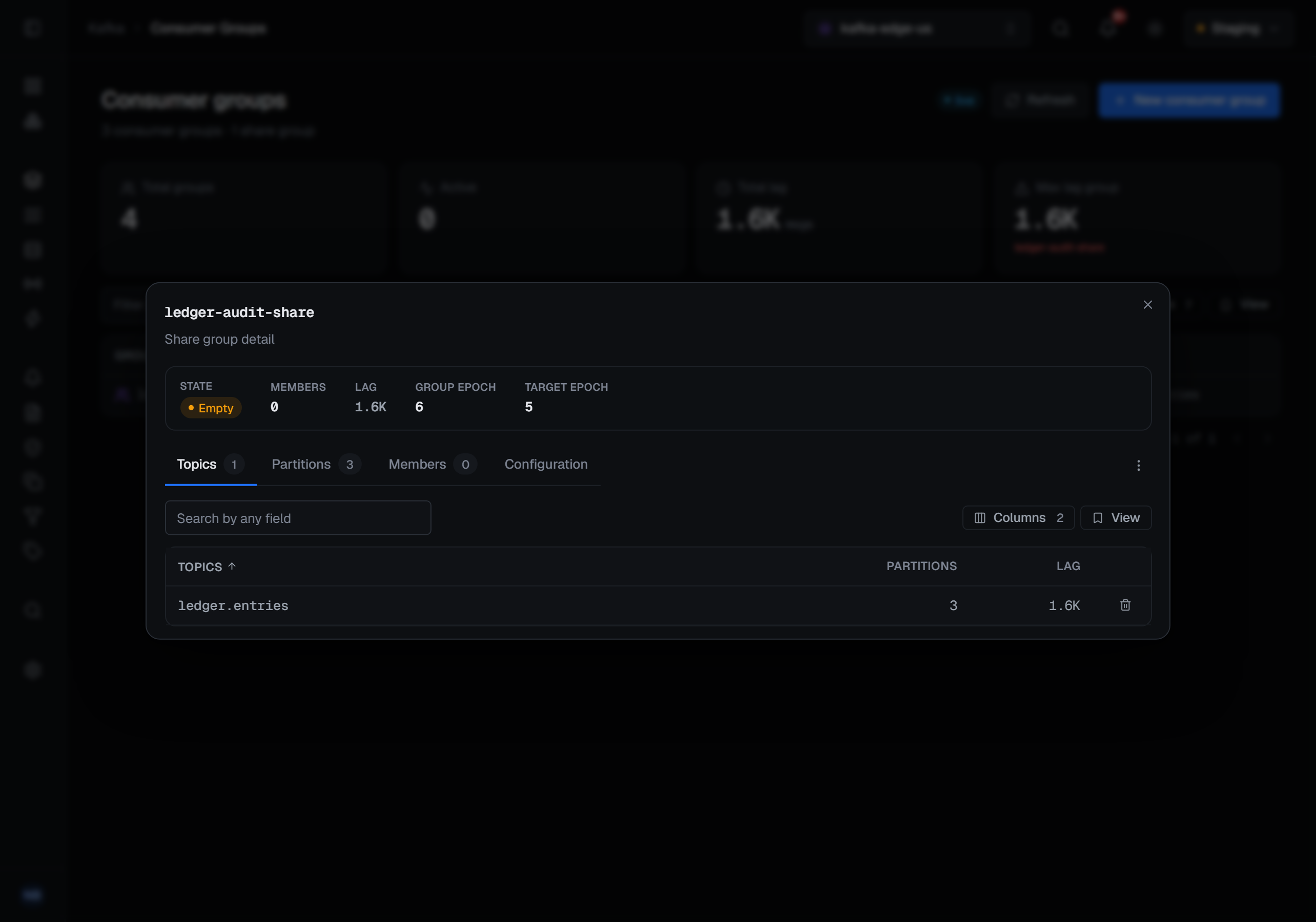
A share group has no committed position per member. Each partition it reads has a start offset — the earliest record the group is still delivering — and a lag behind it that the group coordinator computes. The group's lag is the sum over the partitions that report one, and reads —, not zero, when none does.
- Topics — each topic the group reads, with its number of partitions and its lag, and Delete offsets on the row.
- Partitions — each partition with its Start offset, Lag and Leader epoch.
- Members — each member with its Client id, Host, Rack, Epoch, Assigned partitions and Topics.
- Configuration — the group's
share.*settings as the broker reports them, each marked default or overridden, with its source on hover. A sensitive value is masked, and a setting that cannot change carries a lock instead of a pencil.
Resetting and deleting a share group
The detail's ⋯ menu has two operations. Both are offered only while the group has no members — Kafka refuses them otherwise, and the menu says (must be stopped).
- Reset Offset moves the group's start offsets to the Earliest record, the Latest, or a Timestamp — the first record at or after it, or the end of the log where there is none. Those three are all a share group has, because there is no member position to shift from, so there is no Offset or Shift by here. Only the partitions the group holds state on are planned. Preview shows where each partition would move and writes nothing; Apply reset applies it and asks for a reason.
- Delete removes the share group and its start offsets. Delete share group …? asks for a reason and says it cannot be undone.
Delete offsets, on each row of the Topics tab, drops that topic from the group: its start offsets on every partition of the topic are removed. It also needs the group to have no members, asks for a reason, and cannot be undone.
A setting's pencil in the Configuration tab opens the same panel a topic's configuration does: Update value, or Reset to default to go back to what the group inherits.
Streams groups
A streams group's detail is read-only: Kafka still marks its administrative API for streams groups as evolving, so BROKA reads them and offers no operation on them — the detail has no ⋯ menu. It shows the state, members, group epoch, target epoch and topology epoch, then three tabs:
- Members — each member's client id, host, process, static id, epoch, topology epoch, its active, standby and warm-up tasks, and its endpoint.
- Topology — each subtopology of the application with its source topics, repartition sinks, changelog topics and repartition sources.
- Assignment — one row per member and subtopology: its Active, Standby and Warmup tasks now beside the Target active, Target standby and Target warmup tasks the coordinator is steering it toward.
Permissions, reasons and the audit trail
Every share-group write needs the permission to manage the cluster. In a read-only environment, or on a connection marked read-only, they are blocked with the reason, as a consumer group's are. As there too, Reset Offset still opens and previews its plan; only Apply reset is disabled, with the reason shown in the dialog.
Reset, Delete and Delete offsets ask for a reason in every environment. A configuration change asks for one only when the connection's environment is guarded.
A share group's reset, deleted offsets, deletion and configuration changes are audited like a consumer group's, each marked as a share group's: a reset with each partition's start offset before and after, a deletion of offsets with the start offset each position held, a configuration change with each setting before and after. A preview is not recorded. A streams group has no writes, so there is nothing of it to record.