

Connections and channels
Updated 3 October 2026 · applies to 1.0.0 · Commercial
Every application talking to RabbitMQ holds a connection, and does its work on channels inside it. These two screens are where you find out which applications are attached, what they are holding, and which of them has stopped moving.
Connections
Each row names the connection the way the application named itself, with its address, its client library and version beneath — because "which of our services is this" is the question you are usually answering, and a socket address alone does not answer it. A shovel or federation link running inside the broker has no address to print; its row carries an internal badge instead, so the broker's own plumbing is not mistaken for an application.
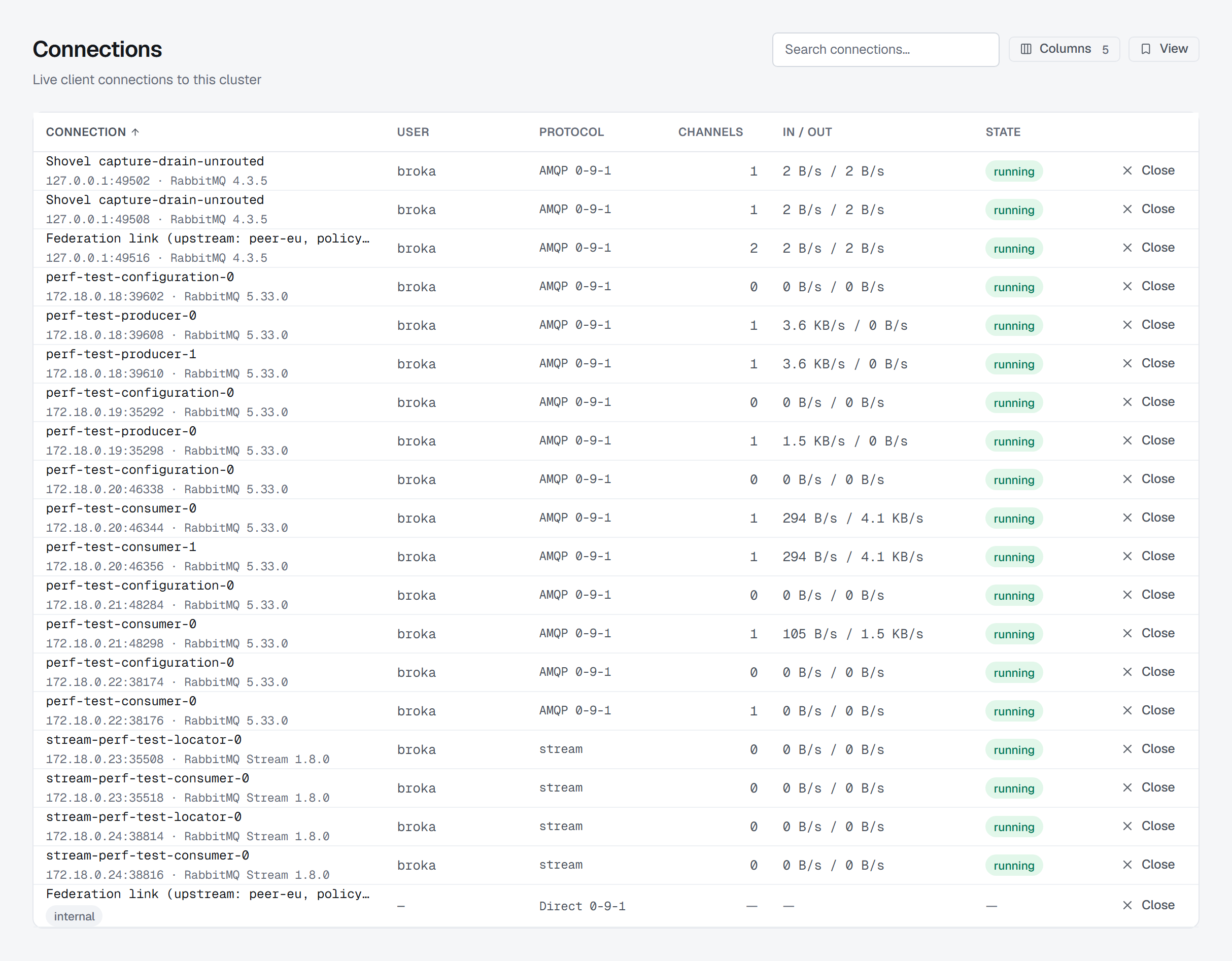
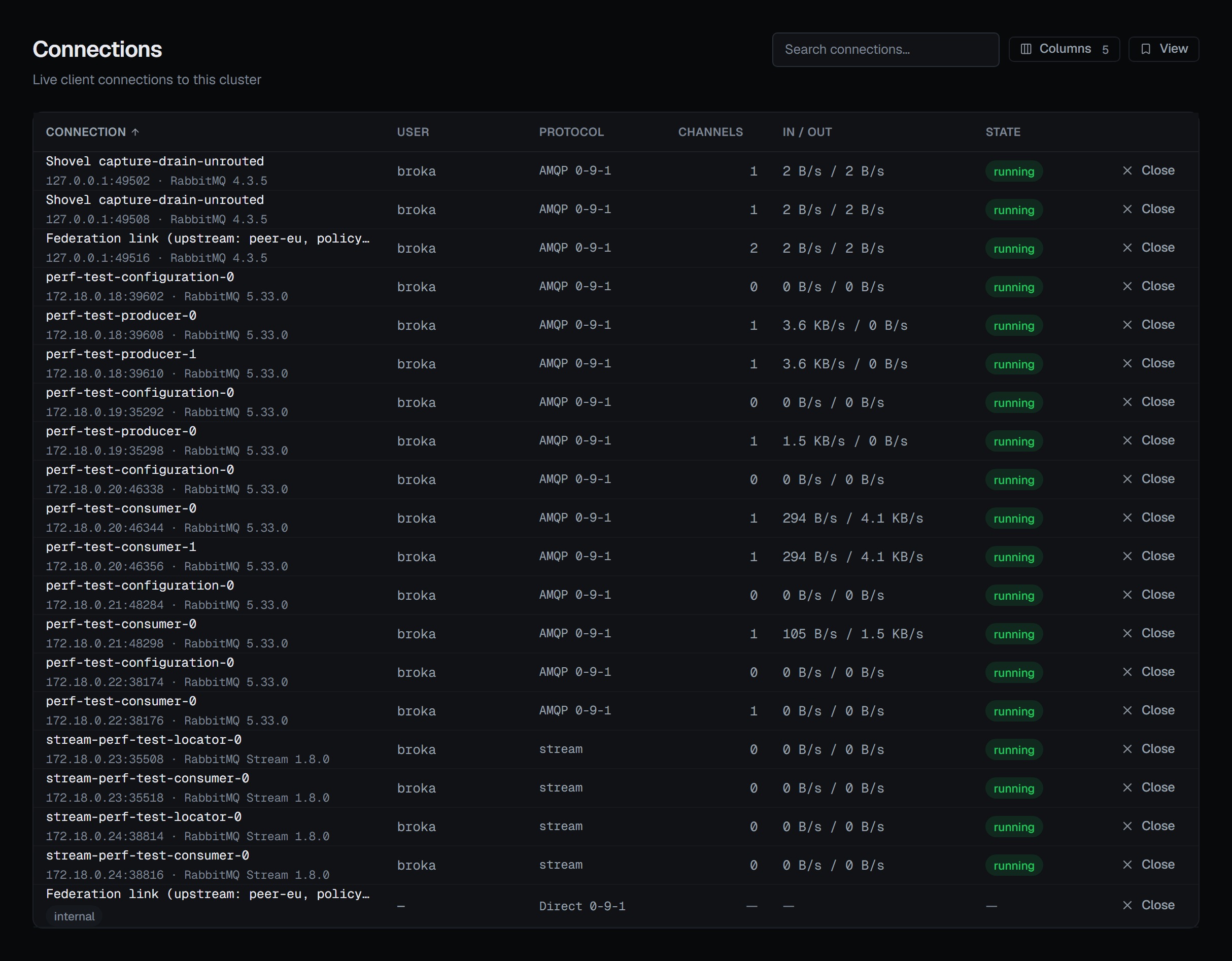
Beside that: the user it authenticated as, its protocol (with a TLS badge when the connection is encrypted), how many channels it holds, its In / out throughput and its state. In / out is bytes per second received and sent — not a message rate, because RabbitMQ counts messages per channel, not per connection. The virtual host and the heartbeat interval are two more columns under Columns, and the layout you choose can be kept as a saved view.
A heartbeat of zero is shown as off, not as a number. Zero here does not mean "very frequent";
it means the connection has no heartbeat at all and a dead peer will not be noticed until something
tries to use it.
A blocked connection is a cluster problem, not a client one
This is the most useful thing on the screen and the easiest to misread.
A connection's state says on hover what it means, in RabbitMQ's own terms. Only blocking and blocked come from a cluster resource alarm, on memory or disk: a connection held by one cannot publish until the alarm clears, and nothing about the client caused it. RabbitMQ distinguishes two stages, and so does BROKA: blocking is a connection that has not published since the alarm was raised, and that its next publish will block; blocked is one that is held.
The other states are not alarms. flow means the broker is slowing the connection's publishing because a queue or channel behind it cannot keep up; it clears on its own. The states a connection passes through while it opens (the handshake, authentication and tuning) and while it closes are shown as the steps they are, not as faults.
An operator who reads a blocked connection as a misbehaving application restarts the wrong thing. The alarm is on the cluster; the connection is its casualty.
Searching
The search runs on the broker rather than in your browser, so it reaches the whole estate rather than the page you are looking at — and the page count follows the filtered result rather than the total, so paging stays correct while you search. Sorting is done by the broker too, before it pages.
It is a plain substring match, deliberately, not a regular expression: an operator's search box is not a regex, and a stray bracket should not become an error.
Closing a connection
A connection can be force-closed with Close on its row. The button is drawn only for a role that holds
connections.manage, and only when neither the environment nor the connection is read-only; otherwise the
screen says above the table why it is not there.
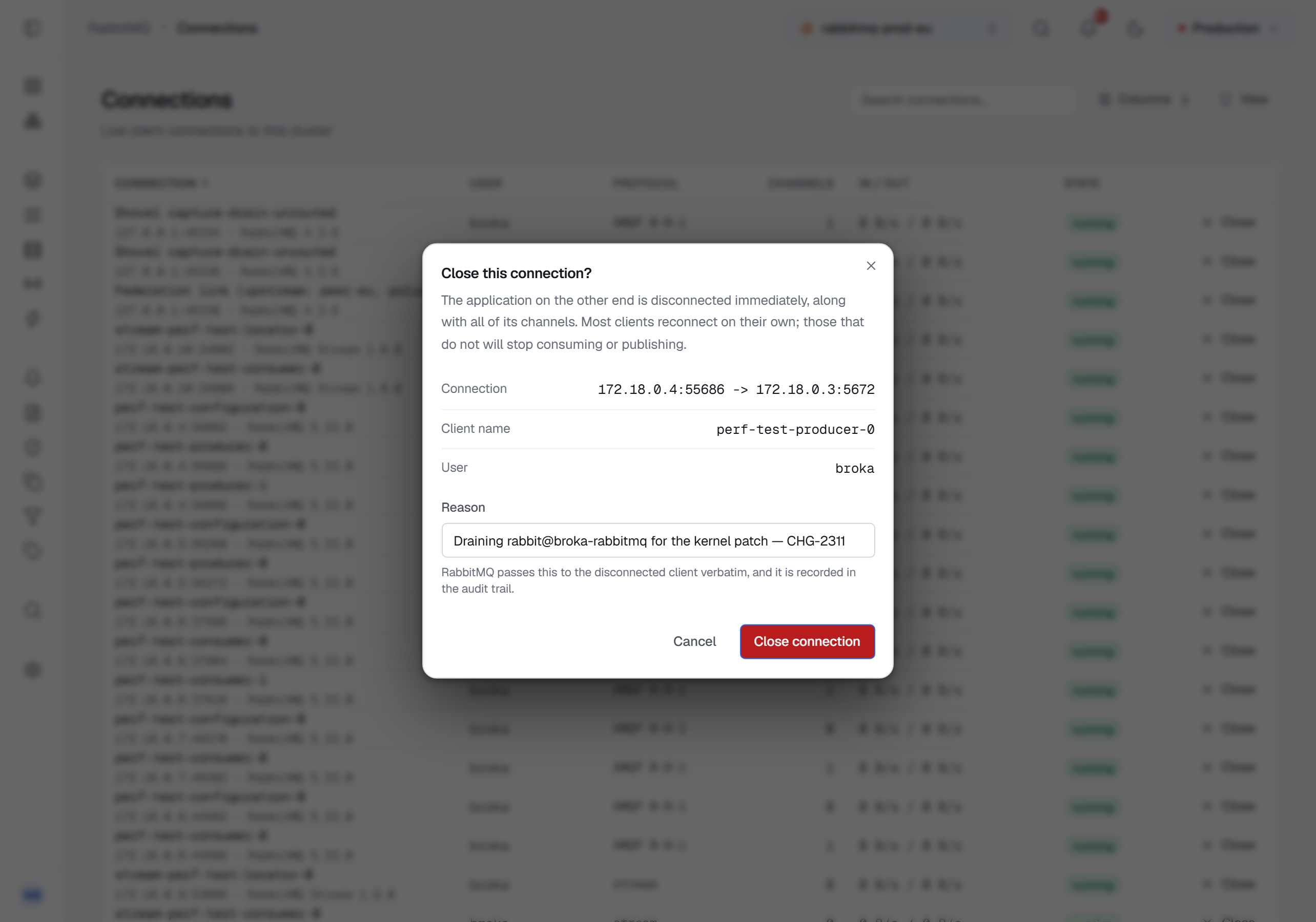
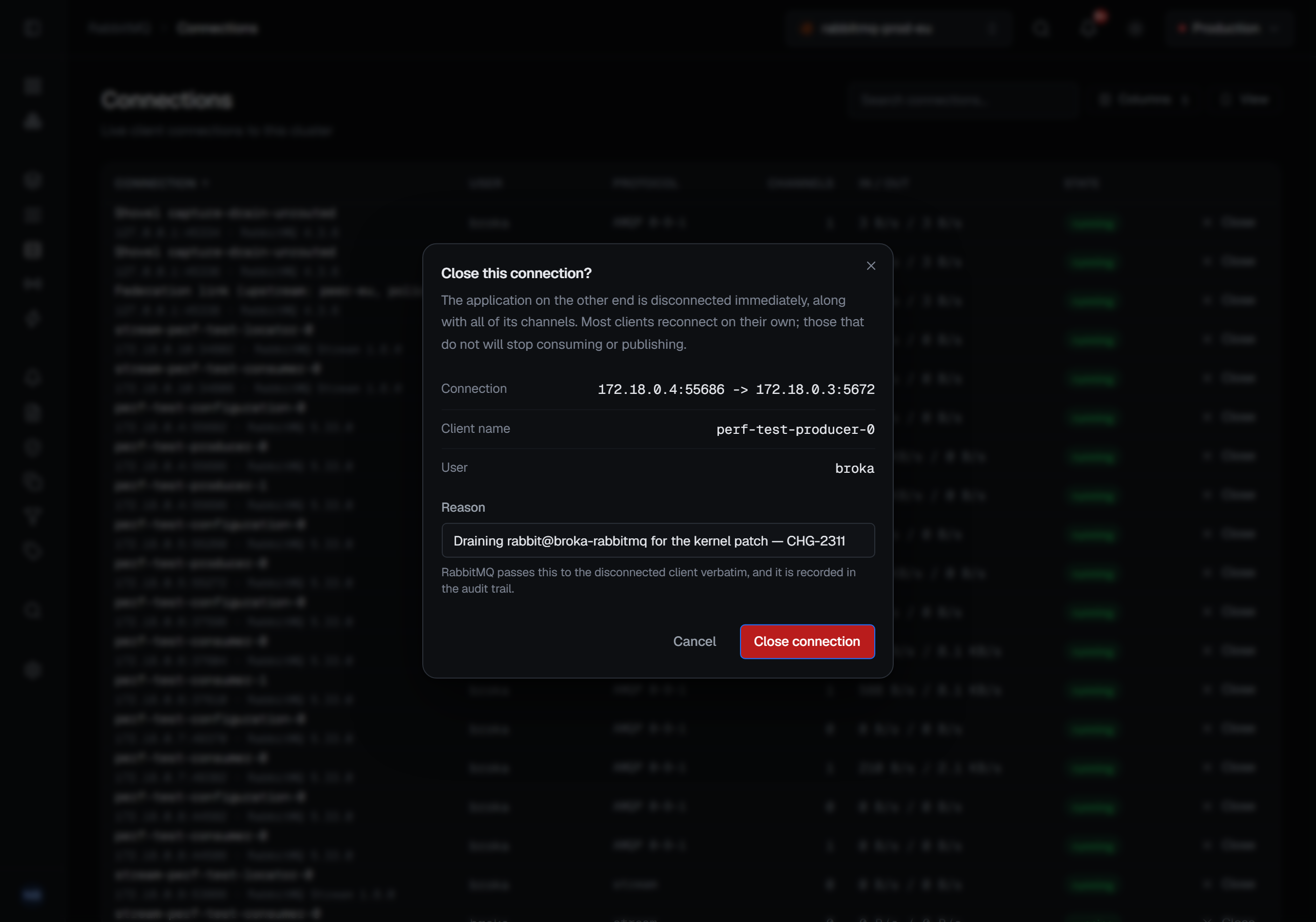
The confirmation is written for the consequence rather than the action: the application on the other end is disconnected immediately, along with all of its channels. Most clients reconnect on their own; the ones that do not will stop consuming or publishing. On an internal row it says instead that this is the broker's own plumbing — closing it interrupts the transfer, and the shovel or federation link re-establishes itself on its own reconnect interval.
The dialog reads back which connection, which client name and which user, so the thing you are about to close is named rather than assumed.
A reason is required — Close connection stays disabled until you give one — and it goes two places: RabbitMQ passes it to the disconnected client, and it is recorded on the audit entry exactly as you typed it. An application that logs why it was disconnected is an application whose operator does not have to guess later.
Write the reason in any language. The client's copy travels in a place that carries plain ASCII only, so BROKA writes it that way: accents are dropped (Bakım: şifre değişti reaches the client as Bakim: sifre degisti), other scripts and emoji are percent-encoded rather than lost, line breaks become spaces, and it is cut at 255 characters. The connection is closed whatever you write.
Channels
A channel is where the work happens, and this screen carries the pair that explains a stalled consumer: prefetch and unacknowledged, side by side.
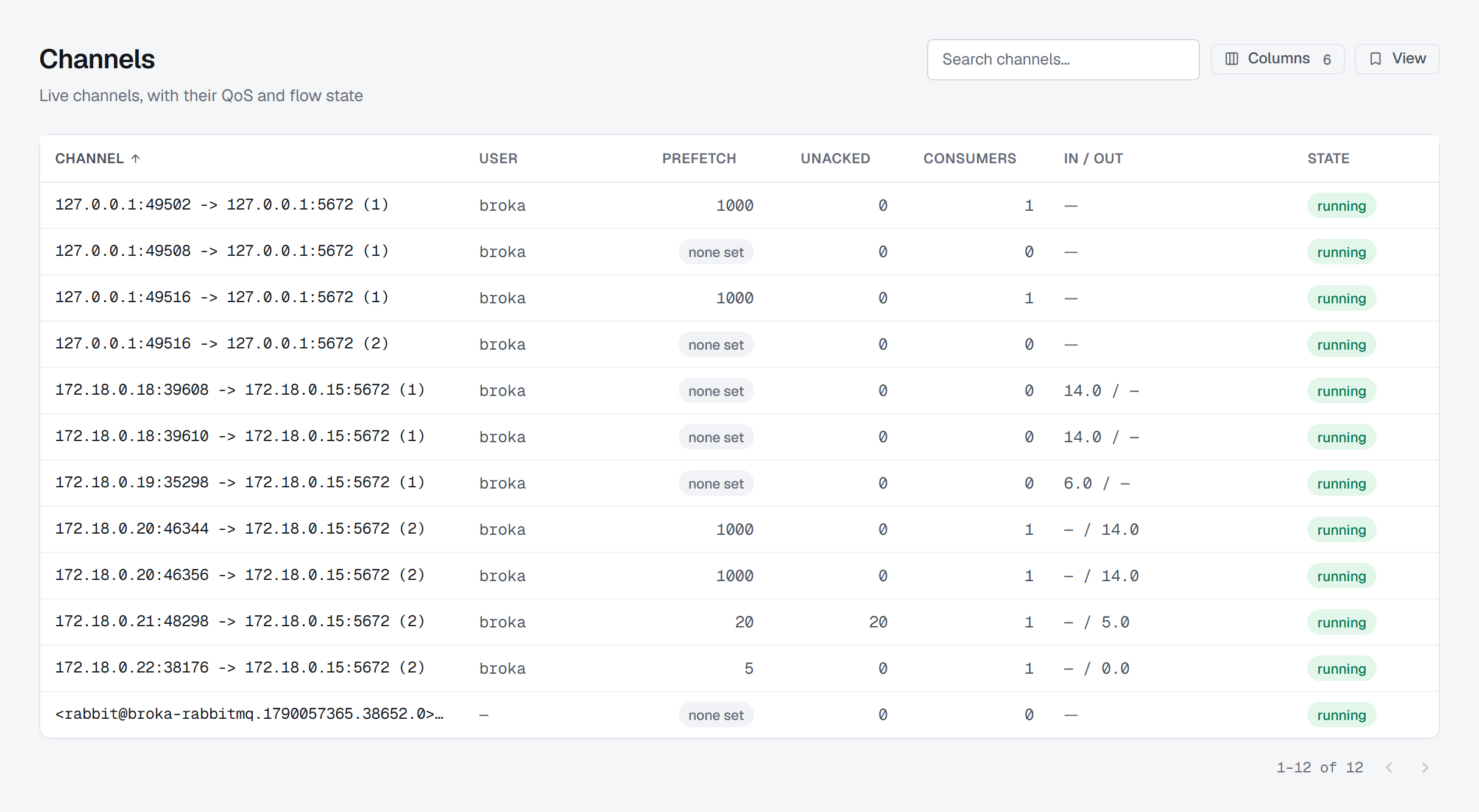
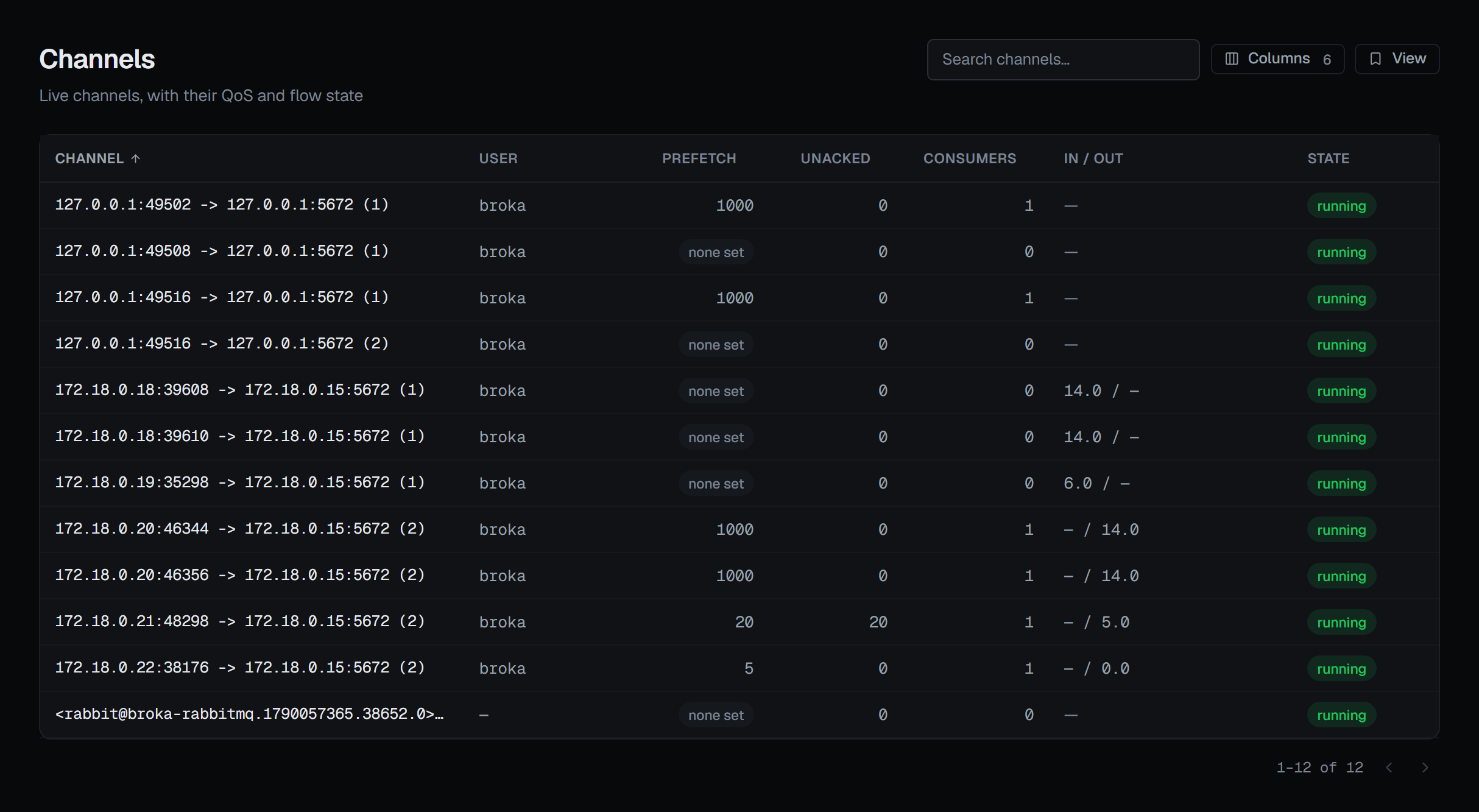
Prefetch is how many messages the broker will send a consumer before it wants an acknowledgement. Unacknowledged is how many are outstanding on the channel, totalled across every consumer on it.
Those are two different denominators, and BROKA does not pretend otherwise. A channel reports the last QoS value it set, not a per-consumer ceiling: a channel that set 12, subscribed, then set 3 and subscribed again reports 3 while its two consumers hold 12 and 3 between them. Comparing the two numbers would flag a channel that is working perfectly well, so the screen states each and says why they are not comparable. The Consumers page reports each consumer's own prefetch, which is where the question can actually be answered.
Beside them, In / out is messages per second published by the channel and delivered to it, with the
acknowledgement rate in its tooltip; a Mode column, off by default, marks channels in confirm or tx
mode.
A prefetch of zero is shown as unlimited where the channel has consumers, with what it means: no
QoS limit, so a consumer registered under it can be handed the whole queue before acknowledging
anything. On a channel with no consumers it reads none set instead — a publish-only channel has
nothing to starve.
Flow is not a block
A channel in flow is under client-side back-pressure — the broker is slowing it because the client is not keeping up. It is self-correcting and it is not the same as a connection blocked by a resource alarm, which is a cluster-wide condition the client cannot fix.
The console keeps the two apart and says so on the one you are looking at, because they look similar on a dashboard and call for opposite responses.
What is not offered, and why
There is no close-channel action. RabbitMQ's management API has no endpoint for it — a channel is closed by the client that opened it, or by closing the whole connection. BROKA does not draw a button that could not work.
Numbers the broker did not report
A figure RabbitMQ did not send is shown as —, with that as the reason, rather than as zero. On a screen whose whole purpose is spotting a consumer that has stopped, a fabricated zero is the worst possible thing to print.