

Policies
Updated 1 October 2026 · applies to 1.0.0 · Commercial
A policy applies settings to every queue or exchange whose name matches its pattern — including ones created after it. It is how an estate sets retention, dead-lettering and length limits centrally rather than one declare at a time.
Only the highest-priority match applies
This is the rule that decides everything on this screen, and it is not the one people expect: policies do not combine. For any object, the highest-priority policy whose pattern matches is the only one in force. The others contribute nothing.
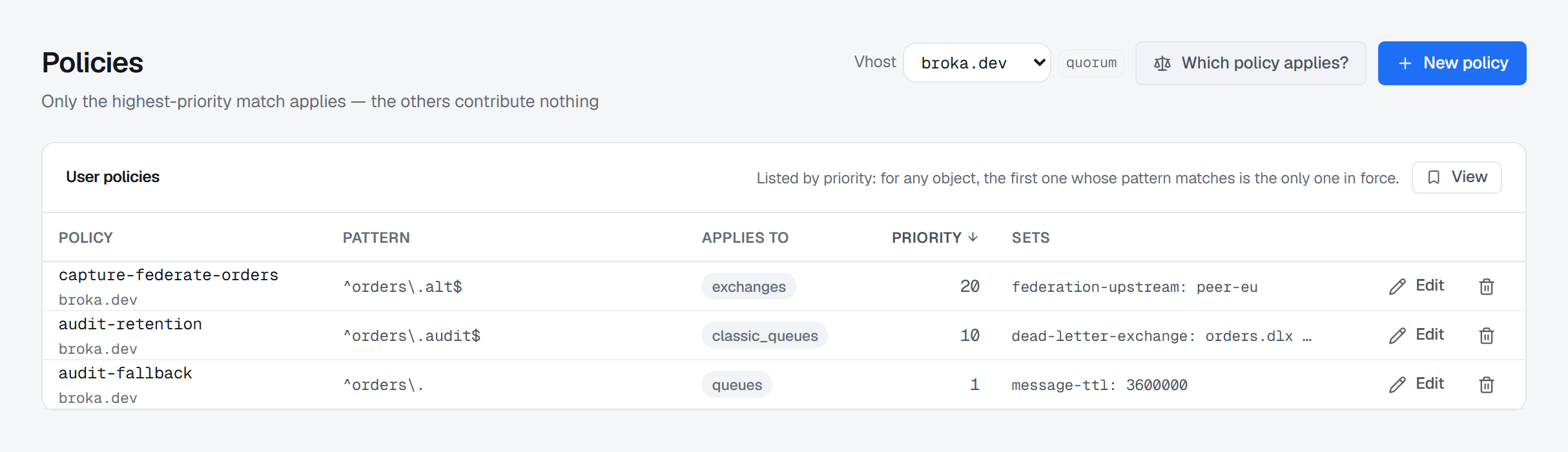
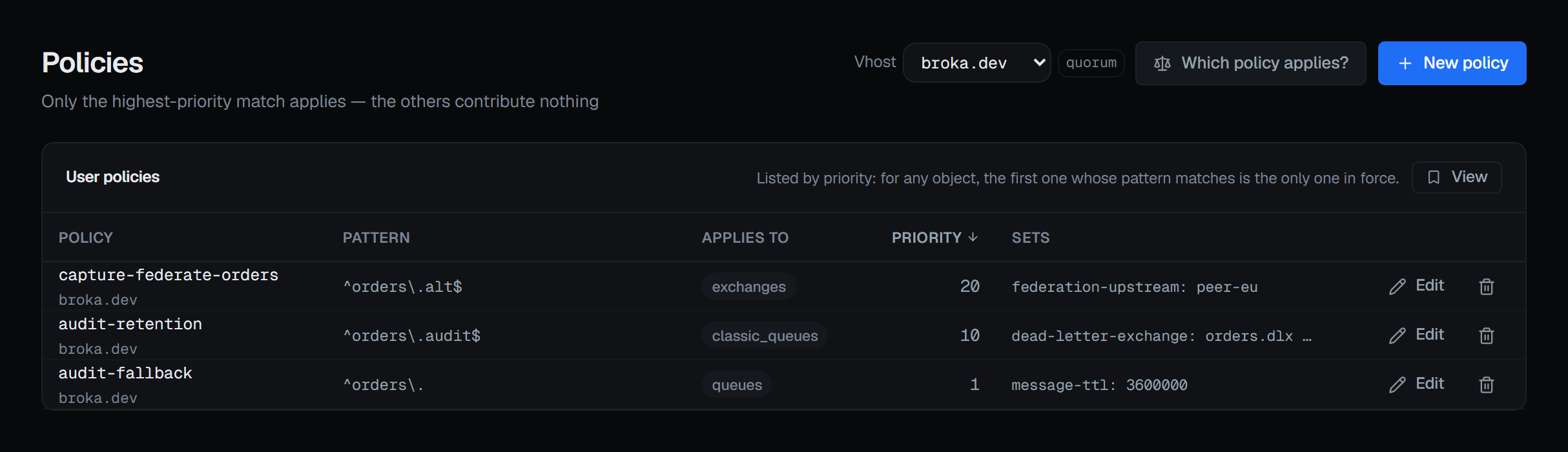
So the list is ordered by priority, highest first, and says so — reading it top-down is reading it in the order the broker resolves it.
Two policies at the same priority leave the outcome undefined, and the form says that where you type the number rather than after you have chosen one.
Operator policies are a separate layer
An operator policy is applied on top of the winning user policy, and where both set the same numeric limit the more restrictive value stands. They are not in the priority contest with user policies — they are a second, administrative layer — so they are listed separately and never sorted into the same table. The Operator policies card appears only when the virtual host has at least one.
Patterns are searched, not matched whole
A pattern that does not start with ^ is a search, so it also governs every name that merely
contains it. orders governs orders.audit and retry.orders.dlq alike.
BROKA marks an unanchored pattern where you can see it, because the difference between "governs the orders queues" and "governs everything with orders in the name" is an estate-wide difference nobody notices until something inherits a TTL.
What a policy sets
The definition is a JSON object, and the list summarises its keys and values so you can see what each policy actually does without opening it. A policy with an empty definition reads as sets nothing, which is a real and occasionally deliberate state.
Mirroring keys are refused. Classic queue mirroring was removed in RabbitMQ 4.0, and a ha-
definition would configure nothing while looking like replication had been arranged — so the form
refuses it, with the reason, and BROKA refuses it again if it is sent anyway.
Creating and editing
New policy is in the header, and each row has Edit and a delete button, for someone allowed to change this cluster — not in a read-only environment or on a read-only connection. A policy belongs to one virtual host, so with All vhosts selected the form asks you to pick one first. A name already used by a policy of the same kind in that virtual host is refused rather than replaced; Edit on its row changes it.
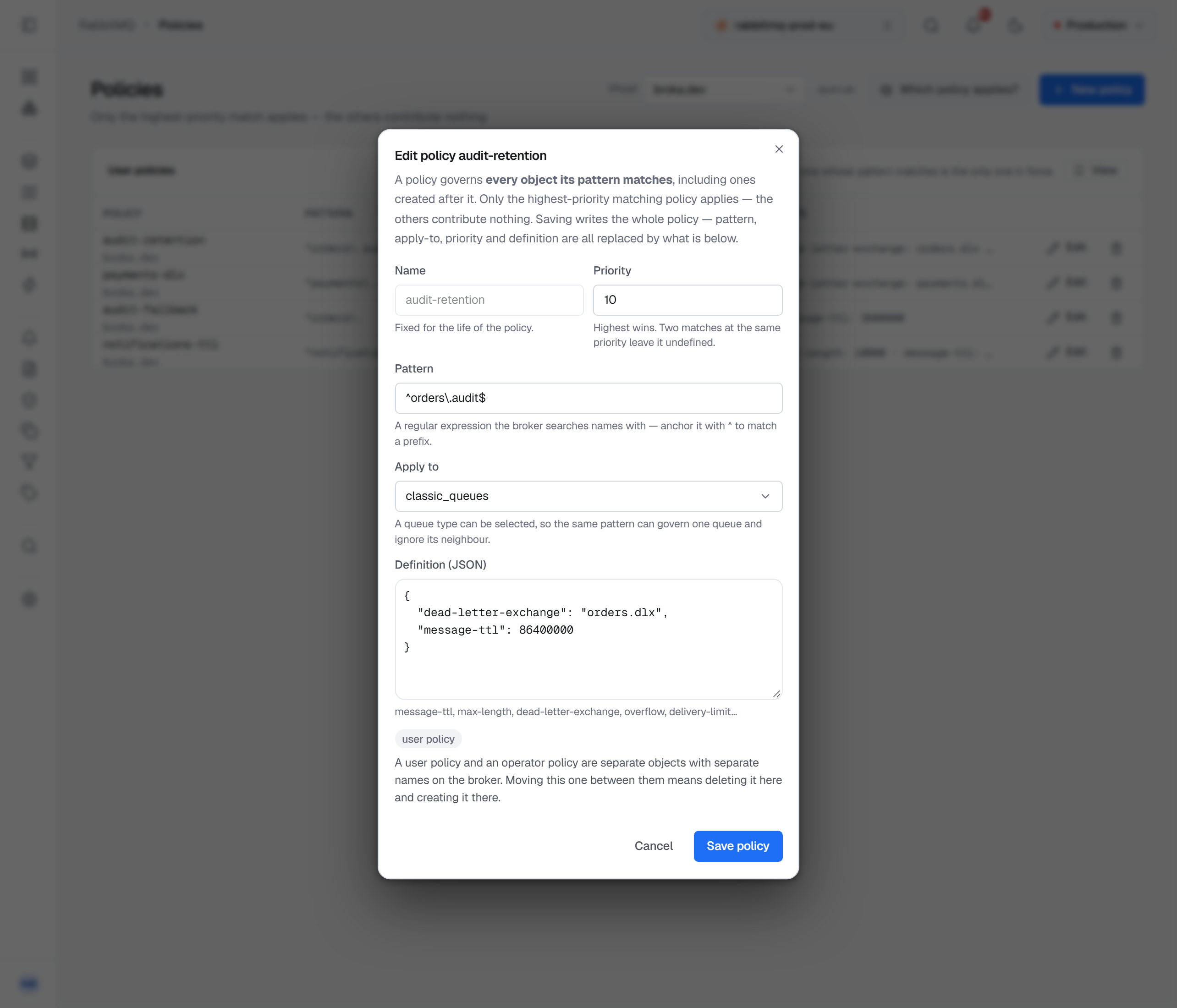
The form takes a name, a priority, the pattern, what it applies to — queues, one queue type
(classic_queues, quorum_queues, streams), exchanges, or all — and the definition. The pattern's
hint changes to say so when it is unanchored. A priority that is not a number is refused rather than
quietly read as zero, and Operator policy chooses the second layer.
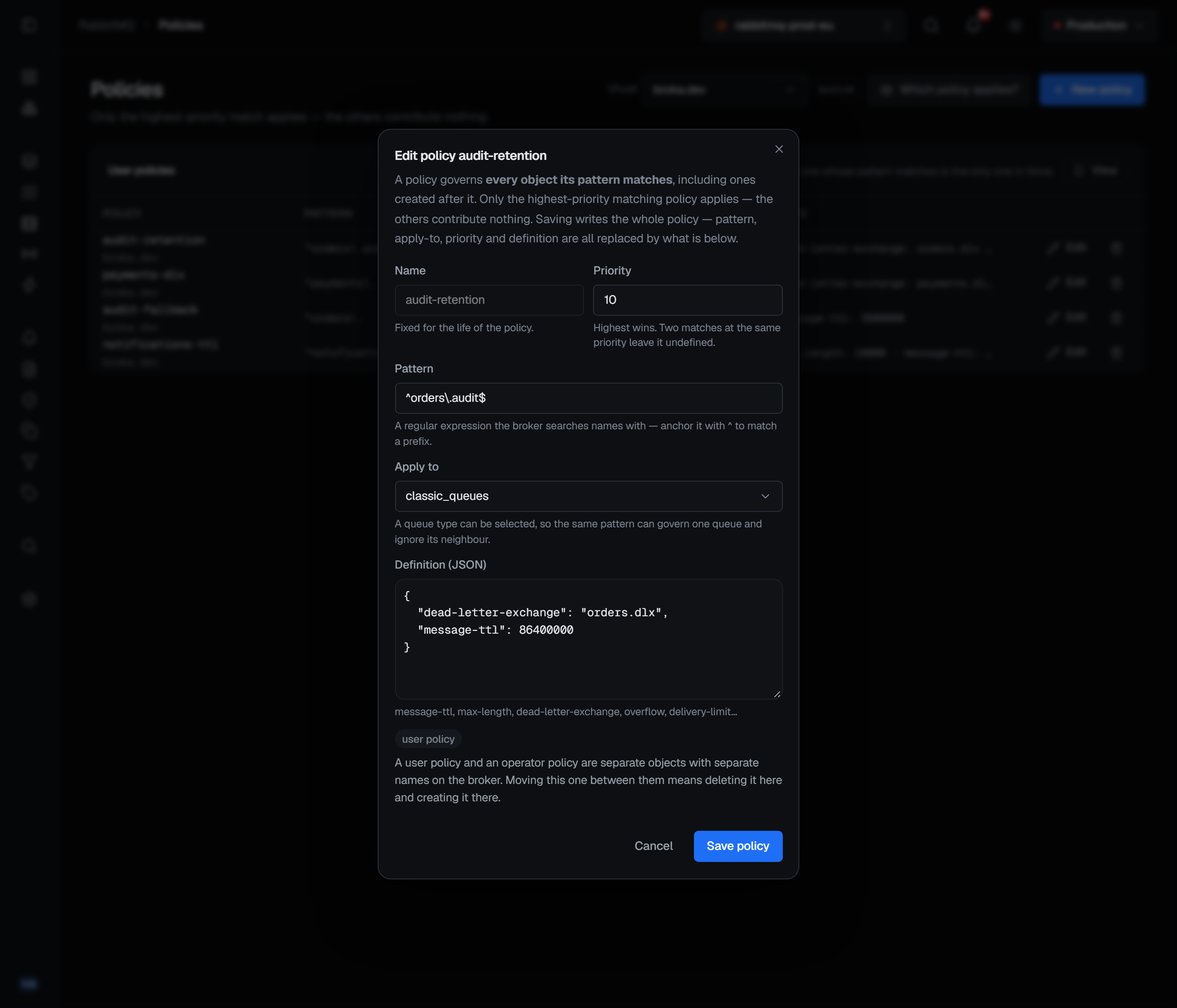
Editing opens the form filled from the row, with the name locked, and says what saving does: the whole policy is written — pattern, apply-to, priority and definition are all replaced by what is in the form. A user policy cannot be turned into an operator policy or back: they are separate objects on the broker, so moving one means deleting it and creating it on the other side.
Deleting one
Deleting a policy is where the precedence rule bites, and the confirmation says so:
Every object it governed falls back to the next matching policy, or to its own arguments if none matches — which can silently remove a TTL or a dead-letter target.
That is the sentence worth reading before confirming. A policy delete does not restore a default; it re-runs the resolution without that policy, and whatever wins next is what those queues get. The confirmation asks for a reason.
Which policy is in force, and which ones lost
A queue's own page names the policy and the operator policy the broker says are governing it, and attributes its dead-letter target to whichever declared it — see Dead-letter flows.
The name alone answers half the question. The other half — where did the policy I wrote go — is what
the resolver answers. It opens from the queue's own Policy row, and from Which policy applies? on
this page for any object you name, queue or exchange. It reports:
- In force — the one policy governing that object, as the broker itself reports it.
- Also matched, and does not apply — every other policy whose pattern and scope match, each with the one-line reason it is not the one. This list is the point of the screen: it is where the policy you meant to be using shows up.
- Operator policy, shown apart, because it does not compete: it applies as well, and where both set the same numeric limit the more restrictive value holds.
- Nothing governs this object, as its own state rather than an empty table.
The winner comes from the broker rather than from re-deriving the rule here, and that is not caution for
its own sake: matching on pattern and scope is not the whole of RabbitMQ's rule. A policy also has to set
at least one key that the object's type accepts. A policy applying to queues whose only key is
message-ttl governs the classic and quorum queues its pattern matches and does not govern the
stream beside them, because a stream does not take that key — swap it for max-age and the same policy
does govern the stream.
What is recorded
Creating, editing and deleting a policy are audited. The entry records each of the pattern, what it applies to, the priority and the definition that changed, with its value before and after — so an edit shows exactly what it replaced, and a delete shows what every object it governed has just lost. The delete entry carries the fallback consequence in the same sentence the dialog used.