

Queues
Updated 29 September 2026 · applies to 1.0.0 · Commercial
Classic, quorum and stream sit in one table, with the state that means unavailable.
Depth is two numbers, never one
Ready is waiting to be delivered. Unacknowledged has been delivered and not yet finished with. A single "messages" total hides the difference, and the difference is usually the answer: a queue with a large unacknowledged count and nothing ready is not backed up — it has a consumer that has stopped finishing work.
Beside them, Consumers carries how much of the time the broker could hand the queue's messages straight to a consumer (N% utilised, shown only where there is a consumer to measure), and In / out is messages per second published in and delivered out — coloured when messages arrive and none leave, or when deliveries are being redelivered. The type is one more column under Columns, and the Vhost selector in the header scopes the list.
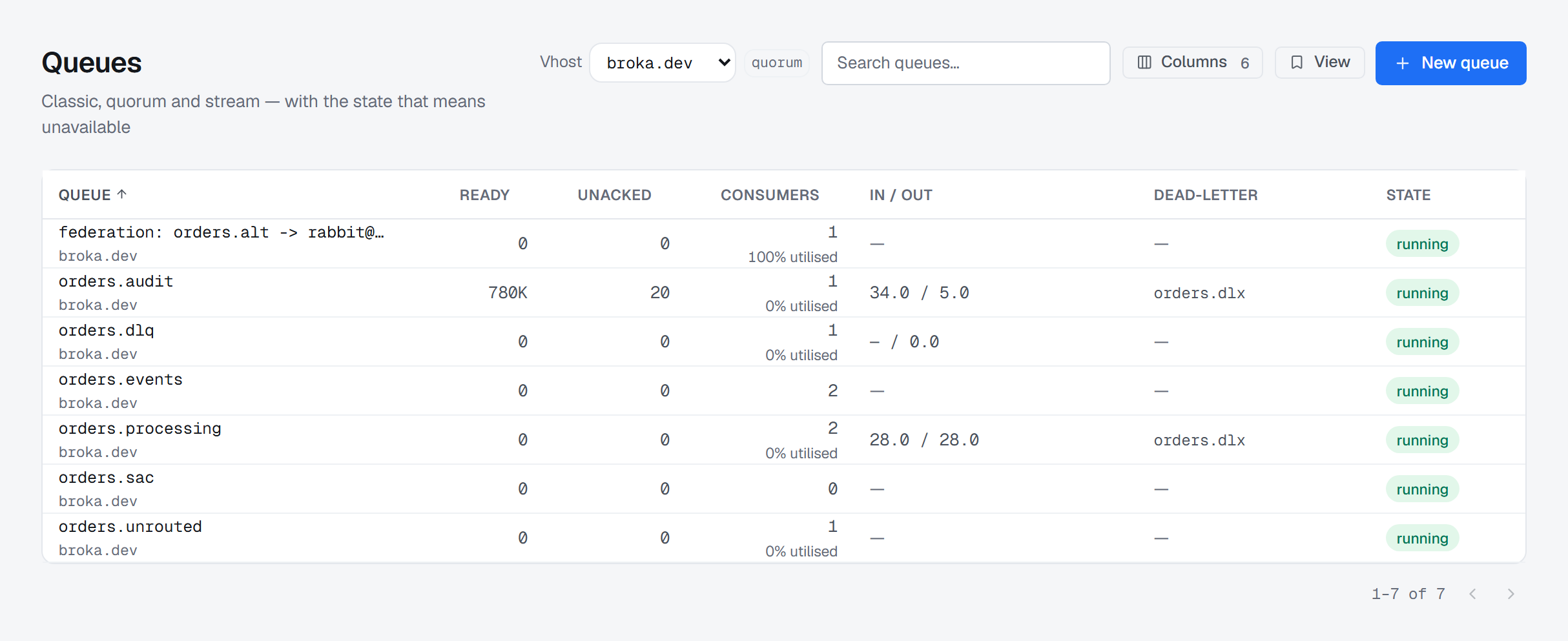
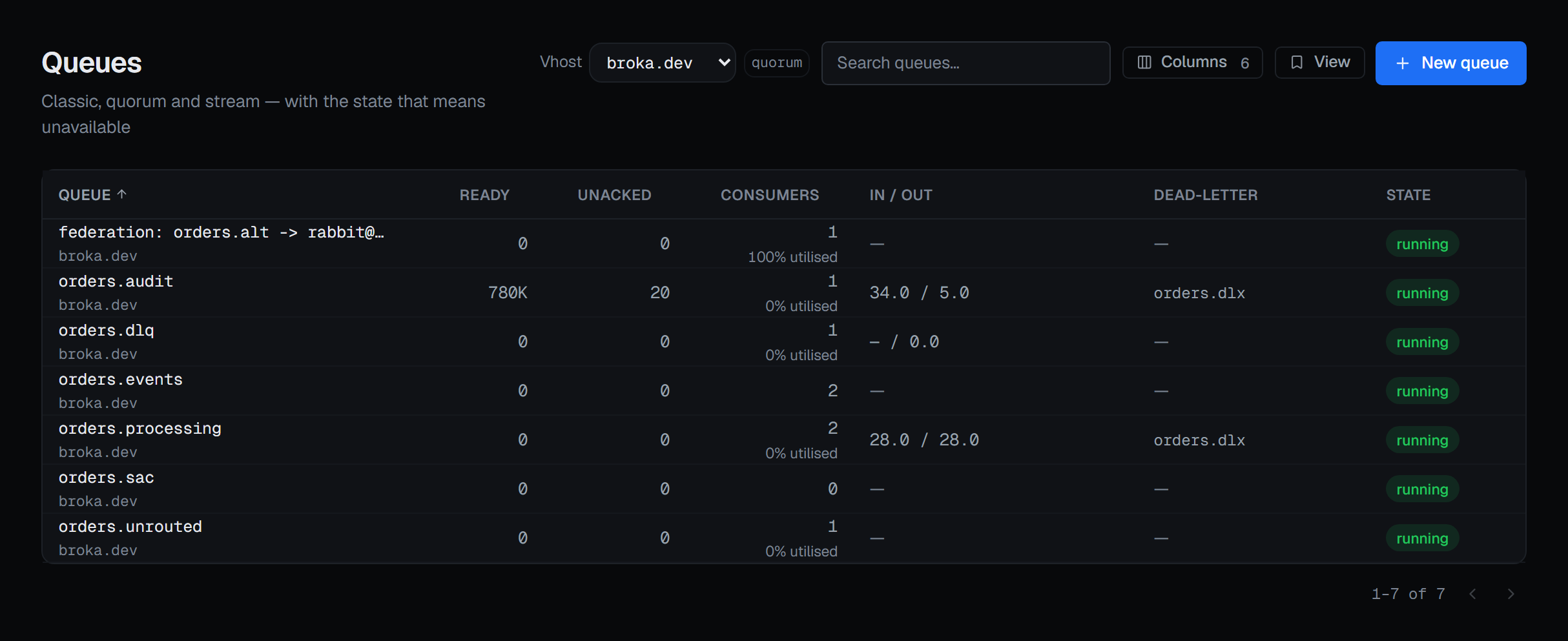
The state that means unavailable
A quorum queue that has lost its Raft majority is unavailable — accepting nothing and delivering nothing — until enough members return. BROKA marks that state in its own colour and says exactly that, because "minority" is a word an operator can read past.
One step before it there is a state worth catching: a queue that is running with replicas offline. It is working, and it is one more failure away from the first state. BROKA marks it too, and names how many are missing.
Where the dead-letter target came from
A queue's dead-letter exchange can be declared in the queue's own arguments or set centrally by a policy or an operator policy — and BROKA tells you which, on the list when you hover the exchange's name and on the queue's own page inline, in the order the broker resolves it: an operator policy first, then the queue's argument, then a policy. Where a policy also sets it but is outranked by the queue's argument, both say that too.
That attribution is the point. Reading only the arguments reports "no dead-letter queue" for every centrally-managed queue in the estate, which is exactly backwards.
One queue in detail
The header carries the type, the virtual host and whether it is durable, then Ready, Unacknowledged, Consumers and size. The page opens on Messages, where messages are read and published — see Message operations. Overview lists what governs it: state, durability, the dead-letter target and its source, the policy and operator policy in force, the delivery limit, consumer utilisation and the publish, deliver, acknowledge and redelivery rates, the leader and its members, and memory. The policy's name opens the resolver, which shows the one policy that governs the queue and the matching ones that lost.
Bindings answers where the messages come from — the source exchange and the routing key for each, with a headers binding named as such rather than shown with an empty key.
Quorum, on a quorum queue, is the per-replica Raft view: which member is leader, which are still catching up, and how far each has committed against what it has been sent. A member still catching up is marked, because a non-voter does not count toward the majority — a cluster that looks big enough can still lose quorum.
The same tab changes where the queue's replicas are:
- Add replica offers the cluster's nodes that do not already hold one. The node joins the queue's Raft members and receives a copy of its data, and until it has caught up it does not count toward the majority. When every node already holds a replica, the button is shown greyed out and says so.
- The bin on a member's row takes that node out of the queue's Raft members, and its copy of the data goes. The queue keeps running on its other replicas, with one fewer node it can afford to lose. The confirmation asks for a reason. A queue's last replica cannot be removed — the broker keeps it — so on a queue with one replica that control is locked, with that rule as the reason.
Both appear only for someone allowed to change this cluster, and not in a read-only environment or on a read-only connection. To grow or shrink many queues at once, onto or off one node, use the node's menu on the Overview, described on Quorum replicas.
Stream, on a stream, shows retention and the readers currently attached — and, beside them, the
Publishers writing to it over the stream protocol: each with its address, id, reference and user,
and how many messages it has Published, had Confirmed and had Refused, where a non-zero
refusal is coloured. It is a live view, so a publisher that disconnects is gone from it at once. Who
is publishing comes from the broker's rabbitmq_stream_management plugin; where that plugin is not
enabled, the card says so rather than showing an empty list.
Creating a queue
New queue is in the list's header, for someone allowed to change this cluster, and it declares into the virtual host picked in the header — with All vhosts selected, the dialog asks you to pick one first. Type is chosen once and cannot be changed afterwards, and the dialog says so before you choose: a queue's arguments are fixed at declare time, so changing one later means deleting the queue and recreating it. Anything a policy can set is better set there.
The dialog is shaped by what the broker will actually accept:
- Durability is not offered, because 4.x refuses a non-durable non-exclusive queue and an exclusive one would die with the console's own connection.
- Auto-delete is offered for classic queues only — a quorum or stream queue rejects the property outright, and the checkbox is replaced by that sentence rather than by a failure later.
- The virtual host's own default queue type is named under the type control, because that is how an estate acquires queue types nobody chose.
- Arguments are a JSON object, with the keys that matter for the chosen type suggested beneath.
- Classification is recorded on the audit trail with the queue, pre-selected from the environment's default.
Two keys are refused with reasons rather than accepted and bounced by the broker: the queue type belongs to the control above rather than being set twice, and classic queue v1 storage was removed in RabbitMQ 4.0 — version 2 is the only one left and is what you get by saying nothing.
Purging and deleting
Purging discards every ready message immediately, and purged messages are not dead-lettered. They do not reach the dead-letter exchange; they are simply gone. The confirmation says so and names how many are ready to be discarded; unacknowledged messages are not purged, and return to the queue if their consumer disconnects.
A stream is not purged at all — the action is not offered, because a stream is truncated by retention rather than emptied on demand.
Deleting takes the queue and everything in it: anything publishing to it starts failing, and its consumers stop receiving. On a classic queue the confirmation offers two guards, both ticked when it opens — delete only if empty and delete only if unused — and the broker refuses the delete while either condition fails. A quorum queue does not accept them, and a stream accepts them without acting on them, so on those the dialog says so and offers neither.
Purge, Delete and Move messages are in the queue's header only for someone allowed to change this cluster, and not in a read-only environment or on a read-only connection. Purge and Delete ask for a reason before they run.
Moving messages instead
When the messages should go somewhere else rather than nowhere, Move messages in the queue's header hands them to another queue or exchange. It starts a one-shot shovel that moves the ready messages the queue holds when it starts, acknowledges each only once the destination has confirmed it, and removes itself when it is done. From a dead-letter queue, sent to an exchange with the routing key left blank, it replays each message under the routing key it carried — see Dead-letter flows. It is not offered on a stream, and where the shovel plugin is not enabled it is shown greyed out, with the reason. It asks for a reason, because the messages leave this queue.
What is recorded
Creating, deleting, purging, moving messages from, reading and changing the replicas of a queue are each audited, and the entries record the consequence rather than the parameters. A purge entry names how many messages went and that they were not dead-lettered. A read entry names the acknowledgement mode and whether the messages were removed or requeued at the head.