

Bindings and routing
Updated 2 October 2026 · applies to 1.0.0 · Commercial
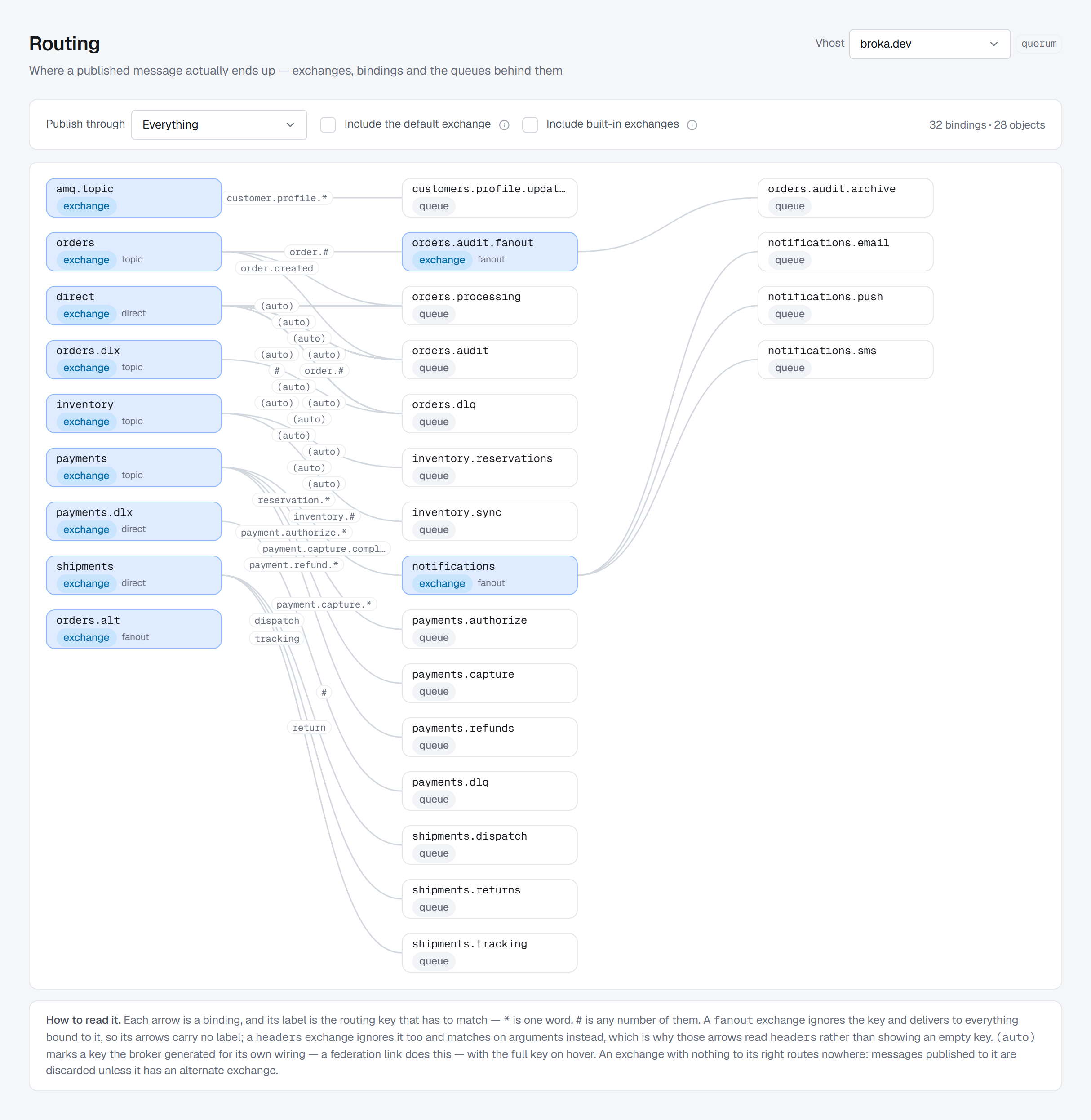
A binding is the rule that connects an exchange to a queue — or to another exchange. The Routing screen draws them all at once, together with every exchange in the virtual host — including one that nothing is bound to, because that is the exchange discarding what is published to it.
The graph
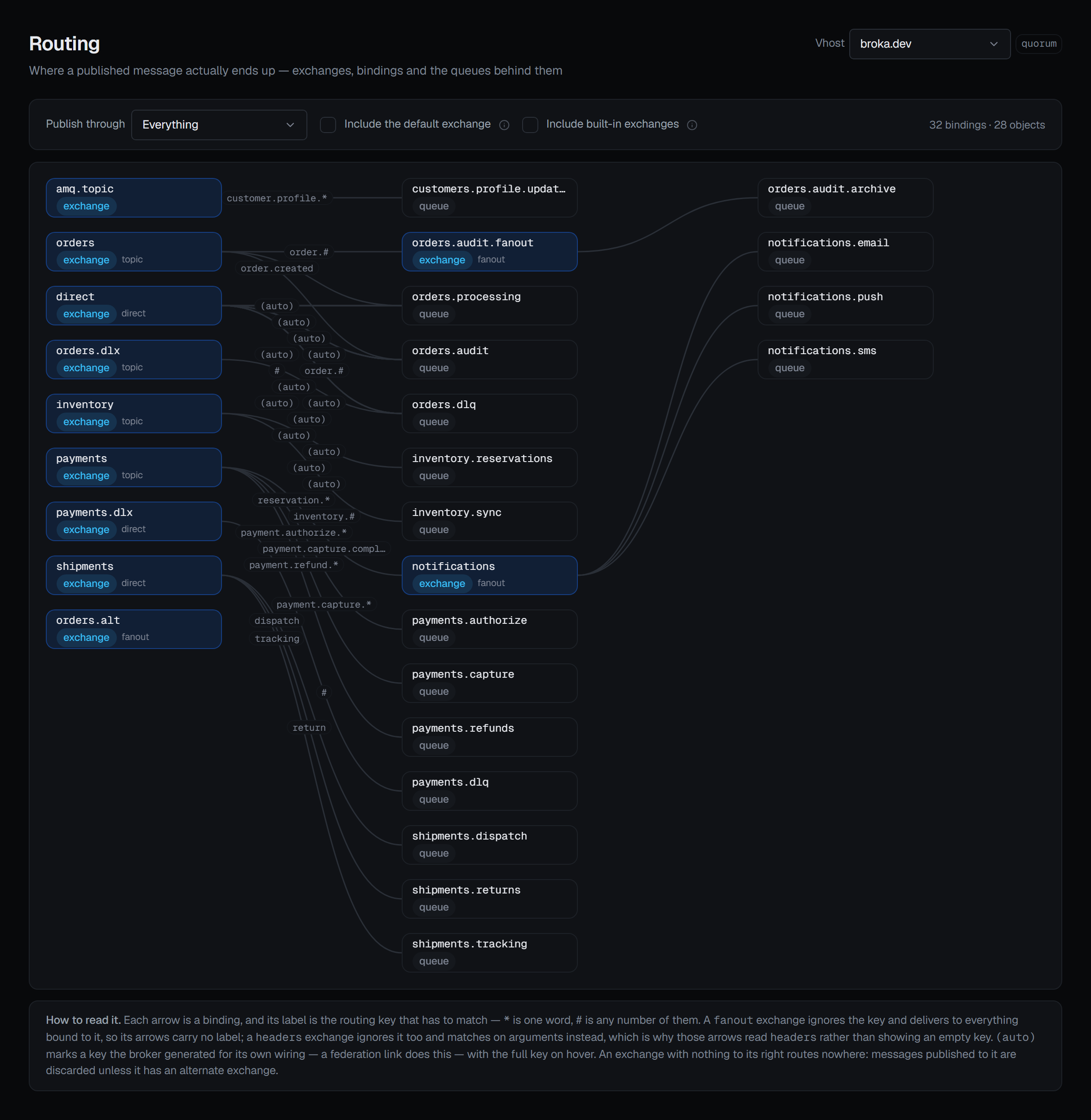
Exchanges and queues are laid out left to right, with one curve per binding and the routing key written on it. Horizontal distance is hop count: every arrow runs left to right, and an object sits one column right of its furthest predecessor.
That is what makes an exchange-to-exchange hop visible as a shape rather than as a detail you have to reconstruct — a message entering on the left and arriving two columns over has passed through something on the way.
A graph has a size it is drawn at. Above a thousand bindings or objects nothing is drawn, and the page says how many there are and to pick an exchange under Publish through: a graph cut off part way would show exchanges whose arrows were dropped as exchanges that route nowhere.
Reading it
Routing keys are drawn on their own curves, and the screen explains the two wildcards in prose rather
than assuming them: a * matches one word, a # matches zero or more. A fanout exchange's arrows carry
no label, because it ignores the key; a headers exchange's read headers; and (auto) marks a key the
broker generated for its own wiring, such as a federation link's, with the full key on hover. The count
of bindings and objects drawn sits at the right of the controls.
Three controls narrow what you are looking at:
Publish through takes one exchange and keeps everything reachable from it, following exchange-to-exchange hops. It answers "if I publish here, where can it end up".
Include the default exchange is off by default, and the reason is stated: the broker binds every queue to the default exchange automatically, under the queue's own name. Nobody configured those, and drawing them hides the routing that somebody did.
Include built-in exchanges is off by default too: the amq.* exchanges the broker creates in every
virtual host, and the internal exchanges a federation link or shovel declares for itself, are left out
unless asked for. A binding an operator made from an amq.* exchange is still drawn.
One vhost at a time
Routing is drawn per virtual host, and the screen refuses to combine them: with All vhosts selected
in the header it asks you to pick one. Two vhosts can each hold an exchange called orders with nothing
in common, so a combined graph would join names that never meet.
From a queue's side
A queue's own page answers the other direction — where these messages come from — listing each source exchange and its routing key.
Three renderings, because an empty routing key means three different things depending on where it is:
the key itself, matched on headers where the binding carries arguments, and (no routing key)
where it genuinely has none.
Adding a binding
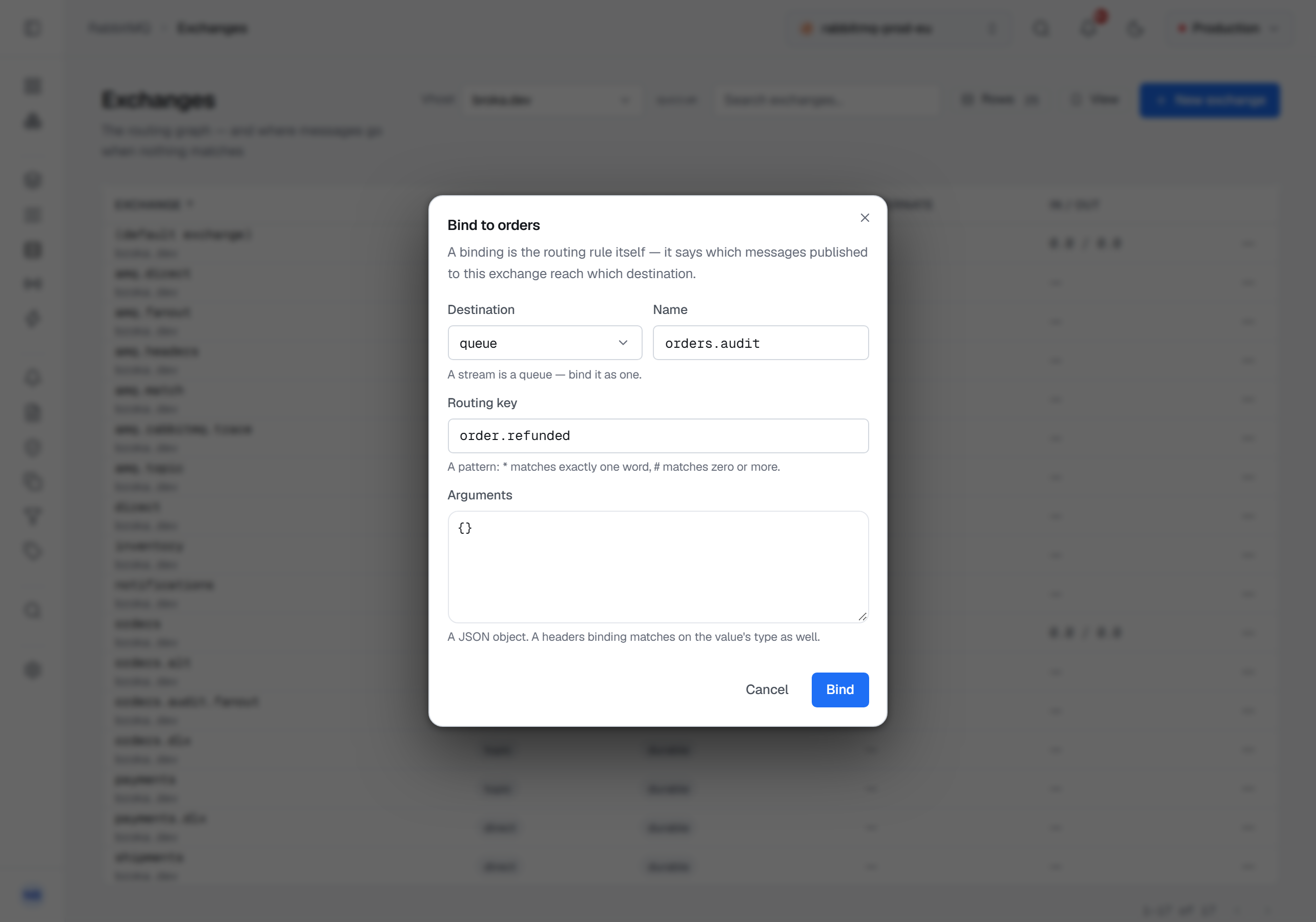
A binding is added from the exchange it starts at: Bindings in the exchange's row menu, then New
binding. Choose whether the destination is a queue or another exchange — a stream is bound as a queue —
name it, and give the routing key; the hint beneath says how this exchange's type reads the key. On a
headers exchange you also choose x-match — all, any, all-with-x or any-with-x — and give
the arguments as a JSON object. Under all and any the broker ignores arguments whose names start
with x-, and a headers binding left with nothing to match on routes every message, so the dialog
warns before you create one.
Nothing can be bound to the default exchange: the broker binds every queue to it automatically and refuses anything else, and the dialog says so rather than letting the refusal arrive as an access error.
Removing a binding
A binding can be removed from the same dialog, with Unbind on its row, once a reason is given below the list. The audit entry ends with the consequence rather than the parameters: messages matching it are no longer routed there.
Both appear only for someone allowed to change this cluster, and not in a read-only environment or on a read-only connection; otherwise New binding is locked, with the reason on hover.