

Delegation tokens
Updated 30 September 2026 · applies to 1.0.0 · Community and Commercial
Under Kafka ▸ Service Accounts, a user's Delegation tokens tab issues, renews and expires the short-lived tokens a worker signs in with as that user. The brokers issue and sign each token; BROKA shows its secret once, when it is created, and keeps nothing. The same user's ACL rules are on the same page, described in Service accounts and ACLs.
What a delegation token is
A delegation token is a short-lived credential the brokers issue and sign with their delegation.token.secret.key.
A worker — a Spark or Flink job, say — signs in over SCRAM with the token id as its user name and the token's
HMAC as its password, instead of the owner's own password, and acts as the token's owner while it does.
What the tab lists
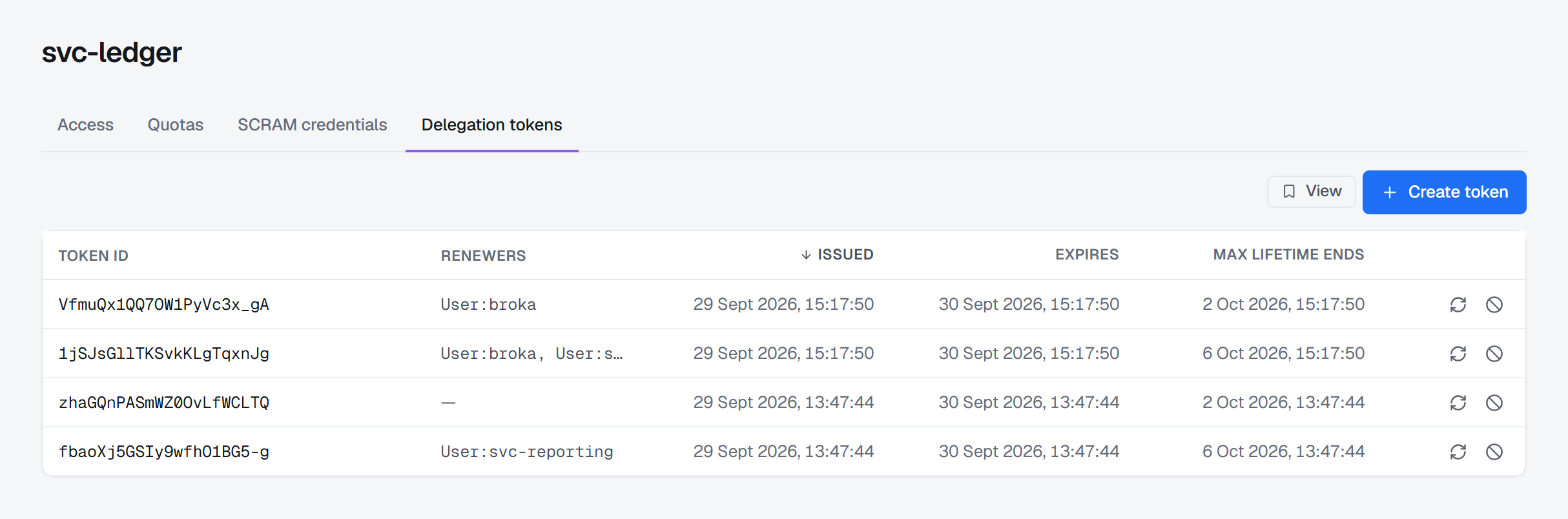
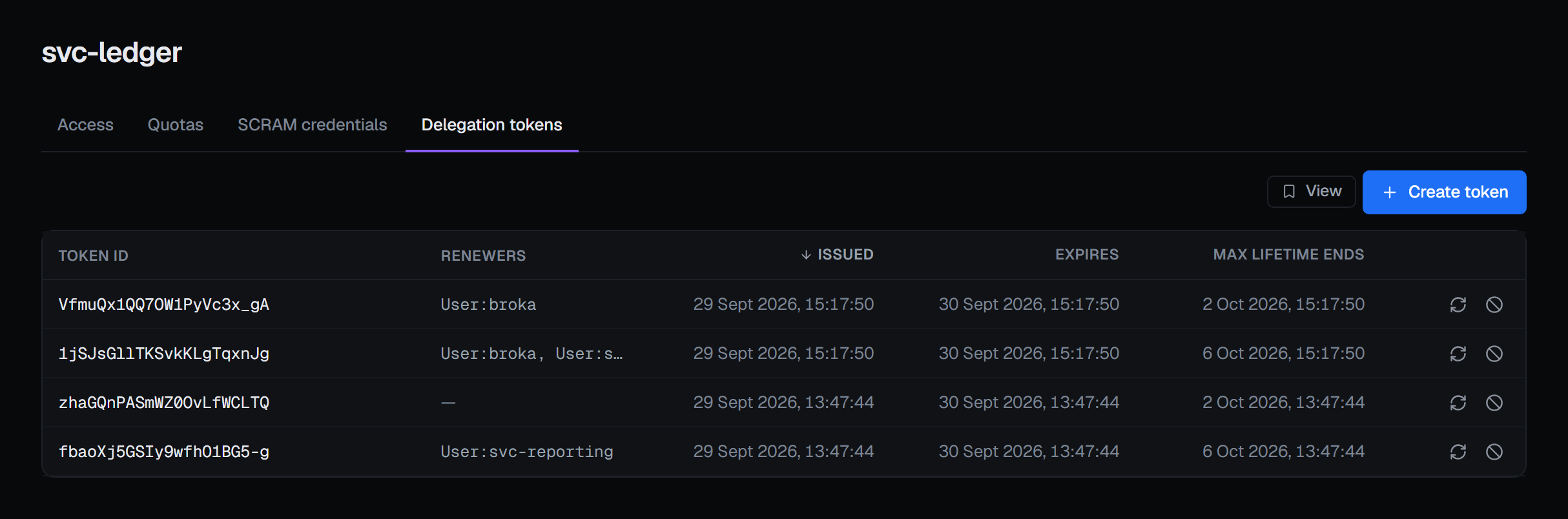
The tab lists the tokens this user owns, newest first:
- Token ID — the name a worker signs in with.
- Renewers — the users besides the owner that may renew or expire the token; a dash when there are none.
- Issued — when the brokers issued it.
- Expires — when it stops working unless it is renewed; a token past it is marked expired.
- Max lifetime ends — the point no renewal can move it past.
No HMAC appears anywhere on the list. A user with no tokens reads No delegation tokens.
Creating a token
Create token opens Create delegation token, for a token that authenticates as this user:
- Renewers — users besides the owner that may renew or expire it, each a name or
User:<name>; type one and press Enter. - Maximum lifetime (hours) — left empty, the cluster's
delegation.token.max.lifetime.ms, which also caps any value you give. A value must be greater than zero.
Where the connection signs in with a user name (SASL PLAIN or SCRAM), that user is added to the renewers for you, so BROKA can renew and expire the tokens it issues. It is added once, and not to a token that user owns itself. With a client certificate or OAuth 2.0, the brokers derive the connection's principal themselves, so nothing is added: name that principal among the renewers if BROKA is to manage the token.
Issuing a token for a user other than the connection's own needs the connection's identity to hold CreateTokens on that user. Without it the cluster refuses, and the console says This connection's identity may not create tokens for that owner (CreateTokens on the user), which issuing a token for another user needs.
The new token is in the list at once. The brokers learn of a token a moment after the controller issues it, so the console adds the cluster's answer to the list itself — the token, never its HMAC — and reads the list again two seconds later. Renewing and expiring update the list the same way.
The HMAC is shown once
When a token is created, a card above the table shows its HMAC: Copy this now, with a Copy button. The card says this is the one and only time it is shown, and it is gone when you choose Done or leave the tab.
BROKA does not keep the HMAC. It is never stored, logged or written to the audit trail, and the list has no field for it. Keep it where the worker's configuration lives: renewing or expiring the token from BROKA takes it again.
Renewing and expiring
Both take the token's HMAC again, pasted into the dialog — Kafka finds a token by nothing else. The field is cleared as the request leaves, and the HMAC is never stored or recorded. Before anything is sent to the cluster, BROKA checks that the HMAC belongs to the token you chose, so a pasted HMAC of another token changes nothing: the answer is The HMAC given is not the HMAC of token …
Renew token, from a row's renew icon, extends when the token expires, never past its maximum lifetime. Renew
for (hours) left empty takes the cluster's delegation.token.expiry.time.ms, which also caps any value you give.
A token that has already expired cannot be renewed, and the console says so.
Expire token, from a row's expire icon, asks Expire token …? Every client signed in with the token loses access at once, the cluster removes the token, and it cannot be undone. The confirmation asks for a reason, in every environment.
Who may renew or expire a token
Only a token's owner and its renewers — that is Kafka's rule, and it does not include whoever asked for the token. A renew or an expire the brokers refuse for that reason comes back as This connection's identity is neither the owner of token … nor one of its renewers; only they can renew or expire it. That is why BROKA adds the connection's own user as a renewer wherever it can.
What the tab needs
The tab needs brokers that issue delegation tokens. Where the brokers have no delegation.token.secret.key, the
tab says so — This cluster issues no delegation tokens: its brokers have no delegation.token.secret.key to sign
them with — and its controls are shown disabled with that reason. The same happens on a listener that refuses
token requests: a plaintext or one-way TLS listener, or a connection that itself signed in with a delegation token.
The tab also needs Kafka 1.1 or later and, on a KRaft cluster, metadata.version 3.6-IV2 — see
Metadata quorum and features. Where either is missing, the reason names the
version needed and the one detected.
Creating, renewing and expiring a token need the permission to manage the cluster. In a read-only environment the buttons are disabled with the environment's reason.
Recorded
Creating a token is recorded with its owner, who asked for it, its renewers, and when it expires and when its maximum lifetime ends. Renewing is recorded with the expiry before and after; expiring, with the expiry it had, the moment it stopped and your reason. In Commercial, reading a user's tokens is recorded too, as token ids, owners, renewers and times.
No event holds an HMAC — not even the creation's, whose answer carries it through the same request. BROKA keeps no copy of a token: the list is read from the cluster each time, and the audit entry is the only lasting record on BROKA's side.