

Schema Registry
Updated 6 October 2026 · applies to 1.0.1 · Community and Commercial
Schema Registry, under Kafka in the sidebar, connects BROKA to the registry you already run and lists its subjects, their versions and their schemas. A schema registry is what makes a Kafka topic readable by people who did not write the producer, and BROKA works with it from the same console as the topics it describes.
Connecting one
A registry belongs to a Kafka connection — the cluster whose topics it describes — and is configured from the cluster's row in the connections list. Until one is, the Schema Registry entry in the navigation is shown greyed out, and hovering it says that no Schema Registry is configured for this connection.
It takes the registry's URL and, if it needs one, a credential: basic authentication, a bearer token, or a client certificate for registries that authenticate with mTLS (with a passphrase, for an encrypted key). You can supply a CA certificate for a registry with its own chain, and add custom HTTP headers for the ones that sit behind a gateway; a header's value is kept as a secret, like the password.
While you type the URL, BROKA checks the TLS handshake and reports what it found. It distinguishes the answers that mean different things — a certificate that does not verify, a host that did not answer, and "we could not run the check" are three different states and it says which one it is, rather than showing one red mark for all three.
Skip SSL Check turns verification off completely: neither the certificate's chain nor its name is checked. It can be turned on only where the connection's environment allows insecure TLS; elsewhere it is disabled, and the dialog says to upload the CA certificate instead.
Test connection proves the whole path before you save. It reports the round trip and the
registry's own global compatibility level, so a success is evidence the credential worked and not
just that a port was open. Testing an already-saved registry re-tests the stored credentials rather
than asking you to retype them. If you retype one secret while another is still stored, Test
connection is disabled and says why: the stored secret never comes back to the form, so the test would
send it blank. Testing a change, and the certificate check made as you type an https address, need
connections.manage on the connection; anyone who can view it can still re-test the registry as saved. A
test that skips certificate checks in an environment that does not allow it is refused, and the result
says so.
Credentials are encrypted and never returned — reading a connection tells you which kinds are set, never what they are. Editing the registry's address — a new scheme, host or port — or switching certificate checks off clears every stored credential left blank, so it is never sent somewhere it was not typed for; the dialog says so, and a required one has to be typed again before you can save.
Subjects
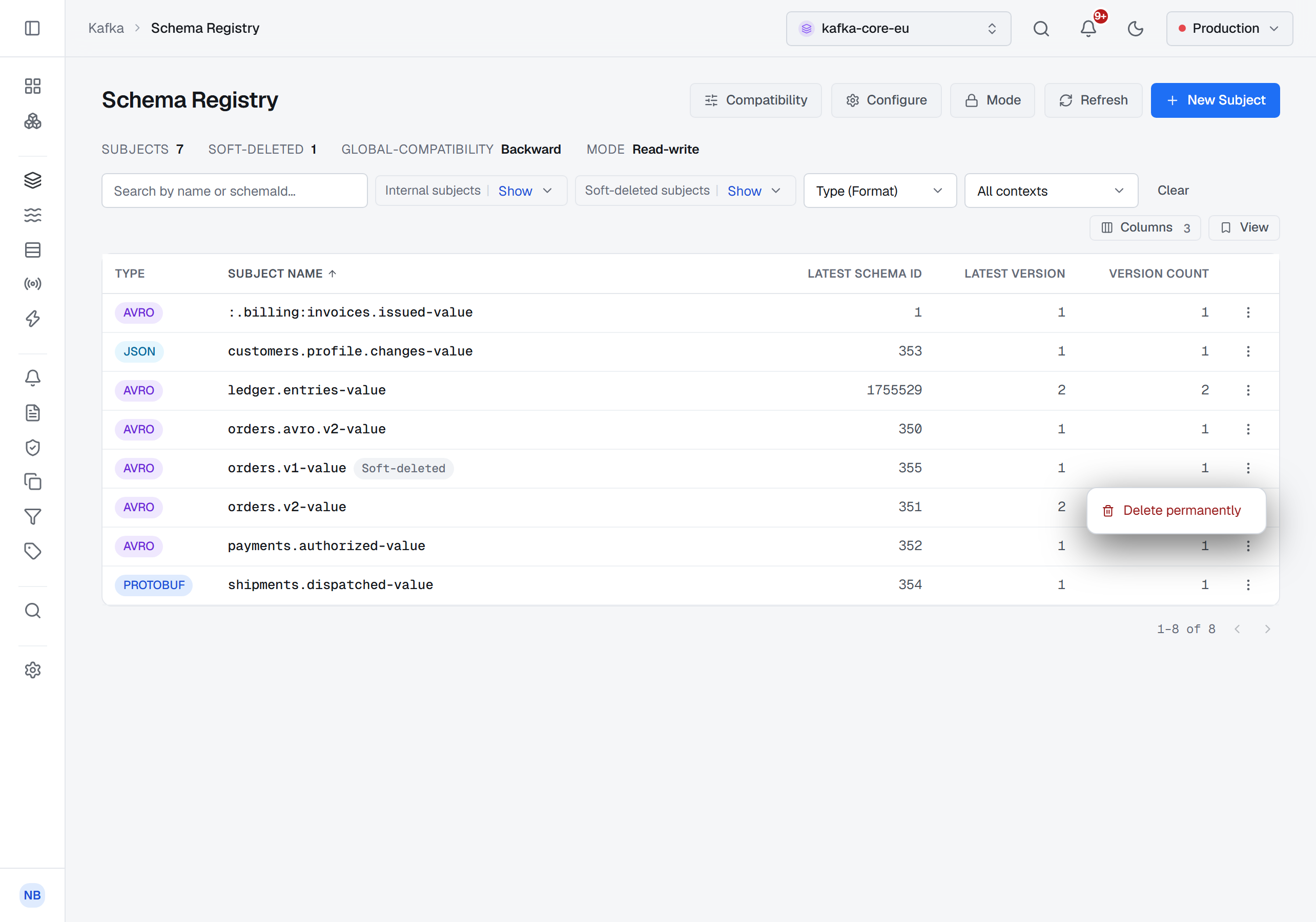
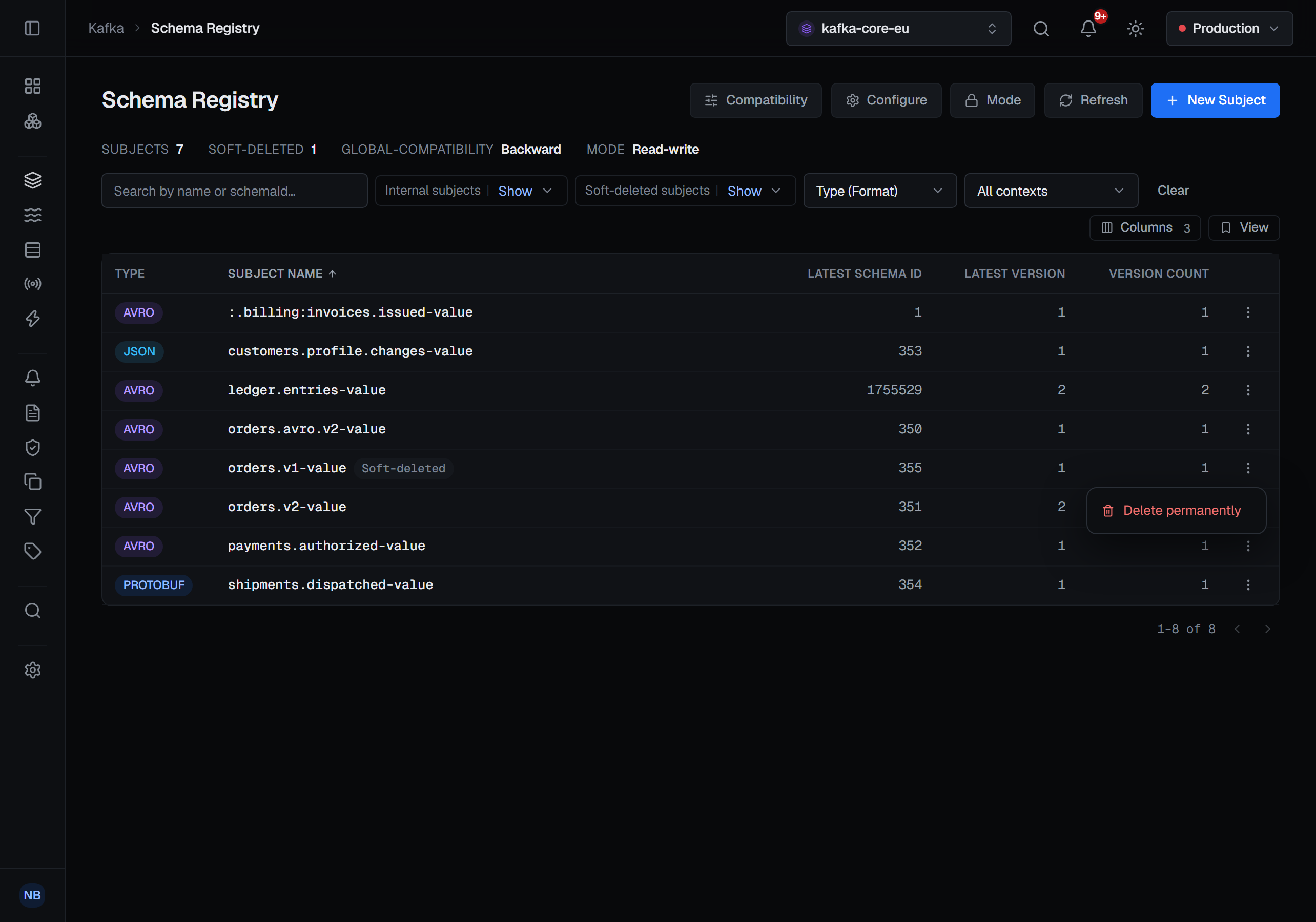
The list opens with the four things you want before looking at any one subject: how many subjects there are, how many are soft-deleted, the registry's global compatibility level, and its mode.
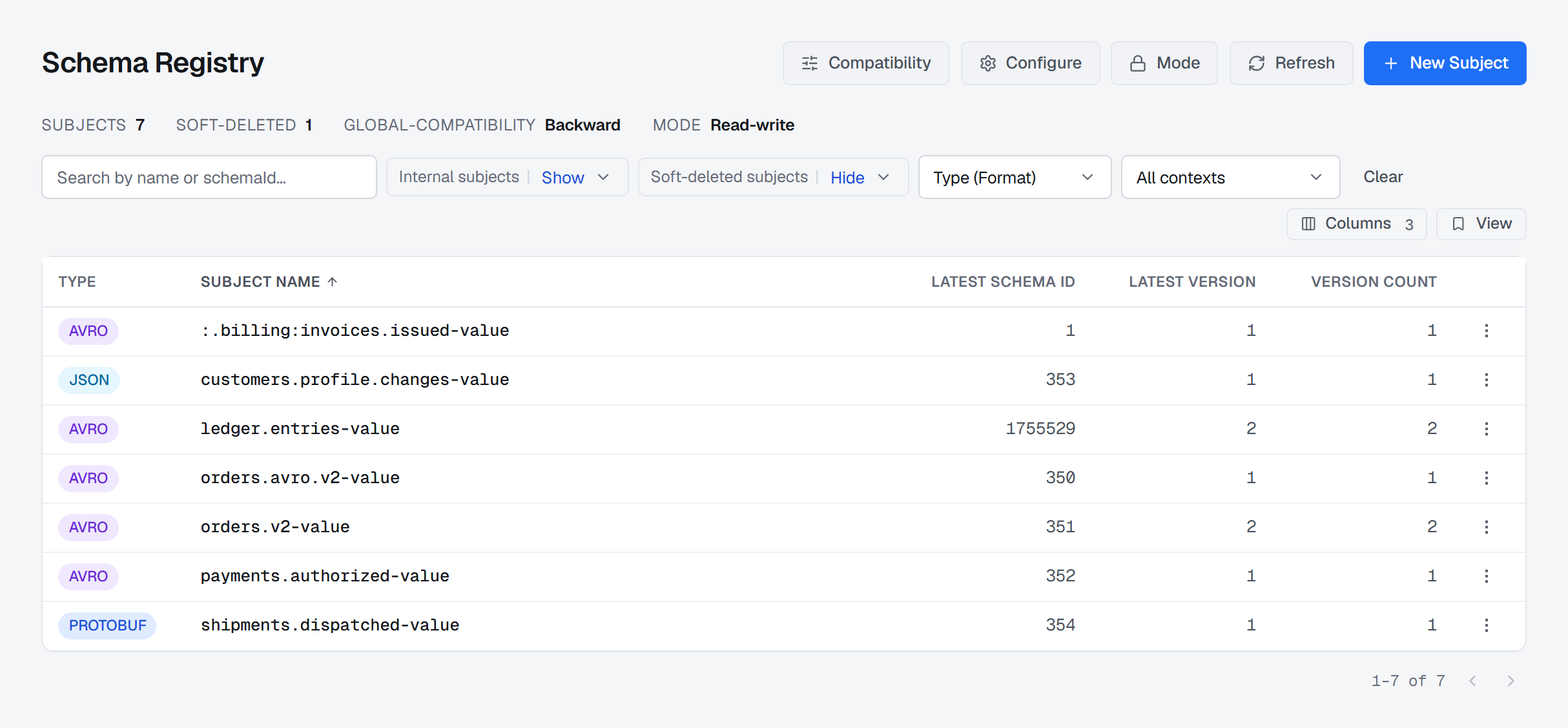
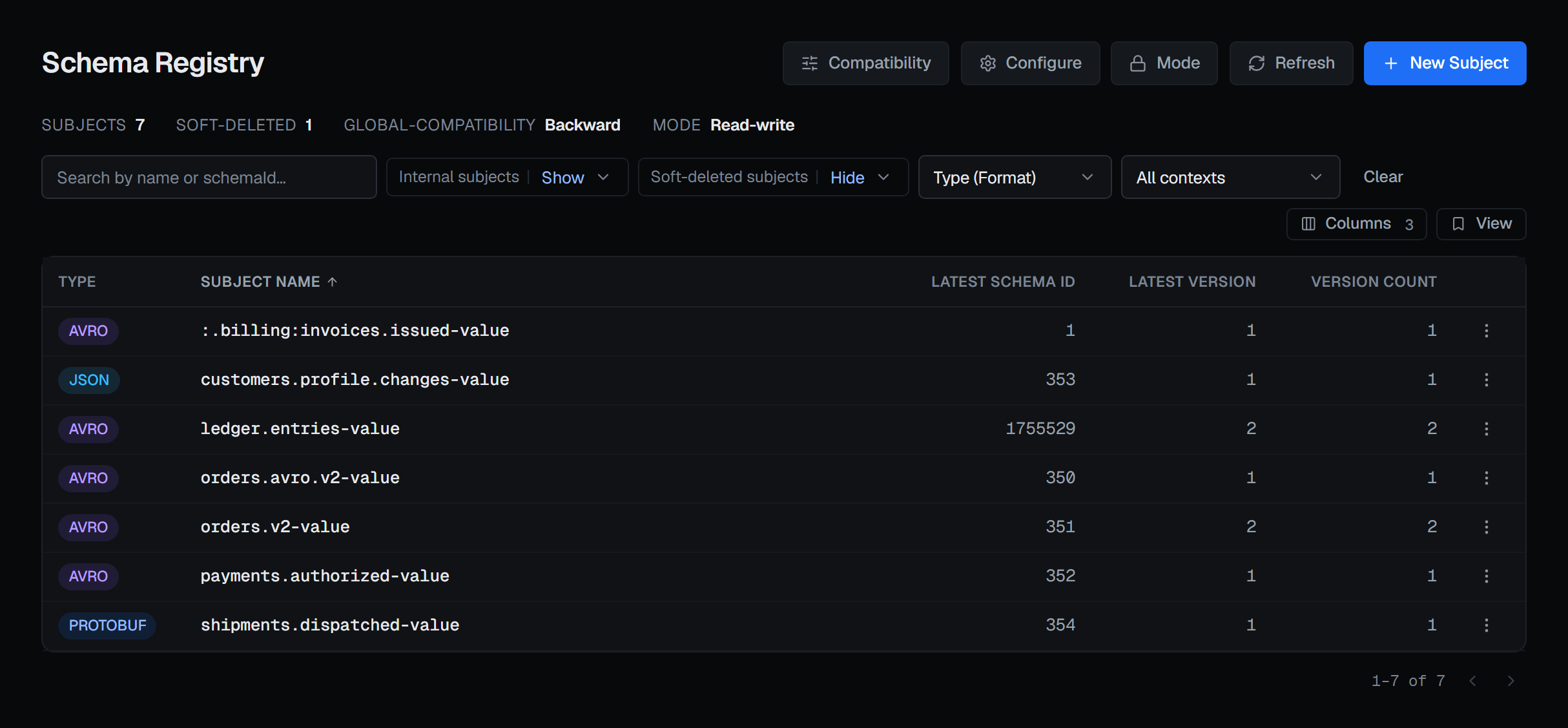
Each subject shows its format, the id and number of its latest version, and how many versions it has. You can search by name or by schema id — the id being what a record actually carries, and therefore what you have in your hand when you are working backwards from a message you cannot read.
Subjects created by other tooling, whose names begin with an underscore, can be hidden. Soft-deleted subjects are hidden by default; switch them to Show and they join the list, each marked as soft-deleted — the registry is not even asked for them until you do. A registry with more than a thousand subjects is listed in full: BROKA pages through it rather than stopping at the registry's own page size.
A registry can divide its subjects into contexts, and the Context filter narrows the list to one of them — see Schema metadata and contexts.
One subject
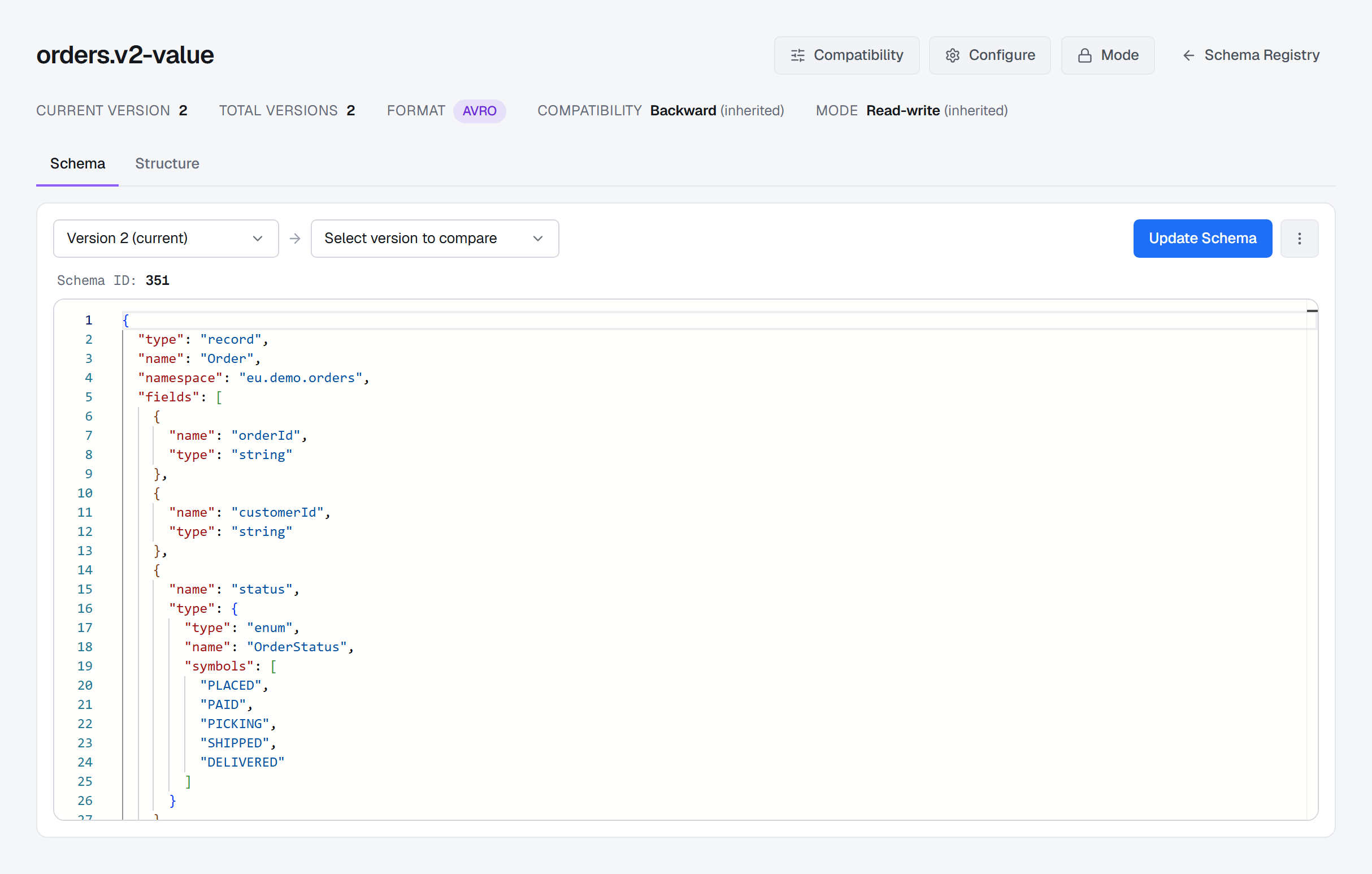
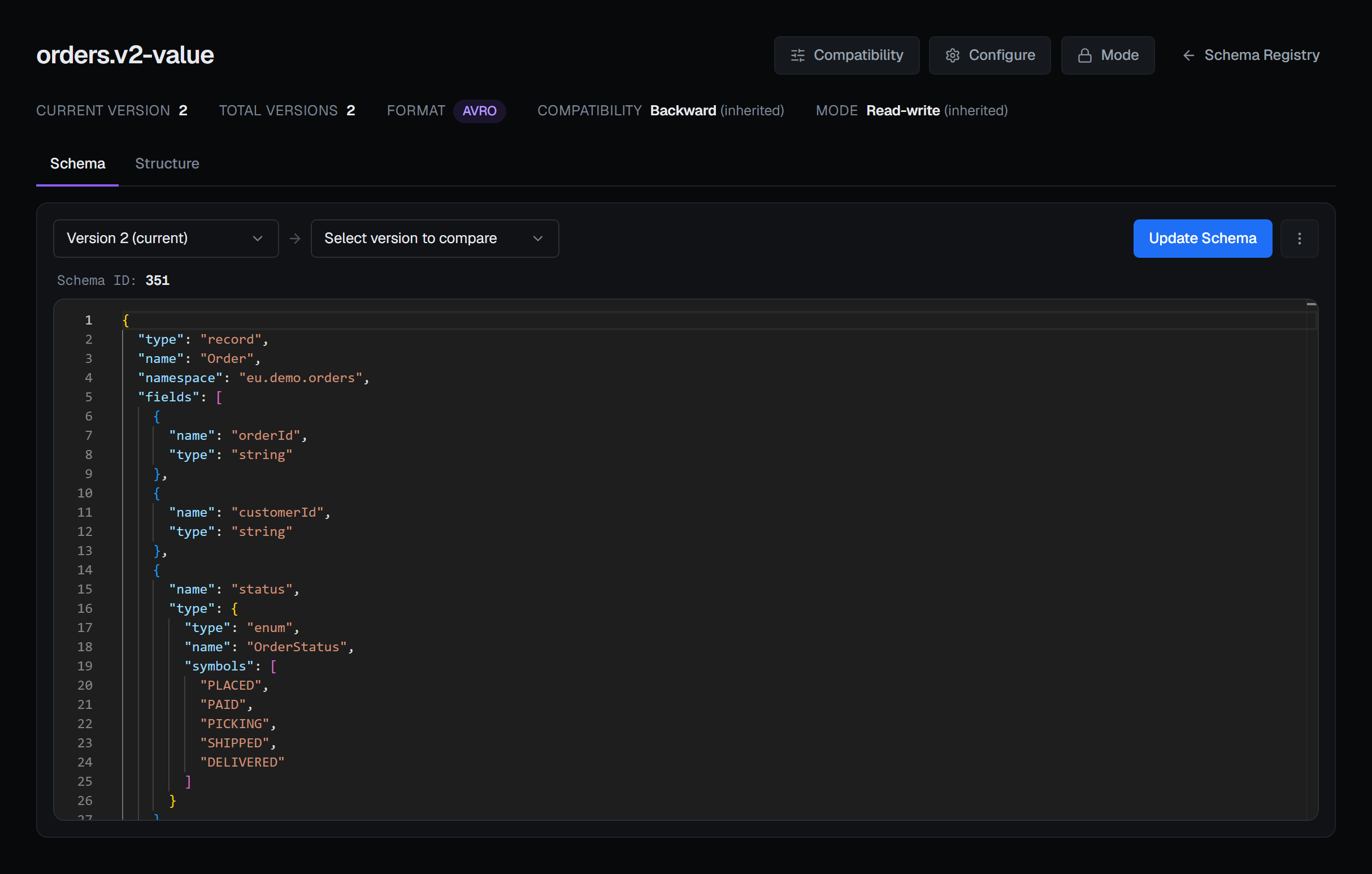
A subject's page shows which version is current, how many there are, its format, and its compatibility level — including whether that level is the subject's own or inherited, and inherited from where: the context the subject belongs to, or the registry's global setting. That distinction matters the moment somebody changes a level above the subject and wants to know what it will affect. Beside it is the subject's mode, marked (inherited) in the same way when the subject sets none of its own. Changing either is described on Schema compatibility and modes.
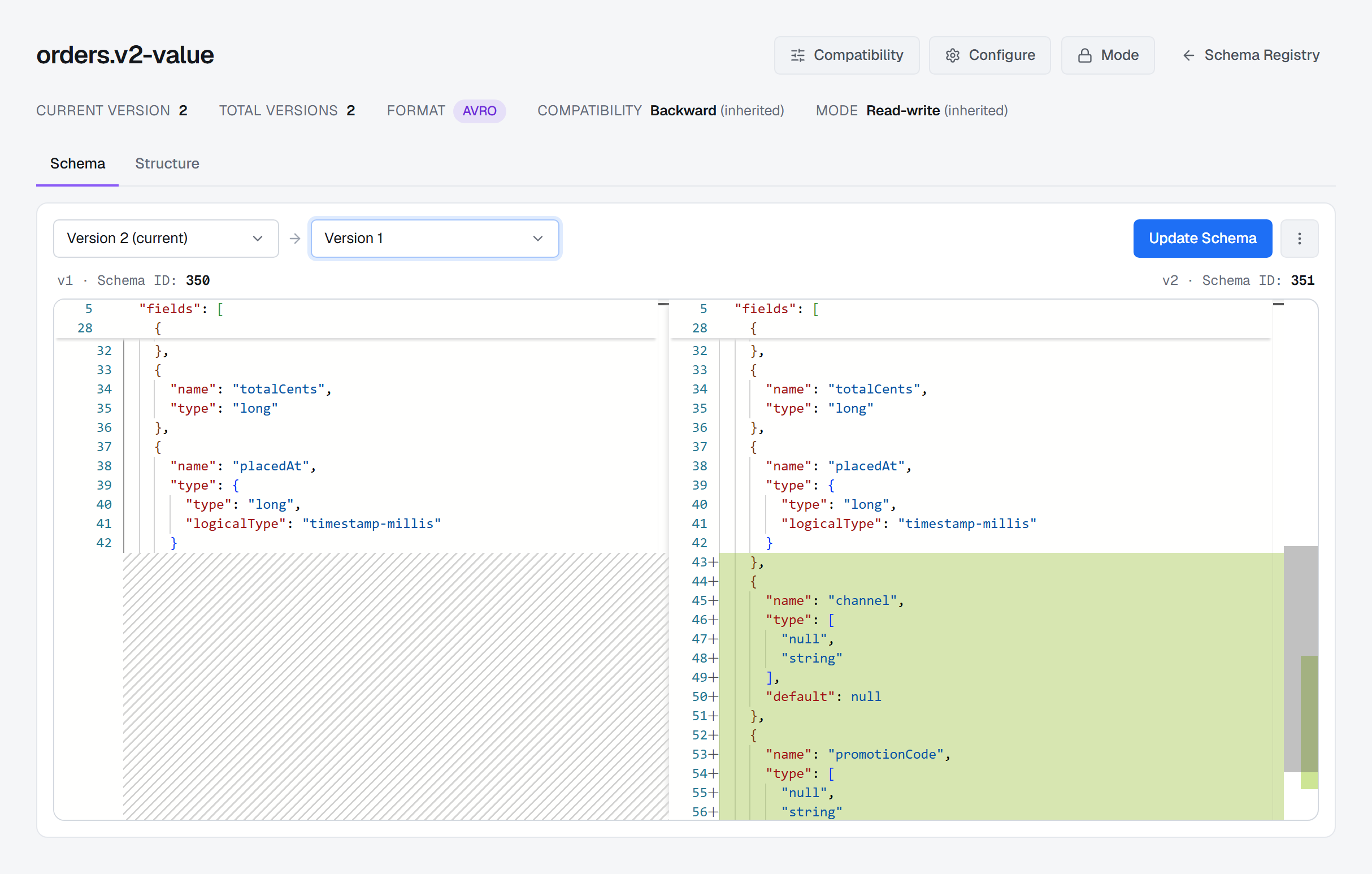
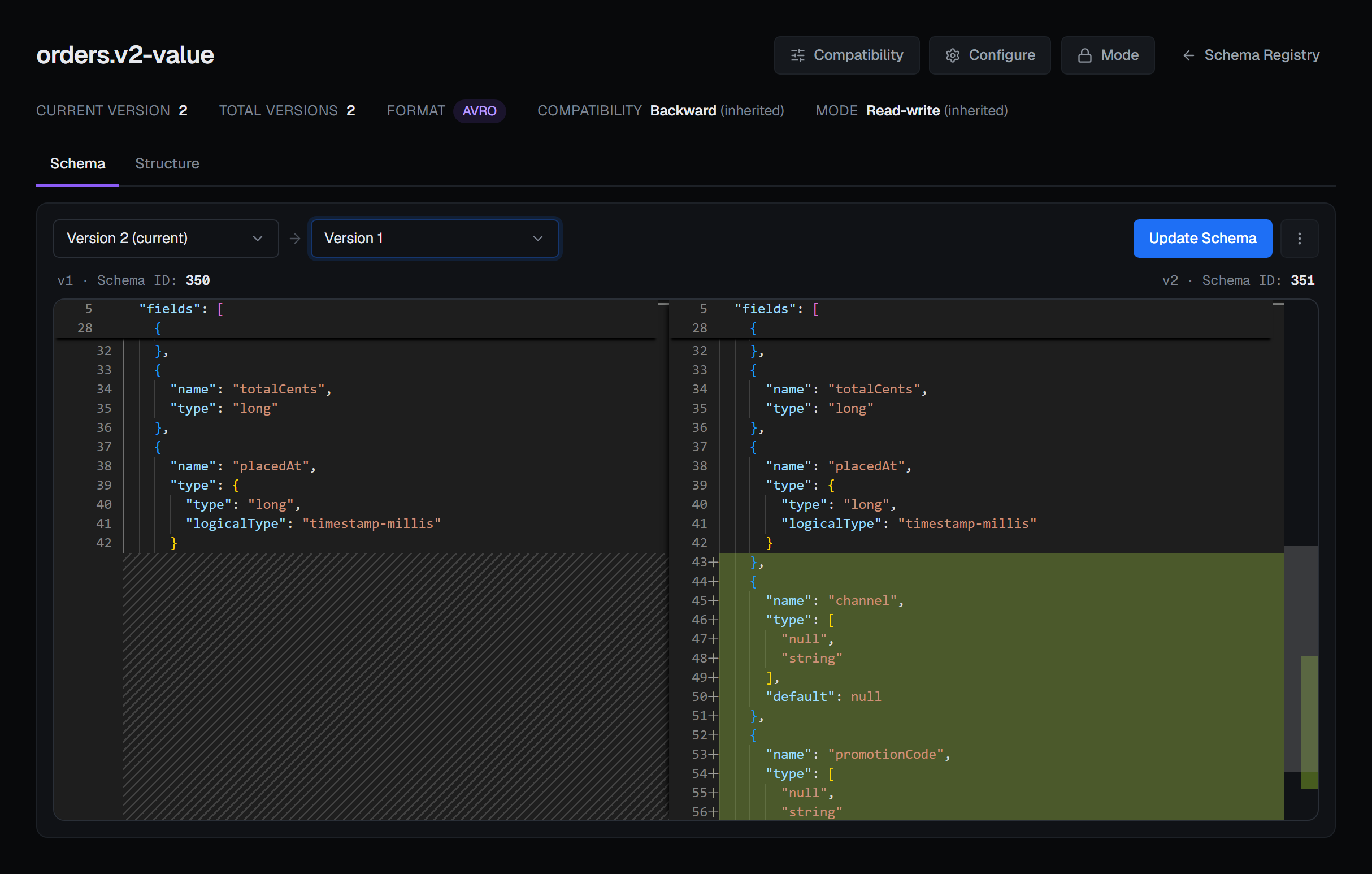
The Schema tab shows the schema itself, and can put any two versions side by side in a real diff. That is the answer to "what actually changed in v4", asked at the moment somebody's consumer stopped working. Each side names its schema id.
A version registered with metadata shows it under the schema, with sensitive values masked — see Schema metadata and contexts.
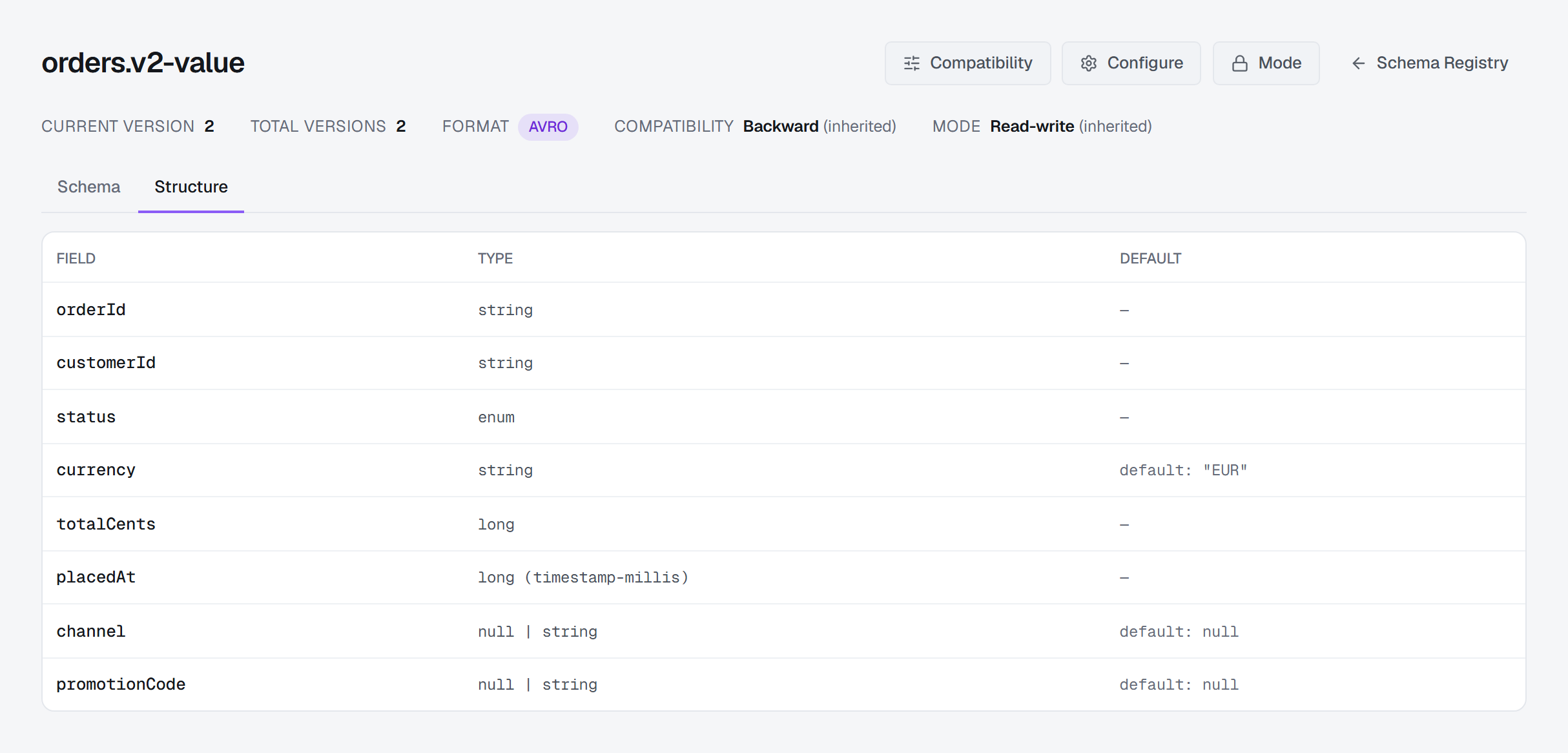
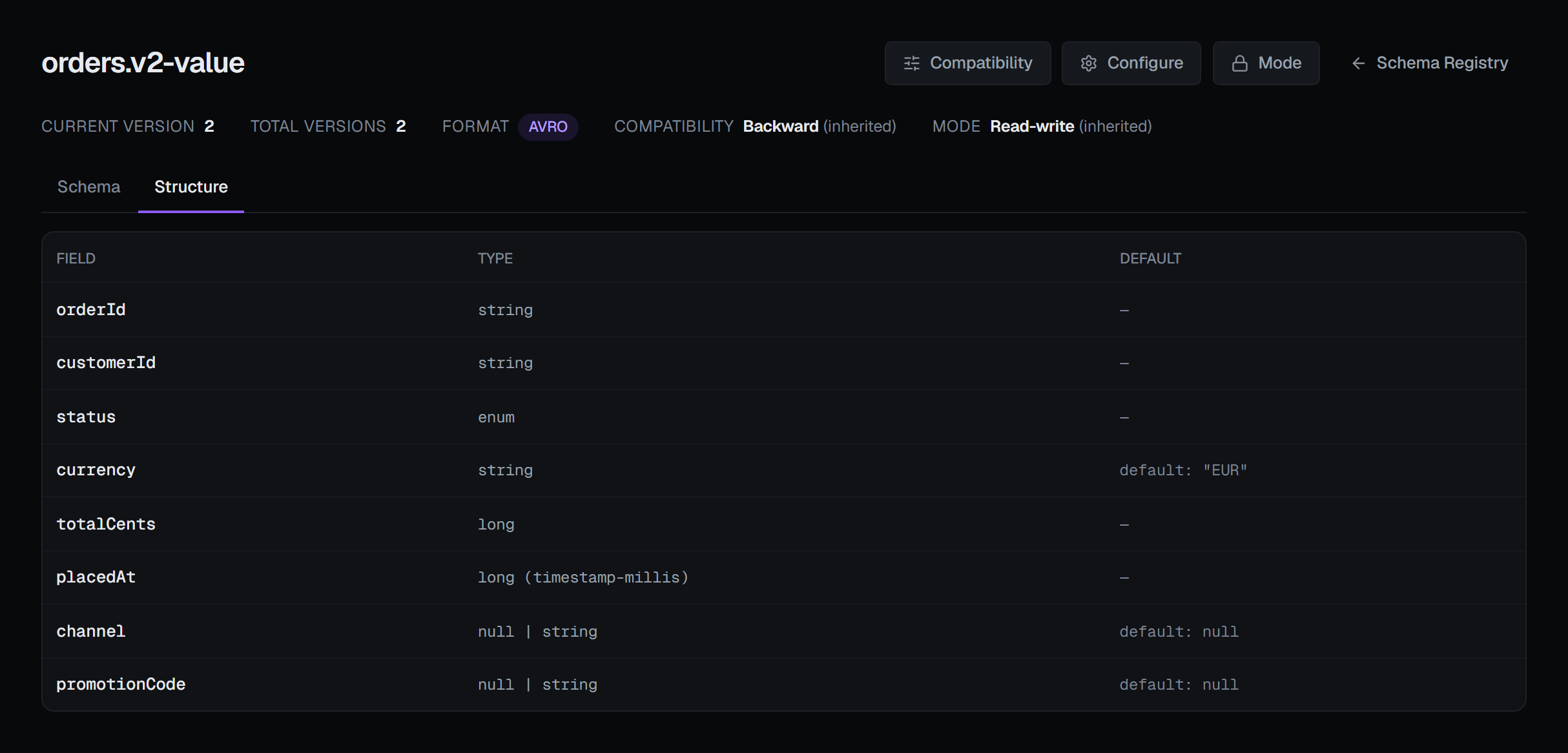
The Structure tab reads the schema and lays out its fields as a table — for Avro the field, type and default; for JSON Schema the property, type and whether it is required; for Protobuf the field, type and field number. When a schema has no tabular shape to show, it says so instead of showing an empty table.
Registering and evolving
New Subject takes a format — Avro, JSON Schema or Protobuf — and a naming strategy. The strategy is the part worth getting right, because it decides which schema a consumer will look for: name it after the topic, after the record type, after both, or write the name yourself. BROKA shows you the name it computed before you create anything.
Update Schema registers a new version, and it has a Check compatibility button beside it. Checking asks the registry whether your new schema would be accepted under the subject's compatibility level, and if it would not, shows each incompatibility the registry found rather than a single rejection. Checking changes nothing — it is the rehearsal.
Update Schema also registers the version's metadata, and while the subject is in Import mode it takes an explicit schema id and version — see Schema metadata and contexts and Schema compatibility and modes.
Compatibility levels for the registry and for one subject, the registry's and a subject's mode, and the settings a subject carries itself (Configure) are on Schema compatibility and modes.
Deleting
A first delete is soft: the schema ids stay resolvable, so records already written with them stay readable, and the subject can be registered again. The confirmation says exactly that, because "delete" in a schema registry does not mean what it usually means, and a schema whose records still exist is not a schema you want to erase by accident.
A soft-deleted subject or version can then be deleted permanently. Show soft-deleted subjects in the list and each carries Delete permanently; on a subject's page, a soft-deleted version appears in the version picker as Version N (soft-deleted), with the same action. A permanent delete erases the schema and its id for good, so records written with it may no longer be decodable. Both deletes ask for a reason, in every environment, and each is recorded as soft or permanent. There is no undelete, because the registry has none.
Removing a registry from a connection unregisters it from BROKA. The registry and its subjects are untouched. It asks for a reason, in every environment.
Reading and writing schema-encoded messages
Once a registry is connected, the topics on that cluster gain two abilities.
Reading: a record produced through the registry is decoded automatically. BROKA reads the schema id the record carries, fetches that exact schema, and shows you JSON — which is also why searching such a topic works, since the search runs on the decoded text. The record names the schema it was decoded with: its id, and the subject and version the registry has it under. Each schema is fetched once and remembered for the registry it came from, so pointing the connection at another registry looks its ids up there; and a registry that cannot be reached is not asked again for every record of a read, so the read carries on, each record labelled with the reason.
Writing: producing to a topic whose subject is registered encodes your JSON through the schema — the latest version of the topic's own subject unless you choose another subject, version or Protobuf message — and refuses to publish raw bytes onto a schema-bound field.
Both are described in full under Producing messages and Reading messages.
What BROKA stores
Nothing. Schemas are read from and written to your registry on each request. BROKA holds no copy, no mirror and no cache in its database — the registry stays the single source of truth, which is the whole reason to have one.
Every change is audited: connecting or removing a registry, registering a version, changing a compatibility level, reverting a subject to inherited, configuring a subject, setting or reverting a mode, and each delete, soft or permanent, and recorded as which.
Alerting on the registry
An alert rule can watch a connection's registry: whether it answers, how long it takes to,
whether it has gone read-only — mode READONLY or IMPORT, set as described on
compatibility and modes — and how many subjects it holds. A registry that does not
answer reads reachable = 0, which a rule can fire on. On a connection with no registry these rules are not
measured and say so. The starter rules offer registry unreachable and registry read-only, and an incident links to
this page. Every metric is listed in Alert metrics.