

Schema metadata and contexts
Updated 29 September 2026 · applies to 1.0.0 · Community and Commercial
Under Kafka ▸ Schema Registry, BROKA shows and registers a version's metadata — properties, tags and sensitive names — and filters the subject list by context. Both belong to your registry: metadata is stored with each version, and contexts divide one registry into namespaces. The subjects and versions themselves are described on Schema Registry.
Version metadata
A version can carry metadata beside its schema:
- Properties — names, each with a value.
- Tags — grouped by path, several to a path.
- Sensitive properties — the names of the properties whose values are not to be shown.
Metadata is part of what a version is, and part of what its schema id names: registering the same schema with different metadata makes a new version. A subject's compatibility group is the name of one of these properties — see Schema compatibility and modes.
Seeing a version's metadata
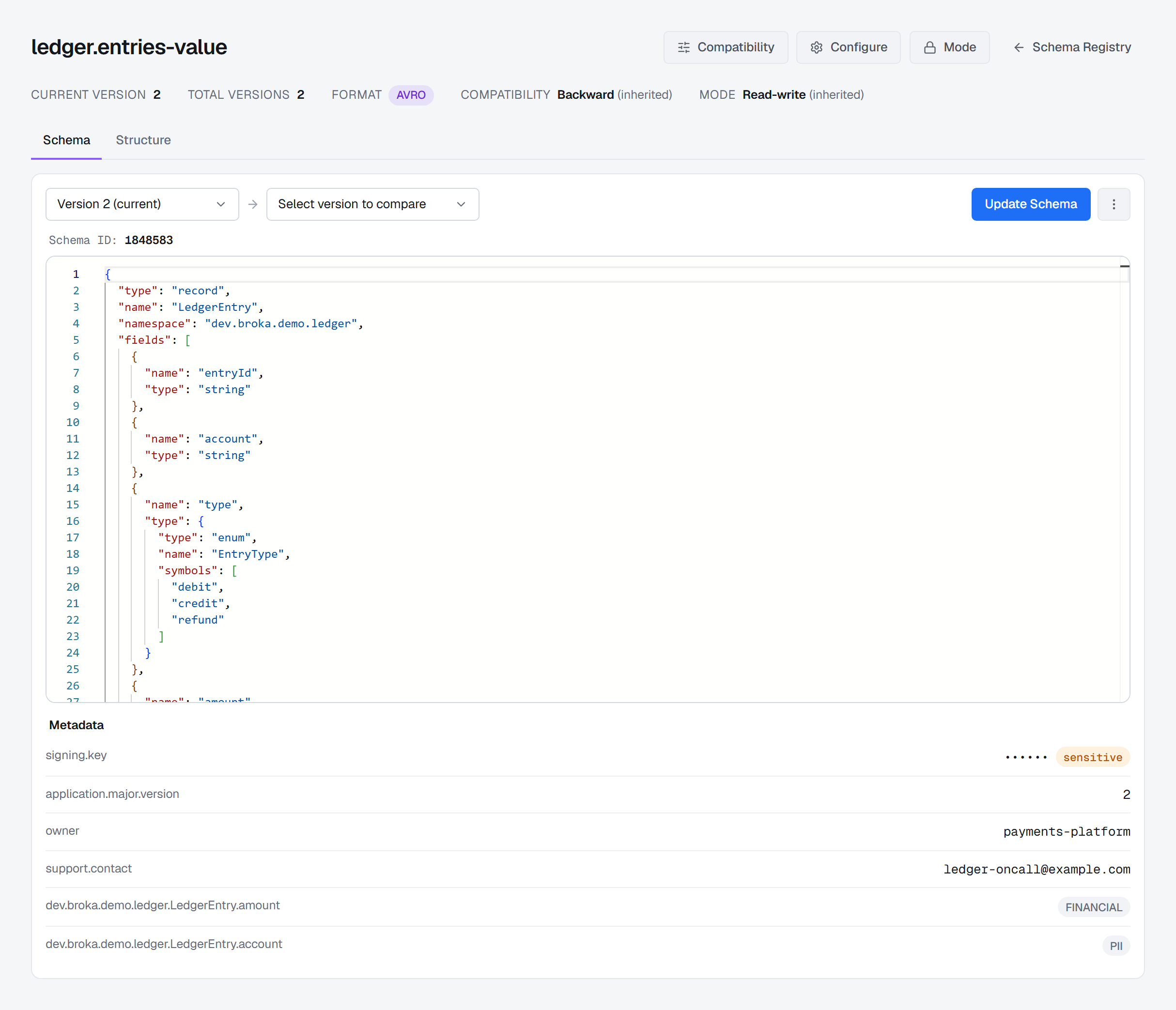
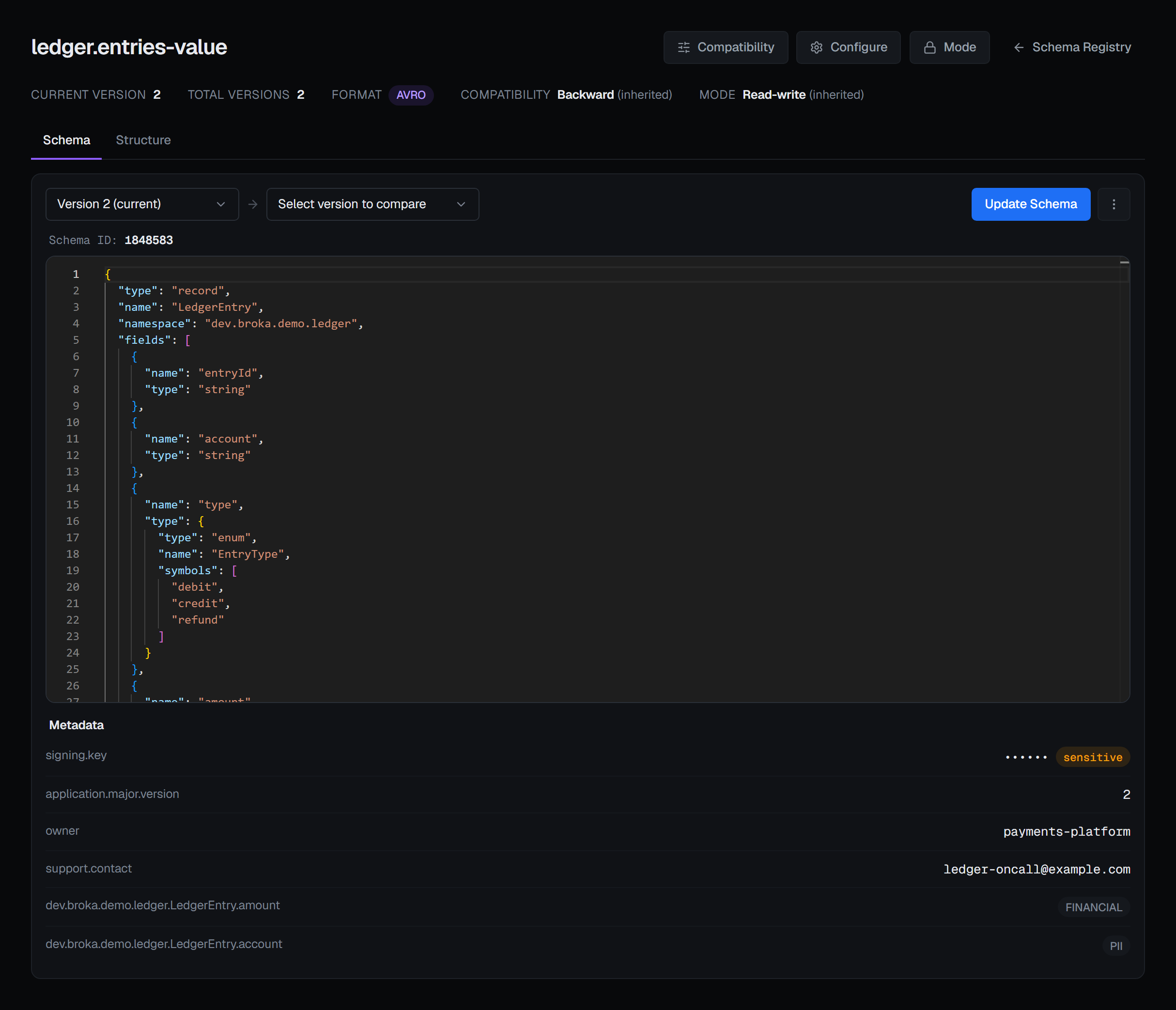
On a subject's page, the Schema tab shows the selected version's metadata under its schema, in a
Metadata block: each property with its value, then each tag path with its tags. A property the
version marks as sensitive is not printed — its value reads •••••• and is marked sensitive, so
the page can be on a shared screen. Metadata belongs to a version, so choosing another version in the
version picker shows that version's; a version without metadata shows no block.
Registering metadata
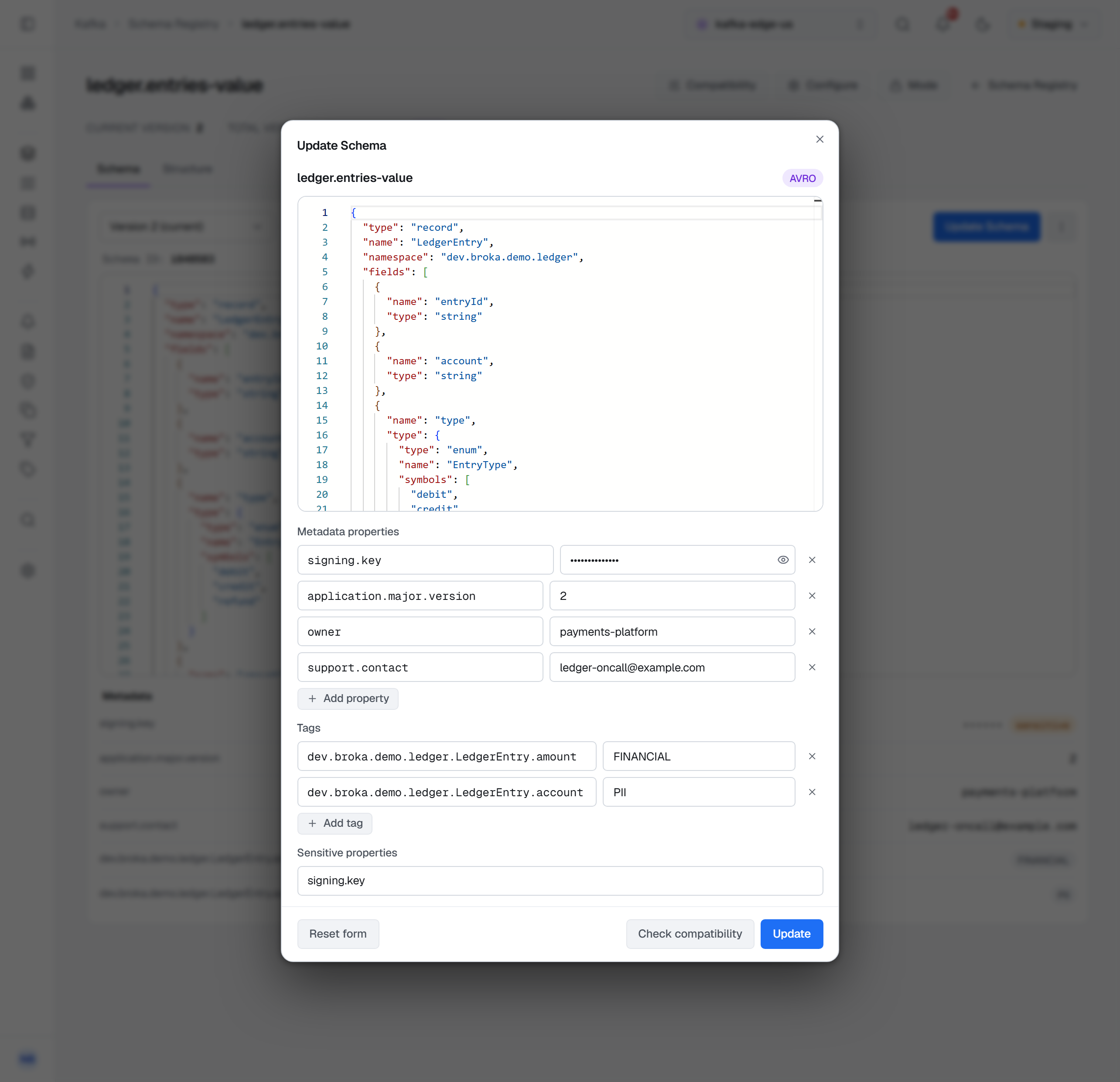
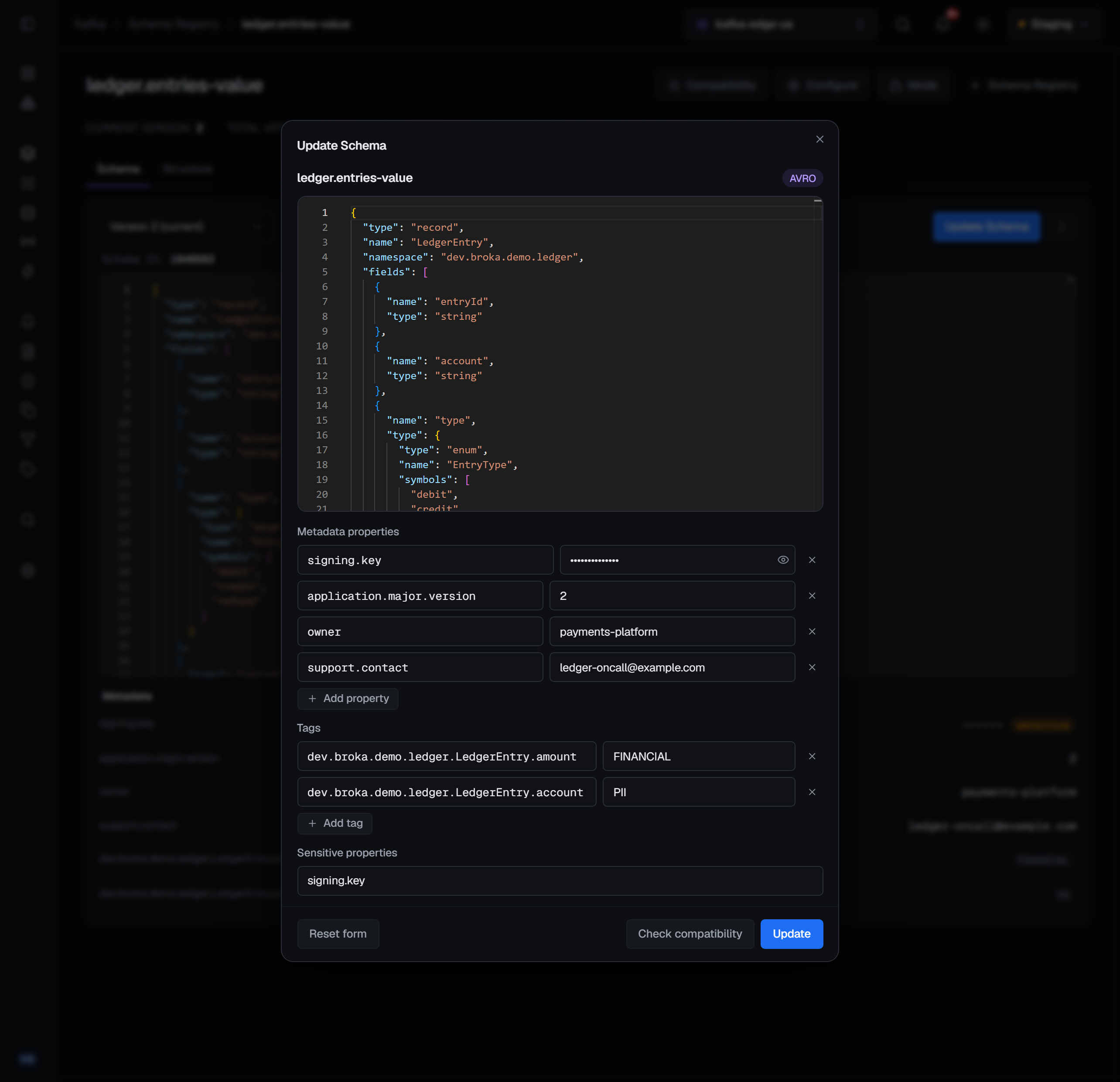
Update Schema registers the new version together with its metadata, in three fields under the schema editor:
- Metadata properties — a property and its value on each row; Add property adds a row.
- Tags — a path and its tags on each row, the tags separated by commas; Add tag adds a row.
- Sensitive properties — the property names, separated by commas.
The form starts from the metadata of the version on screen, so a new schema keeps that metadata unless you change it, and Reset form puts it back. A row without a name, and a path without tags, are left out. Changing only the metadata registers a new version too.
Updating a schema needs the permission to manage connections. Like every write, it is refused in a read-only environment or on a connection marked read-only, and the message names what stopped it — the environment, the connection, or your role.
When the registry does not keep it
A registry accepts a registration it only partly understands. One that does not know metadata stores the schema, drops the metadata, and still answers with success. So after registering, BROKA reads the version back by its schema id and checks that every property, tag and sensitive name it sent is there. If anything is missing — or the version could not be read back — it does not report a plain success: Registered schema id … for orders.v2-value, but the registry did not keep its metadata. The audit record says the metadata was not applied. That answer is what decides it, not the registry's version.
Contexts
A registry can divide its subjects into contexts, separate namespaces inside one registry. The
default context, ., holds every subject not placed in another; a named context such as
.orders holds its own. The registry's subject list spans every context, so BROKA lists them all
together, and a subject in a named context appears under its qualified name, with the context as its
prefix: :.orders:payments-value is payments-value in .orders.
Filtering by context
The Context filter in the list's toolbar narrows the table to one context: All contexts (the default), Default context, or any context the registry lists. It narrows what is already listed rather than asking the registry again, and it works together with the search, the Type filter and the Internal subjects and Soft-deleted subjects switches. Clear sets it back to All contexts.
On a registry that has no contexts list, the filter is shown disabled, and hovering it gives the reason: This Schema Registry has no contexts list (GET /contexts), so its subjects cannot be shown by context.
Contexts and inheritance
A subject that sets no compatibility level or mode of its own inherits one — its context's, when the context has one, and the registry's global one otherwise. The subject's page shows the level and mode in force, marked (inherited). Setting and reverting them is described on Schema compatibility and modes.